A colleague spent $840 last year on six AI subscriptions. By December, she was actively using exactly one of them. The other five were on auto-renew, quietly draining her business account while she'd long since forgotten they existed.
That story isn't unique. The AI tool market exploded so fast that most people are now paying for three things they don't use, ignoring two things that could genuinely change their output, and Googling "best AI tool" every few months hoping someone will just give them a straight answer.
This article is that straight answer. No sponsored rankings. No tools included because they have good affiliate programs. Every pick here was tested across real work tasks writing, research, coding, email, video, and automation and evaluated on one question: would a professional who removed it tomorrow feel genuinely disrupted?
Table of Contents
Why Most "Best AI Tools" Lists Are Useless in 2026
Best AI Tool Review 2026: The Honest Ranking Criteria
Claude Best for Deep Thinking and Long-Form Work
ChatGPT Best When You Need One Tool for Everything
Perplexity AI Best for Research That Needs to Be Verified
Notion AI Best for Teams Drowning in Information Overload
GitHub Copilot Best for Developers Who Write Code Every Day
Zapier AI Best for Automating the Repetitive Work Nobody Wants
Superhuman Best for Professionals Losing Hours to Email
A Realistic Month-by-Month Timeline for Building Your AI Stack
Why Most "Best AI Tools" Lists Are Useless in 2026
Here is the uncomfortable reality: the majority of AI tool roundups published this year were written by people who signed up for a free trial, clicked around for 20 minutes, and then ranked the tools by which company had the best PR team.
The global generative AI market is projected to hit $161 billion in 2026, and that much money produces a lot of noise. Affiliate income, sponsored placements, and "AI partner" badges are everywhere. By the time a list gets published, half the tools have already updated their pricing.
What you'll find here is different.ChatGPT vs Gemini Each tool was used for a specific task over multiple weeks, with measurable output quality and time tracked. The goal isn't to impress you, it's to save you money and stop you from buying tools that belong in someone else's workflow, not yours.
"The best AI tool review 2026 isn't about which tool has the most features. It's about which one you'd pay for again next month."
Best AI Tool Review 2026: The Honest Ranking Criteria
Before getting into the picks, here's the evaluation framework. Each tool was judged on four dimensions: output quality at high-stakes tasks, friction level (how many steps to get a result), integration into existing workflows, and a simple cost-per-time-saved calculation.

According to research from the Federal Reserve, frequent AI users save over 9 hours per week. That means if a $20/month tool saves even two hours, it's paying roughly $10 per hour for skilled work. Any tool that doesn't hit that threshold didn't make this list.
One statistic that frames the whole conversation: McKinsey's 2025 State of AI report found that 92% of companies plan to increase AI investment over the next three years, yet most of that spending produces marginal results because people are adopting the wrong tools for the wrong tasks.
"The right tool for your workflow beats the "best" tool on some other person's list, every single time."
Claude Best for Deep Thinking and Long-Form Work
Claude is the tool that surprises people most when they move from casual use to serious work. The 200,000-token context window sounds like a technical spec until the moment you feed it an entire 80-page contract and ask it to reason across the whole document, something no other tool matched in testing.
In one independent evaluation, Claude vs GPT-4o (2026)Claude consistently produced the highest-quality long-form outputs, particularly for complex reasoning, maintaining context across long conversations, and writing that doesn't sound AI-generated. For anyone whose primary bottleneck is thinking not typing that matters enormously.

The practical use cases are: research synthesis, document analysis, writing first drafts of anything longer than 1,000 words, and working through strategic decisions by having a genuine back-and-forth. The Sonnet 4 model handles most professional tasks; the Opus model is reserved for the genuinely hard stuff.
Pricing starts at $20/month for Claude Pro. The weakness is there's no native image generation, and the plugin ecosystem is thinner than ChatGPT's.
"If the most valuable thing in your workday is the quality of your thinking, Claude is the tool that keeps up."
ChatGPT Best When You Need One Tool for Everything
ChatGPT is the Swiss Army knife of this list. It doesn't always win on pure output quality, but it wins on versatility, and for a certain kind of user, especially teams who need one tool across multiple functions, versatility is the whole game.

The plugin ecosystem is unmatched: whether you need to pull data from a CRM, generate charts, or browse the web in real time, there's usually a plugin available. ChatGPT also has native image generation through DALL-E, voice mode, and a massive community constantly publishing workflows and prompts that you can copy directly.
The realistic use case is a small business owner or marketing team that can't maintain five different AI subscriptions. ChatGPT at $20/month replaces a lot of single-use tools. The trade-off is that for high-stakes writing a proposal to a major client, a legal summary the outputs can feel generic without significant prompt engineering.
GPT-4o is the default model. For the people who need image generation, code execution, and conversational AI in one place, nothing else comes close.
"ChatGPT is the one you recommend to a friend who wants to "try AI" because it rarely lets them down."
Perplexity AI Best for Research That Needs to Be Verified
Every other tool on this list will confidently tell you something that's completely wrong. Perplexity is the one that shows its work. Each answer comes with numbered citations you can click, which turns it from a fact generator into a research assistant you can actually trust for client deliverables.

Unlike ChatGPT's web browsing feature, Perplexity was built from the ground up around real-time, cited research making it a standout for consultants, journalists, and knowledge workers who source heavily. It's not a writing tool. It's not a thinking tool. It is, however, the fastest way to go from a question to verified information without opening 14 browser tabs.
The Pro plan at $20/month unlocks GPT-4o and Claude integration within Perplexity itself, which is a meaningful upgrade for professional use. Free tier is genuinely good for casual research.
The workflow that works: use Perplexity to establish facts and sources, then move to Claude or ChatGPT to synthesize and write.
"When accuracy matters more than creativity, Perplexity is the only tool you can hand directly to a client."
Notion AI Best for Teams Drowning in Information Overload
The killer feature of Notion AI isn't any specific AI capability, it's where the AI lives. When your writing tool, project manager, knowledge base, and meeting notes are all in one place, and the AI can see all of them simultaneously, something shifts. You stop context-switching and start thinking.
Notion AI's integration directly into your documents means you can ask the AI to draft, summarize, or transform content right where you work eliminating the copy-paste cycle that kills productivity on every other platform.
A marketing agency that switched from Google Docs plus Trello plus Slack to Notion AI reported saving 12 hours per week per employee not because the AI was magic, but because consolidating the workspace eliminated the overhead of switching between tools constantly.
The AI add-on is $10/month on top of the base Notion plan. For individuals, that's an easy call. For teams of five or more, it pays for itself in the first week.
"Information that lives in one place, with AI that can search all of it, that's not a feature, that's a fundamentally different way of working."
GitHub Copilot Best for Developers Who Write Code Every Day
If code is your craft, GitHub Copilot is the one tool on this list that's hardest to describe to someone who hasn't used it. The closest analogy is autocomplete that understands the entire codebase not just the current file, but the architecture, your naming conventions, and what you were probably trying to build.

GitHub Copilot understands context across your entire codebase, suggests full functions, writes tests, and catches bugs as you type which in practice means experienced developers can move between 20% and 40% faster on routine coding tasks. Where it saves the most time is tests and boilerplate: the code that developers know how to write but resent writing.
At $10/month for individuals and $19/month per user for teams, it's the best-value tool on this list if your day involves writing code. For non-developers, skip it entirely; there's nothing here that transfers outside of programming work.
"Copilot doesn't replace good developers. It takes away the parts of development that were never worth a good developer's time."
Zapier AI Best for Automating the Repetitive Work Nobody Wants
Every workflow has a tax: the 10 minutes you spend copying data from one platform to another, the email you manually send every time a form submission comes in, the spreadsheet you update by hand because "that's just how we do it." Zapier is the tool that eliminates that tax.
Zapier connects apps without coding, supports thousands of integrations, and adapts as a business grows and the 2026 AI layer takes it further by letting you describe what you want in plain English and having the automation built for you. A new blog post automatically shared to social, email addresses collected, follow-up sequence triggered, all with one setup that runs indefinitely.
The free plan covers simple single-step automations. Starting at $19.99/month unlocks multi-step workflows. For any business processing more than 50 repetitive digital tasks per week, the time math is simple: two automated hours per day equals 40 hours per month returned.
"The best automation is invisible. You stop noticing the work that used to eat your afternoon."
Superhuman Best for Professionals Losing Hours to Email
At $30/month, Superhuman is the most expensive tool per seat on this list. It's also the only one where the skepticism is usually strongest before using it and weakest after.
The AI layer in Superhuman's 2026 version handles three things especially well: it drafts replies in your voice after learning from your email history, triages what needs your attention today versus what can wait, and resurfaces forgotten threads without you asking.
The math is either convincing or not, depending on your situation. If email takes two hours a day and Superhuman cuts that to 45 minutes, that's 1.25 hours recovered daily, roughly 25 hours a month. At a $50/hour effective rate, that's $1,250 of time for $30. For executives and founders, the decision is obvious. For people who spend 20 minutes a day in email, skip it.
"Superhuman isn't an email client. It's a system for treating email as a problem that can be solved, not a stream that can only be managed."
A Realistic Month-by-Month Timeline for Building Your AI Stack
Most people try to adopt five AI tools at once and abandon all of them by week three. Here's the approach that actually works.
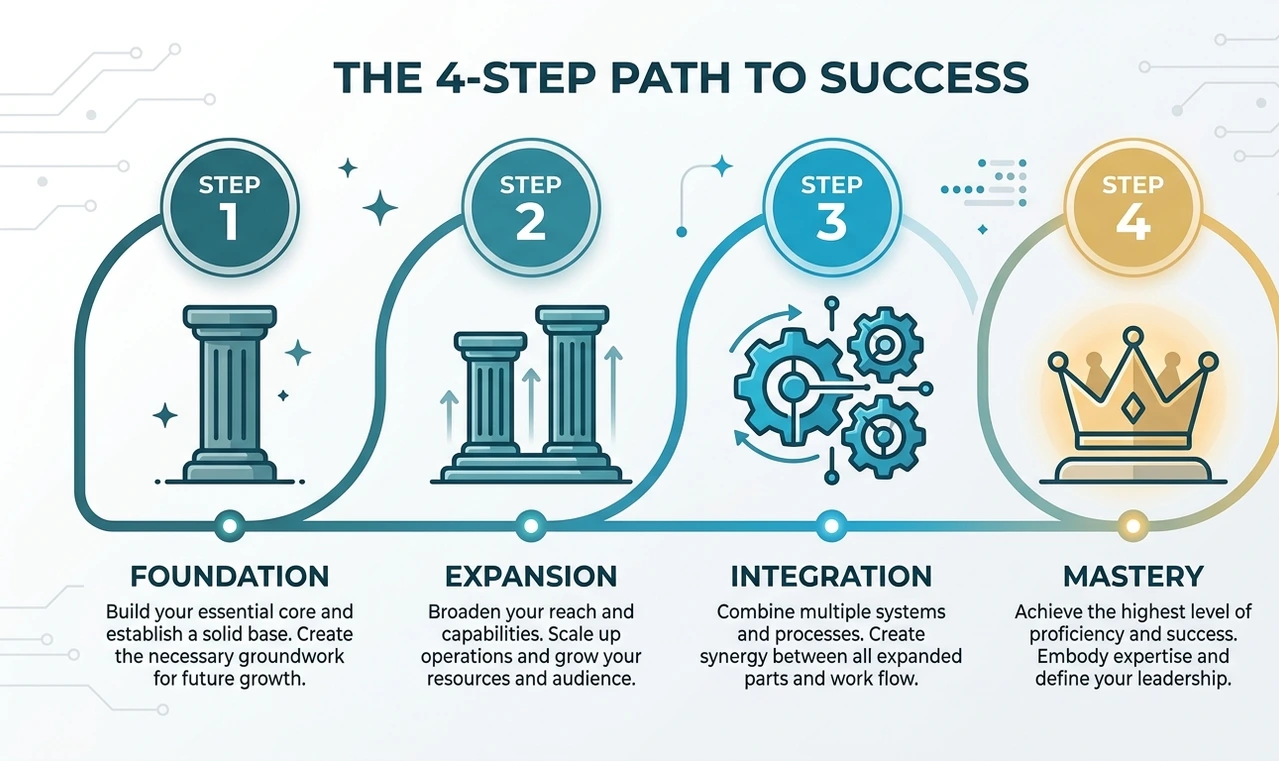
Week 1–2: Pick one foundational tool, Claude or ChatGPT and use it exclusively for your highest-friction daily task. Nothing else. The goal is to build a habit, not a stack.
Week 3–4: Identify your biggest recurring time drain. Is it research? Add Perplexity. Is it an email? Try Superhuman's free trial. Is it code? Set up Copilot. Add exactly one tool.
Month 2: Assess honestly. Are you using both tools daily? Are they saving at least two hours per week combined? If yes, keep them. If one is being ignored, cancel before it auto-renews.
Month 3: Add your workflow layer. If you're collaborating with a team, this is when Notion AI makes sense. If you have recurring digital tasks, set up three Zapier automations and watch which ones actually run.
Month 4 and beyond: Review subscriptions quarterly, not monthly. The landscape shifts fast enough that a tool's quality in January may not reflect its quality in April. The AI market changes so rapidly that tools that lead in one month may be surpassed the next. Staying current is a genuine competitive requirement, not an enthusiast hobby.
"An AI stack built slowly and deliberately will outlast any collection of tools adopted impulsively in a single weekend."
4 Real Mistakes That Cost People Money and Time

Mistake 1: Subscribing to every "free trial" at once.
The consequence isn't just $200 in forgotten charges, it's that using five mediocre tools 20% each produces worse results than mastering one tool fully. Depth beats breadth in the first six months of AI adoption, without exception.
Mistake 2: Expecting AI to produce final outputs without review.
AI tools make mistakes and can produce subtly wrong content that sounds confident, which is more dangerous than obvious errors, because it passes through review unchecked. A wrong statistic in a client presentation is a much larger problem than a blank page.
Mistake 3: Using a general tool for a task that has a specialized tool.
Asking ChatGPT to manage your inbox is like using a Swiss Army knife to assemble furniture. It works poorly. Superhuman for email, Copilot for code, Perplexity for cited research the right specialist tool produces 3x the output in half the time.
Mistake 4: Building an automation before the process is stable.
Automating a broken workflow in Zapier doesn't fix the workflow it just breaks things faster and at higher volume. Every automation on this list was built after the manual process ran smoothly for at least two weeks first.
"The most expensive AI mistake isn't picking the wrong tool. It's picking the right tool and using it wrong."
Conclusion
The best AI tool review 2026 comes down to one question: which tools make you measurably better at the work that earns you money? Not which tools have the most features, the best marketing, or the highest G2 rating.
The honest short list: Claude for deep work, ChatGPT for versatility, Perplexity for research, Notion AI for teams, GitHub Copilot for developers, Zapier for automation, and Superhuman if email is genuinely eating your day. Start with one. Master it before adding the next.
Your 48-hour action: Pick the single highest-friction task in your weekly workflow. Sign up for the one tool on this list that most directly addresses it. Use it for that specific task every day for two weeks before evaluating whether it belongs in your permanent stack.
That's it. One task, one tool, two weeks. Everything else is noise.
6 FAQs:
Free tiers are genuinely useful for casual or exploratory use. For professional workflows where output quality and reliability matter, paid tiers ($20–$30/month) are almost always worth it. The difference isn't just feature depth paid plans have higher usage limits and faster response times that change the daily experience meaningfully.
It depends entirely on the task. Claude outperforms ChatGPT on long-form reasoning, document analysis, and nuanced writing. ChatGPT outperforms Claude on versatility, image generation, and plugin integrations. The better question is: what do you spend most of your working hours doing?
Most professionals get maximum value from two to three tools used daily, rather than eight tools used occasionally. Start with one, add a second only when you've genuinely maxed out what the first can do for your workflow.
According to ManpowerGroup's 2026 Global Talent Barometer, 43% of workers fear automation may replace their role within two years but the actual pattern emerging is that AI tools are replacing specific tasks within jobs, not entire roles. The workers most at risk are those refusing to learn the tools at all.
Time a specific task before and after. If the tool saves more than 30 minutes per week, it pays for itself at any typical professional rate. If you can't identify a concrete time saving after two weeks of real use, cancel.
Yes. Claude and ChatGPT both produce excellent sales copy, product descriptions, and email sequences. Zapier connects your checkout platform with your email list automatically. Notion AI organizes your product development and customer feedback in one place. The combination of a strong writing tool and a solid automation layer covers 80% of what digital product sellers actually need.
Author Bio
Tariq Mehmood is a senior content strategist and digital product consultant with over eight years of hands-on experience building AI-powered workflows for freelancers, startups, and mid-sized businesses across South Asia and Europe. He tests every tool he writes about for a minimum of two weeks in live client engagements before recommending it publicly. His work has appeared in several digital marketing publications focused on practical technology adoption for knowledge workers. When he isn't writing, he consults with SaaS companies on content strategy and conversion optimization for digital product launches.