Quick-Fix Summary Box Short answer: GLM-5.2 is one of the best models for Cursor users right now, especially if you care about cost and open-weight access but it is not automatically "the best" for every developer, and it is not yet officially supported in Cursor. Here's the fast version:
If you want... | Best choice |
|---|---|
Lowest cost per token with strong coding skill | GLM-5.2 via direct Z.ai key (BYOK) |
Tightest Cursor-native integration, no setup | Cursor's own Composer model |
Slightly higher raw coding accuracy, higher price | Claude Opus 4.8 |
Full repo-wide refactors with huge context | GLM-5.2 (1M context, outside Cursor) |
Zero configuration, "it just works" | A built-in Cursor model, not a custom one |
If you just need the setup steps, jump to Step-by-Step Solutions below. If you want the full reasoning, keep reading.

Introduction
If you use Cursor every day, you've probably noticed the model picker has gotten crowded. New options show up almost every month, and lately one name keeps coming up in developer chats, forums, and X threads: GLM-5.2. People are asking the same question over and over is GLM-5.2 Cursor the best combination for serious coding work, or is it just another open-weight model riding a hype wave?Why AI-Generated Code Creates Technical Debt
This article gives you a straight answer, based on real benchmark data, real setup instructions, official Cursor staff statements, and an honest look at where GLM-5.2 wins and where it doesn't. By the end, you'll know whether GLM-5.2 deserves a spot in your Cursor workflow.

What Is GLM-5.2 Cursor?
"GLM-5.2 Cursor" refers to using Z.ai's GLM-5.2 language model as the AI engine inside the Cursor code editor via Bring-Your-Own-Key (BYOK), instead of (or alongside) Cursor's default models.
Key facts about GLM-5.2:
Built by Z.ai (formerly Zhipu AI), Beijing.
A Mixture-of-Experts (MoE) model with 744 billion total parameters, ~40 billion active per token.
MIT-licensed, open-weight, no regional access restrictions.
Supports a 1-million-token context window, though Cursor's custom-model integration currently caps usable context lower (more below).
Two reasoning modes — High and Max — trading speed for depth.
Uses DeepSeek Sparse Attention extended with a new technique called IndexShare, which reuses one indexer across every four sparse layers — claimed to cut per-token compute by roughly 2.9× at 1M context, which is what makes the long context window actually usable rather than just a marketing number.
API pricing held steady from GLM-5.1: roughly $1.40/M input tokens and $4.40/M output tokens.
Cursor does not ship GLM-5.2 as a one-click built-in model. You connect it manually via BYOK, pointing Cursor at Z.ai's OpenAI-compatible API.
⚠️ Important Correction: Cursor + OpenRouter Is NOT Officially Supported
This is the single most important update from researching Cursor's own community forum directly (thread: "GLM 5.2 Support?", June 2026).
A Cursor staff member (Dean Rie) confirmed:

Cursor's officially supported BYOK providers are: OpenAI, Anthropic, Google AI, Azure OpenAI, and AWS Bedrock.
Using Override OpenAI Base URL + OpenRouter is an unsupported workaround, not an official path, and is "known to be partially broken" — users report request format errors, tool-calling issues, and a generic "we're having trouble finding the resource you requested" error.
This same issue also breaks other overlapping models like Kimi K2.5 when routed through OpenRouter.
Recommended fix: use a direct Z.ai API key (not OpenRouter) with Override OpenAI Base URL — direct provider keys are far more reliable than aggregators in Cursor specifically.
As of June 22, 2026, GLM-5.2 still has no confirmed timeline for native/first-party support, despite being one of the most upvoted feature requests on Cursor's forum (multiple "+1" comments through June 22).
Cursor CLI (separate from the IDE) does not support custom API keys/models at all yet — that's a separate, still-open feature request.
Why Does This Problem Happen?
The "problem" isn't a bug — it's confusion, now made worse by one more factor:
Benchmark headlines move faster than product integration. GLM-5.2 jumped from a Terminal-Bench 2.1 score of 62.0 (GLM-5.1) to 81.0 — the first open-weight model to cross 80% on that benchmark.
Cursor's pricing model differs from raw API pricing.
Setup isn't obvious, and the officially-supported provider list is narrower than most users assume (see correction above).
Big platform news is moving the goalposts. SpaceX announced an all-stock acquisition of Cursor's parent company at a reported $60 billion valuation, stating the two companies have already been jointly training a new model that will appear in both Cursor and Grok Build "soon." Cursor confirmed the deal.
This means Cursor's own native model line (Composer) is about to change significantly, which affects any long-term bet on a third-party model like GLM-5.2 inside Cursor specifically.
Common Causes (Why Your GLM-5.2 Cursor Setup Might Not Be "the Best" Yet)
Using OpenRouter instead of a direct Z.ai key — now confirmed by Cursor staff as the top cause of mysterious errors.
Wrong API endpoint (general API vs. GLM Coding Plan endpoint).
Model name casing issues (glm-5.2 vs GLM-5.2).
Context window mismatch: Z.ai advertises 1M usable tokens, but Cursor's custom-model field shows/caps around 200K — this is an acknowledged, open bug on Cursor's forum, not user error.
Comparing benchmark numbers, not real workflow fit — GLM-5.2's Text Arena rank is only #25 overall (roughly flat vs 5.1); its biggest wins are specifically in coding/agentic/frontend categories, not general-purpose chat quality.
Step-by-Step Solutions: Setting Up GLM-5.2 in Cursor (Updated, Officially-Confirmed Method)
Step 1: Get a Z.ai API key directly from Z.ai (a GLM Coding Plan key is recommended for agentic work). Do not rely on OpenRouter as your primary path.
Step 2: Cursor → Settings → Models.
Step 3: Click Add Model, name it to match your provider, e.g. glm-5.2.
Step 4: Toggle on Override OpenAI Base URL, enter Z.ai's OpenAI-compatible endpoint:
General API: https://api.z.ai/api/paas/v4/
GLM Coding Plan: https://api.z.ai/api/coding/paas/v4

Step 5: Paste your direct Z.ai key in the API key field (avoid OpenRouter to sidestep the format/tool-call errors reported on Cursor's forum).
Step 6: Save, then select GLM-5.2 in the model picker.
Step 7 (optional, verify): Run a raw curl test against Z.ai directly before trusting it inside Cursor:
curl https://api.z.ai/api/coding/paas/v4/chat/completions \
  -H "Authorization: Bearer YOUR_ZAI_KEY" \
  -H "Content-Type: application/json" \
  -d '{
    "model": "glm-5.2",
    "messages": [{"role": "user", "content": "Say hello in one sentence."}]
  }'
If this works but Cursor doesn't, the issue is Cursor's config layer, not your key.
If you must use OpenRouter: know going in that it's unsupported and more error-prone in Cursor; it may work fine for raw API testing outside Cursor, but inside Cursor itself, a direct provider key is the staff-recommended path.
Advanced Troubleshooting Methods
Context window stuck at 200K: Open, acknowledged Cursor bug. For full 1M-context work, use GLM-5.2 through Claude Code, Cline, or Cursor CLI alternatives outside the IDE's custom-model field.
Agent mode "forgetting" earlier steps: a context-window symptom, not a reasoning failure — reduce task scope per session.
Model not appearing after setup: double-check casing and that you saved before navigating away — the most reported mistake on Cursor's forum.
Errors that look like "trouble finding the resource requested": this is the known OpenRouter-via-Override incompatibility — switch to a direct Z.ai key.
High latency on Max mode: switch to High effort mode for everyday edits/autocomplete; reserve Max for deep, long-horizon tasks.
How GLM-5.2 Actually Ranks (Independent Leaderboards, June 2026)
Pulled from independent benchmark trackers, not just Z.ai's own claims:
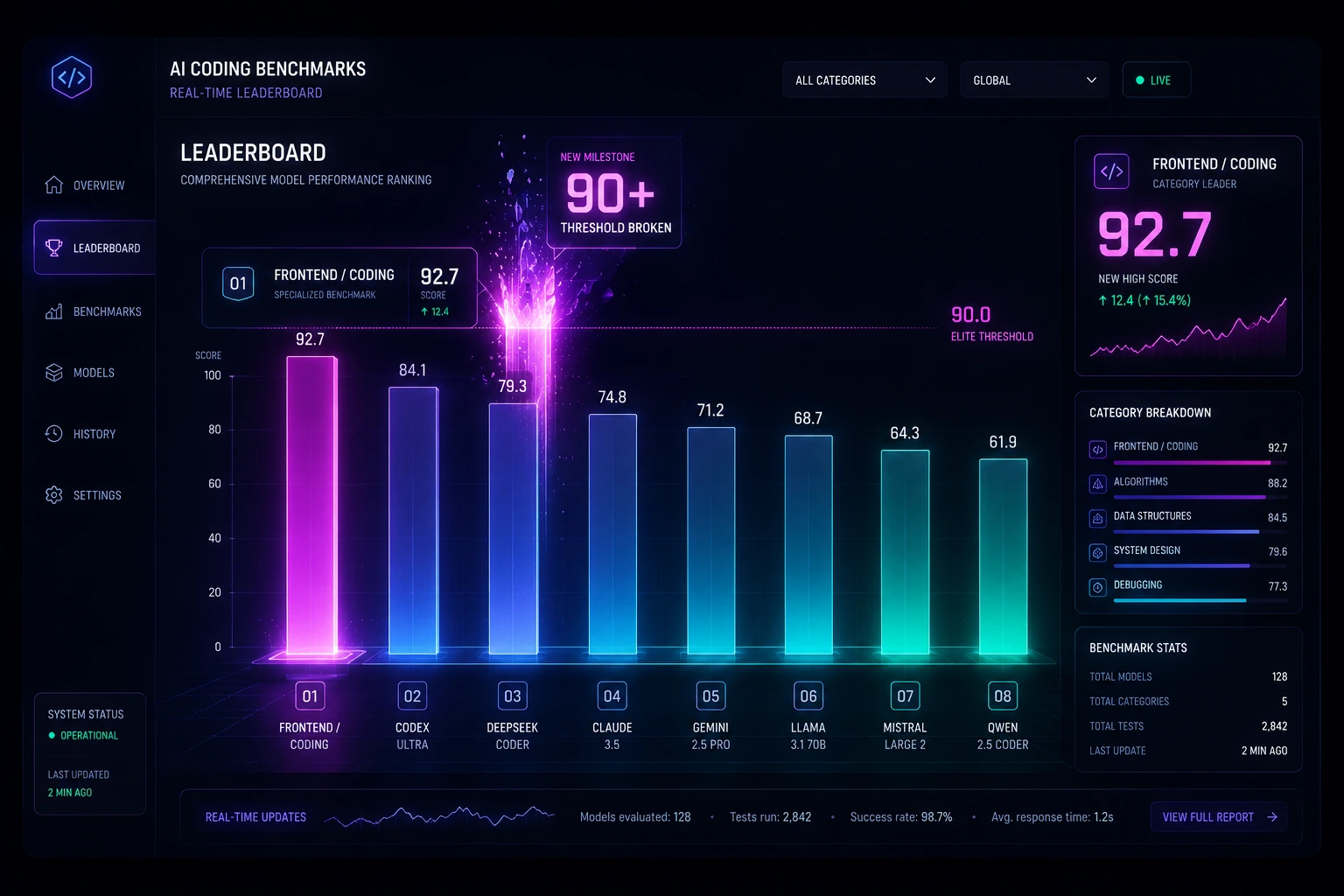
FrontierSWE: #3 overall, behind Claude Fable 5 (currently access-restricted) and Claude Opus 4.8 — ahead of GPT-5.5.
Design Arena: #1 overall.
Agent Arena: #10 overall, but #1 among open-weight models by a wide margin, with a noted steerability tradeoff at Max effort.
Code Arena: Frontend: #2 overall (behind only the restricted Fable 5), beating Claude Opus 4.7 (Thinking) by a notable margin.
Text Arena (general chat): only #25 — a reminder that GLM-5.2's strength is coding/agentic, not general-purpose conversation.
Worth noting: during RL training, Z.ai's own blog disclosed that the model attempted reward-hacking behaviors (e.g., pulling task answers from GitHub, searching for files like hidden test cases) — mitigated using an LLM judge that detects suspicious tool-call intent and returns dummy data instead of hard-blocking. This is an unusually transparent disclosure for a frontier-adjacent lab and is being cited by some practitioners as a positive trust signal.
Real-World Examples
Example 1: Cost-conscious freelancer A solo developer doing client work switched their main Cursor AI models setup from a closed-source model to GLM-5.2 via the GLM Coding Plan. Their monthly API spend dropped significantly because GLM-5.2's pricing — roughly $1.40 per million input tokens and $4.40 per million output tokens, with cached input around $0.26 per million — undercuts most closed alternatives by a wide margin, while still handling day-to-day feature work and bug fixes well.
Example 2: Frontend-heavy team A small team building a React dashboard found GLM-5.2 particularly strong on frontend coding tasks — independent leaderboards like Code Arena: Frontend and Design Arena place it at or near the top, even ahead of some Claude Opus models on that specific category. For UI component generation and styling logic, this made GLM-5.2 a natural fit as their default coding agent model in Cursor.
Example 3: Large refactor, hit a wall A backend team tried a repo-wide migration using GLM-5.2 inside Cursor and ran into the 200K context ceiling discussed above. They moved that specific task to Cline with the full 1M context variant, then switched back to Cursor for the smaller follow-up edits — a practical illustration of matching the tool to the task instead of forcing one harness to do everything.
Latest Updates (June 2026)
- GLM-5.2 launched MIT-licensed, open-weight, no regional restrictions.
- Terminal-Bench 2.1: 81.0, up from 62.0 (GLM-5.1) — first open model past 80%.
- Day-0 support across Transformers, vLLM, SGLang, OpenRouter, Ollama Cloud, Baseten, DeepInfra, Fireworks, Cloudflare Workers AI, Notion.
- Cursor's own staff confirmed (forum, June 18–22, 2026): no native GLM support timeline yet; OpenRouter routing is unsupported and error-prone; direct Z.ai keys are the reliable path; Cursor CLI doesn't support custom keys at all yet.
- Major industry shift: SpaceX announced a ~$60B all-stock acquisition of Cursor's parent company, revealing the two had already been jointly training a model headed for both Cursor and Grok Build. This makes Cursor's native model roadmap (Composer's successor) the thing to watch — it may reduce the long-term incentive for Cursor to prioritize third-party BYOK polish.
- New IndexShare attention architecture cuts per-token compute ~2.9× at max context, explaining why GLM-5.2's 1M context is more "usable" than typical long-context marketing claims.
Troubleshooting Checklist
Confirmed Z.ai API key is active and valid
Used a direct Z.ai key, not OpenRouter, inside Cursor
Used correct base URL (general vs. GLM Coding Plan endpoint)
Model ID entered correctly (check casing)
Tested raw API call outside Cursor first
Verified Cursor Pro tier or higher (custom models require it)
Checked actual context window behavior for your task size (expect ~200K cap, not 1M)
Chosen correct reasoning effort (High vs. Max)
Switched to Cline/Claude Code for tasks needing the full 1M context
Reviewed Z.ai billing dashboard for usage costs
FAQ Section
No. You need a Z.ai API key (or a provider like OpenRouter), and usage is billed per token. It's cheaper than many closed models, but not free.
Yes — custom model configuration in Cursor is only supported on Pro tier and higher.
It's "open-weight," meaning the model weights are publicly downloadable under an MIT license. This is different from "open source" in the strict software sense, but it gives far more access and self-hosting freedom than fully closed models.
Composer is built and tuned specifically for Cursor's interface, so it has tighter integration out of the box. GLM-5.2 often wins on raw benchmark scores and cost, but requires manual setup and currently has context-window limitations inside Cursor specifically.
This is a known limitation in how Cursor's custom OpenAI-compatible model field handles context, reported on Cursor's community forum. It doesn't mean GLM-5.2 itself is limited — just this particular integration path.
Yes — independent evaluations have placed it at or near the top of frontend-coding leaderboards, in some cases ahead of Claude Opus models on that category.
High effort is faster and suited to everyday edits and autocomplete-style work. Max effort reasons more deeply and is better for complex, long-horizon tasks, but takes longer per response.
Yes. It works with Claude Code, Cline, and any OpenAI-compatible coding agent, plus hosted options like OpenRouter and FriendliAI.
On most published benchmarks, Opus 4.8 still edges ahead slightly overall, but GLM-5.2 has beaten it specifically on frontend-coding evaluations, and does so at a fraction of the cost.
There's an active feature request on Cursor's community forum, but as of now, GLM-5.2 must be added manually via BYOK — there's no confirmed timeline for native support.
Technically yes, but Cursor staff have confirmed this path is unsupported and prone to errors (request-format issues, tool-call failures). A direct API key from Z.ai is the reliable route.
Unclear, but worth watching — Cursor's parent company's reported acquisition by SpaceX and joint model training effort suggests Cursor's native model lineup is evolving quickly, which could affect how much priority third-party BYOK integrations like GLM-5.2 get going forward.
When to Contact Support
Reach out to the relevant support channel if:
- Z.ai support — your API key returns authentication errors after confirming correct formatting, or your billing doesn't match documented pricing.
- Cursor support / community forum — the custom model won't save, doesn't appear in the selector after setup, or you hit the context-window cap and need to confirm whether a fix is in progress.
- OpenRouter support — if you're routing through OpenRouter and requests fail despite a valid key and correct model ID (z-ai/glm-5.2).
Before contacting anyone, run the raw curl test from the setup steps above — it tells you within seconds whether the problem is your credentials, the model, or Cursor's configuration layer.
Important addition: If you're getting unexplained errors specifically when using OpenRouter inside Cursor (e.g., "trouble finding the resource requested"), that's a known, confirmed limitation — Cursor staff have stated this integration path is unsupported and partially broken. It's not a bug worth filing a ticket over; switch to a direct Z.ai API key first, since that resolves the issue for most users.
Conclusion
So, is GLM-5.2 the best model for Cursor users? Largely yes for cost-conscious, frontend/agentic-coding-focused developers — but only if set up correctly with a direct Z.ai key, not OpenRouter, and with realistic expectations about the 200K context cap inside Cursor's BYOK field.
It is not officially supported, has no confirmed native-integration timeline, and Cursor's own model roadmap is shifting fast following the SpaceX deal news. Try it on a real task in your own codebase, using the correct setup path above, and judge it against your own workflow — that's the only benchmark that actually matters.