If you've used Claude Code for more than a few sessions, you've probably seen Claude hand part of a task to another agent instead of doing everything inside the main conversation.
That worker is a subagent.
Claude Code subagents are specialized AI assistants that handle focused tasks in their own context window. They can search a codebase, review files, investigate errors, run commands, or perform other work without filling your main conversation with every intermediate result.
The main benefit is simple: your primary Claude Code session stays focused while a separate agent handles a well-defined task.
This guide explains what Claude Code subagents are, how they work, when Claude delegates work to them, how to create custom subagents, how to control their tools and permissions, and how subagents differ from forks, background sessions, and agent teams.
What Is a Claude Code Subagent?
A Claude Code subagent is a specialized agent that Claude Code can spawn to handle a specific task.
A subagent runs in its own context window and can have its own:
- System prompt
- Tool access
- Model
- Permission mode
- Skills
- Memory
- MCP servers
- Hooks
- Maximum number of turns
- Background/foreground behavior
Instead of doing everything inside your main conversation, Claude can delegate a focused task to a subagent.
For example, you might ask Claude Code to:
Find every place where this deprecated function is used.
Rather than filling your main context with hundreds of file reads and search results, Claude can delegate the investigation to a subagent.
The subagent performs the work and reports the useful result back to the parent conversation.
Why Use Subagents?
The main reason is context isolation.
Imagine your main session contains:
- Your original request
- Architecture discussions
- Code changes
- Test results
- Error messages
- Several files
- Documentation
- Previous decisions
Now you ask Claude to search 200 files for one deprecated API.
If all of that exploration happens in the main conversation, the search can consume valuable context.
A subagent can perform the exploration separately and return the important findings.
That makes subagents especially useful for:
- Codebase exploration
- Research
- Code review
- Log analysis
- Independent investigation
- Read-only audits
- Specialized workflows
- Parallel research
How Claude Code Subagents Work
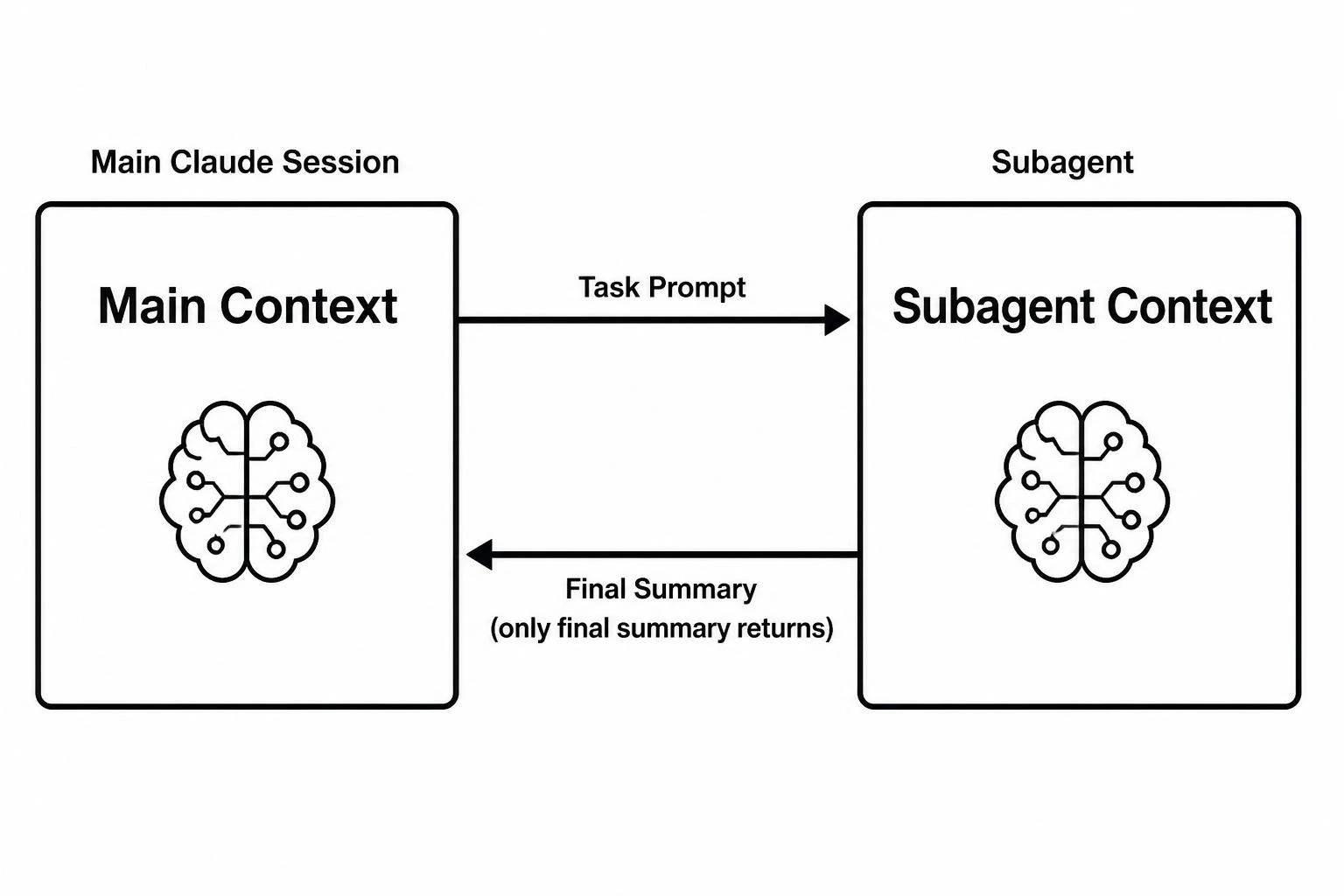
A typical delegation looks like this:
- You give Claude Code a task.
- Claude determines whether a subagent is appropriate.
- It selects a suitable built-in or custom subagent.
- The subagent starts in its own context.
- Claude gives the subagent a task-specific prompt.
- The subagent performs the work using its available tools.
- The subagent returns its result to the parent conversation.
The important part is that a normal named subagent does not simply copy your entire conversation history into its context.
It has its own context and receives the information needed for the task.
That is why subagents work well for self-contained jobs.
Example
Suppose your main conversation contains this:
You:
Build authentication for my application.

Claude:
I've implemented the login flow...

You:
Now find all security issues in the authentication code.
Instead of reviewing everything inside the same context, Claude can delegate the security review to a specialized reviewer subagent.
The reviewer can inspect the relevant files, run appropriate checks, and return something like:
Security Review

Critical:
- Authentication token is stored insecurely.

High:
- Session expiration is not enforced.

Medium:
- Login attempts are not rate limited.

Recommendation:
Fix token storage before production deployment.
Your main conversation receives the useful result instead of every intermediate search operation.
Built-in Claude Code Subagents
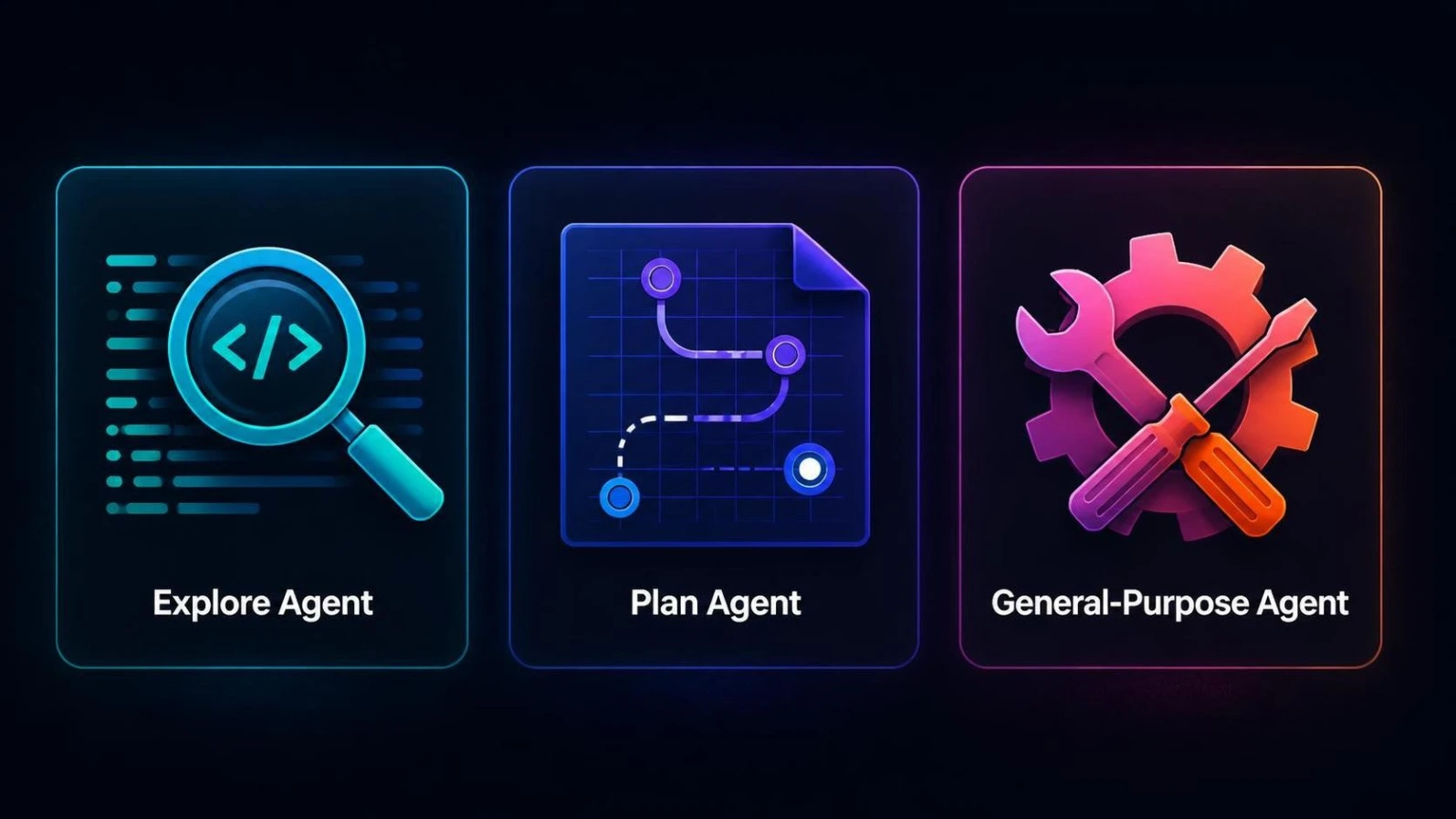
Claude Code includes built-in subagents so you can use delegation without creating everything yourself.
Common built-in agents include:
Explore
Explore is designed for quickly searching and understanding a codebase.
It is particularly useful when Claude needs to:
- Find files
- Locate functions
- Understand project structure
- Search for implementations
- Investigate where something is used
Explore is intended for read-only exploration.
Plan
Plan is used for research during planning workflows.
It can investigate the codebase before Claude proposes an implementation approach.
The purpose is to separate codebase exploration from the planning conversation.
General-purpose
The general-purpose subagent handles broader tasks that require more than simple exploration.
It can be useful when a task involves:
- Multiple dependent operations
- More complex reasoning
- Exploration plus implementation
- Several tool calls
Claude Code can also use other internal helper agents for specialized jobs.
You normally don't need to invoke those directly.
When Should You Use a Subagent?
Subagents are most useful when the task is self-contained.
Stay in the Main Conversation When:
- You need continuous back-and-forth
- Every step depends heavily on the previous step
- You are actively implementing a feature
- You need to make decisions based on intermediate results
- The task is small
- Re-explaining the context would take longer than doing the work yourself
For example:
Change the button color and update its hover state.
A subagent probably isn't necessary.
Use a Subagent When:
- The task produces lots of intermediate output
- You only need the final findings
- The task is independent
- You want a specialized system prompt
- You want restricted tool access
- You want to perform research separately
- You want a fresh context for code review
For example:
Search the repository and find every API endpoint that doesn't validate input.
That's a strong subagent use case.
How Claude Decides Which Subagent to Use
Claude Code uses the description of a subagent to determine when that subagent is appropriate.
That's why the description of a custom subagent should be specific.
Weak description:
description: Helps with code.
Better:
description: Reviews Python code for security vulnerabilities,
input validation problems, and PEP 8 issues. Use after Python
files are modified.
The second description gives Claude much more information about when the agent is relevant.
Claude can then automatically delegate matching tasks to that subagent.
Explicitly Invoking a Subagent
You don't always have to wait for automatic delegation.
You can explicitly ask for a particular agent.
For example:
Use the code-reviewer subagent to review the authentication changes.
You can also use an @ mention:
@code-reviewer review the authentication changes
Claude Code's /agents interface lets you create and manage custom agents, and agents can appear in the typeahead when you use @.
You can also start an entire Claude Code session using a particular subagent:
claude --agent code-reviewer
In this mode, that agent becomes the main thread's agent for the session.
Create a Custom Claude Code Subagent
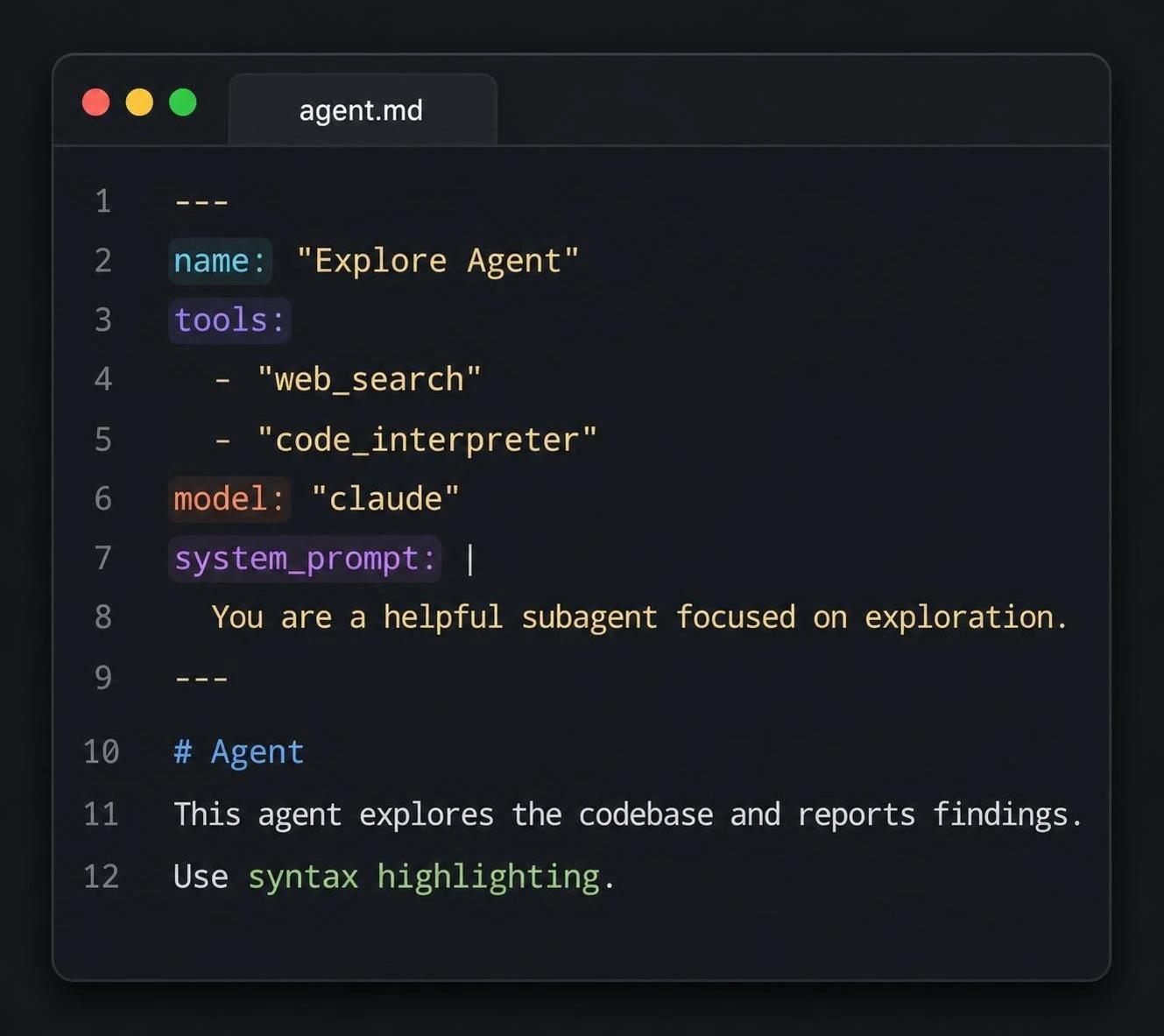
If you repeatedly perform the same specialized task, creating a custom subagent can save time.
Claude Code provides an /agents command for managing agents.
Run:
/agents
From there, you can create a new agent and choose its scope, tools, model, memory, and other settings.
You can also create subagents manually as Markdown files.
A basic subagent looks like this:
---
name: code-reviewer
description: Reviews code for security, bugs, and maintainability issues. Use after code changes.
tools: Read, Grep, Glob
model: sonnet
---

You are a code review specialist.

Review the requested files for:

1. Security issues
2. Logic errors
3. Performance problems
4. Maintainability concerns
5. Missing tests

Do not modify files.

Return a concise report with the most important findings first.
The YAML section is called frontmatter.
The Markdown body becomes the subagent's system prompt.
Important Subagent Configuration Fields
Modern Claude Code subagents support considerably more configuration than just name, description, tools, and model.
Here are the fields worth knowing.
| Field | What it controls |
|---|---|
| name | Subagent identifier |
| description | Helps Claude decide when to use the agent |
| tools | Tools the agent can use |
| disallowedTools | Tools explicitly blocked for the agent |
| model | Model used by the agent |
| permissionMode | Permission behavior |
| skills | Skills preloaded into the agent |
| memory | Persistent memory scope |
| mcpServers | MCP servers available to the agent |
| hooks | Lifecycle hooks |
| maxTurns | Maximum agentic turns |
| effort | Reasoning effort |
| background | Whether the agent runs as a background task |
| isolation | Optional worktree isolation |
| color | Agent display color |
| initialPrompt | Initial prompt when used as the main agent |
You don't need all of these for your first subagent.
Start with:
name:
description:
tools:
model:
Then add advanced configuration when you have a specific reason.
Where Claude Code Subagents Are Stored
The location of a subagent determines its scope.
Project-Level
.claude/agents/
These agents are associated with the current project.
They are useful for team workflows because the files can be committed to Git and shared with the project.
Example:
my-project/
├── .claude/
│   └── agents/
│       ├── code-reviewer.md
│       └── security-reviewer.md
├── src/
└── package.json
User-Level
~/.claude/agents/
User-level agents are available across your projects.
On Windows, ~/.claude resolves to your user profile's .claude directory.
These are useful for personal agents that you want to reuse everywhere.
Plugin Agents
Plugins can also provide their own agents.
Those agents are available where the relevant plugin is enabled.
CLI-Defined Agents
Claude Code can also define agents directly when launching Claude with the --agents option.
For example:
claude --agents '{
  "code-reviewer": {
    "description": "Reviews code for security and quality issues.",
    "prompt": "You are a senior code reviewer.",
    "tools": ["Read", "Grep", "Glob"],
    "model": "sonnet"
  }
}'
This is useful for temporary agents or automation because the configuration doesn't have to be stored as a Markdown file.
Use /agents to Manage Your Subagents
The /agents command is one of the easiest ways to work with custom agents.
Run:
/agents
The interface can be used to:
- Create agents
- Edit agents
- Configure tools
- Select models
- Configure memory
- View running agents
- Manage your agent library
This is generally easier for beginners than manually editing YAML frontmatter.
Control What Tools a Subagent Can Use
One of the most useful features of subagents is tool restriction.
Suppose you want an agent to inspect your code but never modify it.
Give it:
tools: Read, Grep, Glob
Now the agent has read/search capabilities without file-writing tools.
For example:
---
name: security-reviewer
description: Reviews application code for security problems.
tools: Read, Grep, Glob
model: sonnet
---

Review the code for:

- Authentication problems
- Authorization problems
- Input validation issues
- Sensitive data exposure
- Unsafe command execution

Do not modify any files.
This is a much safer setup than giving a read-only reviewer unnecessary write access.
tools vs disallowedTools
You can control tools in two main ways.
Allowlist with tools
tools: Read, Grep, Glob
This limits the agent to the listed tools.
This is ideal when you want a narrowly scoped agent.
Block Specific Tools with disallowedTools
You can also start with the available tool set and explicitly remove certain tools.
For example:
disallowedTools: Write, Edit
This can be useful when you want the agent to have broad capabilities but still prevent file modification.
For security-sensitive agents, an allowlist is often easier to reason about because you explicitly define what the agent can access.
Subagent Permissions Matter
Tools and permissions are related but not identical.
A subagent can have access to a tool while still encountering permission rules when it tries to use that tool.
Claude Code supports permission modes such as:
default
acceptEdits
auto
dontAsk
bypassPermissions
plan
Be especially careful with:
bypassPermissions
It can skip permission prompts and allow operations that would otherwise require approval.
For agents that modify files, use the narrowest permission configuration that fits the task.
For research agents, a read-only tool configuration is often a simpler safety boundary.
Give Subagents Their Own Model
You can choose a model for a custom subagent.
For example:
model: sonnet
Or:
model: haiku
Or:
model: inherit
Using a faster or less expensive model can make sense for straightforward tasks such as:
- File discovery
- Simple classification
- Basic searches
- Routine checks
A more capable model may be appropriate for complex reasoning or difficult code analysis.
The important point is that the subagent does not have to use exactly the same model as the main session.
Preload Skills Into a Subagent
Claude Code also supports skills.
A subagent can preload specific skills using the skills field.
For example:
---
name: documentation-reviewer
description: Reviews documentation against project conventions.
skills:
  - documentation
---
Preloading a skill injects the skill's content into the subagent's context when it starts.
That is different from simply allowing the agent to use the Skill tool.
Use preloaded skills when the subagent will almost certainly need that knowledge on every run.
Otherwise, on-demand skill discovery can avoid unnecessary context usage.
Give Subagents Persistent Memory
Modern Claude Code subagents can also have persistent memory.
The memory field can use scopes such as:
memory: user
memory: project
or:
memory: local
This allows a specialized subagent to accumulate information across conversations.
For example, a project-specific reviewer could remember recurring patterns in a codebase.
Use persistent memory deliberately, though. A memory-enabled agent is useful when accumulated knowledge improves future runs, but not every temporary task needs it.
Connect MCP Servers to a Subagent
Subagents can also have access to MCP servers.
The mcpServers field lets you specify which MCP servers are available to the agent.
This can be useful when you have specialized external tools for:
- Databases
- Documentation
- APIs
- Project management
- Internal systems
Instead of giving every agent access to every MCP server, you can scope MCP access to the agents that actually need it.
That follows the same least-privilege principle as normal tool restrictions.
Add Hooks to Subagents
Hooks can run actions around Claude Code events.
Subagents support hook configuration for more advanced workflows.
For example, a team might use hooks to enforce rules before particular tools run or to automate parts of a workflow.
Hooks are powerful, but they add complexity.
For a beginner subagent, start without hooks.
Add them only when you have a specific automation or enforcement requirement.
Set a Maximum Number of Turns
You can limit how many agentic turns a subagent can take:
maxTurns: 20
This is useful when you don't want an agent to continue investigating indefinitely.
A maximum turn limit can be particularly helpful for:
- Automated research
- Code audits
- Repetitive analysis
- Cost control
- Experimental agents
A smaller limit encourages concise work, while a larger limit gives complex tasks more room.
Run Subagents in the Foreground or Background
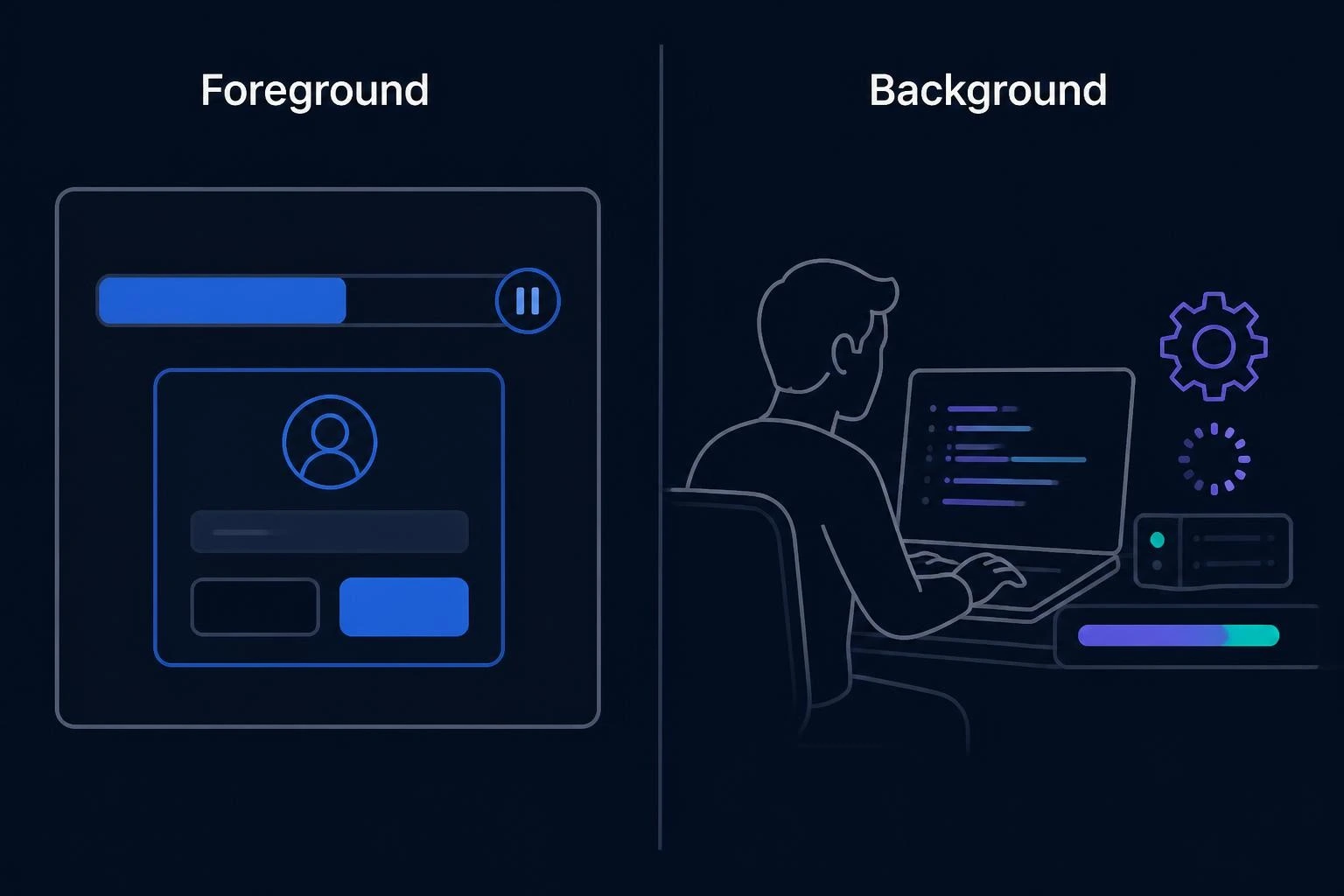
Claude Code can run subagents in two modes.
Foreground
A foreground subagent blocks the main conversation until it finishes.
If it needs permission, the permission interaction can be passed through to you.
Foreground execution is useful when the result is required before you continue.
Background
A background subagent runs concurrently while you continue working.
For example:
Run a security review of the authentication module in the background.
You can continue working while the review runs.
You can also press:
Ctrl+B
to move a running task into the background.
Important Permission Difference
Background subagents do not behave exactly like foreground agents.
They run with the permissions already granted in the session and automatically deny tool calls that would otherwise require a permission prompt.
If a background subagent fails because it doesn't have sufficient permissions, you can retry the work as a foreground subagent.
So don't assume:
"Background means Claude will pause and ask me for permission."
It may instead deny the operation.
Resume a Subagent
A useful capability is that a subagent can be resumed instead of starting the entire task again.
For example:
Use the code-reviewer subagent to review the authentication module.
After it finishes:
Continue that code review and now analyze the authorization logic.
Claude can resume the previous subagent and continue from its existing context.
This is useful when the second task naturally continues the first investigation.
Use Worktree Isolation for Risky Code Changes
Subagents can also use worktree isolation.
For example:
isolation: worktree
This can give the agent an isolated Git worktree rather than having it directly modify your main checkout.
This is useful when you want an agent to experiment with code without immediately changing your main working tree.
For code-modifying agents, worktree isolation can provide an additional layer of separation.
Give Every Subagent a Clear Output Format
A subagent should know what a useful result looks like.
Instead of:
Review this code.
give it a structure:
Return your review using this format:

1. Summary
2. Critical Issues
3. Major Issues
4. Minor Issues
5. Recommendations
6. Files Reviewed
7. Tests Performed
8. Obstacles Encountered
This makes the final response easier for the parent conversation to consume.
The obstacles encountered section is particularly useful.
If the agent discovers:
- A missing dependency
- A command that requires a special flag
- A broken environment variable
- A permission problem
- A configuration issue
you want that information returned instead of losing it inside the subagent's context.
A Better Custom Code Reviewer Example
Here's a practical read-only reviewer:
---
name: security-reviewer
description: Reviews application code for security vulnerabilities, unsafe input handling, authentication issues, authorization flaws, and sensitive data exposure. Use after security-sensitive code changes.
tools: Read, Grep, Glob, Bash
model: sonnet
maxTurns: 20
---

You are a security-focused code reviewer.

Review only the requested changes and relevant supporting files.

Look for:

1. Authentication weaknesses
2. Authorization bypasses
3. Input validation problems
4. Injection risks
5. Secrets or sensitive data exposure
6. Unsafe shell or command execution
7. Insecure dependencies
8. Missing security tests

Do not modify files.

Return:

## Summary
Brief overview.

## Critical Issues
Security issues that require immediate attention.

## Major Issues
Important security weaknesses.

## Minor Issues
Lower-risk improvements.

## Evidence
Include the relevant file paths and code locations.

## Recommendations
Explain practical fixes.

## Tests
List any commands or checks you performed.

## Obstacles
Mention anything that prevented a complete review.
This is much more useful than creating an agent with a vague description such as:
You are an expert programmer.
A persona alone doesn't create a meaningful specialization.
The specialization should come from the task definition, available tools, constraints, model, and workflow.
Subagents Can Help With Parallel Research
Suppose you need to investigate three unrelated areas:
1. Authentication
2. Database queries
3. API error handling
These can potentially be investigated independently.
Claude Code can delegate them to separate subagents rather than performing every investigation sequentially.
This is one of the strongest use cases for subagents because the tasks don't depend heavily on one another.
However, parallel work can increase resource and token usage.
Don't create multiple agents simply because you can.
Use them when the tasks are genuinely independent.
When Subagents Can Make Things Worse
Subagents are not automatically better.
They can hurt a workflow when the task requires constant shared context.
Problem 1: Sequential Dependencies
Consider:
Reproduce bug
→ identify root cause
→ implement fix
→ run tests
Splitting every step into a separate agent can create unnecessary handoff overhead.
The next agent may need to understand everything the previous agent discovered.
In this situation, keeping the workflow in one main conversation can be simpler.
Problem 2: Too Many "Expert" Personas
Creating:
Python Expert
JavaScript Expert
Security Expert
Database Expert
Testing Expert
doesn't automatically make Claude better.
A subagent is valuable when its configuration creates a useful boundary or workflow.
Simply changing the persona is not enough.
Problem 3: Overly Broad Agents
Avoid descriptions like:
description: Helps with everything.
A broad agent is harder for Claude to route correctly.
Better:
description: Reviews TypeScript API code for validation,
error handling, and security problems.
Problem 4: Returning Too Little Information
A test-running agent that only says:
3 tests failed.
may not be useful.
If the actual error messages are important for debugging, the output format should include the relevant failure details.
Subagent Token and Cost Considerations
Subagents are not free from a context or token perspective.
Each subagent has its own context and performs its own model work.
That means creating multiple subagents can increase total usage.
This is especially important with larger workflows and agent teams.
The exact cost depends on:
- Model
- Task complexity
- Number of subagents
- Context size
- Number of turns
- Tool calls
- Whether work is repeated
So the goal isn't:
"Use as many subagents as possible."
The better principle is:
Use a subagent when context isolation, specialization, safety, or parallelism provides a real benefit.
For simple tasks, staying in the main conversation can be more efficient.
Subagents and Context Management
One of the biggest reasons to use subagents is context management.
Your main Claude Code session may contain:
User instructions
+
CLAUDE.md
+
Code
+
Previous discussion
+
Tool results
+
Errors
+
Test output
+
Research
A large investigation can add even more information.
A subagent gives that investigation its own context.
The main conversation can then receive the important conclusion instead of every intermediate step.
This doesn't eliminate token usage.
It changes where the context is accumulated.
Subagents vs Forks
Forks are related to subagents but work differently.
A normal named subagent starts with its own configuration and a fresh context for the task.
A fork starts from a copy of the current conversation history.
That makes a fork useful when the side task needs all the background you've already established.
For example:
Main conversation:
We've already discussed the entire authentication architecture.

Fork:
Explore an alternative OAuth implementation using everything we've discussed.
You don't need to repeat the architecture to the fork.
Important: Forks Are Experimental
Claude Code's current documentation describes forked subagents as an experimental feature.
Fork mode requires the appropriate environment configuration and supported Claude Code version.
So don't treat forks as identical to ordinary named subagents.
Fork vs Named Subagent
| Feature | Named Subagent | Fork |
|---|---|---|
| Context | Fresh task context | Copies current conversation |
| System prompt | Agent definition | Same as parent |
| Tools | Agent configuration | Same as parent |
| Model | Agent configuration | Same as parent |
| Best for | Specialized independent work | Side task needing existing context |
| Context isolation | Strong | Less input isolation |
| Status | Standard feature | Experimental |
A simple rule:
Use a named subagent for specialization.
Use a fork when the side task needs the conversation you've already built.
Subagents vs Background Sessions
Don't confuse a subagent with a separate background Claude Code session.
Subagents operate within the parent session and report their work back to that session.
Background sessions are independent Claude Code sessions that can be managed separately.
Claude Code also provides an agent view:
claude agents
This lets you see and manage background sessions from one place.
Use independent background sessions when you want multiple separate sessions working independently.
Use subagents when you want specialized workers whose results return to one main conversation.
Subagents vs Agent Teams
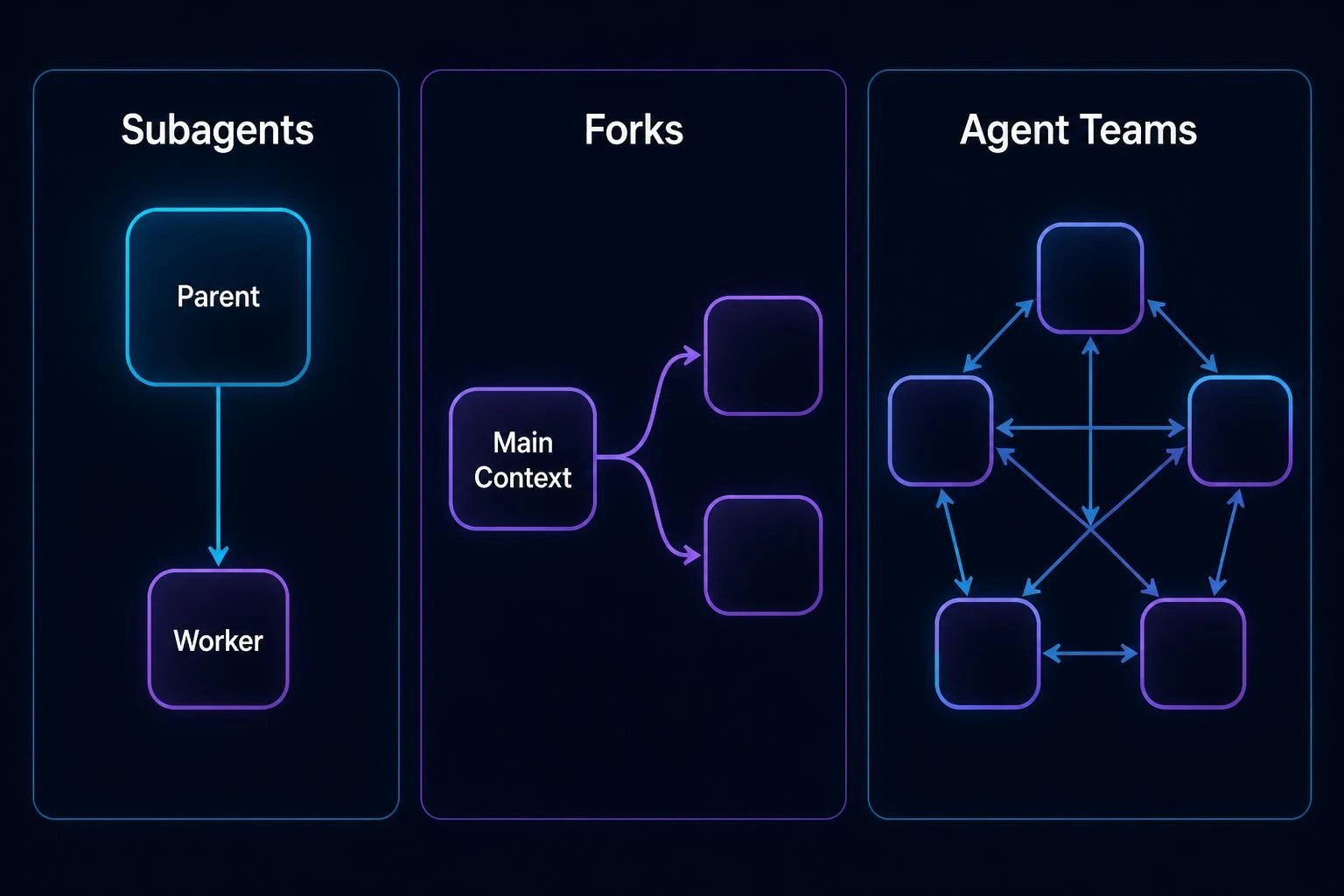
Agent Teams are another feature entirely.
A subagent typically works on a task and reports its result to the parent.
Agent Teams are designed for multiple independent Claude Code sessions that can coordinate with each other.
In an agent team:
- A lead coordinates the work
- Teammates have their own context
- Teammates can communicate directly
- Tasks can be distributed across teammates
- The team can coordinate a larger workflow
Agent Teams are currently an experimental feature and must be enabled separately.
Simple Comparison
| Feature | Subagent | Fork | Agent Team |
|---|---|---|---|
| Context | Fresh | Copies parent | Independent |
| Communication | Reports to parent | Returns result to parent | Teammates communicate |
| Main purpose | Specialized task | Side task using existing context | Multi-agent collaboration |
| Same session | Yes | Forked session/context | Separate sessions |
| Experimental | No | Yes | Yes |
If you only need:
"Search the codebase and tell me what you found."
a subagent is usually the relevant concept.
If you need:
"Have several agents independently investigate, coordinate, and share findings."
you're moving toward agent teams.
Security Best Practices for Claude Code Subagents
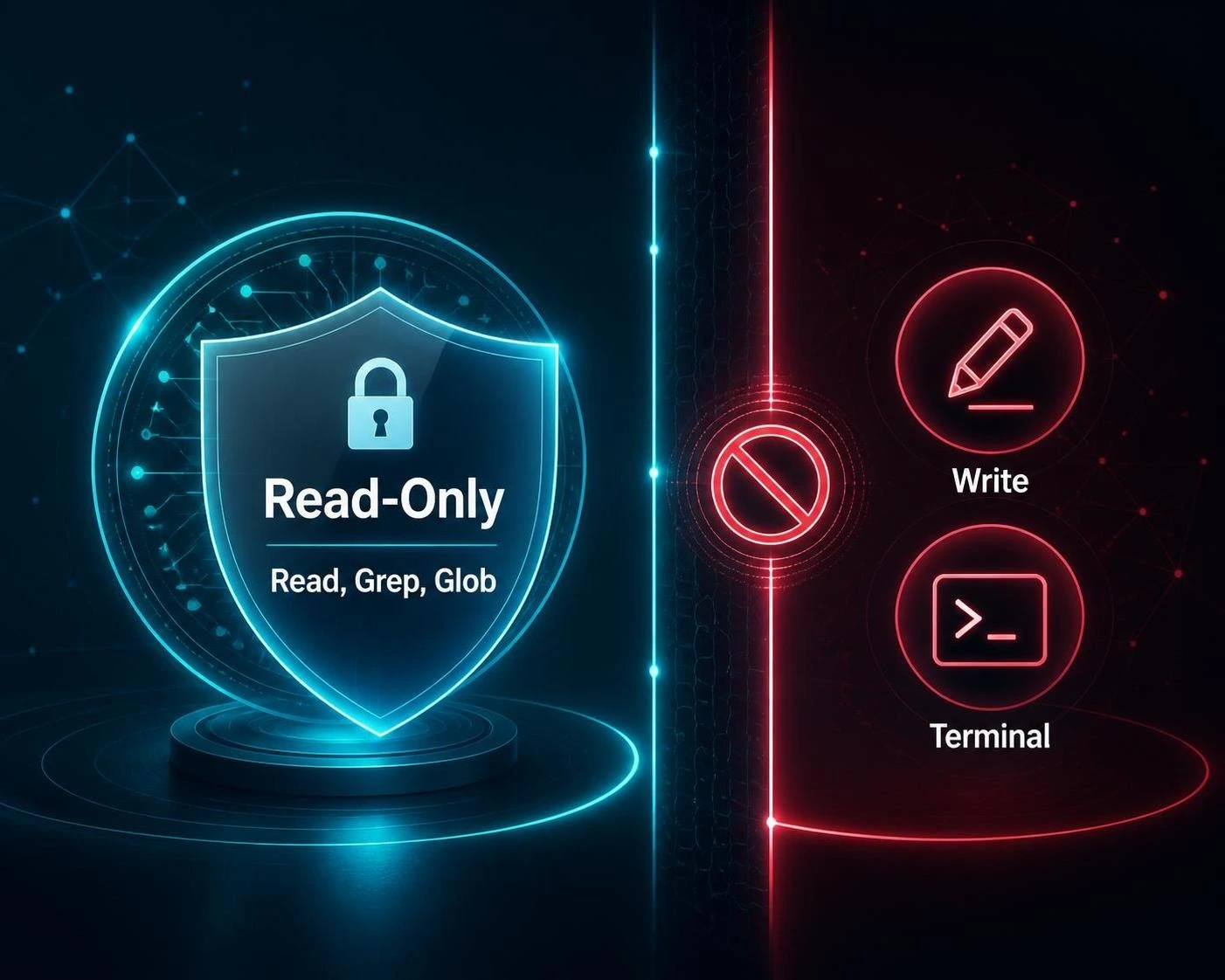
Because subagents can have real tool access, treat their permissions seriously.
1. Start Read-Only
For research agents, begin with:
tools: Read, Grep, Glob
2. Add Write Access Only When Necessary
If an agent doesn't need to modify files, don't give it:
Write
Edit
3. Be Careful With Bash
Bash can execute commands in your environment.
Only give it to agents that genuinely need command-line access.
4. Restrict MCP Access
If only one agent needs a particular MCP server, don't automatically expose it to every subagent.
5. Avoid Unnecessary Permission Bypass
Be cautious with:
bypassPermissions
especially for agents that can modify files or execute commands.
6. Use Worktree Isolation for Experimental Changes
For agents that need to modify Git-tracked code, consider:
isolation: worktree
when appropriate.
Practical Subagent Ideas for Developers
Here are several useful subagents you can create.
Security Reviewer
Find authentication, authorization, injection,
and sensitive-data issues without modifying files.
Dependency Auditor
Check package dependencies, versions,
deprecated APIs, and known project-level problems.
Test Analyzer
Analyze failing tests and identify likely root causes.
Documentation Reviewer
Check whether documentation matches the current implementation.
Performance Investigator
Find obvious performance bottlenecks and explain the evidence.
Codebase Explorer
Map where a feature is implemented and identify
the most relevant files and functions.
The best subagents usually have one clear responsibility.
A Simple Workflow for Creating Your First Subagent
If you've never created one before, don't start with a complicated configuration.
Step 1: Identify a Repeated Task
Ask yourself:
What task do I keep asking Claude Code to perform?
For example:
Review my code after every major change.
Step 2: Define the Responsibility
Write:
Reviews changed code for bugs, security issues,
and maintainability problems.
Step 3: Limit the Tools
If it only reviews code:
tools: Read, Grep, Glob
Step 4: Choose a Model
For example:
model: sonnet
Step 5: Define the Output
Tell it exactly what you want returned.
Step 6: Create It
Use:
/agents
or create a Markdown file manually.
Step 7: Test It
Try:
Use the code-reviewer agent to review my latest changes.
Step 8: Refine the Description
If Claude doesn't invoke it when expected, improve its description.
A clear description is one of the most important parts of automatic delegation.
Frequently Asked Questions
What is a Claude Code subagent?
A Claude Code subagent is a specialized agent that handles a focused task in its own context and returns its result to the parent conversation.
Do subagents share my main conversation?
Normal named subagents start with a separate context rather than inheriting the entire conversation history.
If a side task needs the existing conversation, a fork can be used instead.
Can a subagent modify files?
Yes, if it has the required tools and permissions.
You can also create read-only agents by limiting their tools.
Can subagents use different models?
Yes. A subagent can specify a model such as sonnet, haiku, opus, or inherit, depending on the available configuration.
Can subagents run in the background?
Yes. Claude Code supports foreground and background subagent execution.
Can I create my own subagent?
Yes. You can use /agents or define a Markdown file with YAML frontmatter.
Where should project subagents go?
Project-specific subagents normally go in:
.claude/agents/
Where should personal subagents go?
Personal subagents normally go in:
~/.claude/agents/
What is the difference between a subagent and an agent team?
A subagent works within a parent session and reports its result back. Agent Teams coordinate multiple independent Claude Code sessions that can communicate with each other.
Are forks the same as subagents?
A fork is a type of subagent workflow that starts from the existing conversation history rather than a fresh context. Forked subagents are currently experimental.
Do subagents save context?
They isolate their work from the main conversation, but that does not mean the work is free. Their own model calls and context still consume resources.
Final Takeaway
Claude Code subagents are best understood as specialized workers for focused tasks.
They can help you:
- Keep your main context cleaner
- Separate exploration from implementation
- Run independent research
- Create specialized workflows
- Restrict tool access
- Use different models for different tasks
- Run work in the background
- Reuse the same specialist across projects
- Build safer read-only analysis workflows
The biggest mistake is treating subagents as something you should use for every task.
Instead, ask one simple question:
Does this task have a clear boundary and can I usefully consume its result without needing every intermediate step?
If the answer is yes, a subagent can be a strong fit.
If the task requires constant back-and-forth and shared context, keeping it in your main Claude Code conversation may be simpler.
And if you need multiple independent agents communicating and coordinating across tasks, look beyond ordinary subagents toward background sessions or Agent Teams.
The goal isn't to create the maximum number of agents.
The goal is to give each agent one useful job, the right context, the minimum necessary tools, and a clear definition of done.