
Introduction
Most developers using Anthropic Claude Code are barely using its real capabilities. They ask vague questions like 'Fix this bug' or 'Refactor this' then wonder why the output feels inconsistent.
The truth is simple: the quality of your Claude Code results depends heavily on the quality of your prompts.
Claude Code is not just another chatbot. According to Anthropic's official documentation, it is an AI coding agent capable of:
Reading and analyzing files across your entire codebase
Editing code with full awareness of project context
Running commands and executing tests automatically
Understanding complex repository structures
Refactoring entire projects systematically
Managing multi-step workflows autonomously
Spawning subagents for parallel tasks
That level of power requires better communication. This guide covers:
How Claude Code prompting actually works
The best prompt engineering framework (Explore → Plan → Implement → Verify)
Advanced tips from Anthropic's official best practices
The /wizard methodology — an 8-phase coding system
50+ pro tips from expert developers
Real developer examples and templates
Common mistakes to avoid
What Are Claude Code Prompts?
Claude Code prompts are instructions developers give to Claude Code in order to analyze code, modify files, run tests, refactor systems, and execute workflows inside a real development environment.
Unlike regular chatbot prompts, Claude Code prompts operate inside your actual project. That means bad prompts can:
Cause unnecessary or incorrect file changes
Break existing workflows and tests
Create architecture problems
Waste significant developer time
Strong, well-structured prompts improve:
Output accuracy and code quality
Reliability across repeated sessions
Safety avoiding unwanted side effects
Code maintainability
Development speed
💡 Key Insight from Anthropic Docs: Think of Claude as a brilliant but new employee who lacks context on your norms and workflows. The more precisely you explain what you want, the better the result. Show your prompt to a colleague with minimal context if they'd be confused, Claude will be too. |
The 4-Phase Claude Code PromptingFramework
The most effective approach to working with Claude Code follows four structured phases. This dramatically improves output quality and reduces mistakes.

Phase 1: Explore
Before asking Claude Code to modify anything, help it understand the codebase first. This phase builds context, reduces hallucinations, prevents incorrect assumptions, and identifies hidden dependencies.
Example Prompt:
Read @src/auth/handler.ts and explain the authentication flow. Also check related middleware files and summarize how the current system works. Do not modify anything yet.
💡 Why Explore First?: Many developers skip this step and jump straight into implementation. That usually produces worse results. Claude performs much better when it understands existing architecture, file relationships, coding patterns, and dependencies. |
Phase 2: Plan
Once Claude understands the project, ask it to create a plan before writing code. Implementation without planning often leads to poor architecture, wrong dependencies, and bad scalability decisions.
Example Prompt:
Analyze the best way to add rate limiting to our Express.js authentication API. Compare: 1) Middleware-based rate limiting, 2) Redis-based throttling, 3) Edge-level rate limiting. Recommend the safest approach and explain tradeoffs. Do not implement anything yet.
Phase 3: Implement (with Constraints)
Now write code but always provide constraints alongside requirements. This is where most prompt engineering mistakes happen.
Weak Prompt (avoid):
Add authentication rate limiting.
Strong Prompt (use this):
Project context: Node.js Express API using TypeScript.Task: Add rate limiting to @src/auth/handler.tsConstraints:- Maximum 100 requests per 15 minutes per IP- Use existing Redis configuration- No new dependencies- Maintain existing error handling patterns- Add unit tests in @tests/auth/- Do not modify unrelated files
💡 Why Constraints Matter: Constraints reduce AI guesswork. They help Claude stay within scope, avoid unnecessary changes, follow architecture conventions, and produce more production-ready code. Anthropic's docs confirm: be specific about desired output format and constraints. |
Phase 4: Verify
Never treat AI output as final. Verification helps catch bugs, detect regressions, improve transparency, and maintain developer control.
Example Prompt:
Run the test suite and show the output before applying fixes. Then summarize:- Files modified- Tests added- Potential side effects- Any remaining risks
💡 Tip from Builder.io (50 Tips Guide): Give Claude a feedback loop so it catches its own mistakes. Including test commands, linter checks, or expected outputs in your prompt gives a 2-3x quality improvement according to Claude Code's creator Boris Cherny. |
Anthropic Official Best Practices (2026)
From Anthropic's official prompting documentation for Claude Opus 4.6 and Claude Sonnet 4.6:
1. Be Clear and Direct
Claude responds well to clear, explicit instructions. Being specific about your desired output enhances results. The golden rule: show your prompt to a colleague — if they'd be confused, Claude will be too.
Be specific about the desired output format and constraints
Provide instructions as sequential steps using numbered lists when order matters
Tell Claude what to DO rather than what NOT to do
2. Use XML Tags for Structure
XML tags help Claude parse complex prompts unambiguously, especially when mixing instructions, context, examples, and variable inputs.

<context>Node.js API with TypeScript</context><task>Add JWT refresh token support</task><constraints>No new dependencies. Maintain backward compatibility.</constraints>
Use consistent, descriptive tag names across your prompts
Nest tags when content has a natural hierarchy
3. Use Examples Effectively (Few-Shot Prompting)
Examples are one of the most reliable ways to steer Claude's output format, tone, and structure. A few well-crafted examples can dramatically improve accuracy and consistency.
Make examples relevant — mirror your actual use case closely
Make examples diverse — cover edge cases
Wrap examples in <example> tags so Claude can distinguish them from instructions
Include 3–5 examples for best results
4. Give Claude a Role
Setting a role in the system prompt focuses Claude's behavior and tone for your use case. Even a single sentence makes a significant difference in output quality.
You are a senior TypeScript engineer specializing in financial APIs. Review this code with security and performance as your top priorities.
5. Use Adaptive Thinking & Effort Levels
Claude Sonnet 4.6 and Opus 4.6 feature adaptive thinking — Claude dynamically decides when and how much to think. You can control this with the effort parameter and the 'ultrathink' keyword.
Use 'ultrathink' in your prompt for complex architecture decisions or tricky debugging
Higher effort levels = more thorough reasoning, more tokens used
Lower effort = faster, cheaper — ideal for simple tasks like variable renames
ultrathink: Analyze the race conditions in this service and propose a solution using database locking.
6. Leverage Parallel Tool Calling
Claude's latest models excel at parallel tool execution. You can prompt Claude to run multiple operations simultaneously for maximum speed:
If you intend to call multiple tools and there are no dependencies between tool calls, make all independent calls in parallel. For example, when reading 3 files, run 3 tool calls simultaneously.
7. Minimize Hallucinations
Claude's latest models are less prone to hallucinations, but you can further minimize them with this proven prompt pattern:
<investigate_before_answering>Never speculate about code you have not opened. If the user references a specific file, you MUST read the file before answering. Never make claims about code before investigating.</investigate_before_answering>
The /wizard Methodology: 8-Phase Senior Engineer Framework
Developed by production engineers at wealthbot.io, the /wizard skill transforms Claude from a fast coder into a methodical software architect. It encodes senior engineering habits into Claude's workflow so those habits happen consistently, on every task.

💡 The Core Problem: Claude Code defaults to 'junior mode' — it reads the ticket, opens the file, and starts typing. Without process, it confidently calls methods that don't exist or misses race conditions. The /wizard skill adds the senior engineer checklist that gets skipped most often. |
Phase 1: Plan Before You Touch Anything
Claude reads your CLAUDE.md, finds the linked GitHub issue, and builds a structured todo list before a single line of code is written. It assesses complexity and sizes the work accordingly.
Phase 2: Explore Before You Assume
Claude explores the actual codebase for every model, method, relationship, and constant it intends to use, and verifies they exist before referencing them in code. This eliminates the 'hallucinated method chain' bug class entirely.
Phase 3: Write the Tests First (TDD)
Claude writes failing tests, runs them (they must fail), implements the minimum code to make them pass, then verifies. The key: mutation testing mindset not 'assert(true)' but 'assertEquals("completed", result.status)'.
// WRONG - passes if code does nothing:assert($result);// RIGHT - mutation-resistant assertion:assertEquals('completed', $result->status);assertNotNull($result->timestamp);assertTrue($notification->wasSent());
Phase 4: Implement the Minimum
With failing tests in place, Claude writes only the minimum code required to make them pass. Scope creep is a bug too and the most expensive kind because it looks like progress.
Phase 5: Verify Nothing Regressed
Phase 5 runs the broader test suite, not just the new tests. Zero regressions is the goal. If something unrelated broke, better to find out now than in a PR review.
Phase 6: Document While Context Is Fresh
Inline comments, changelog entries, anything that needs updating done before the context evaporates. The next person reading this code might be you in three months with no memory of why you made that decision.
Phase 7: The Adversarial Review
Before every commit, Claude reviews its own work not as the author, but as an attacker. The checklist:
What happens if this runs twice concurrently?
What if the input is null? Empty? Negative?
What assumptions am I making that could be wrong?
Would I be embarrassed if this broke in production?
💡 Real Bugs Caught by Phase 7: A status transition service that lacked database locking (race condition). A Blade template calling .format() on a nullable datetime (NPE crash). Notification payloads using hard-coded strings instead of the enum created in the same PR. |
Phase 8: The Quality Gate Cycle
The PR lifecycle: /wizard doesn't just open the PR and consider its job done. It monitors automated review bot status, reads every finding, fixes valid issues, replies to false positives, and repeats until clean.
Best Prompt Patterns for Claude Code
1. Scoped Context Pattern
Always define which files Claude should work with. This prevents large unintended changes.
Focus only on @src/payments/Do not modify files outside this directory unless I approve first.
2. Constraint Block Pattern
Use clearly structured requirements to dramatically improve reliability.
Constraints:- Python 3.11 only- Memory usage under 500MB- Must work in Docker- No database schema changes- Maintain backward compatibility
3. Architecture Comparison Pattern
Ask Claude Code to compare approaches before implementation to make better technical decisions.
Compare these two solutions for caching:Option A: Redis cachingOption B: In-memory cachingEvaluate:- Performance- Scalability- Complexity- Operational riskRecommend the best option. Please do not implement it yet.
4. Incremental Implementation Pattern
Avoid huge one-shot prompts. Break work into stages for better review quality.
Implement this feature in stages.Stop after each logical step and summarize changes before continuing.
5. Confirmation Gate Pattern (Critical for Production)
Protect critical systems with explicit confirmation requirements.
Before deleting files, modifying schemas, or pushing commits, stop and ask for confirmation first.
6. Self-Feedback Loop Pattern
From Builder.io's 50 Tips: Give Claude a way to check its own work by including test commands and expected outputs.
Refactor the auth middleware to use JWT instead of session tokens.Run the existing test suite after making changes.Fix any failures before calling it done.
7. Raw Data Instead of Interpretation
Don't describe bugs in words — paste the raw error log, CI output, or stack trace directly. Your interpretation adds abstraction that loses the detail Claude needs.
# Pipe output directly:cat error.log | claude "explain this error and suggest a fix"npm test 2>&1 | claude "fix the failing tests"
8. Let Claude Interview You (For Complex Features)
When you can't fully spec a feature, let Claude ask the questions to build a complete spec.
I want to build [brief description]. Interview me in detail.Ask about technical implementation, edge cases, concerns, and tradeoffs.Don't ask obvious questions. Once you've covered everything, write a complete spec to SPEC.md.
Key Rules for CLAUDE.md (from Builder.io's 50 Tips)

Run /init to generate a starter version, then cut the result in half it tends to be bloated
For every line, ask: 'Would Claude make a mistake without this?' If not, delete it
There's roughly a 150-200 instruction budget before compliance drops off
After Claude makes a mistake, say 'Update your CLAUDE.md so this doesn't happen again'
Use .claude/rules/ for rules that only apply to specific file types
Use @imports to reference separate docs without bloating the main file
💡 CLAUDE.md vs Hooks: CLAUDE.md is advisory Claude follows it about 80% of the time. Hooks are deterministic and 100% reliable. If something MUST happen every time without exception (formatting, linting, security checks), make it a hook. |
Sample CLAUDE.md Structure
# Project: [Name]## Build Commands- npm run dev — start development server- npm test — run test suite- npm run lint — lint codebase## Architecture- API: Node.js/Express with TypeScript- Database: PostgreSQL via Prisma ORM- Auth: JWT tokens## Coding Standards- Use interfaces over type aliases- Always handle errors explicitly- Write tests for all new functions## Forbidden Actions- Never modify migration files- Never push directly to main- Always ask before deleting files
Advanced Tips from Expert Developers
From Anthropic Official Docs
Put long documents at the TOP of your prompt (above queries) — this improves performance by up to 30% on complex multi-document inputs
Use <document> tags with <document_content> and <source> subtags when working with multiple files
For code review prompts, say 'report every issue including low-severity ones — a separate verification step will filter them' to avoid missed bugs
Match your prompt's formatting style to your desired output style — markdown-heavy prompts produce markdown-heavy outputs
Use 'After completing this task, provide a quick summary of the work done' if you prefer visibility into reasoning
From Builder.io's 50 Tips Guide
Use /wizard or /btw for quick side questions without polluting conversation history
Use --worktree to create isolated parallel branches — one of the biggest productivity unlocks
After 2 corrections on the same thing, /clear and write a better starting prompt
Tell Claude exactly which files to look at using @ references — skips expensive codebase scanning
Use voice dictation (/voice) for richer prompts — spoken prompts naturally include more context
Have one Claude write, another Claude review — reviewer has no author bias and challenges shortcuts
Review PRs conversationally: 'Walk me through the riskiest change' catches more issues than one-shot reviews
Use /loop for recurring checks: '/loop 5m check if the deploy succeeded and report back'
Run /clear between unrelated tasks — a clean session with a sharp prompt beats a messy 3-hour session
From the /wizard Methodology (dev.to)
The problem isn't Claude's intelligence — it's process. Claude needs an internal checklist, not just knowledge
Use mutation-resistant test assertions: not 'assert true' but 'assertEquals expected-value actual-value'
Always run the FULL test suite after changes, not just the new tests
Always use adversarial review mindset: think like an attacker before committing
Use structured skills files (.claude/skills/) for domain-specific knowledge
Common Prompting Mistakes to Avoid
Mistake 1: No Context
Bad:
Fix the bug.
Claude has no idea which bug, which file, which expected behavior, or which environment.
Mistake 2: No Scope Limits
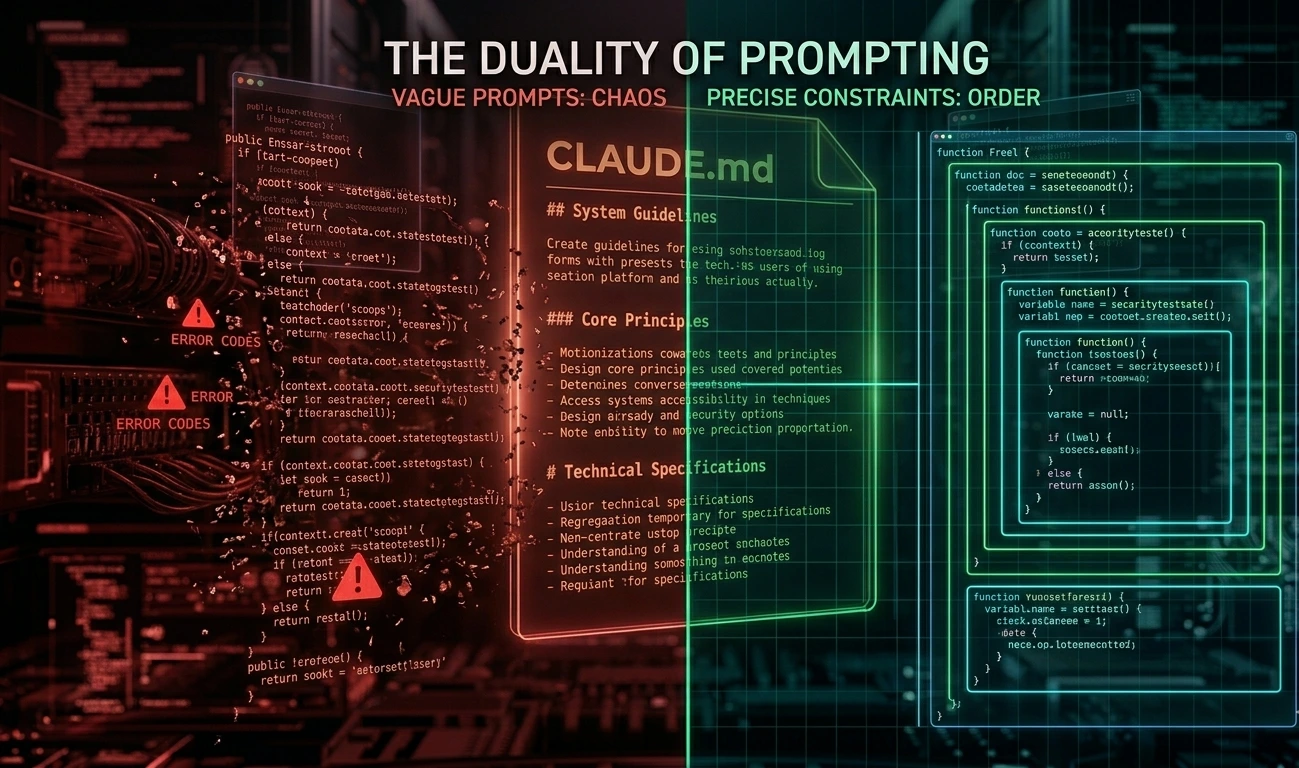
Without boundaries, Claude may modify unrelated files. Always define allowed directories, forbidden areas, and maximum change scope.
Mistake 3: Huge Tasks in One Prompt
Bad:
Build the entire authentication system.
Break large tasks into planning, types, APIs, tests, and verification. Incremental prompting works dramatically better.
Mistake 4: Skipping Verification
Never assume AI-generated code is correct. Always run tests, review diffs, check edge cases, and validate assumptions.
Mistake 5: Weak Acceptance Criteria
Bad:
Optimize this API.
Good:
Reduce response time from 800ms to under 200ms without changing the API response format.
Mistake 6: Over-Interpreting Bugs
Don't describe bugs in words. Paste the raw error log, CI output, or stack trace. Your description adds abstraction that loses the key detail Claude needs to pinpoint the root cause.
Mistake 7: Resisting Cleanup After Mistakes
When you and Claude go down a rabbit hole with multiple failed corrections, the context is now full of failed approaches actively hurting the next attempt. /clear and write a better starting prompt incorporating what you learned.
Real Developer Workflow Example
Imagine a legacy Node.js authentication module needing a TypeScript refactor:
Step 1: Explore
Read @src/auth.js and summarize:- Exported functions- Dependencies- Error handling- Risks
Step 2: Plan
Create a migration plan for converting auth.js to TypeScript.Include:- Required types- Testing strategy- Risks- Migration orderDo not write code yet.
Step 3: Implement Incrementally
Start by creating only the TypeScript interfaces.Do not modify auth.js yet.
Step 4: Verify
Run tests.Then summarize:- Files modified- Coverage changes- Remaining migration work
Final Verdict
Claude Code is an extremely powerful AI coding tool but its output quality depends heavily on prompt quality. The best developers using AI effectively are not necessarily better programmers. They are better communicators.
The most effective workflow is: Explore → Plan → Implement → Verify.
Add these elements to make Claude Code dramatically more useful:
Scope boundaries and constraints
Confirmation gates for destructive operations
Clear success criteria
Self-verification loops
A well-maintained CLAUDE.md
Adversarial review before committing
💡 The Future of AI-Assisted Development: Belongs to developers who know how to guide intelligent systems effectively. Prompt engineering is quickly becoming a core developer skill not optional, but essential for shipping clean, safe, production-ready code. |
FAQ
Instructions developers give to Claude Code to analyze projects, modify files, execute commands, and perform coding tasks inside real development environments.
Provide context, constraints, file scope, clear goals, and verification requirements. Structured prompts dramatically improve results. Use the Explore → Plan → Implement → Verify framework.
Explore → Plan → Implement → Verify. This reduces mistakes, prevents hallucinations, and significantly improves code quality compared to one-shot prompts.
Explicitly define allowed directories, forbidden files, scope limits, and confirmation requirements. Example: 'Focus only on @src/payments/ — do not modify files outside this directory.'
CLAUDE.md provides persistent project instructions that Claude Code automatically follows across all sessions, ensuring consistent architecture, coding style, and process adherence.
An 8-phase coding methodology (Plan → Explore → Test → Implement → Verify → Document → Adversarial Review → Quality Gate) that encodes senior engineering habits into Claude's workflow for consistently higher-quality, bug-resistant code.
Sources & References
Anthropic Official Prompting Best Practices — platform.claude.com/docs
Claude Code Official Best Practices — code.claude.com/docs
50 Claude Code Tips and Best Practices — Builder.io
I Made Claude Code Think Before It Codes — dev.to/_vjk
Claude Code for Beginners — codewithmukesh.com
Best Claude Code Skills — firecrawl.dev