Quick answer: Type /compact at any point in a Claude Code session to manually summarize your conversation history and free up context window space, while keeping the thread of what you were working on. To steer what gets kept, add instructions after the command, for example /compact keep the current file list and the failing test names, drop everything else. Run it at natural breakpoints after finishing a task, before switching topics rather than waiting for Claude Code to do it automatically.
That covers the basic move. The rest of this guide explains what's actually happening when you run it, when manual compaction beats waiting for auto-compact, what you risk losing, and how to reduce how often you need it at all.
What the context window actually holds
Claude Code's context window is a fixed budget of tokens shared by everything in your session: your messages, Claude's responses, every file it has read, every command's output, your CLAUDE.md file, loaded skills, and the system instructions running the tool itself. Nothing is free; a large log dump from a failed test eats the same budget as your actual conversation.
As a session runs longer, that budget fills up. Two things happen as it does:
Claude has to hold more in its "working memory," and instructions from early in the conversation can get pushed out or de-prioritized.
Once the window is full, Claude Code can't continue normally; it has to reduce what's in context somehow.
That's the problem /compact exists to solve.
What /compact actually does
Running /compact triggers a three-part process:
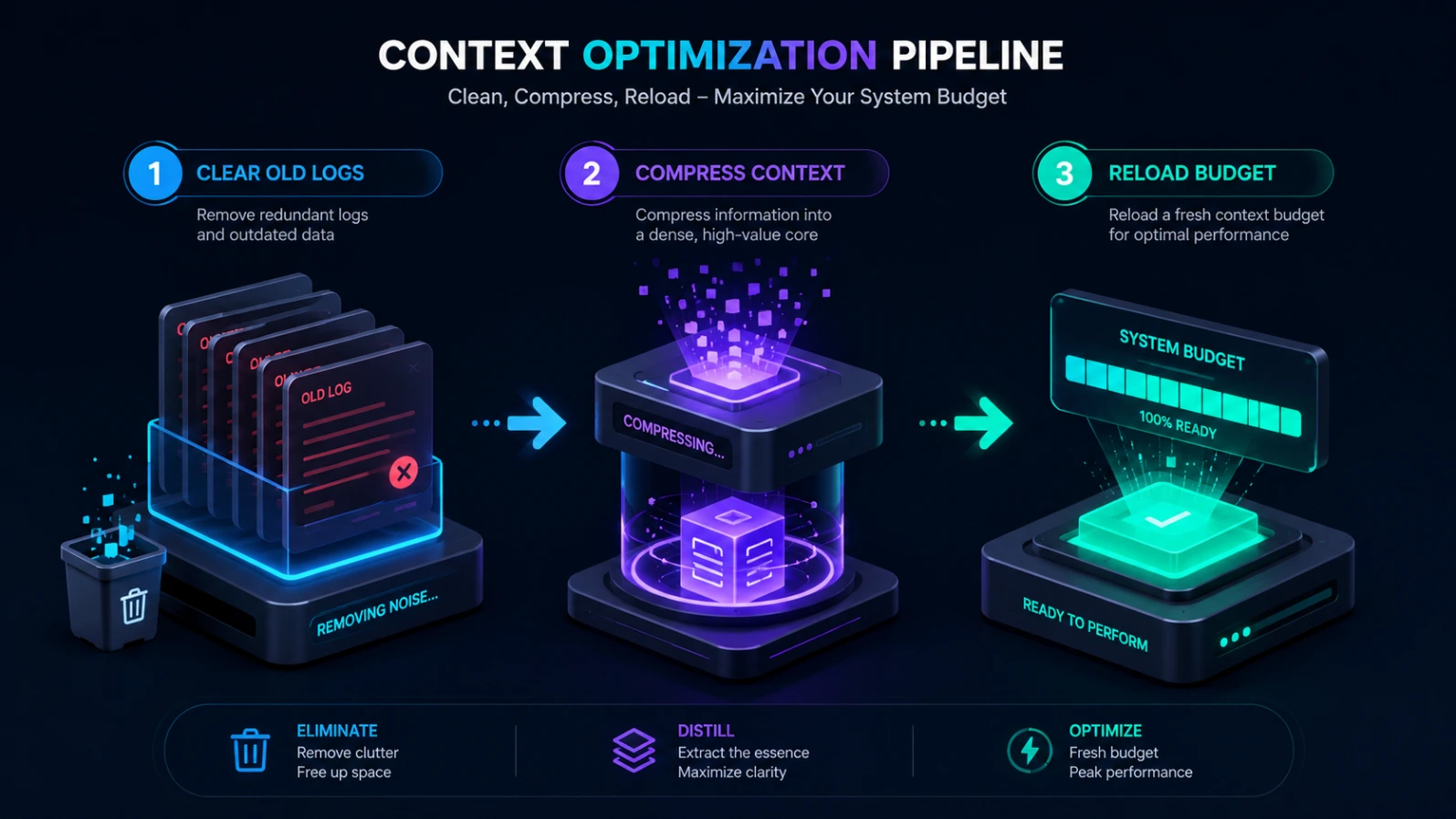
Old tool outputs are cleared first. File reads, grep/search results, and command output are usually the biggest space consumers in a long session, so these get trimmed or removed before anything else.
The remaining conversation is summarized. Claude Code condenses the history into a structured summary of what was completed, what's still in progress, which files were touched, and key decisions made.
The session continues from that summary. CLAUDE.md is reloaded from disk, and Claude picks it up with a freed-up token budget instead of starting an entirely new conversation.
Basic syntax
/compact
Run with no arguments, Claude Code produces a general-purpose summary using its own judgment about what matters.
With focus instructions
/compact Preserve the current approach, the files we've modified, and the two failing tests. Drop the earlier debugging dead ends.
This is the single most useful thing to know about /compact and it's under-used. Because you're telling Claude what to prioritize in the summary, you get a noticeably better outcome than a generic compaction especially in long debugging sessions where a lot of the conversation is exploratory dead ends you don't actually need preserved.
What survives compaction (and what doesn't)
Anthropic's official Claude Code documentation lays this out precisely, and it's worth knowing before you rely on /compact:
Content | What happens after /compact |
|---|---|
System prompt and output style | Untouched — not part of message history |
Project-root CLAUDE.md and global (unscoped) rules | Reloaded fresh from disk |
Auto memory | Reloaded fresh from disk |
The active plan (if you were in plan mode) | Reloaded fresh from disk |
Path-scoped rules (rules with paths: frontmatter) | Dropped, then reloaded automatically the next time Claude reads a matching file |
Nested CLAUDE.md files in subdirectories | Dropped, then reloaded when Claude reads a file in that subdirectory |
Files Claude has read or edited | Up to five of the most recently modified ones are re-read automatically; anything over roughly 5,000 tokens comes back as a path reference instead of full content |
Skill bodies you invoked during the session | Re-injected, capped at 5,000 tokens per skill and 25,000 tokens total — oldest invoked skills drop first if you're over budget |
Content added earlier by hooks | Folded into the summary along with everything else |
Two practical takeaways from this table: if a path-scoped rule or nested CLAUDE.md absolutely must survive every compaction regardless of which files get touched next, move it to the project-root CLAUDE.md instead. And if a skill's instructions matter most, putting them near the top of its SKILL.md truncation keeps the beginning of the file, not the end.
Manual compaction vs. automatic compaction
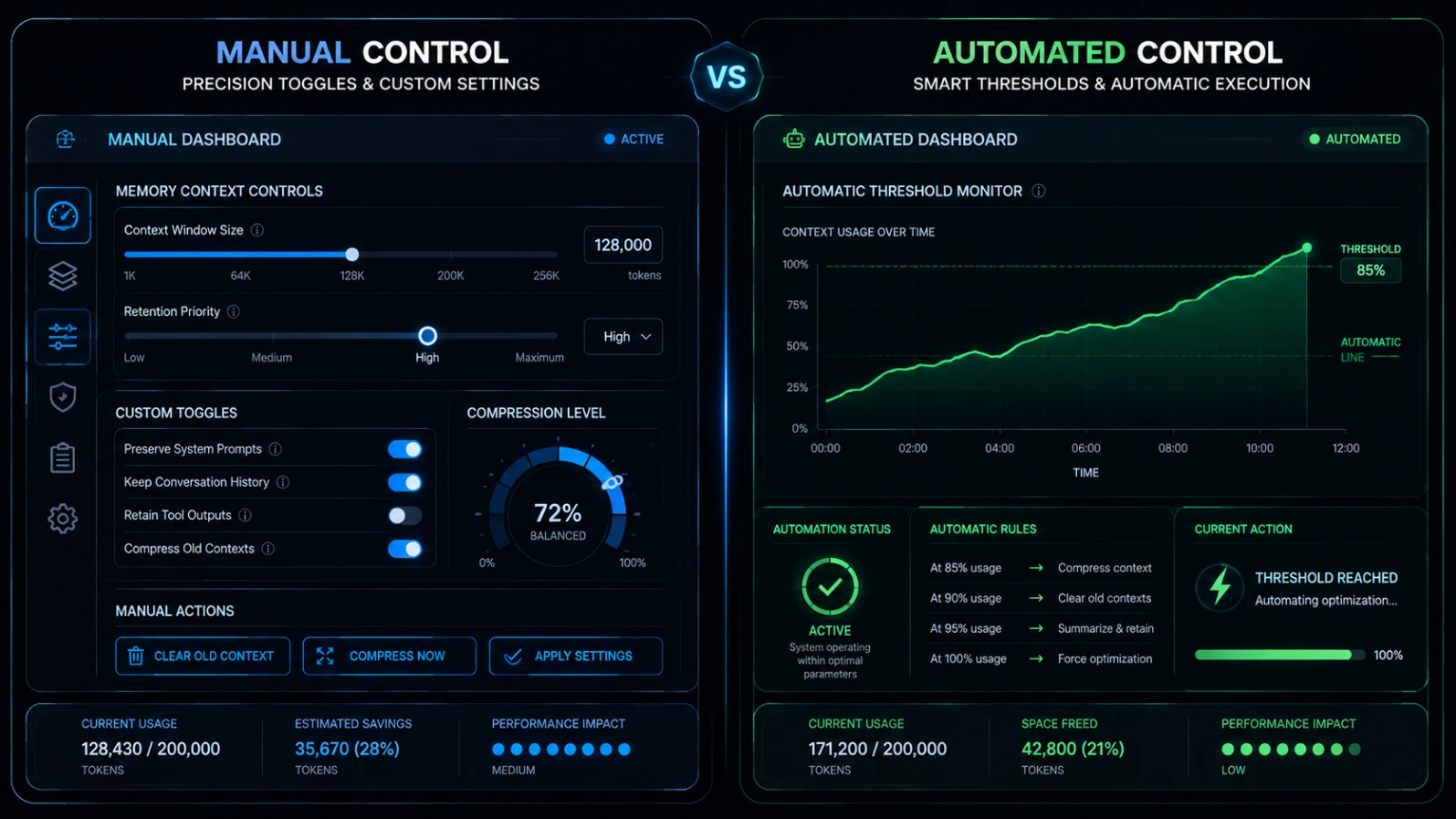
Claude Code also compacts on its own as a safety mechanism, so you don't hit a hard wall mid-task. The mechanics are the same (clear tool output → summarize → reload/re-inject the table above), but the timing differs and Claude Code gives you a documented way to control that timing:
Aspect | Manual (/compact) | Automatic |
|---|---|---|
Trigger | You decide the moment | Fires as context approaches the model's limit |
Timing control | You compact at a clean breakpoint | Can fire mid-task, mid-debug |
Focus instructions | You can specify what to preserve | Uses Claude Code's default summarization behavior |
Adjustable via | Run whenever you want | The /autocompact command, e.g. /autocompact 500k, sets how full the context window gets before the automatic pass runs |
Where the automatic threshold actually sits depends on your model and plan. Claude Code's own documentation points to a per-model reference table rather than a single fixed percentage, because thresholds differ across models and configurations (including for the newer 1-million-token context window some models now support). Run /autocompact on its own to see what your current session is set to, and /context for a live breakdown of what's actually filling your window right now.
You'll also find older community guides and even some historical settings references mentioning an environment variable (CLAUDE_AUTOCOMPACT_PCT_OVERRIDE) for adjusting the auto-compact percentage. Multiple user-reported issues on the public Claude Code GitHub repository describe that variable behaving inconsistently across versions. The /autocompact <token-count> command is the current, documented way to control this use rather than the older environment-variable approach.
When to run /compact manually
Don't wait for the automatic trigger. Run /compact proactively at these points:
- You've just finished a discrete task (a feature, a bug fix, a refactor) and you're about to start something unrelated.
- You've read a lot of files during exploration and now know which ones actually matter — compact and let the summary carry forward just the relevant ones.
- A long debugging session produced a lot of dead ends. Compact with focus instructions that keep only the working approach.
- Claude starts repeating itself, forgetting recent instructions, or re-reading files it already looked at. This is a sign context is degraded, not necessarily full — compacting early can help.
- You see a context-usage warning. Check /context for a visual breakdown before deciding whether to compact or just keep going a little longer.
Waiting until the window is nearly full is the worst time to compact: the summarization step itself needs some working room, and a session that's already at its limit can struggle to produce a good summary before running out of space — a scenario some users have reported as a "can't compact because it's too full to compact" deadlock. Compacting earlier, deliberately, avoids that entirely.
The "compact well before you need to" habit, from experienced users
This isn't official Anthropic guidance, but it's a consistent pattern across practitioner write-ups and community discussion threads about long Claude Code sessions: quality degrades gradually well before the context window is actually full, and the fix is to treat compaction as routine maintenance rather than an emergency response.
One widely shared framing calls this "context rot" a documented Claude Code blog and multiple community guides describe running /compact around 60% context usage rather than waiting for the 80–95% range where auto-compact typically fires, on the reasoning that the summary itself is only as good as the context it's built from. Compacting a nearly-full, already-degraded conversation produces a worse summary than compacting a clean one.
A related discussion thread on best practices frames every turn as a branching decision: after Claude finishes responding, decide between continuing, /compact, /clear, /rewind, or delegating to a subagent, based on how much of the existing context you actually need going forward.
The same thread recommends "rewind, don't correct" if Claude goes down the wrong path, use /rewind to go back to before the mistake and re-prompt with what you learned, instead of leaving the failed attempt and your correction sitting in context as noise for later summaries to compress.
A practical verification step worth adopting: right after compacting, ask Claude to summarize what it currently understands about the state of the project. It costs one message and immediately surfaces anything important that didn't survive the summary, while you can still add it back.
Treat the exact percentage (60%, or whatever a given guide recommends) as a rule of thumb, not a hard rule from Anthropic; the useful part is the underlying habit: compact before things feel broken, not after.
What you risk losing and how to minimize it
Compaction is lossy by nature. It's a summary, not a full transcript. What typically survives:
Your explicit requests and the overall goal
Which files were modified and roughly how
Major decisions and the final approach taken
What's most at risk of getting dropped or flattened:
Specific, detailed instructions given early in a long conversation (this is exactly why persistent rules belong in CLAUDE.md, not buried in message 3 of a 200-message thread)
Minor caveats, edge cases, or "don't do X" instructions that weren't repeated
The reasoning behind rejected approaches (useful context if you want to avoid re-trying them later)
Mitigation:
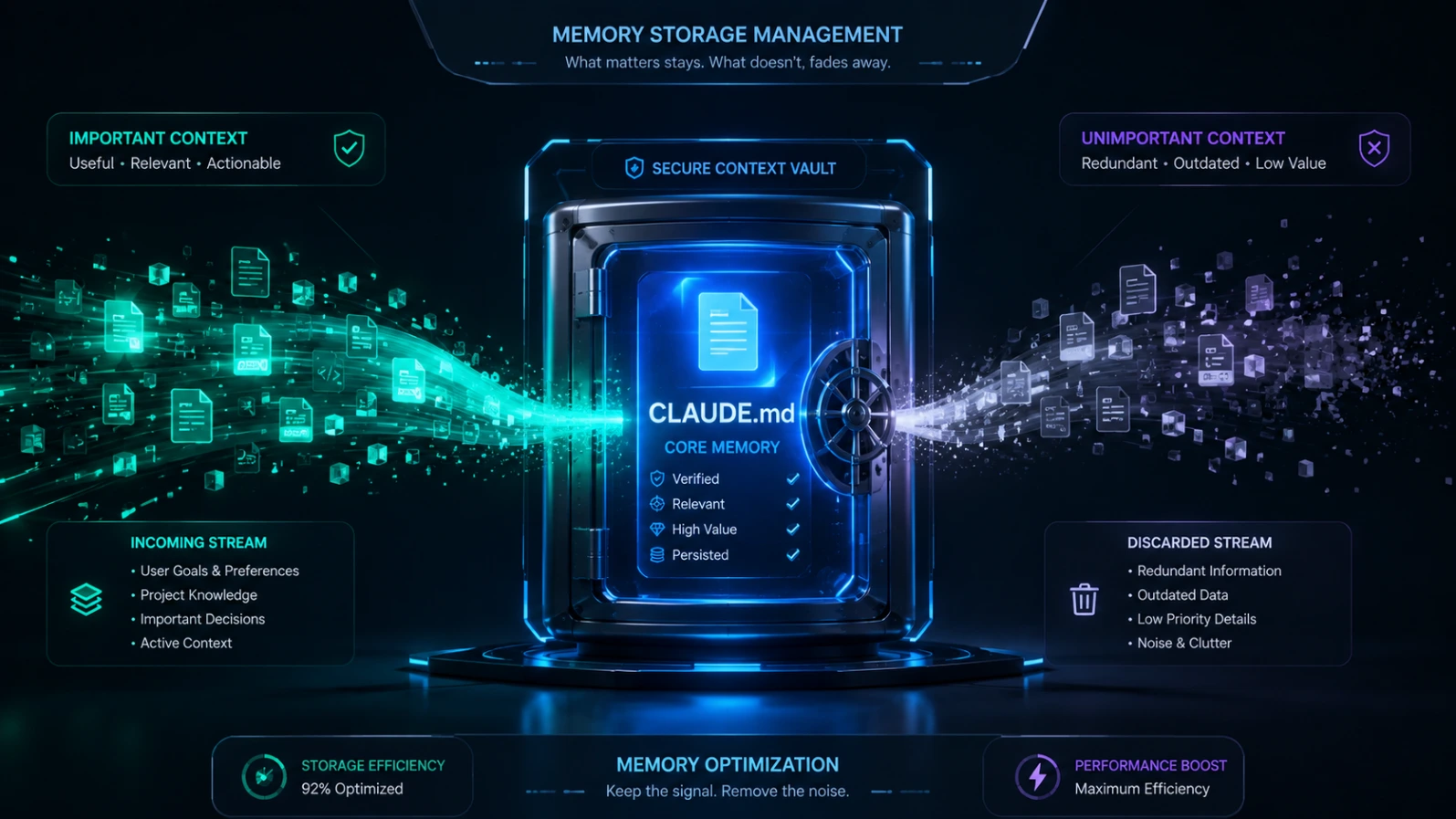
Put anything that must never be forgotten into your project's CLAUDE.md file. It gets reloaded fresh after every compaction.
Use focus instructions on /compact to explicitly protect what matters for that session.
Before compacting a long, high-stakes session, consider asking Claude to write a short handoff note (current state, decisions, next steps) as a fallback reference you can paste back in if the summary loses something important.
/compact vs /clear vs /rewind
These three get confused constantly because they all "reset" something, but they do different jobs:
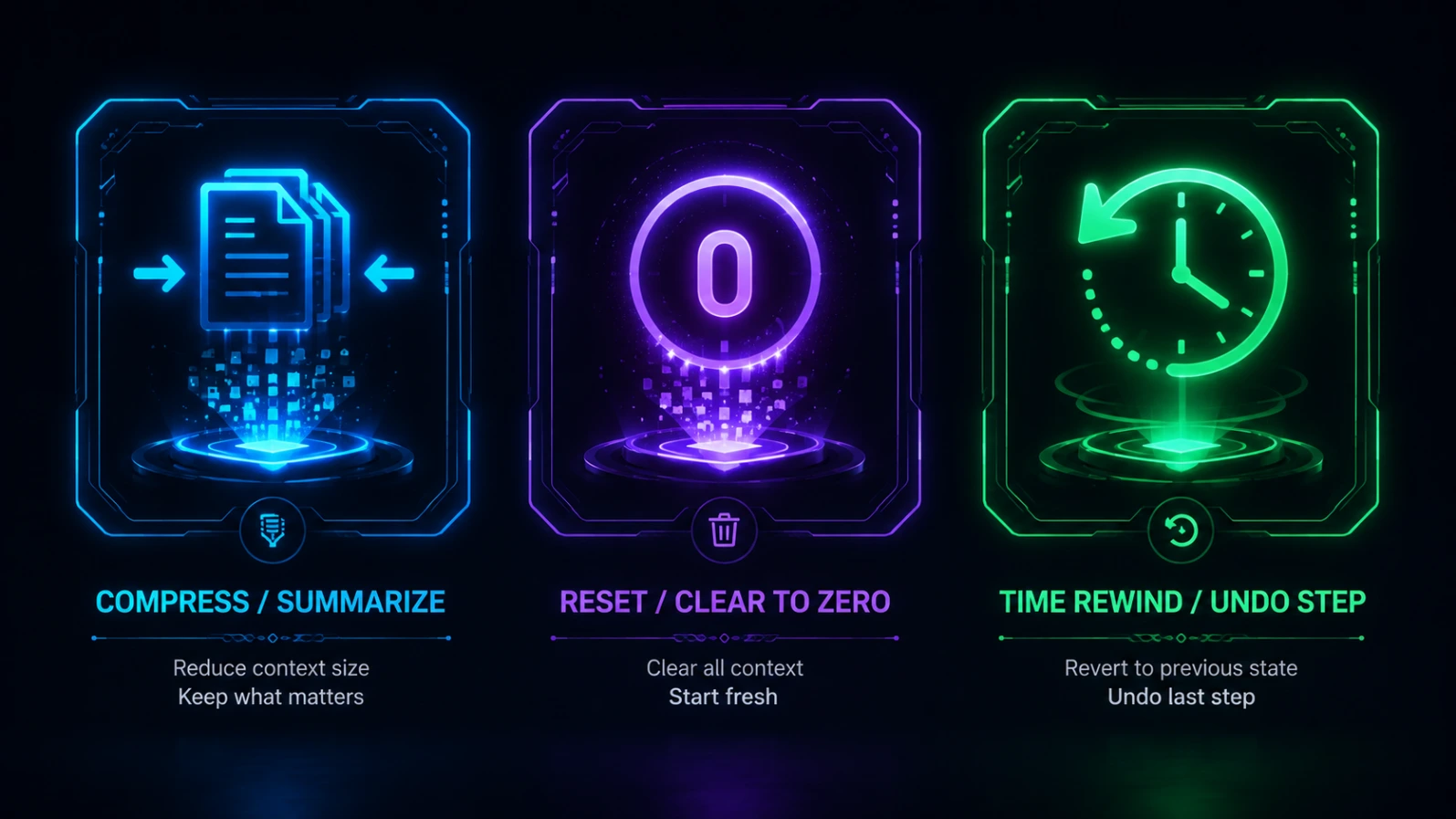
/compact summarizes and continues. You keep the thread of what you were doing, just compressed.
/clear (sometimes aliased /reset or /new) wipes the conversation to an empty context entirely. Use this at a genuine task boundary when the next thing you're doing has nothing to do with the last thing. The old conversation typically isn't gone forever; it's usually recoverable via a resume/history feature but the active session starts from zero.
/rewind — rolls the session (and in some cases the code) back to an earlier point, rather than compressing forward. Use this when Claude went down a bad path and you want to undo, not summarize.
There's also a fourth, less-known option that sits between /compact and /rewind: running /rewind, selecting a specific message, and choosing Summarize from here or Summarize up to here. According to Claude Code's official documentation, this compacts only part of the conversation instead of the whole thing useful when you want to condense a messy exploratory stretch in the middle of a session while leaving the rest of the conversation untouched.
If you're not sure which to use: if you want to keep working on the same problem with more breathing room, use /compact. If you're switching to an unrelated problem, use /clear. If Claude made a mistake and you want to go back, use /rewind. If only one section of a long conversation needs condensing, use /rewind's partial-summarize option.
Not to be confused with: the Claude API's server-side "Compaction" feature
If you search around, you'll also find documentation for a feature also called "Compaction" on Anthropic's Claude Platform developer docs. That's a related but different thing: it's a Messages API feature for developers building their own applications on top of Claude, not the /compact slash command inside the Claude Code CLI. The API version lets a developer configure a token-based trigger and custom summarization instructions programmatically, and returns a compaction content block that the application code has to pass back on the next request to continue the conversation.
The underlying idea (summarize old content to stay under the context limit) is the same, but if you're a Claude Code user typing commands in your terminal, /compact is what you want the API feature is for people writing code that calls Claude directly.
Troubleshooting: /compact isn't helping
"Context fills right back up after compacting." Usually the summary itself is fine, but your next few actions (re-reading large files, running verbose commands) are re-consuming the freed space fast. Try running /context immediately after compacting to see what's actually taking up room, and consider delegating heavy file-exploration to a subagent instead of doing it in the main conversation, if your Claude Code setup supports subagents for that kind of work.
"Claude forgot something important right after I compacted." That instruction likely wasn't captured in the summary. Two fixes going forward: move standing instructions into CLAUDE.md so they survive every compaction automatically, and use focus instructions on /compact (e.g., /compact keep all constraints and requirements mentioned so far) to explicitly protect it next time.
"Compaction itself is failing or erroring out." This has been reported in specific version/model/plan combinations (for example, certain 1M-context configurations) on the public Claude Code issue tracker. If /compact errors instead of completing, check your Claude Code version against the changelog, and /clear is a reliable fallback to unstick a session though you'll lose the running thread, not just compress it.
"I want to control when auto-compact fires, not turn it off." Use the documented /autocompact command with a token value, for example /autocompact 500k, to set how full the context window can get before the automatic pass kicks in. This is the current, supported way to adjust the timing. A fully reliable "disable auto-compact entirely" toggle is not something the official Claude Code documentation confirms as of this writing, and older community-suggested settings for disabling it outright have produced inconsistent results across versions according to public bug reports.
If your goal is really "stop surprising mid-task compactions," the more dependable fix is compacting manually and proactively, plus setting /autocompact to a comfortably high threshold so the automatic pass rarely triggers before you've already handled it yourself.
Reducing how often you need to compact at all
Compaction is a tool for managing a real constraint, but the best sessions need it rarely. A few habits that reduce context pressure upfront:
Keep CLAUDE.md lean and current. It's loaded into every session, so bloated or outdated CLAUDE.md files cost you a budget before you've even started. Anthropic's own documentation recommends keeping it well under 200 lines and pushing reference material into skills or path-scoped rules that only load when relevant.
Delegate heavy exploration to a subagent. This is one of the most effective things you can do, and it's officially documented behavior: when Claude spawns a subagent for a research task, that subagent gets its own separate context window. Every file it reads and every search it runs counts against its budget, not yours. Only its final summary comes back into your main conversation so twenty file reads and a dozen searches in the subagent might return as a few hundred tokens in your session instead of several thousand.
Ask Claude to summarize a file instead of reading the whole thing when you only need a specific section or function.
Use /context regularly, not just when something feels wrong, to build intuition for what's actually consuming your budget in your specific workflow. It also shows exactly which CLAUDE.md and memory files loaded, which is the fastest way to spot bloat.
Close a session and start a new one between genuinely unrelated major tasks, rather than accumulating unrelated work in one long thread. Community best-practice discussions consistently frame this as "new task, new session" reusing context makes sense for closely related follow-up work (like writing docs for a feature you just built), but a genuinely unrelated task deserves a clean start rather than inheriting an unrelated conversation's noise.
If you're on a plan/model that supports it, consider the extended context window. Anthropic's documentation notes that some current models support a 1-million-token context window (roughly 5x the standard 200K), available depending on your plan and model selection. That doesn't eliminate the need for compaction on very long sessions, but it substantially raises the point where it becomes necessary.
FAQs
No. It summarizes and continues the session; it doesn't erase your work. /clear is the more drastic reset, and even then the prior conversation is typically still accessible through Claude Code's session history rather than being permanently deleted.
Not directly — once summarized, the detailed history isn't restored by running compact again. If you need to go back further, /rewind or resuming an earlier saved session are the relevant tools, availability depending on your Claude Code version.
Generating the summary itself uses some tokens, but the point is that it's a smaller cost than continuing to carry the full uncompressed history forward, and it prevents a session from hitting a hard context limit.
Yes — /context shows a breakdown of what's using space in your current session. Check it before deciding whether it's worth compacting now or continuing a bit longer.
No. /compact operates on the conversation context, not your files. Code changes already made to your project are untouched by compaction.
A new session starts with zero context — you lose all continuity. Compacting keeps a condensed thread of what you were doing, which matters if the current task isn't finished yet.
This is expected, documented behavior, not a bug specific to your setup: Claude Code automatically re-reads up to five of the most recently modified files right after a compaction, along with the rules that apply to them, so it can re-ground itself in the current state of your code rather than working purely from the summary's description of it.
Only for the summarization step itself. Claude Code's summarization request inherits your session's extended-thinking setting — if thinking is on for your session, the summary is generated with thinking enabled; if it's off, it stays off. Your session's own thinking configuration is unchanged afterward.
No, and this trips people up. They solve the same underlying problem (long conversations exceeding a context limit) but are different products. /compact is a Claude Code CLI slash command for interactive sessions. The API's Compaction feature is a developer-facing Messages API capability for people building their own applications on Claude, configured with request parameters rather than typed as a command.