If you use more than one AI coding tool, you have probably run into this. One tool wants AGENTS.md. Claude Code wants CLAUDE.md. You end up maintaining two files with the same build commands and coding rules, and the copies slowly drift apart.
This guide explains how Claude Code AGENTS.md vs CLAUDE.md works today: which file Claude Code loads, when, and what to do when the result isn’t what you expected.
The short answer:
If you only use Claude Code, CLAUDE.md is the safest choice.
If your repository is shared with other coding agents, keep the shared rules in AGENTS.md.
If you need shared rules plus Claude-specific rules, put a one-line @AGENTS.md import in CLAUDE.md.
Actual behavior depends on your Claude Code version, the instruction files already in your repository, and one setting in /config. The sections below explain each factor.
What Is CLAUDE.md in Claude Code?
CLAUDE.md is the instruction file Claude Code was built around. It is a plain Markdown file that Claude reads at the start of every session. It gives Claude context it can’t reliably work out from the code alone.
Typical contents include:
Build, test, and lint commands
Coding conventions and naming rules
Architecture decisions specific to your project
Environment quirks, such as required environment variables
Workflow rules, such as branch naming
Where CLAUDE.md files can live
Scope | Location | Shared with |
|---|---|---|
Managed policy | System-level path set by IT | Everyone in an organization |
User | ~/.claude/CLAUDE.md | Only you, across all projects |
Project | ./CLAUDE.md or ./.claude/CLAUDE.md | Your team, through version control |
Local | ./CLAUDE.local.md | Only you, in this project |
Claude Code loads CLAUDE.md and CLAUDE.local.md from your working directory and every directory above it. The files are combined rather than overriding each other. Files closer to your working directory appear later in context. Within a directory, CLAUDE.local.md is added after CLAUDE.md.
Files in subdirectories below your working directory load on demand, after Claude reads, writes, or edits a file in that subdirectory.
Keep it short and specific
Claude treats these files as context, not enforced configuration. Anthropic’s guidance is to keep each file under about 200 lines and to write instructions concrete enough to verify. “Use 2-space indentation” works better than “format code nicely.” If two instructions contradict each other, Claude may follow either one.
A realistic CLAUDE.md example
# Project: Invoice API
## Commands
- Install: `npm install`
- Test: `npm test`
- Lint: `npm run lint`
## Conventions
- TypeScript strict mode; no `any` without a comment explaining why
- API handlers live in `src/api/handlers/`
- Every handler needs a matching test in `tests/api/`
## Workflow
- Run `npm run lint` and `npm test` before suggesting a commit
- Use plan mode for changes under `src/billing/`
What Is AGENTS.md?
AGENTS.md is an open, tool-neutral format for instructions to coding agents. It is often described as a README for agents. A README is written for humans. AGENTS.md gives agents a predictable place for build steps, test commands, and conventions that would clutter a human-facing README.
It is plain Markdown with no required fields, so you can use whatever headings suit your project. In a monorepo, you can add another AGENTS.md in each package folder. The convention’s own guidance is that agents read the nearest file in the directory tree, so the closest one wins.
Teams that use several coding agents tend to prefer it. Shared rules live in one place, so there is less duplication and fewer contradictions between tools.
One caution applies. AGENTS.md is a convention, and each tool decides whether and how it reads the file. Some tools read it automatically, while others need a setting to be switched on. Verify support for every tool you rely on instead of assuming it.
A short AGENTS.md example
# AGENTS.md
## Setup
- Install dependencies: `npm install`
## Checks
- Tests: `npm test`
- Lint: `npm run lint`
## Code style
- TypeScript strict mode
- API handlers live in `src/api/handlers/`
- Add a test for every new handler
Nothing in this file is specific to one tool, which is what makes it shareable.
Claude Code AGENTS.md vs CLAUDE.md: Key Differences
This table compares the two files for Claude Code under the default configuration on a current version.
Area | CLAUDE.md | AGENTS.md |
|---|---|---|
Primary purpose | Persistent project, personal, or organization instructions for Claude Code | Shared instructions for any coding agent that supports the convention |
Tool compatibility | Claude Code | Many tools; support and setup vary by tool |
Native Claude Code support | Yes | Yes, from v2.1.277 |
Default loading | Always loaded when present | Loaded by default only when no project-level CLAUDE.md or CLAUDE.local.md exists in or above your working directory |
Configuration required | None | None by default; the /config Project instructions setting changes the behavior |
Nested files | Load on demand when Claude reads, writes, or edits a file in that subdirectory | Load when Claude opens a file there with the Read tool, and only if that subdirectory has no CLAUDE.md of its own |
Sharing across tools | Claude Code only | Designed for sharing |
Claude-specific instructions | Best place for them | Not ideal; keep tool-specific rules out of shared files |
Duplication risk | High if you also maintain AGENTS.md by hand | Low when it is the single source of truth |
There are a few smaller behavioral differences:
Claude Code’s InstructionsLoaded hooks don’t fire for an AGENTS.md that Claude reads through the setting. They do fire for one that a CLAUDE.md imports.
Claude Code doesn’t read AGENTS.local.md, AGENTS.override.md, or anything under a .agents/ directory.
CLAUDE.local.md has no AGENTS.md equivalent in Claude Code.
Can Claude Code Read AGENTS.md?
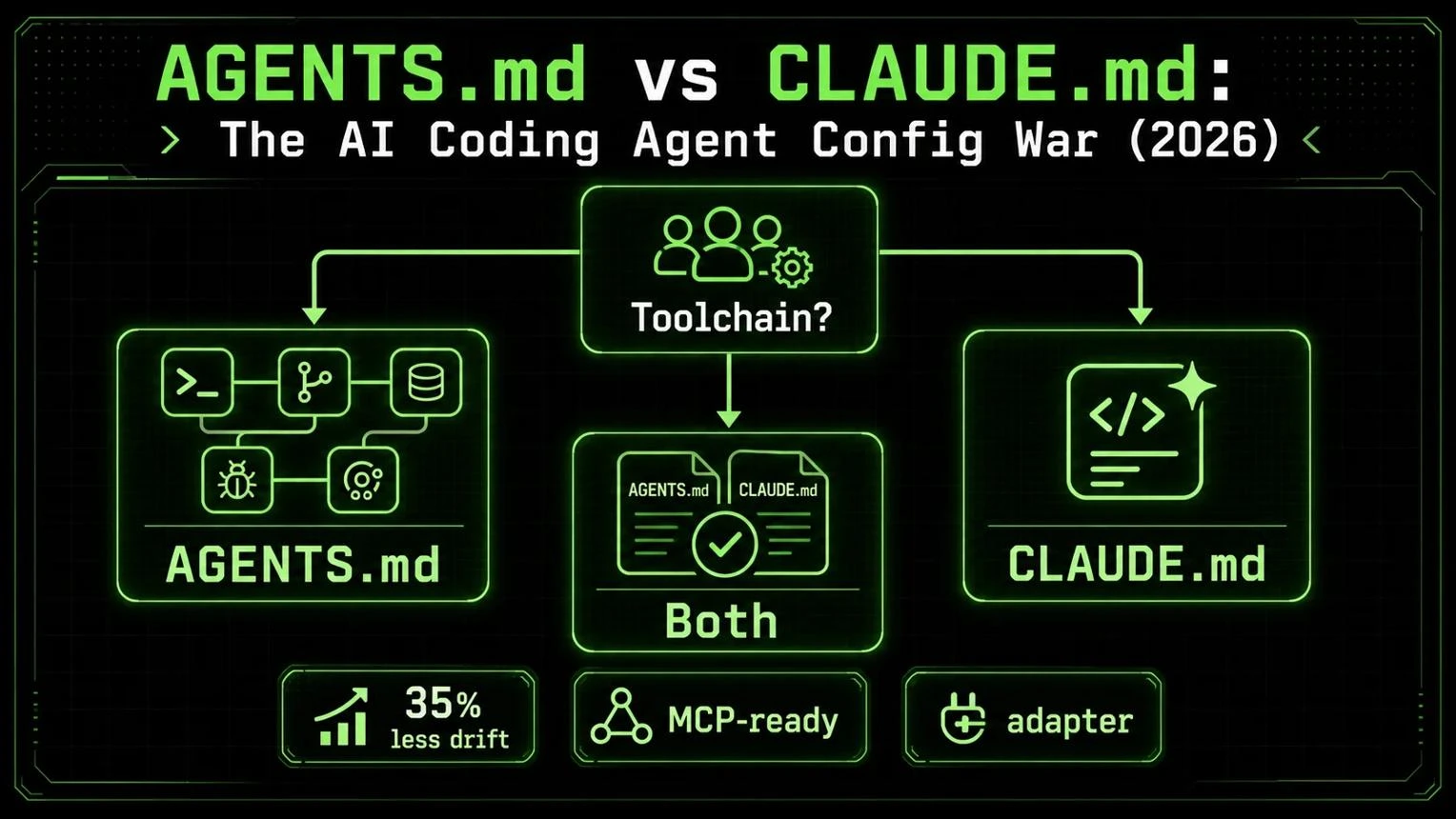
Yes, on current versions. This is the question behind most searches for Claude Code AGENTS.md support, and the answer has conditions.
Minimum version. Reading AGENTS.md directly requires Claude Code v2.1.277 or later. Older posts that say Claude Code ignores AGENTS.md describe earlier versions.
Default behavior. Claude Code reads AGENTS.md only when you have no CLAUDE.md in your working directory or above it. In that case it loads every AGENTS.md and .claude/AGENTS.md in your working directory and the directories above it. In an interactive session you should see a line saying that no CLAUDE.md was found and which AGENTS.md was loaded.
When a CLAUDE.md already exists. Claude reads the CLAUDE.md files and ignores AGENTS.md. Unless your CLAUDE.md imports it, the content of AGENTS.md never reaches Claude.
What counts as a CLAUDE.md. These files, in your working directory or any directory above it, count:
CLAUDE.md
.claude/CLAUDE.md
CLAUDE.local.md
These do not count, and keep loading alongside AGENTS.md:
Your ~/.claude/CLAUDE.md
Your organization’s managed CLAUDE.md
Files in .claude/rules/
This catches people out. Adding a personal, uncommitted CLAUDE.local.md to a repository that relies on AGENTS.md silently stops Claude from reading AGENTS.md.
Decision table (default configuration, v2.1.277 or later)
What your repository has | What Claude reads |
|---|---|
AGENTS.md only | AGENTS.md |
CLAUDE.md only | CLAUDE.md |
AGENTS.md and CLAUDE.md | CLAUDE.md only |
AGENTS.md and .claude/CLAUDE.md | .claude/CLAUDE.md only |
AGENTS.md and CLAUDE.local.md | CLAUDE.local.md only |
AGENTS.md and only ~/.claude/CLAUDE.md | AGENTS.md plus your user file |
CLAUDE.md that contains @AGENTS.md | CLAUDE.md, with AGENTS.md included through the import |
The Project instructions setting
Type /config in a session and find Project instructions. It has four values:
Value | What Claude reads |
|---|---|
claude-md-or-agents-md (default) | CLAUDE.md files, or AGENTS.md when no CLAUDE.md or CLAUDE.local.md is present |
claude-md-and-agents-md | Both, with each directory’s CLAUDE.md first and its AGENTS.md after |
claude-md | CLAUDE.md files only |
managed-only | Only the organization’s managed CLAUDE.md and auto memory at launch |
Claude skips an AGENTS.md it has already loaded, so a file that your CLAUDE.md imports or symlinks to isn’t read twice.
Why a file in the repo isn’t always loaded
Having AGENTS.md in the repository doesn’t guarantee Claude reads it. The cause is usually one of these:
A CLAUDE.md or CLAUDE.local.md exists on the path.
The Claude Code version is older than v2.1.277.
Project instructions are set to claude-md or managed-only.
The built-in plugin that reads AGENTS.md has been disabled.
It is your first session after upgrading from v2.1.276 or earlier. Claude reads AGENTS.md from the next session onward.
If the setting doesn’t appear in /config at all, your session can’t load AGENTS.md directly. Treat the behavior above as the default for supported versions, not a universal rule.
How to Set Up AGENTS.md in Claude Code
Follow these steps for a reliable Claude Code AGENTS.md setup.
- Open the project repository. Start in the folder where you normally launch Claude Code. The working directory matters because Claude checks that folder and every parent above it.
Check for existing instruction files. Look for CLAUDE.md, .claude/CLAUDE.md, and CLAUDE.local.md in the repository and in parent folders. Any of them changes what Claude reads by default.
ls -a CLAUDE.md .claude/CLAUDE.md CLAUDE.local.md AGENTS.md 2>/dev/nullFiles that don’t exist are skipped silently, so only the ones that are present are listed.
Create or review AGENTS.md. Put tool-neutral rules in it: commands, conventions, and layout. Keep it concise and accurate. If you are moving from another tool, Claude Code can help. Running /init reads rule files from other tools, such as Cursor rules and Copilot instructions, and folds the relevant parts into a generated CLAUDE.md. With the CLAUDE_CODE_NEW_INIT environment variable set to 1, /init also reads an existing AGENTS.md. The /import command (v2.1.213 or later) appends a one-time copy of another agent’s instruction files to the matching CLAUDE.md. A copy can drift from the original, so for a file other agents still read, an @AGENTS.md import is easier to keep in sync.
Check the Claude Code version.
claude --versionYou need v2.1.277 or later. If you use Amazon Bedrock or run with telemetry disabled, the docs say some sessions on versions before v2.1.281 couldn’t load AGENTS.md, so update to v2.1.281 or later.
Inspect Project instructions in /config. Open /config in a session and confirm Project instructions aren't set to claude-md or managed-only. If you don’t see the setting, your session can’t read AGENTS.md directly.
Choose the loading mode. Pick the approach that fits your repository:
No CLAUDE.md in the repository: leave the default.
You have a CLAUDE.md and want Claude to also read AGENTS.md: set claude-md-and-agents-md, or add an @AGENTS.md import to CLAUDE.md.
Some sessions or teammates can’t load AGENTS.md directly: use the @AGENTS.md import, because it works regardless of the setting.
You can also set the value in your user settings file instead of using /config. The official documentation places it under pluginConfigs for the built-in plugin that reads AGENTS.md, and Claude Code ignores that entry in project and local settings files.
Start a fresh session or rely on the documented reload behavior. A new session is the cleanest option. The documentation says a change to the setting applies from your next message and in every new session. For a clean test, start a new session.
Verify what Claude actually receives. Run /memory and look for the path of your AGENTS.md in the list. If Claude loaded it, you will also see a line at session start naming the file. If you use an import or symlink, run /context and check the Memory files list for CLAUDE.md. Versions before v2.1.280 don’t list a directly read AGENTS.md in /memory or /context. On those versions, ask Claude what its project instructions say instead.
Should You Use Both AGENTS.md and CLAUDE.md?

There are three workable approaches.
Approach A: Use only CLAUDE.md
Advantages: It is the most established path. It works on every version, with no dependence on the /config setting.
Limitations: Other coding agents won’t read it unless they happen to support it. If those tools matter to you, you’ll end up duplicating rules.
Best for: Projects where Claude Code is the only coding agent.
Approach B: Use only AGENTS.md
Advantages: One shared file, with no import or symlink needed on supported versions.
Limitations: It depends on version and configuration. A stray CLAUDE.md or CLAUDE.local.md can silently displace it, and Claude Code’s InstructionsLoaded hooks don’t fire for it. You also have no obvious place for Claude-specific rules.
Best for: Repositories shared by several agents, where the whole team is on a supported Claude Code version.
Approach C: Shared rules in AGENTS.md, imported from CLAUDE.md
Advantages: It works whichever default applies. Claude reads the shared file through the import and your Claude-specific notes below it. A teammate’s CLAUDE.local.md doesn’t break it. The documentation says keeping the import never makes Claude read AGENTS.md twice, whatever the Project instructions value.
Limitations: You maintain two files, although only one holds real content.
Best for: Teams that need shared rules plus Claude-specific guidance, or that include older versions or sessions that can’t read AGENTS.md directly.
Here is the shared-file pattern:
@AGENTS.md
## Claude Code
Use plan mode for changes under `src/billing/`.
Claude expands the import at launch, so the shared rules appear first and your Claude-only notes follow. To avoid duplicate rules, never paste the contents of AGENTS.md into CLAUDE.md. Anything that applies to every tool belongs in AGENTS.md. Only rules that really apply to Claude belong below the import.
If you don’t need any Claude-specific content, a symlink also works:
ln -s AGENTS.md CLAUDE.md
The command prints nothing on success. Note the direction: CLAUDE.md becomes the link, and AGENTS.md stays the real file. Two cautions from the docs apply:
On Windows, creating symlinks needs Administrator privileges or Developer Mode, and Git can check a committed symlink out as a plain text file. The import is safer for mixed teams.
Claude’s Edit and Write tools refuse to write through a symlink and will edit AGENTS.md instead.
Common AGENTS.md and CLAUDE.md Problems
Claude Code ignores AGENTS.md
First look for a CLAUDE.md, .claude/CLAUDE.md, or CLAUDE.local.md in your working directory or above it. Then run claude --version and confirm v2.1.277 or later. Finally, check Project instructions in /config. If the setting is missing, add an @AGENTS.md import to a CLAUDE.md.
Both files exist, but one set of instructions is missing
Under the default, Claude reads CLAUDE.md only. Either import AGENTS.md from CLAUDE.md or set Project instructions to claude-md-and-agents-md.
Instructions look outdated in an existing session
Start a fresh session and recheck. Project-root CLAUDE.md is re-read from disk after /compact. An instruction that existed only in conversation disappears, so add anything that must persist to the file itself.
Nested rules don’t apply where expected
Subdirectory files load on demand, not at launch. A nested CLAUDE.md loads after Claude reads, writes, or edits a file in that folder. A nested AGENTS.md loads when Claude opens a file there with the Read tool, and only if that folder has no CLAUDE.md of its own. Nested files also don’t appear in the launch-time list. To test one, create it from your shell, then ask Claude to read a file in that folder.
In a large monorepo, you may have the opposite problem: other teams’ files get picked up. The claudeMdExcludes setting lets you skip specific files by path or glob pattern. Add it to .claude/settings.local.json so the exclusion stays on your machine.
Duplicate or contradictory instructions
If two files disagree, Claude may follow either one. Consolidate shared rules into one file and import it. Run /doctor prompt-audit (v2.1.283 or later) for a report of outdated or conflicting instructions. It covers CLAUDE.md, CLAUDE.local.md, and AGENTS.md, plus rules and skills under .claude/. Nothing changes until you ask Claude to apply the edits.
You use an older Claude Code version
Before v2.1.277, Claude reads CLAUDE.md only. Update, or use the @AGENTS.md import in a CLAUDE.md. If you added an earlier workaround, review it after upgrading:
A CLAUDE.md that merely tells Claude in words to read AGENTS.md works only if Claude decides to open the file. Replace the sentence with an @AGENTS.md import, or delete the CLAUDE.md.
A SessionStart hook that prints AGENTS.md now adds a second copy to context. Remove it.
These steps address the common causes. They are not a guarantee for every configuration.
Best Practices for Claude Code Project Instructions
Write only what’s specific to your project. Include commands Claude can’t guess, style rules that differ from defaults, and gotchas that aren’t obvious from the code. Skip standard conventions and anything Claude can learn by reading the code.
Include accurate commands. Wrong test or lint commands are worse than none. Check them whenever your tooling changes.
Separate from Claude-specific guidance. Shared rules go in AGENTS.md and Claude-only notes in CLAUDE.md.
Avoid conflicts across files. Contradictions make behavior unpredictable.
Commit team-wide files. Put CLAUDE.md and AGENTS.md in version control. Keep personal notes in CLAUDE.local.md and add it to .gitignore so it isn’t committed by accident.
Leave notes for maintainers without spending context. Block-level HTML comments in a CLAUDE.md are stripped before the content reaches Claude.
Review regularly. Remove outdated rules, and keep each file under about 200 lines. Also review Claude’s auto memory, the notes it writes for itself, which you can browse with /memory. It is separate from your instruction files, and stale entries can quietly pull against your written rules.
Don’t rely on instructions for enforcement. Anthropic’s docs say instruction files are context, not enforced configuration. If a step must run every time, use a hook. To block a tool, command, or path, use permission rules in settings.
Use the right mechanism for detailed instructions. Path-scoped rules in .claude/rules/ suit instructions that matter for only part of the codebase. Skills suit multi-step procedures.
Frequently Asked Questions
Does Claude Code read AGENTS.md automatically?
Yes, from v2.1.277, but only when no CLAUDE.md, .claude/CLAUDE.md, or CLAUDE.local.md exists in your working directory or above it. Otherwise it reads the CLAUDE.md files and ignores AGENTS.md, unless you import it or change the setting.
Do I need both files?
Not necessarily. A Claude Code-only project can use CLAUDE.md alone. A project shared with other agents can use AGENTS.md alone, or AGENTS.md plus a small CLAUDE.md that imports it.
Which file wins if both exist?
Under the default setting, CLAUDE.md is read and AGENTS.md is skipped. If CLAUDE.md imports AGENTS.md, both reach Claude through the import. To load both without an import, set Project instructions to claude-md-and-agents-md.
Final Verdict: Which File Should You Use?
The right choice depends on whether you use Claude Code alone or share your repository with other AI coding tools.
| Situation | Recommendation |
|---|---|
| Claude Code-only project | Use CLAUDE.md for project instructions. |
| Repository shared by multiple coding agents | Keep common rules in AGENTS.md. Claude Code can read it directly on supported versions when no relevant project-level CLAUDE.md exists in the directory path. |
| Team needing shared and Claude-specific rules | Use AGENTS.md for shared rules and import it into CLAUDE.md with @AGENTS.md. |
| Older Claude Code environments | Use the @AGENTS.md import approach as a compatibility option, and upgrade when possible. |
The decision rule is simple: If you use only Claude Code, start with CLAUDE.md. If your project supports multiple coding agents, maintain shared instructions in AGENTS.md and import them into CLAUDE.md when you need Claude-specific guidance or more consistent compatibility across environments.
Your Next Step
Before changing your project files:
Run claude --version to check your installed version.
Look for CLAUDE.md, .claude/CLAUDE.md, and CLAUDE.local.md in your project directory and its parent directories.
Open /config and check the Project instructions setting.
Run /memory to inspect the instruction files Claude Code reports as loaded, keeping in mind that reporting behavior varies by version.
The bottom line: AGENTS.md is useful for sharing instructions across coding agents, while CLAUDE.md provides a reliable place for Claude Code-specific guidance. Choose your setup based on your project, configuration, and team—not just the filename.