The Debate No One Has Fully Settled
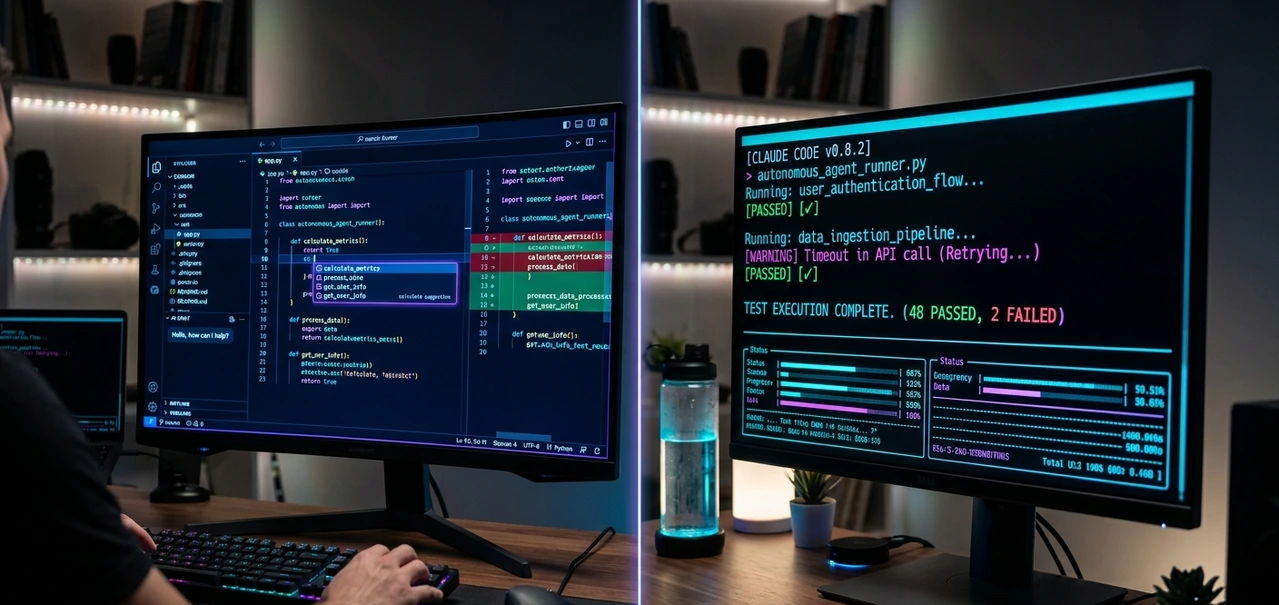
If you ask ten developers the cursor vs claude code question, you'll get ten different answers and most of them are influenced by which tool the person happened to try first.
The truth is messier and more useful than any single take: these two tools are excellent at fundamentally different things. Cursor is a smarter VS Code. Claude Code is closer to an AI engineer working beside you in the terminal. They're not competing for the same job but depending on how you write software, one of them is clearly the right choice for your specific workflow.
This guide is built from real research, real pricing data, and real developer experiences from 2025 and 2026. No affiliate bias, no vague claims. By the end, you'll know exactly which tool fits your situation.
Quick Verdict Table

What You Want | Best Pick |
Best AI IDE for daily coding | Cursor |
Best autonomous coding agent | Claude Code |
Better for beginners | Cursor |
Better for large codebases | Claude Code |
Best tab autocomplete | Cursor |
Best multi-file autonomous execution | Claude Code |
Better terminal workflows | Claude Code |
Better visual interface | Cursor |
Better for rapid prototyping | Cursor |
Better for deep debugging | Claude Code |
Better token efficiency | Claude Code |
The Core Philosophical Difference
Before diving into features, you need to understand the foundational split between these two tools because it changes everything downstream.
Cursor = You are in control, AI assists.
Cursor keeps you inside the editor at all times. You review diffs, accept suggestions, chat with the AI inline, and decide every change before it lands. The AI is a co-pilot. You're flying the plane.
Claude Code = AI is in control, you supervise.
Claude Code works differently. You give it a goal in natural language. It reads your project, understands dependencies, edits files, runs commands, installs packages, runs tests, and iterates until the task is complete. You review the result.
As one developer who used both tools daily for six months put it: comparing these two tools is like comparing a power drill to a construction crew. Both are useful for entirely different jobs.
What Is Cursor AI?
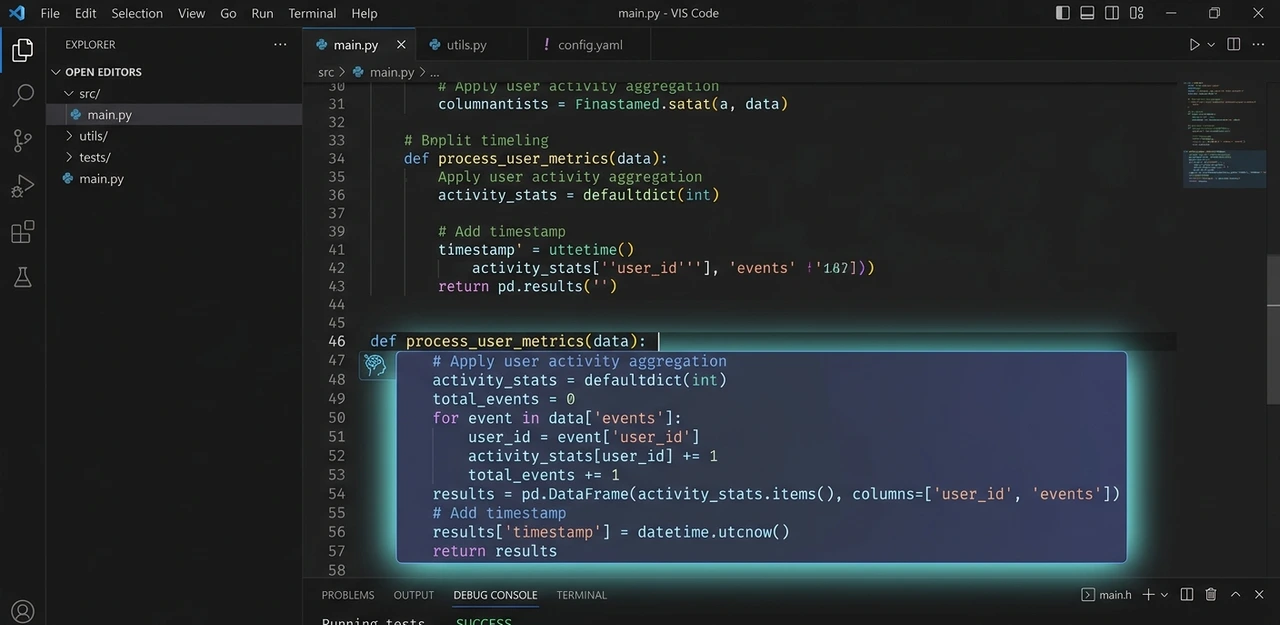
Cursor is an AI-first code editor built on top of Visual Studio Code's open-source foundation. It was created by Anysphere, and the core product decision forking VS Code rather than building a plugin is what makes it distinctive. If you already live in VS Code, the transition is nearly frictionless. Same keyboard shortcuts, same extension marketplace, same layout. The difference is that AI runs through every layer of the experience.
Cursor's Key Features
Tab Completion Cursor's autocomplete is widely considered the best in the industry. It doesn't just predict the next line — it can predict the next 5 to 10 lines based on context, repetitive patterns, and what the surrounding code implies. For writing new code continuously, this alone saves significant time.
Composer and Chat Cursor's Composer mode lets you describe multi-file changes, review diffs across files before accepting them, and iterate on edits through conversation — all without leaving the editor. The visual diff review experience is excellent.
Agent Mode Cursor now supports agentic workflows. It can edit files, run terminal commands, and complete multi-step tasks. Critically, it keeps the developer visually involved throughout — you see what's changing, in context, before you approve.
Multi-Model Support This is one of Cursor's genuine advantages. You can switch between Claude models, GPT-5, Gemini, and Cursor's own specialized models. If one model struggles with a task, you switch instantly. This flexibility is unavailable in Claude Code.
Cursor Rules Project-scoped instructions that tell the AI your naming conventions, architecture preferences, and coding standards. Without setting these up, outputs stay generic. With them, Cursor becomes significantly more useful.
What Is Claude Code?
Claude Code is Anthropic's agentic coding assistant, delivered as a command-line tool. Launched in early 2025, it has since evolved into something far more powerful than its original release. It lives in your terminal. You give it natural language instructions, and it acts like reading files, writing code, running tests, making commits, and handling entire workflows without continuous developer input.
It also now runs as a VS Code extension, a JetBrains plugin, a desktop app, and through a browser-based IDE at claude.ai/code. The old "terminal-only" framing from 2025 is no longer accurate but the terminal-first philosophy remains its defining character.
Claude Code's Key Features

Full Codebase Understanding When you ask Claude Code to make a change, it doesn't just edit the file you mention. It reads your project structure, identifies which files are relevant, reads those files in full, plans the changes, and then acts across multiple files coherently. For anything touching more than two or three files, this produces noticeably more coherent results than tools that only see what you've opened.
Automatic Context Compaction One of Claude Code's most underrated features. When token usage approaches a limit during a long session, it automatically compresses conversation history so it can continue task execution without losing the thread. This is why it handles large projects and long sessions more reliably than tools without this capability.
Autonomous Multi-Step Execution You can tell Claude Code: "Add authentication, update tests, fix TypeScript errors, and create a PR." It handles the entire workflow. It runs shell commands as part of its process, can execute npm install, git commit, and npm test in a feedback loop, and when a test fails, it reads the error, fixes the code, and re-runs. This is not possible in Cursor's current implementation.
Extended Thinking Claude Code can interrupt code generation to develop a plan when it encounters complex problems. It verifies the plan against existing code before executing, which leads to fewer bugs and safer outputs especially on backend and infrastructure tasks.
MCP Integrations Claude Code connects with GitHub, Jira, Slack, databases, and external services through MCP servers. This transforms it from an AI coding assistant into an AI development workflow system. You can pull a Jira ticket, read the relevant Slack thread, write the feature, and push a PR without changing tools.
Interface and Workflow Comparison
Feature | Cursor | Claude Code |
Primary interface | GUI (VS Code fork) | Terminal / CLI |
IDE integration | Native (it is the IDE) | VS Code, JetBrains, Web, Desktop |
Beginner-friendly | Very high | Medium |
Real-time inline autocomplete | Excellent | Not available |
Visual diff review | Excellent | Functional (terminal) |
Autonomous multi-step tasks | Limited | Excellent |
Shell command execution | Basic | Native (in feedback loops) |
Multi-model support | Yes | Anthropic models only |
Context handling | Good (truncation reported) | Excellent |
MCP server integrations | Standard (40-tool limit) | Deep (per-agent, full tool search) |
Background agents | Yes | Yes (multi-agent coordination) |
CI/CD and GitHub Actions | BugBot | Full lifecycle support |
Context Windows: Where the Real Gap Lives
Both tools advertise 200K token context windows. But real-world behavior is more complicated than marketing numbers suggest.
Claude Code delivers the full 200K context window reliably, with a 1M token beta available on Opus 4.6. Independent benchmarks score this at 76% on the MRCR v2 benchmark at 1M tokens. Multiple developer forums consistently report that Cursor's effective usable context is often 70K–120K in practice after internal truncation.
For daily coding tasks fixing functions, generating components, handling small features 70K is more than sufficient. For large-scale refactors across a monorepo, debugging issues that span multiple services, or working on enterprise codebases with deep dependency chains, this difference becomes decisive.
Cursor operates primarily on whatever files you have open, supplemented by its codebase index. Claude Code searches your codebase on demand as part of its planning process. When asked to add a feature, it reads your project structure, identifies relevant files, reads them fully, plans the changes, and then executes across multiple files at once. The difference in coherence on large tasks is measurable.
Code Quality: Which Tool Writes Better Code?
This depends heavily on the task type and it's an area where both tools have genuine strengths.
Cursor excels at: Fast, iterative code writing. Boilerplate generation. Front-end components. Rapid prototyping where you want to move quickly and shape the output as you go. The immediacy of tab completion makes it feel like thinking is directly producing code.
Claude Code tends to produce: Cleaner architecture on multi-file features. Stronger edge-case handling on complex backend logic. Safer implementations where it reads related code before writing new code. Better production-ready systems on infrastructure tasks. The slower, plan-first approach often results in fewer correction cycles.
A developer who tested both tools on an Express.js authentication feature noted: "Fix this function in Cursor took 10 seconds Cmd+K, type the instruction, review the diff, accept. The same task in Claude Code took 30 seconds. For a one-liner, Cursor wins on speed. For "add full authentication to this app," Claude Code read the existing codebase, installed packages, created auth routes, added middleware, updated the database schema, created login/signup pages, and ran the dev server to verify all in one prompt, without requiring 10+ individual iterations.
Debugging: Where Claude Code Pulls Ahead
For debugging, the differences become most visible.

Cursor handles debugging well for syntax errors, common framework bugs, small fixes, and quick iterations within a file. The visual workflow makes it easy to try a fix, see the change, and move on.
Claude Code changes the debugging experience for complex issues. When stack traces span multiple files, when concurrency bugs appear, when the problem requires understanding how a dozen components interact, Claude Code analyzes the full picture before proposing a fix. It reads related files, traces the problem to its source, and tends to produce fixes that don't introduce new issues.
The key mechanic is the test-fix feedback loop. Claude Code can run your test suite, read the failure output, fix the code, and re-run autonomously, until the tests pass. Cursor cannot do this in a single workflow. You'd need to manually copy error output back into the chat, accept fixes, run tests again, and repeat.
Pricing: The Honest Numbers
Both tools restructured their billing in 2025, and both have created confusion as a result.

Cursor Pricing (2026)
Plan | Price |
Hobby | Free |
Pro | $20/month |
Pro+ | $60/month |
Ultra | $200/month |
Teams | $40/user/month |
Enterprise | Custom |
Cursor moved from request-based to credit-based pricing in June 2025. Different models consume credits at different rates. Claude Opus depletes credits faster than lighter models, which means two developers on the same Pro plan can have very different effective usage limits depending on model preference.
The critical fact that gets buried in the pricing page: Cursor's own documentation acknowledges that daily Agent users typically need $60–$100/month in total usage — not $20. One team reported their $7,000 annual subscription depleted in a single day during heavy agent usage. Set spend limits immediately if you're on Cursor.
Claude Code Pricing (2026)
Plan | Price |
Claude Pro | $20/month |
Claude Max 5x | $100/month |
Claude Max 20x | $200/month |
Claude Code comes through Claude subscription plans. The Pro plan at $20/month includes Claude Code access with rate limits. The Max plans at $100/month and $200/month provide 5x and 20x Pro usage respectively.
Claude Code uses a dual-layer rate limit system: a 5-hour rolling window handles burst usage, and a 7-day weekly ceiling caps total compute hours. Heavy autonomous workflows, long refactors, multi-agent sessions can hit these limits unexpectedly.
Token Efficiency: The Hidden Price Advantage
Independent testing found that Claude Code uses approximately 5.5x fewer tokens than Cursor for identical tasks. Claude Code completed a benchmark task with 33K tokens and no errors. The same task in Cursor consumed significantly more tokens across multiple correction iterations.
What this means practically: Claude Code's slower, plan-first approach often produces usable output on the first pass. Cursor's faster interactive approach sometimes requires multiple iterations to get a clean result. At scale, the real cost-per-useful-output can favor Claude Code even when the subscription price looks similar.
Step-by-Step: How to Choose the Right Tool
Step 1 — Identify your primary work pattern
Do you write code continuously throughout the day, shaping it in real-time and wanting AI to assist at every line? → Cursor.
Do you frequently delegate entire features, refactors, or debugging sessions to AI and want it to handle the full workflow? → Claude Code.
Step 2 — Be honest about terminal comfort
If opening a terminal to run a command already feels like a detour from your workflow, Cursor will serve you better. Claude Code's power is real, but it requires comfort with CLI-based tools and a different mental model of how you interact with AI.
Step 3 — Consider your typical task size
Small to medium tasks within 2–3 files: Cursor handles these faster and with less overhead. Tasks touching 5+ files, spanning multiple services, or requiring understanding of deep codebase structure: Claude Code's full-context execution produces more coherent results.
Step 4 — Think about model flexibility
Cursor's ability to switch between Claude, GPT, Gemini, and its own models is genuinely useful. If you want to experiment, or if you want a backup when one model hits rate limits, multi-model support matters. If you're happy with Claude and want the deepest possible integration with Anthropic's models, Claude Code is purpose-built for that.
Step 5 — Try before upgrading
Cursor's Hobby plan is free and gives you real experience with tab completion and chat. Claude Code is accessible through Claude Pro at $20/month. Spend a week with each on real work before committing to higher tiers. The experience gap between "reading about it" and "using it daily" is significant for both tools.
The Frontend Developer Building a SaaS UI
You're building a Next.js application with Tailwind. Most of your day is writing components, styling elements, iterating on layouts, and making small API calls. Speed matters more than depth.
Best fit: Cursor. Tab completion accelerates boilerplate generation. Inline chat answers "how do I implement this Tailwind pattern?" without breaking flow. Agent Mode handles routine refactors. Pro at $20/month covers this comfortably.
The Backend Engineer Tackling a Large Refactor
You need to update authentication across 40+ files in a Python monolith, add type hints to three modules, and write tests for untested code paths all without breaking production.
Best fit: Claude Code. The task requires understanding how dozens of files relate, making coordinated changes across the codebase, running tests in a loop, and iterating on failures automatically. Claude Code's autonomous agent with full context handling does this far better than any IDE-based assistant.
The Startup CTO Setting Up Infrastructure
You need to scaffold a new microservices project — generate folder structure, set up CI/CD config, initialize database schemas, write Dockerfiles, and open a draft PR.
Best fit: Claude Code. Pure autonomous execution across a sequence of interdependent tasks. You describe the goal once and review the result, rather than guiding the AI through each step.
The Developer Who Wants Both
Many experienced developers now run both tools: Cursor for daily interactive coding, Claude Code for complex autonomous tasks. Cursor Pro ($20/month) plus Claude Max ($100/month) at $120/month total is an expensive but genuinely powerful combination. For developers billing hourly or building commercial products, the productivity math often works out.
Common Mistakes Developers Make
Mistake 1: Assuming Cursor Pro at $20/month is enough for heavy agentic use. It isn't. Monitor your credit usage weekly, especially during the first month. Set spend limits on day one. If you consistently hit 80%+ of credits by week three, Pro+ at $60 is the right tier for your usage.
Mistake 2: Using Claude Code for simple one-line edits. Claude Code's overhead makes it slower than Cursor for tiny tasks. It reads files, plans changes, and thinks before acting. For "fix this typo" or "rename this variable," Cursor's 10-second workflow beats Claude Code's 30-second overhead every time.
Mistake 3: Skipping Cursor Rules setup. Without project-scoped instructions defining your coding conventions, architecture preferences, and framework choices, Cursor outputs generic code. Spending 30 minutes on Cursor Rules at the start of every new project it dramatically changes output quality.
Mistake 4: Ignoring Claude Code's CLAUDE.md file. CLAUDE.md is the equivalent of Cursor Rules for Claude Code — a markdown file in your project root that gives the agent persistent context about your codebase. Setting it up correctly is the single highest-leverage configuration step for Claude Code users.
Mistake 5: Trusting AI output blindly. Both tools can still hallucinate, introduce bugs, and miss edge cases. AI-generated code requires review, especially when it touches critical paths, security-related code, or data handling logic. The autonomy of Claude Code makes this especially important does more, which means there's more to check.
Pros and Cons Summary
Cursor AI
Pros:
Familiar VS Code experience, virtually zero switching cost for existing VS Code users
Best-in-class real-time tab completion (5–10 line predictions)
Multi-model flexibility across Claude, GPT, Gemini, and Cursor's own models
Excellent visual diff review and inline editing experience
Low learning curve, approachable for developers at any level
Cons:
Credit-based pricing can surprise heavy users; daily Agent users often need $60–$100/month
Effective context window often 70K–120K despite 200K marketing claim
Cannot execute terminal commands in autonomous feedback loops
Less capable on tasks spanning many files or requiring full codebase reasoning
Claude Code
Pros:
Deep autonomous execution — handles entire feature workflows from prompt to PR
Reliable 200K context window (1M token beta on Opus 4.6)
Approximately 5.5x more token-efficient than Cursor for equivalent tasks
Native test-fix feedback loop with shell command execution
Rich MCP integrations for connecting external development tools
Extended thinking for complex problem analysis before writing code
Cons:
Steep learning curve for developers unfamiliar with terminal workflows
No real-time tab completion
Locked to Anthropic Claude models only
Rate limits (5-hour rolling, 7-day ceiling) can interrupt long autonomous sessions
Slower response time on small, individual tasks compared to Cursor
Final Verdict
Choose Cursor if you love VS Code, you want world-class autocomplete, you prefer visual control over every change, you work primarily on frontend or interactive coding, and you're newer to AI coding tools. Cursor is the better daily driver for most developers.
Choose Claude Code if you work on large, complex codebases, you need to delegate entire feature workflows rather than individual edits, you're comfortable in the terminal, you handle backend or infrastructure-heavy work, and you want an AI that thinks before it acts.
Use both if you work across multiple development styles and the productivity gains justify the combined cost. More developers in 2026 are going this route: Cursor for speed and interactivity, Claude Code for depth and automation and the tools genuinely complement each other in ways that are hard to replicate with either one alone.
The most important thing is to actually use both before forming a strong opinion. The free and entry-level tiers are accessible enough that a week of real-world testing will tell you more than any comparison article ever can.
FAQ
Neither is universally better. Cursor is better for interactive, GUI-based coding with real-time suggestions and multi-model flexibility. Claude Code is better for autonomous multi-step task execution, large codebases, and workflows where you want AI to handle full features rather than individual lines. The right choice depends on how you write software.
Yes. Cursor supports Claude Sonnet and other Claude models as selectable options within the editor. However, using Claude through Cursor is not the same product as Claude Code. Claude Code is a separate autonomous agent from Anthropic with terminal execution, MCP integrations, and agentic capabilities that Cursor's Claude integration does not provide.
Claude Code. It reliably delivers a full 200K token context window, with a 1M token beta available on Opus 4.6. It also reads files on demand during planning rather than relying on a codebase index, which produces more coherent results on large multi-file tasks. Multiple developer reports indicate Cursor's effective context is often 70K–120K in practice.
No. Claude Code is included with Claude Pro at $20/month, which comes with rate limits that heavy users can reach quickly. The Claude Max plans at $100/month (5x limits) and $200/month (20x limits) are designed for developers using Claude Code as their primary coding tool.
It depends on team size and workflow. For small teams doing interactive coding, Cursor's Teams plan at $40/user/month is reasonable. For teams doing heavy autonomous workflows, Claude Code's token efficiency (approximately 5.5x fewer tokens for equivalent tasks) can mean more output per dollar at scale despite similar sticker prices. Teams should model actual usage before committing.
Yes — and this hybrid approach is increasingly common among senior developers in 2026. A common workflow: Cursor for daily interactive coding and quick edits, Claude Code for complex autonomous tasks like full feature implementation, large refactors, and debugging across multiple services. Combined cost is typically $120/month or more, but many developers find the productivity gains justify it.
Claude Code. For complex debugging issues spanning multiple files, concurrency bugs, architecture-level problems Claude Code's ability to read related files, trace root causes, run your test suite, fix failures, and re-run in a loop produces better results with fewer manual interventions. Cursor is faster for quick fixes and isolated bugs.
Featured Snippet Answer
{ "@context": "https://schema.org", "@type": "FAQPage", "mainEntity": [ { "@type": "Question", "name": "Is Cursor AI better than Claude Code?", "acceptedAnswer": { "@type": "Answer", "text": "Neither is universally better. Cursor is better for interactive, GUI-based coding with real-time suggestions. Claude Code is better for autonomous multi-file task execution. The right choice depends entirely on your workflow." } }, { "@type": "Question", "name": "How much does Claude Code cost in 2026?", "acceptedAnswer": { "@type": "Answer", "text": "Claude Code is included with Claude Pro at $20/month. Heavy users need Claude Max at $100/month (5x usage) or $200/month (20x usage)." } }, { "@type": "Question", "name": "Can Cursor use Claude AI models?", "acceptedAnswer": { "@type": "Answer", "text": "Yes. Cursor supports Claude Sonnet and other Claude models as selectable options. However, this is not the same as Claude Code, which is a separate autonomous agent product with terminal execution and MCP integration." } }, { "@type": "Question", "name": "Which AI coding tool is better for large codebases?", "acceptedAnswer": { "@type": "Answer", "text": "Claude Code. It reliably delivers a full 200K token context window with a 1M token beta, and reads files directly during planning rather than relying on an index. Cursor's effective context is often 70K-120K in practice." } }, { "@type": "Question", "name": "What is the best AI IDE for developers in 2026?", "acceptedAnswer": { "@type": "Answer", "text": "Cursor is the most widely used AI IDE in 2026 for developers who want an enhanced VS Code experience with multi-model support and real-time autocomplete. Claude Code is preferred by developers who need autonomous agent capabilities for complex, multi-step development tasks." } } ] } |