If you're choosing between Windsurf and Cursor in 2026, the biggest question isn't simply which AI code editor is "better."
It's how much control you want versus how much work you want the AI to handle for you.
Cursor is built around a more controlled, iterative workflow. Its AI features are deeply integrated into a VS Code-based editor, with tools such as Tab, Composer, Agent mode, rules, and background agents.
Windsurf took a more autonomous approach with Cascade, automatic codebase context, and Flow-style interactions. However, there's an important 2026 update: Windsurf is now called Devin Desktop. Cognition, the company behind Devin, officially describes Devin Desktop as the new name for Windsurf, while the Windsurf IDE foundation remains part of the product. Existing plans, settings, extensions, and workflows were carried over.
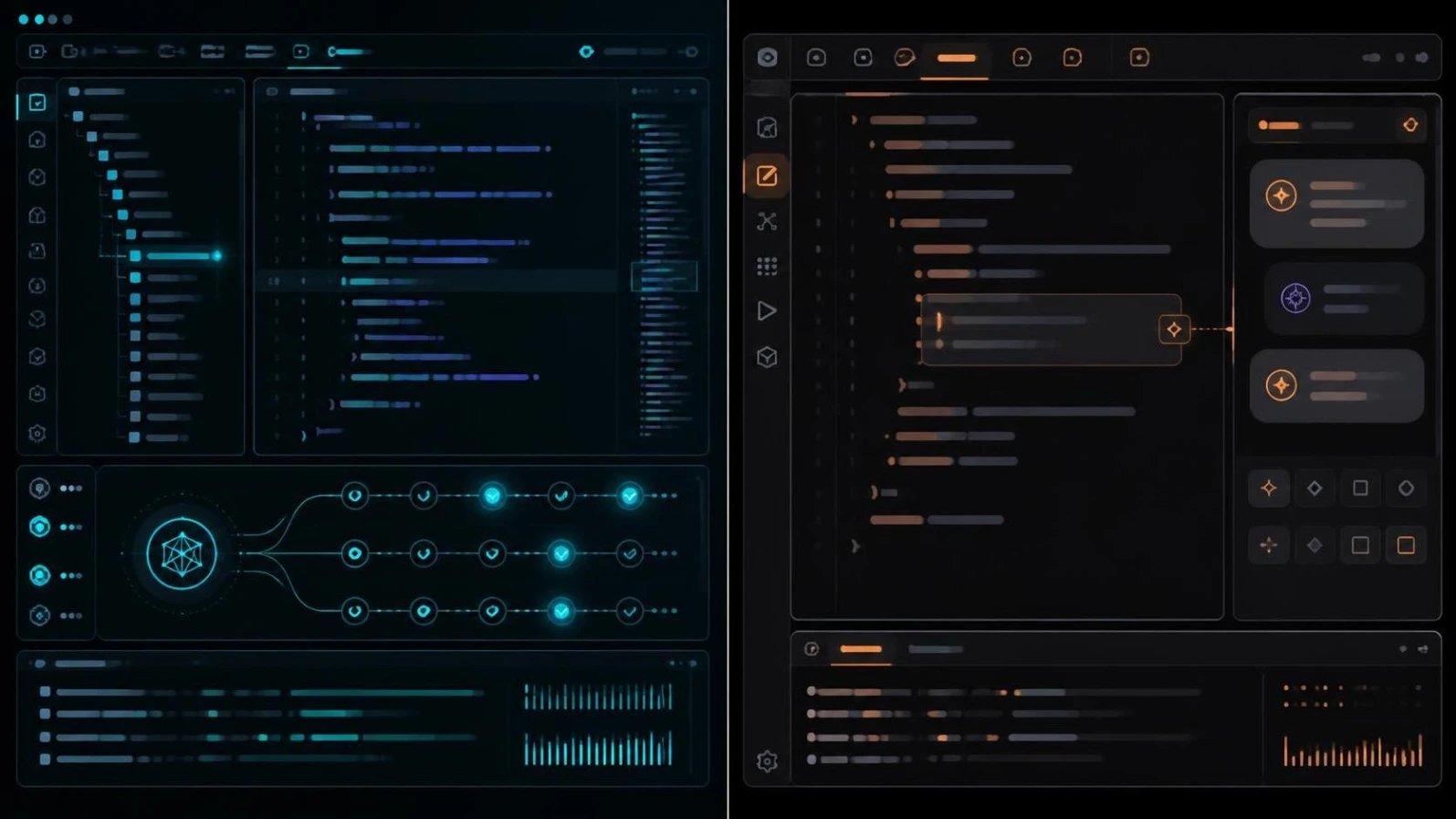
So throughout this guide, I'll use Windsurf (now Devin Desktop) when discussing the product so that readers searching for "Windsurf vs Cursor" can still follow the comparison.
The short version:
- Choose Cursor if you want precise control, strong autocomplete, iterative editing, and a mature AI-first developer workflow.
- Choose Windsurf/Devin Desktop if you prefer autonomous agents, automatic context discovery, and delegating larger tasks.
- Use both if different projects or tasks benefit from different workflows.
Let's break down the differences that actually matter.
Quick Verdict: Pick Your Situation
| If You Are... | Better Pick | Why |
|---|---|---|
| New to AI coding | Windsurf / Devin Desktop | More goal-oriented and autonomous workflow |
| Heavy VS Code user | Cursor | Familiar interface and strong extension compatibility |
| Want maximum AI control | Cursor | More explicit context and approval-oriented workflow |
| Want the AI to handle multi-step tasks | Windsurf / Devin Desktop | Cascade-style autonomous execution |
| Working on an unfamiliar codebase | Windsurf / Devin Desktop | Automatic context discovery reduces manual file selection |
| Doing precise refactoring | Cursor | Composer provides more controlled multi-file changes |
| Building prototypes quickly | Windsurf / Devin Desktop | Strong autonomous implementation workflow |
| Want powerful autocomplete | Cursor | Tab is one of its biggest strengths |
| Using JetBrains | Windsurf / Devin Desktop | Windsurf/Devin continues to support JetBrains IDEs |
| Running multiple agents | Windsurf / Devin Desktop | Agent Command Center focuses on managing local and cloud agents |
| Want predictable usage | Windsurf / Devin Desktop | Quota-based model is easier to reason about than usage-based credits |
What Changed With Windsurf in 2026?
One of the most important things missing from many older Windsurf vs Cursor comparisons is the product's 2026 rebrand.
Windsurf is now Devin Desktop.
According to Cognition's official site, Devin Desktop is the new name for Windsurf. The product keeps the Windsurf IDE foundation but adds a central workspace for managing coding agents. Existing Windsurf plans, pricing, extensions, settings, workflows, and in-progress work were migrated automatically.
That means an article written around the old "Windsurf vs Cursor" matchup can quickly become outdated if it treats Cascade and Windsurf branding as unchanged.
For SEO purposes, however, "Windsurf vs Cursor" remains an important search phrase, so the practical way to explain the current product is:
Windsurf (now Devin Desktop) vs Cursor
The JetBrains version continues to use the Windsurf name, according to the current product information.
What Is Cursor?
Cursor is an AI-first code editor built from the VS Code foundation.
Instead of installing AI as a simple extension, Cursor puts AI directly into the development workflow.
Its major features include:
- Tab autocomplete
- Inline editing
- Composer
- Agent mode
- Project-specific rules
- MCP support
- Background agents
- Codebase search and context
- Multi-file editing
- AI-assisted code review through BugBot
Cursor's biggest advantage is control.
You can tell the AI exactly which files, folders, documentation, or pieces of context it should work with. This is particularly useful when you're working on an existing project and don't want an agent making broad changes without supervision.
Cursor also retains the familiar VS Code-style environment, making the transition easier for developers who already know VS Code.
Current Cursor pricing lists a free Hobby plan, Individual plans starting at $20/month, and Teams at $40/user/month. Its paid plans include access to frontier models, MCPs, skills, hooks, cloud agents, and other agent features.
Why Developers Like Cursor
Cursor's strongest argument isn't just code generation.
It's the combination of:
fast autocomplete + codebase awareness + controlled editing + agentic development.
The autocomplete experience is especially important for developers who spend a lot of time typing code rather than delegating entire tasks.
Community discussions also repeatedly highlight Cursor's autocomplete as one of the main reasons developers continue paying for it.
What Is Windsurf / Devin Desktop?
Windsurf originally grew out of Codeium's AI coding assistant and became known for its Cascade agent.
Its philosophy was different from traditional code assistants:
Instead of constantly telling the AI what file to open, developers could describe the desired outcome and let the agent discover the relevant project context.
That philosophy continues in Devin Desktop.
The current Devin Desktop product is centered around managing coding agents from a single command center. It combines a full IDE with local and cloud agents, codebase context, debugging, autocomplete, and agent management.
Its major strengths include:
- Autonomous agent workflows
- Automatic codebase context
- Multi-step task execution
- Terminal interaction
- Multi-file changes
- Local and cloud agents
- MCP integrations
- Agent management
- IDE support beyond the traditional Cursor-only workflow
- JetBrains support
The key idea is simple:
Cursor feels more like an AI-powered developer tool. Windsurf/Devin Desktop feels more like an agent you delegate work to.
That distinction is more useful than comparing feature checklists.
Windsurf vs Cursor: The Biggest Difference
The most important difference is autonomy.
Cursor generally gives you more opportunities to guide the AI.
Windsurf/Devin Desktop is more comfortable taking a high-level objective and working through multiple steps.
For example, imagine you say:
"Add authentication to this application."
A more controlled Cursor workflow might involve:
- Open Composer.
- Give it the relevant project context.
- Let it create the required changes.
- Review the proposed modifications.
- Approve them.
- Continue with the next requirement.
With Windsurf/Devin Desktop, the agent-oriented workflow is closer to:
- Describe the complete objective.
- Let the agent inspect the project.
- Let it identify relevant files.
- Let it modify the code.
- Run commands/tests.
- Iterate on errors.
- Review the resulting work.
This difference has also appeared in developer comparisons: Windsurf is commonly described as the more autonomous option, while Cursor is viewed as the more controlled and precise tool.
Context Handling: Windsurf vs Cursor
This is where the difference becomes much more noticeable on real projects.
Windsurf: Automatic Context
Windsurf's Cascade approach is designed to discover relevant project context automatically.
Instead of manually telling the AI:
"Look at auth.ts, user.ts, database.ts, and routes.ts."
you can describe the problem and let the agent search for the files it needs.
This becomes particularly useful when you're working with an unfamiliar repository.
A 2026 developer discussion described the choice as largely depending on how much autonomy you want, noting Windsurf's proactive context discovery and Cursor's explicit context controls.
Cursor: Explicit Context
Cursor gives you more direct control over context.
You can use mechanisms such as:
- @file
- @folder
- Codebase context
- Documentation references
- Project rules
This approach has an important advantage:
You can tell the model exactly what it should pay attention to.
That can reduce unwanted changes when the project has complicated architecture or when you already understand where the problem is.
The practical rule
Don't know the codebase? → Windsurf/Devin Desktop can be easier.
Know exactly where the problem is? → Cursor's explicit control can be better.
That's more useful than declaring one tool universally superior.
Composer vs Cascade
This is the heart of the Windsurf vs Cursor debate.

Cursor Composer
Composer is designed for multi-file development.
It's useful for:
- Feature implementation
- Refactoring
- Structural changes
- Multi-file edits
- Large coding tasks
- Iterative development
The important part is that you remain closely involved in the process.
Cursor's workflow favors developers who want to inspect and guide changes rather than simply telling the AI what the final result should be.
Current comparisons also describe Composer as particularly strong for iterative development and controlled multi-file editing.
Best for:
"I'll guide the AI while it builds this."
Windsurf Cascade / Devin Local
Windsurf's Cascade became known for a more autonomous approach.
The agent can:
- Search the project
- Read relevant files
- Modify multiple files
- Run terminal commands
- Analyze errors
- Continue working
- Maintain context between steps
The newer Devin Desktop product continues this agent-first direction, with a command center designed to manage local and cloud agents.
Best for:
"Here's the goal. Figure out how to implement it."
Real-World Coding: Which One Performs Better?
This is where generic benchmarks can become misleading.
A coding agent isn't only judged by how much code it generates.
The more useful question is:
How much work remains after the AI finishes?
That includes:
- Reviewing changes
- Fixing hallucinations
- Correcting architecture
- Running tests
- Debugging failed commands
- Reverting bad changes
- Explaining unexpected modifications
A real-world Reddit comparison from developers working with larger codebases found both tools capable, but reported differences in reliability and output quality depending on the task and model used. One user preferred Cursor for performance and rollback, while describing Windsurf as similar but sometimes more error-prone.
Another developer discussion showed the opposite preference: Windsurf users valued its stronger context understanding and multi-file editing, while Cursor users preferred its polish and autocomplete.
That leads to an important conclusion:
There is no universal "better code quality" winner.
Your model selection, project structure, prompt quality, rules, and review process can matter as much as the editor itself.
Refactoring: Cursor Has an Important Advantage
Refactoring is different from generating a new feature.
When you refactor an existing codebase, you don't simply want new code.
You want the AI to:
- Preserve existing behavior
- Respect architecture
- Avoid breaking dependencies
- Update imports
- Maintain types
- Keep tests working
- Avoid unnecessary changes
That's why controlled editing can be valuable.
Cursor's Composer workflow is well suited to this type of work because you can inspect changes and guide the process. The Vibe Coding Academy comparison similarly gives Cursor the edge for deliberate legacy refactoring, while giving Windsurf the edge for autonomous implementation and debugging workflows.
Winner for controlled refactoring:
Cursor
Winner for autonomous refactoring:
Windsurf / Devin Desktop
Building New Features: Windsurf Has the Edge
If you're starting with a relatively clear objective, autonomous workflows become more valuable.
For example:
"Build a REST API with authentication, database models, protected routes, validation, and tests."
An agent can potentially break that objective into multiple implementation steps instead of waiting for you to give instructions for each file.
This is one of Windsurf's core strengths.
The current product direction has gone even further toward agent orchestration, with Devin Desktop designed to let developers dispatch and monitor multiple coding agents.
Winner for speed-to-prototype:
Windsurf / Devin Desktop
Debugging: Automatic Context Can Save Time
Debugging is another area where automatic context can be useful.
Imagine your terminal shows:
TypeError: Cannot read properties of undefined
The important question isn't just what the error means.
You need to determine:
- Where it originated
- Which function passed the value
- Where the data was created
- Which configuration affects it
- Whether another file introduced the problem
An agent that can automatically search the repository and connect those pieces can reduce manual context preparation.
Windsurf's agent workflow is designed around this kind of contextual investigation. Cursor can also perform the same general workflow, but developers may choose to explicitly provide files or context.
For unfamiliar debugging:
Windsurf / Devin Desktop
For controlled debugging:
Cursor
AI Autocomplete: Cursor's Biggest Strength
Not every coding task requires an autonomous agent.
Sometimes you simply want to type:
const calculateTotal =
and have the editor correctly predict what comes next.
This is where Cursor's Tab experience becomes extremely important.
Cursor has built a strong reputation around predictive autocomplete, and community discussions frequently identify Tab completion as one of the primary reasons developers pay for Cursor.
Windsurf also offers strong autocomplete and predictive suggestions, so the difference isn't that Windsurf can't autocomplete code.
The distinction is more about the overall workflow.
If your day looks like:
Type → Tab → Type → Tab → edit → Tab
Cursor deserves serious consideration.
If your day looks like:
Describe task → agent works → review → test
Windsurf/Devin Desktop becomes more attractive.
IDE and Editor Support
This is an area where you should not rely on old Windsurf vs Cursor articles.
Cursor is fundamentally a VS Code-based standalone editor.
Windsurf's ecosystem historically extended beyond its own editor, and the current Devin Desktop product confirms that Windsurf for JetBrains continues to be available.
This matters if your team uses:
- IntelliJ IDEA
- PyCharm
- WebStorm
- Other JetBrains environments
If your entire workflow already lives inside VS Code, Cursor's familiarity is a major advantage.
If your team uses different development environments, Windsurf's continued JetBrains support can make it easier to maintain a consistent AI-assisted workflow.
MCP Support
Both tools support Model Context Protocol (MCP), which allows AI coding environments to connect with external tools and services.
Examples include tools for:
- Databases
- Documentation
- GitHub
- Project management
- Testing
- Monitoring
- Internal systems
The important difference isn't simply:
"Does it support MCP?"
Both do.
Instead, look at how you plan to use MCP.
If your development workflow depends heavily on external tools, test the exact MCP servers you use in both editors before choosing one.
The 2026 comparison from Vibe Coding Academy reports MCP support in both products and highlights Windsurf's broader set of preconfigured integrations.
Cursor vs Windsurf Pricing in 2026
Pricing is one area where older articles are particularly dangerous.
Windsurf's old $15/month advantage is no longer the general headline price for new subscribers.
Current Devin Desktop pricing lists:
| Plan | Windsurf / Devin Desktop |
|---|---|
| Free | $0 |
| Pro | $20/month |
| Max | $200/month |
| Teams | $80/month + $40/month per full seat |
| Enterprise | Custom |
The official Devin Desktop page currently lists these plans and confirms that existing Windsurf users keep their current plans and pricing.
Cursor's current pricing lists:
| Plan | Cursor |
|---|---|
| Hobby | Free |
| Individual/Pro | $20/month |
| Teams | $40/user/month |
| Enterprise | Custom |
Cursor's paid plans use usage limits/credits depending on the plan and model usage, while its official pricing page lists extended Agent limits and frontier-model access on paid tiers.
The Important Difference Isn't Just $20 vs $20
The more useful comparison is how usage is metered.
Windsurf/Devin Desktop moved toward daily and weekly quotas in its 2026 pricing overhaul.
Cursor uses a credit/usage-based model on paid plans.
That means two developers paying the same $20 can have very different experiences depending on:
- Which model they use
- How large their context is
- How often they run agents
- How complex their tasks are
- How many iterations they need
So don't choose an editor solely because a comparison article says:
"This one is cheaper."
For new users in 2026, the headline Pro price is much closer than older comparisons suggest.
What Developers Say in the Real World
Community feedback is mixed—and that's actually useful.
One large-codebase Reddit discussion praised Cursor's performance, response quality, Composer, and rollback, while also reporting hallucinations. The same discussion reported that Windsurf had similar capabilities but could sometimes produce less reliable results.
Other developers report the opposite experience.
Some prefer Windsurf because it:
- Understands context automatically
- Requires less manual file selection
- Feels simpler
- Keeps developers in a more continuous flow
Others prefer Cursor because:
- Tab completion is excellent
- It gives more control
- The ecosystem is larger
- The editing workflow is more mature
- It provides more power-user features
This is why community opinions should be treated as workflow evidence, not scientific benchmarks.
Cursor vs Windsurf: Performance and Reliability
Both tools are capable of handling serious development work.
But performance has several dimensions.
1. Completion speed
Cursor has a strong reputation for fast predictive completions.
2. Agent speed
Windsurf/Devin Desktop is heavily optimized around autonomous agent workflows.
3. Context retrieval
Windsurf emphasizes automatic codebase context.
4. Editing control
Cursor gives developers more explicit control over proposed changes.
5. Human review
Both still require developer review.
This last point matters most.
AI-generated code can still:
- Introduce bugs
- Misunderstand requirements
- Make unnecessary changes
- Choose poor architecture
- Hallucinate APIs
- Break existing behavior
A faster agent isn't automatically a better engineering tool if it creates more cleanup work.
Cursor vs Windsurf for Large Codebases
For large repositories, context management becomes one of the biggest deciding factors.
Choose Windsurf / Devin Desktop when:
- You don't know the repository well
- The project has many interconnected files
- You frequently need repository-wide investigation
- You want the agent to discover relevant context
- You want to delegate multi-step tasks
Choose Cursor when:
- You know the architecture well
- You know which files need modification
- You want precise control
- You frequently perform targeted refactoring
- You want to manually control AI context
The best choice can therefore change depending on whether you're working on your own familiar codebase or someone else's legacy repository.
Which Is Better for Beginners?
There's an important distinction here.
Neither tool eliminates the need to understand software development.
A beginner can ask either tool to build an application, but generated code can still contain:
- Security problems
- Bad architecture
- Dependency issues
- Incorrect assumptions
- Hard-to-maintain code
A 2026 comparison from Elementor similarly argues that both tools are primarily aimed at developers and still assume familiarity with codebases, frameworks, and development environments.
However, between the two, Windsurf's goal-oriented agent workflow may feel easier for someone new to AI coding because the developer can describe what they want instead of manually assembling context.
Cursor is often more rewarding once you understand how to control context, rules, Composer, and the rest of its workflow.
Cursor vs Windsurf: Use Both
You don't actually have to choose one.
Some developers use a combination such as:
Windsurf / Devin Desktop → autonomous feature work
Cursor → precise edits and autocomplete
This hybrid approach makes sense because the tools solve slightly different problems.
For example:
Use Windsurf / Devin Desktop for:
- New feature implementation
- Large repository investigation
- Automated debugging
- Multi-step tasks
- Prototyping
- Agent delegation
Use Cursor for:
- Fast autocomplete
- Small edits
- Controlled refactoring
- Reviewing generated code
- Architecture-sensitive changes
- Tasks where you want to control context
The growing AI coding ecosystem is increasingly moving toward this kind of multi-tool workflow rather than a single editor doing everything.
A Better Way to Test Cursor vs Windsurf
Instead of reading 20 comparison articles, run the same real task in both.
Pick something from your actual codebase.
For example:
"Find why user authentication fails after session expiration, fix the issue, add a regression test, and explain the changes."
Run the exact same task in Cursor and Windsurf.
Measure:
- Time to first useful result
- Number of prompts required
- Number of files modified
- Number of incorrect changes
- Number of manual corrections
- Test success rate
- How much context you had to provide
- How easy it was to review/revert changes
- How much usage the task consumed
- Whether you would actually use the workflow tomorrow
This gives you a much better answer than synthetic benchmark numbers.
Final Verdict: Windsurf vs Cursor in 2026
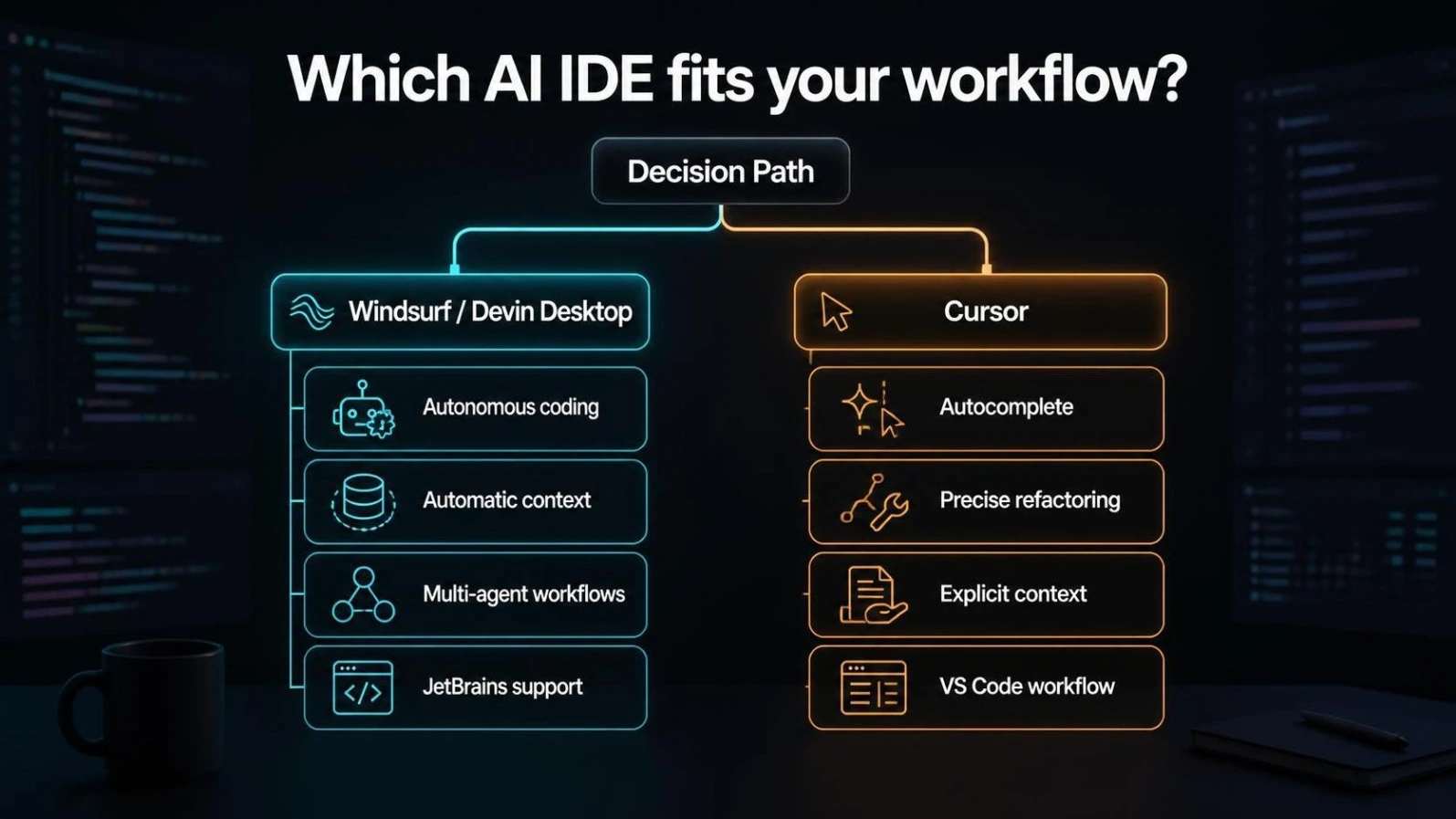
There is no single winner for every developer.
Cursor is the better choice if you want control.
It excels at:
- Predictive autocomplete
- Controlled AI coding
- Composer
- Multi-file editing
- Explicit context
- Custom rules
- A mature developer ecosystem
- Familiar VS Code workflows
Windsurf, now Devin Desktop, is the better choice if you want autonomy.
It excels at:
- Autonomous agent workflows
- Automatic project context
- Multi-step implementation
- Agent delegation
- Local and cloud agents
- Flow-oriented development
- JetBrains support
- Centralized agent management
The 2026 product direction makes the difference even clearer: Devin Desktop is now positioning itself around managing fleets of local and cloud coding agents, while Cursor continues expanding its own agentic development workflow.
My recommendation
| Your Priority | Pick |
|---|---|
| Best autocomplete | Cursor |
| Maximum control | Cursor |
| Precise refactoring | Cursor |
| VS Code workflow | Cursor |
| Autonomous coding | Windsurf / Devin Desktop |
| Automatic context | Windsurf / Devin Desktop |
| Multi-agent workflows | Windsurf / Devin Desktop |
| JetBrains workflow | Windsurf / Devin Desktop |
| Rapid prototyping | Windsurf / Devin Desktop |
| Large unfamiliar codebase | Windsurf / Devin Desktop |
Bottom line:
Cursor is better when you want an AI coding partner you can control. Windsurf/Devin Desktop is better when you want an AI agent you can delegate work to.
And if you're still unsure, don't guess.
Install both, give them the same real development task, and compare the amount of useful work they complete—not how impressive the demo looks.
Frequently Asked Questions
Is Windsurf still available in 2026?
The product formerly known as Windsurf has been renamed Devin Desktop. Cognition says the Windsurf IDE foundation remains, while the new product adds a central command center for local and cloud agents. Existing users retain their plans, pricing, extensions, and settings.
Is Cursor better than Windsurf?
Cursor is better for developers who prioritize control, autocomplete, and iterative editing. Windsurf/Devin Desktop is stronger for developers who want autonomous, goal-driven agent workflows.
Is Windsurf cheaper than Cursor?
For new users, the old $15-vs-$20 comparison is outdated. Devin Desktop currently lists Pro at $20/month, while Cursor's Pro pricing is also $20/month. The important difference is how usage is metered.
Which is better for large projects?
It depends on the project. Windsurf/Devin Desktop can be more convenient when the repository is unfamiliar because of its automatic context discovery. Cursor can be preferable when you understand the codebase and want precise control over what the AI sees.
Can I use Claude and GPT models in both?
Both ecosystems support major third-party model families, although the exact model list changes over time. Always check the current model selector and pricing before subscribing.
Does Windsurf support JetBrains?
Yes. Cognition's current Devin Desktop information explicitly says Windsurf for JetBrains—including IntelliJ IDEA, PyCharm, WebStorm, and more—continues to be available.
Should I use Cursor or Devin Desktop with Claude Code?
You can use Claude Code alongside either editor. The better choice depends on whether you want your main workflow centered around an AI IDE or a terminal-first coding agent.
Can I use both Cursor and Windsurf?
Yes. Using one for autonomous tasks and another for precise edits can be a practical workflow. The tools don't have to be mutually exclusive.