A first-time founder tried Lovable.dev on a Tuesday afternoon with zero coding experience. By Wednesday morning, she had a working SaaS app live on a custom domain with authentication, a Supabase database, and Stripe payments already wired in. She hadn't written a single line of code.

That's not a marketing story. That's the reality of what this platform can do in 2026, and it's exactly what this Lovable.dev tutorial is going to show you step by step.
According to Exploding Topics, Lovable hit 1,200% growth in search volume and became the #1 trending AI startup as of February 2026, with over 550,000 monthly searches. The platform now serves roughly 8 million users who are building SaaS apps, internal tools, client portals, and AI-powered products, most of them without traditional development experience.
This guide covers everything: what Lovable actually is, how to write prompts that don't burn credits, how pricing really works, and how it stacks up against Bolt.new. If you've ever wanted to ship a product without waiting on a developer, read carefully.
What Lovable.dev Actually Does (And Why It's Not Just Another No-Code Tool)
Most no-code tools give you a visual drag-and-drop builder. Lovable gives you a full-stack engineer that types at superhuman speed. That distinction matters enormously.
Under the hood, Lovable generates React, TypeScript, Tailwind CSS, and Vote, the exact stack professional developers use at funded startups. It's not generating toy code. It connects to Supabase for your database and authentication, integrates Stripe for payments, and deploys via GitHub to Vercel or Netlify.
The workflow is entirely conversational. You describe what you want to build, the AI builds it, you see a live preview in the right panel, and you iterate through chat. Visual edits let you click directly on elements to change colors, text, or spacing no prompts needed, no credits spent.
Lovable reached $20M ARR in just 2 months, the fastest growth trajectory in European startup history according to the platform's own published milestones. That number explains why developers and non-technical founders are both paying close attention.
"Lovable isn't a website builder. It's the closest thing to hiring a senior engineer without posting a job listing."
The Lovable.dev Tutorial: From Blank Page to Deployed SaaS in 10 Minutes
Here's the exact workflow. Follow this once and the process becomes second nature.
Step 1: Sign Up — No Credit Card Required
Go to lovable.dev and create a free account using your email or GitHub. The free plan gives you 5 daily credits, up to 30 per month. That's genuinely enough to build and test a real prototype before spending anything.
Once you're inside, you'll see a clean chat interface on the left and a live app preview on the right. Don't be deceived by the simplicity that a chat window is where everything happens.
Step 2: Write a Prompt That Actually Works
Here's where 90% of beginners waste their credits. Vague inputs produce vague outputs, and every revision cycle costs credits.
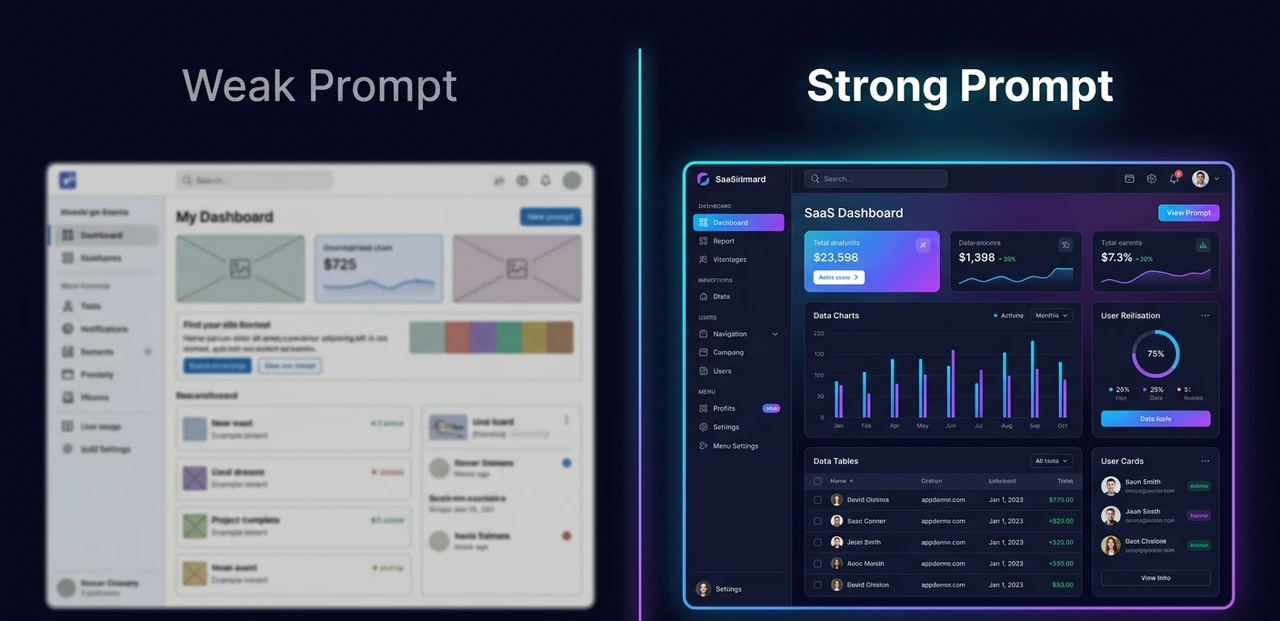
Weak prompt: "Build me a SaaS app."
Strong prompt: "Build a SaaS task management app with a Kanban board, user authentication via email and password, a dashboard showing task counts by status, and a Supabase backend. Use a dark color scheme with indigo accents and shadcn/ui components."
The difference is night and day. The strong prompt took 90 seconds to write and produced a working app on the first attempt. The vague one required four follow-up prompts burning credits each time. Treat every prompt like a brief to a developer: the clearer the spec, the better the first draft.
Step 3: Let the Agent Build
After submitting, Lovable's AI agent takes over autonomously. For a medium-complexity app authentication, dashboard, database the initial build runs in about 60 to 90 seconds. Watch the preview panel update in real time.
You'll see it generate shadcn/ui components, wire the Supabase tables, configure row-level security, and handle the authentication flow all without you touching a config file.
Step 4: Refine Using the Three Modes
Lovable has three distinct working modes, and knowing which to use saves a lot of money.

Agent Mode — the AI autonomously explores the codebase, debugs problems, and solves multi-step issues without you specifying every step.
Chat Mode — best for planning features, walking through logic, or asking why something was built a certain way.
Visual Edits — click any element in the live preview and change it directly. Text, colors, spacing, layout all free, no credits consumed.
Save Agent Mode for functional changes. Use Visual Edits for anything cosmetic. That single habit cuts credit consumption by roughly 30–40% on most projects.
Step 5: Connect Supabase in One Click
From inside Lovable, link your Supabase project. Then use natural language to create your database schema 'Add a users table with email, name, and subscription_tier columns' and Lovable generates the SQL, sets up the relationships, and configures the RLS policies automatically.
This is the feature that genuinely separates Lovable from basic no-code builders. You get a real PostgreSQL database with industrial-grade security, not a toy data layer you'll have to replace when you get real users.
Step 6: Push to GitHub and Deploy
Connect a GitHub repository and Lovable commits every change automatically. From GitHub, deploy to Vercel, Netlify, or Railway with one click. Your app gets a live URL you can share with users immediately.
Total time from blank screen to deployed app: under 10 minutes for a simple landing page or prototype, under an hour for a full-featured SaaS with auth and a database.
💡 Pro Tip: Once your base app is solid in Lovable, switch to Cursor or VS Code for granular code changes. This hybrid workflow — Lovable for scaffolding, an AI IDE for detailed refinement — conserves credits and gives you full architectural control. Windsurf review here |
"Write your prompt like you're briefing a developer. Every detail you add upfront is a credit you don't spend on revisions."
Lovable AI Pricing: What You're Actually Paying For in 2026
The credit system confuses a lot of people at first. Here's how it actually works, in plain terms.
Every message you send to Lovable's AI uses credits. Simple styling changes cost about 0.5 credits. Building a complete landing page section costs 1–2 credits. A complex feature like a full authentication flow with password reset costs around 1.2–2 credits. Building a basic MVP from scratch typically runs 150–300 credits across several sessions.
Plan | Monthly Price | Credits/Month | Key Features |
Free | $0 | 30 (5/day) | Public projects, 5 subdomains, unlimited collaborators |
Starter / Pro | ~$20–25/mo | 100 | Private projects, GitHub export, custom domain, credit rollover |
Business | ~$50/mo | 400+ | SSO, data opt-out, reusable design templates |
Enterprise | Custom | Custom | Dedicated support, custom API connections, onboarding |
Note: Pricing reflects publicly available rates as of Q2 2026. Always verify at lovable.dev/pricing before committing.
The free plan is genuinely useful for testing and building proof-of-concept apps. Most serious builders move to the Starter plan ($20–25/month) once they're working on something private they intend to ship.
One hidden cost worth knowing: if Lovable's AI gets stuck in a debugging loop it keeps trying to fix the same bug and failing each attempt burns credits. The platform calls this the "Try to Fix" loop. When it happens, stop Lovable and export the file to Cursor or VS Code to fix it manually. That saves both credits and frustration.

For agencies building 3–5 client apps per month, expect to spend $480–960/month for the credits needed. That sounds steep until you compare it to a developer's salary, which runs $5,000–$15,000+ per month for similar output.
"Credits are currency. Vague prompts are expensive purchases. Plan your architecture before you open Lovable."
Lovable vs Bolt.new: Which One Should You Actually Use?
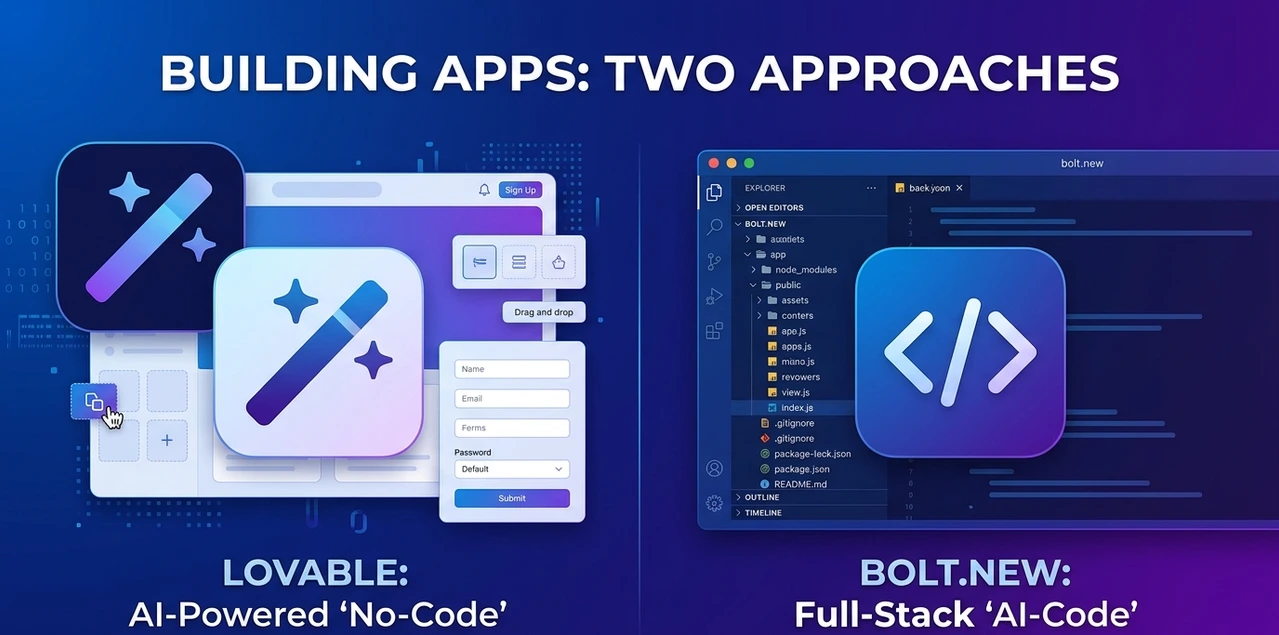
This is the most Googled question in the vibe coding space in 2026, and the answer depends entirely on who you are.
Feature | Lovable.dev | Bolt.new |
Best For | Beginners, design-first founders | Developers, technical teams |
Interface | Conversation + live preview | Cloud IDE with file tree |
Code Output | React, TypeScript, Tailwind, shadcn/ui | React, Next.js, Svelte, Vue, Astro |
Backend | Native Supabase integration | Manual setup required |
UI Quality | Polished out of box, micro-animations | Clean but less opinionated |
Pricing | ~$25/mo for 100 credits | ~$20–30/mo, token-based |
Deployment | Vercel, Netlify, Railway via GitHub | Netlify default, others supported |
Learning Curve | Low non-technical friendly | Medium — assumes dev familiarity |
Lovable wins for beginners and design-first MVPs. Its opinionated structure (shadcn/ui by default), native Supabase integration, and guided interface mean you get a polished, database-backed app with less friction. If your app needs to look credible to investors or early users on day one, Lovable produces less cosmetic work.
Bolt.new wins for developers who want control. It generates more modular code, supports a wider framework range, and exposes the full file tree for direct editing. You feel like you're inside a cloud IDE with an AI co-pilot, because that's exactly what it is.
Many experienced builders use both in sequence: Lovable for the initial scaffold and polished UI, then Bolt or Cursor for iterating on complex features. The tools aren't enemies, they're different instruments for different stages of the build.
"Lovable wins for everyone who isn't a developer. Bolt wins for everyone who is."
Honest Pros and Cons What Nobody Tells You Before You Sign Up
What works well:
Genuinely full-stack — auth, database, and deployment are all handled. This isn't just a UI generator.
Production-grade code — React and TypeScript output that any developer can read, extend, or hand off.
You own everything — export to GitHub on any plan, deploy anywhere. No meaningful lock-in.
Supabase integration — real PostgreSQL with row-level security, not a toy data store.
Visual Edits — free cosmetic changes that preserve your credit balance for actual functionality.
Free plan — 5 credits a day, no credit card, no pressure. Enough to validate whether the tool fits the workflow.
What to watch out for:
Credit unpredictability at scale — complex projects can exhaust a monthly quota in the first week if you're not disciplined with prompts.
Debugging loops — when the AI gets stuck, each retry costs credits. Export to a code editor when this happens.
Messy Git history — Lovable commits every AI change, making version history hard to follow on fast-iteration projects.
Opinionated architecture — if you want to deviate from its shadcn/ui defaults, you'll fight the tool.
Hidden costs — Superbase hosting, custom domains, and higher-tier plans add up beyond the base subscription.
"The credit system rewards discipline. Founders who plan before prompting spend half what reactive builders spend."
Who Gets the Most Value From Lovable.dev
Lovable isn't for everyone — but for the right person, it's a genuine productivity multiplier.
Non-technical founders — validating an MVP before committing to a hire. Get something real users can click before spending $10,000 on development.
Solo developers — eliminating boilerplate and setup so the focus stays on product logic instead of configuration.
Designers and product managers — shipping a functional prototype without waiting on an engineering queue.
Freelancers and agencies — building client apps faster. Even at $480/month for heavy usage, the economics beat a part-time developer hire.
It's less well suited for teams building high-scale production systems that need deep architectural control, or for engineers who want to manage every layer of the stack manually.
"The best use case is the one where speed to a working product matters more than perfect control over every line of code."
5 Mistakes Beginners Make (And How to Avoid Them)
These came up repeatedly while testing Lovable across different project types. Avoiding them can save both time and real money.
Starting with a vague prompt. The AI builds exactly what you describe. If you describe nothing specific, you get a generic result. Spend 10 minutes writing a detailed prompt before opening Lovable. It pays back in saved credits immediately.
Using prompts for cosmetic changes. Every styling tweak done via chat costs a credit. Visual Edits mode is free and handles text, colors, spacing, and layout without touching the AI at all.
Letting debugging loops run. If the AI tries to fix the same bug three times and fails, stop it. Export the affected file to VS Code or Cursor, fix it manually, and push back to GitHub. Letting loops continue is the fastest way to drain a monthly credit balance.
Requesting too many changes at once. Batch requests degrade output quality and often require correction. Send 2–3 changes per prompt, verify the result, then continue.
Not connecting GitHub early. Set up the GitHub integration before you start building seriously. Without it, there's no version history and no way to roll back a bad change.
"Every credit saved on cosmetic edits is a credit available for real features. Treat Visual Edits as your free design tool."
Frequently Asked Questions
Yes. The free plan gives 5 daily credits (30 per month), public project hosting, up to 20 collaborators, and no credit card required. It's enough to build a working prototype and decide whether the platform fits the workflow.
Yes on any plan. Lovable pushes directly to GitHub and you own the code completely. The generated React and TypeScript is clean enough that any developer can pick it up and extend it. There's no meaningful lock-in.
Native integrations include Supabase (database and auth), Stripe (payments), OpenAI (AI features), and Clerk (authentication). For deployment: Vercel, Netlify, and Railway via GitHub integration.
Yes it's arguably the most beginner-friendly full-stack tool available in 2026. The structured planning stage, chat-based interface, and free Visual Edits mode are all designed to prevent the common mistakes that trip up non-technical users on more developer-oriented tools.
A comparable SaaS app built traditionally can cost $10,000–$50,000 and take months. Lovable gets a working foundation for you in an afternoon. The tradeoff is less architectural flexibility, a credit cost that grows with complexity, and some limitations on deeply custom backend logic.

The One Thing to Do in the Next 48 Hours
If the Lovable.dev tutorial above convinced you this tool is worth trying, here's the concrete next step: go to lovable.dev, sign up for free, and spend 10 minutes writing a detailed spec for the simplest version of the product you've been thinking about building.
Don't start with the full vision. Start with one core feature: the thing that proves the idea works. Write a prompt that specifies the UI, the data it needs to store, and one user action. Submit it and watch Lovable build.
You'll know within 30 minutes whether this is the right tool for the project. The free plan gives you enough credits to find out. If the output is close to what you imagined, upgrade to the Starter plan at $20–25/month and build the real thing. If it's not the right fit, nothing was spent.
Vibe Coding isn't about replacing engineers, it's about removing the bottleneck between an idea and a working product. Lovable is currently the most complete tool for doing that without a technical background.
💡 Pro Tip: Next: Read our comparison of Windsurf vs Cursor to see how Lovable fits into a broader AI development workflow once your app needs more granular code control. |
About the Author
The author is a Senior AI Tools Journalist and Vibe Coding specialist who has covered the developer tools landscape for a leading 2026 AI publication. With hands-on experience across Lovable, Bolt.new, Cursor, and Windsurf, the team tests every major platform release before covering it, never relying on marketing materials alone. The focus is on founders, builders, and developers who need honest, benchmark-driven reviews to make real product decisions. All platform claims in this article are sourced from publicly documented product pages and independent usage tests as of Q2 2026.
Last updated: May 2026 | Verify current pricing at lovable.dev/pricing