Claude Code has always been customizable from the outside. You could add settings hooks, write Skills, connect MCP servers, or set a custom status line. What you could not do was change what Claude Code itself does or draws. On October 1, 2026, Anthropic introduced mods: small TypeScript functions that run inside Claude Code and can rewrite prompts, add interface elements, or replace built-in features. Anthropic's stated reason is that settings hooks cannot rewrite events, draw new UI or replace features, and mods can.
This guide explains what Claude Code mods are, how to install one without taking a blind risk, how to build and share your own, and how to work out why a mod does nothing. The feature is only days old, so treat the version numbers and behavior here as a snapshot and check the official mods overview before you rely on any detail.
What Are Claude Code Mods?
A mod is a plugin whose code registers event handlers. Claude Code calls a handler when something happens, such as a tool call, a submitted prompt, or a part of the interface being drawn, and the handler can watch the event, change it, or take it over. The handlers are written in JavaScript or TypeScript.
Two terms are worth learning early. A mod's handlers are called hooks, and the file that registers them is the hooks module. Claude Code's older hooks, which you configure in a settings file as a shell command, HTTP request or prompt, are called settings hooks in Anthropic's docs. Keeping those two apart avoids most of the confusion around this feature.
Mods are not a separate product with their own installer. One walkthrough on UX Planet puts it simply: a plugin is the package, and a mod is one kind of functionality that can live inside it. Mods work in the Claude Code CLI and in the Code tab of the Claude Desktop app.
One naming warning. Unrelated community projects also use the phrase "Claude Code Mods", including desktop wrappers around the command-line tool. This article covers only the official, plugin-based feature.
What Can Claude Code Mods Do?
Because a mod runs inside Claude Code, it can do things that scripts and MCP servers cannot. According to Anthropic's announcement and docs, a mod can:
- Rewrite a prompt before it reaches the model.
- Block, rewrite or retry a tool call.
- Approve or deny a permission request.
- Redact secrets from tool output before Claude reads it.
- Draw its own interface, such as a pane beside the transcript or a band above the prompt, with buttons and text fields.
- Restyle parts Claude Code draws itself, such as a tool call's row, the spinner, or the dialog Claude asks questions in.
- Add a slash command that runs your function immediately, with no Claude turn.
A mod can run before an event, after it, instead of it, or wrap it. When several mods hook the same event, they run in the order they load, so the first mod to load sees the event first and the result last. That lets you stack mods from different authors, and it also means load order matters.
Some of Claude Code's own features now ship as mods. The built-in /diff is one, and so is the mod that loads AGENTS.md as project instructions. Anthropic says it plans to move more built-in features to mods over time, so you can pare Claude Code down to a small core. The source for several built-in mods is public in the mods folder of the Claude Code repository, which makes it a good place to read real examples.
There is also an opt-in built-in mod called "You should know", which runs a side agent that notes things you might miss during longer tasks. It is off by default and may not be offered to every organization. If it is available to you, the Vibe Coding Academy overview and the official docs give the same command to turn it on:
/plugin enable cc-plugin-you-should-know@builtin
Claude Code Mods vs Plugins, Skills, Hooks and MCP
The useful comparison is between a mod and the other ways to extend Claude Code. A mod is a plugin, so the question is when to use that kind of plugin instead of something simpler.
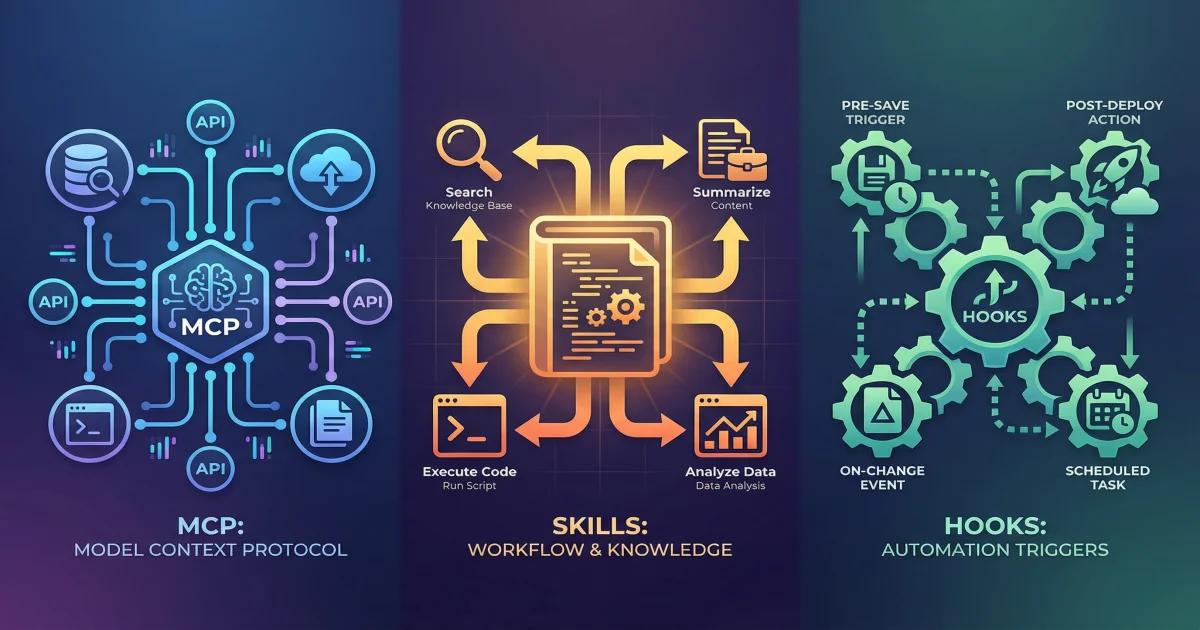
Features | Mod | Settings hook | Skill | MCP server |
|---|---|---|---|---|
| What it is | JS or TS functions in a plugin, run inside Claude Code | A shell command, HTTP request or prompt run on a lifecycle event | A SKILL.md file of instructions | An external process that gives Claude tools |
| Can draw in the interface | Yes | No | No | No |
| Best when | You want a pane, a custom command, or to rewrite an event | You want to block, allow or log an event with an existing script | You keep pasting the same instructions | Claude needs to reach an outside system |
One more rule of thumb comes from The Rundown's mods tutorial: if all you need is to ask before editing a fixed file or block a known operation, try Claude Code's normal permission rules first. Use a mod when the review needs a custom dialog, an interface panel, or more logic than a rule can express.
Requirements Before Installation
You need Claude Code v2.1.287 or later in the terminal. The Desktop app bundles its own copy of Claude Code, and mods work there from v2.1.286. Check your terminal version:
claude --version
In the Desktop app, open a local session in the Code tab, run /status, and read the Claude Code row. If you are behind, update first. The Rundown tutorial recommends v2.1.289 or newer, because a later release includes permission and mod-loading fixes. Anthropic's changelog is where to confirm that for your build.
Mods are on by default, so no flag is needed. If you set CLAUDE_CODE_ENABLE_FUNCTION_HOOKS during early access, remove it, because v2.1.287 and later ignore it. You can check whether your setup allows mods without installing one by running this from a folder that does not contain a mod:
claude plugin test
A message containing "no hooks module to load" means mods can load. "Hooks modules are turned off here" means a setting such as disableAllHooks, or your organization's policy, is blocking them.
Mods do not work in Desktop-app sessions that run under WSL, because plugins are not available there. In the VS Code extension chat panel and in claude -p, a mod's hooks run but anything it draws does not appear.
How to Install Claude Code Mods
A mod installs like any other plugin, from a marketplace. Read the security section below first, because a mod runs with your permissions. You can find plugins that include mods in the Claude directory or by running /plugin in the CLI.
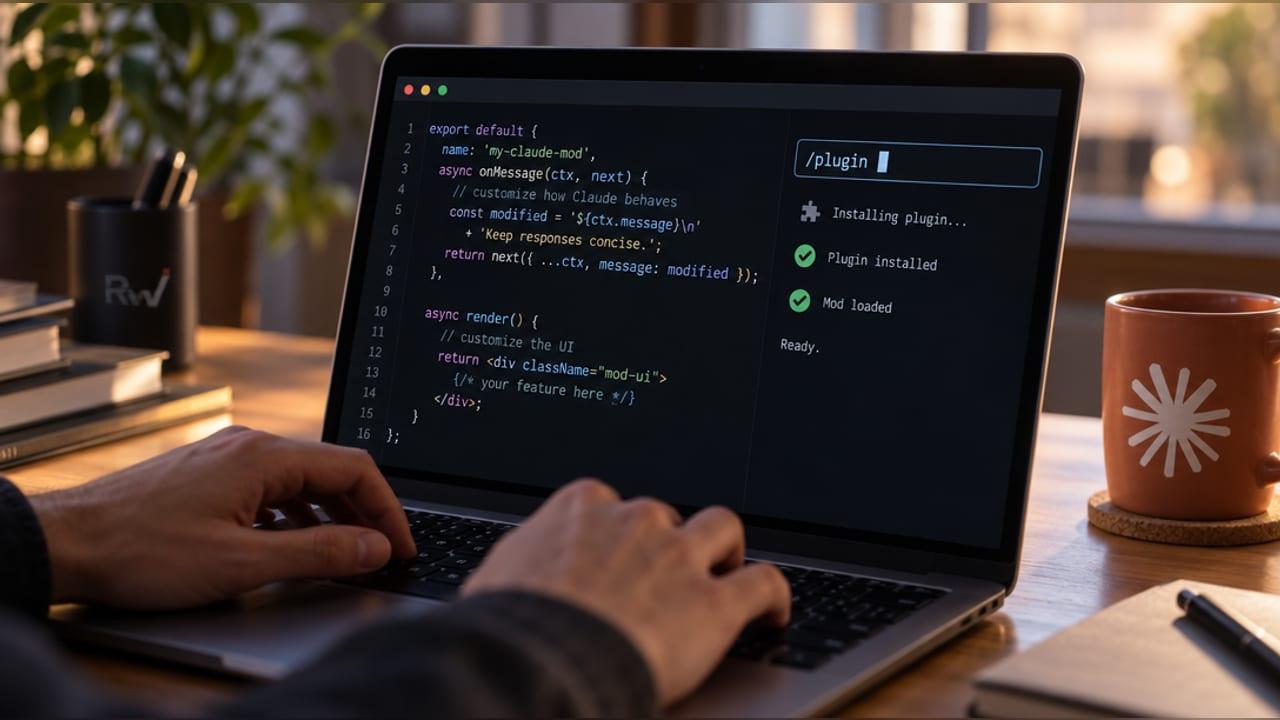
Step 1: Add the marketplace. Run this inside a Claude Code session. The name is a placeholder for a marketplace you trust:
/plugin marketplace add your-org/claude-plugins
Step 2: Install the plugin. The format is the plugin name, an @ sign, then the marketplace name. Anthropic's docs use token-chart@your-org as a placeholder, so substitute a real mod:
/plugin install token-chart@your-org
From your shell, the equivalent is:
claude plugin install token-chart@your-org
Step 3: Reload. If you installed from your shell while a session was open, run /reload-plugins in that session. Otherwise the mod loads the next time you start Claude Code. If it still does not show up, restart Claude Code.
Step 4: Confirm it loaded. In the terminal, run /plugin. A dim line under the tabs reports something like "1 mod active", followed by the mod's name. If your mod is not named there, go to the troubleshooting section.
To try a mod without installing anything, use Anthropic's samples. Clone the claude-code-playground repository from GitHub, then load one sample folder for a single session:
claude --plugin-dir ./path/to/claude-code-playground/claude-code/mods/blast-radius
The samples are token-weather, blast-radius and replay-theater. Anthropic shares them as they are, without support.
A caution about paste-and-install guides. Some community guides describe a workflow where you paste a block of instructions into a session and Claude writes and installs the mod for you. The MindStudio setup guide describes this approach and says the result appears in about 30 seconds. It is convenient, but it means running code you have not read. Read what you are pasting, and read what Claude wrote, before you let it load.
How to Configure and Customize Mods
Mods do not have one universal configuration file. You customize in three ways.
Route 1: Ask Claude to write the mod
In an interactive session, describe the mod you want, for example "make a mod that shows the current git branch above the prompt". Claude works from a built-in skill named plugin-authoring, which you can also load yourself with /plugin-authoring. It writes the mod under ~/.claude/dev-mods/ in a folder named for the session ID. Claude Code then asks whether to enable hot reloading, and the mod runs only after you approve.
The Rundown tutorial shows a more careful way to do this. Load /plugin-authoring, then ask for source files and tests only, and tell Claude not to install, load or hot reload anything. An illustrative prompt in that style:
Build a Claude Code mod named git-branch-band in ./git-branch-band.
Write source files and tests only. Do not install it, load it, or
enable hot reload. Use no network calls, subprocesses, or new
dependencies. Show me every file and the exact command to load it.
Then read the source and run the two checks below. Validation lists what the mod hooks and calls without running it, and testing runs the mod against simulated events with no session, sign-in or network:
claude plugin validate ./git-branch-band
claude plugin test ./git-branch-band
Only then load it for one session with claude --plugin-dir ./git-branch-band and confirm it in the Installed tab of /plugin. A mod Claude writes in its own session folder loads only in that session, and the folder is deleted once it is older than cleanupPeriodDays. To keep a mod, copy its directory somewhere permanent, such as ~/mods/git-branch, and load it from there.
Route 2: Write one yourself
A mod is three files, and you need no Node.js, bundler or build step because Claude Code loads .js and .ts files directly:
first-mod/
  .claude-plugin/
    plugin.json
  hooks/
    hooks.json
    register.js
Create the folders in Bash or Zsh:
mkdir -p first-mod/.claude-plugin first-mod/hooks
Or in PowerShell:
New-Item -ItemType Directory -Force first-mod\.claude-plugin, first-mod\hooks
Save this as first-mod/.claude-plugin/plugin.json. Avoid plugin names that look like Anthropic's own, such as names starting with "claude-", because validation rejects them:
{
  "name": "first-mod",
  "version": "0.1.0",
  "description": "Counts Claude's tool calls and adds a /tally command",
  "author": { "name": "Your Name" }
}
Save this as first-mod/hooks/hooks.json. The modules key is what makes the plugin a mod:
{
  "description": "The first-mod hooks module",
  "modules": ["./register.js"]
}
Save this as first-mod/hooks/register.js:
let calls = 0


export function register(on) {
  on('session.start', async ($, e, next) => {
    await $.command.register({
      name: 'tally',
      description: 'Show how many tool calls Claude has made',
    })
    return next(e)
  })


  on('tool.call', async ($, e, next) => {
    calls += 1
    $.ui.invalidate('ui.render')
    return next(e)
  })


  on('command.run', { command: 'tally' }, async () => {
    return { text: 'Claude has made ' + calls + ' tool calls since this mod loaded' }
  })


  on('ui.render', { component: 'Spinner' }, async ($, e, next) => {
    return next({ ...e, props: { ...e.props, suffix: ' · tool calls: ' + calls + '…' } })
  })
}
Every hook receives the mods API ($), the event (e), and a next function that passes the event along. A hook can observe by returning next(e), rewrite by passing a changed copy to next, or answer by returning its own result without calling next. The code runs in an environment with no DOM and no Node, so everything outside it goes through $. That is also why Claude Code can list what a mod does before you install it.
Load it for one session:
claude --plugin-dir ./first-mod
Ask Claude to list files and read the README. The spinner should show a rising count, such as "Thinking · tool calls: 2…", and typing /tally prints the total. To check the command without an interactive session:
claude -p "/tally" --plugin-dir ./first-mod
Expected output:
first-mod: Claude has made 0 tool calls since this mod loaded
Edits to a directory loaded with --plugin-dir hot-reload when you save. Each reload runs register again, so module-level variables such as calls reset to zero.
Lessons from a larger build
Anthropic's getting-started tutorial by Addy Osmani builds a mod called Token Weather, about 80 lines, that draws a live forecast of your context window above the prompt. Several lessons from it apply to any mod:
- Keep data in $.state, not in module variables, so it survives hot reloads. Declare each state value in a small types file that the manifest points to, or validation fails with an error that names the fix.
- Read a component's props from e.props, such as the real width available, rather than assuming the terminal width.
- Return next(e) when you have nothing to draw, so Claude Code and other mods can use the space.
- Each time Claude Code loads a mod it writes type declarations for your exact build into the mod's .claude-plugin/types/ folder. Treat them as the reference for your version, because events and methods can change between releases.
- A hook gets 10 seconds of its own time per dispatch, but time spent waiting inside a $ call does not count against that limit.
Route 3: Per-mod options
A mod can declare options in plugin.json under userConfig. Anthropic's built-in agents-md mod uses one. The values live in a pluginConfigs entry in settings.json, and the error line for a bad value names that entry. Check each mod's own README for the options it supports.
Sharing your mod
A mod is a plugin, so sharing works like any plugin. Put it in a marketplace, which can be a folder with a .claude-plugin/marketplace.json file. The tutorial shows this local flow:
claude plugin marketplace add ./my-mods
claude plugin install token-weather@my-mods --scope user
For other people, host the marketplace in a GitHub repository, and they install it with the same three commands: add the marketplace, install the plugin, then /reload-plugins. You can also submit a plugin that includes mods to the Claude directory. Keep developing against the folder with --plugin-dir, because Claude Code caches an installed plugin by version, so edits do not reach the installed copy until you raise the version and install again.
Practical Claude Code Mods Examples
Anthropic samples. Token Weather draws a context-window forecast above the prompt. Blast Radius holds a risky shell command such as rm -rf or a force push, shows what it would change, and offers Proceed and Cancel. Replay Theater adds a /replay command that steps through the file edits from the last turn. Blast Radius comes with an honest limit: it reads the command text, so substitutions, aliases and scripts that call rm can get past it. Use permission rules for a hard block.
Community examples. The MindStudio guide lists mods such as a cache and cost tracker, a recording mode that blurs sensitive data on screen, a progress tracker for /goal prompts, a "next steps" panel, and a collision guard that warns before editing a file another session changed in the last 30 minutes. A Substack write-up describes one user's mods for a second-model judge, visual summaries of changes, shorter responses, model routing, and a watchdog against runaway loops. Treat these as one person's reports. A mod that calls another model or service spends usage and can send your code or prompts outside your machine, so read what it sends and where.
Team ideas. Anthropic suggests a CI/CD status pane beside the conversation, a confirmation step before commands that touch production config, and an audit-logging mod that loads first and records every call other mods make. The Vibe Coding Academy overview adds a redaction mod for customer data, with the reminder that redaction rules need testing by security, not assumption.
One misconception to avoid. A mod that blurs emails or account numbers in the interface changes only what is drawn on screen. Claude still processes the underlying data. Masking the display protects a screen recording, not your data.
How to Enable, Disable, Update or Remove Mods
Because a mod is a plugin, the plugin commands apply. Inside a session, /plugin opens the manager, and its Installed tab lets you disable or uninstall. From your shell:
claude plugin disable <plugin>
claude plugin enable <plugin>
claude plugin update <plugin>
claude plugin uninstall <plugin>
If two plugins from different marketplaces share a name, use the full plugin@marketplace form. After a shell-side install or update, run /reload-plugins in any open session.
For broader switches, Anthropic documents these:
- claude --safe-mode disables every installed mod for that session, along with your other customizations.
- "disableAllHooks": true in ~/.claude/settings.json stops every installed mod in every session. It also stops your settings hooks and custom status line.
Built-in mods cannot be uninstalled or updated. Most can be disabled in /plugin, and --safe-mode, --bare and disableAllHooks do not stop them.
Common Problems and Troubleshooting
Claude Code skips a failing mod or hook and keeps the session running, so a broken mod often looks like one that does nothing. Start with a static check on the mod's folder:
claude plugin validate ./first-mod
It catches misspelled events, bad manifests and unreadable modules. Its output includes hooks and calls lines. For first-mod you should see something like this:
./register.js hooks: session.start, tool.call, command.run{command=tally}, ui.render{component=Spinner}
./register.js calls: $.command.register, $.ui.invalidate
Validation passed
If a mod still does nothing, start a session with a debug log and filter by the mod's name:
claude --debug-file ./mod-debug.log --plugin-dir ./first-mod
tail -f ./mod-debug.log | grep first-mod
Then match your symptom against the causes in Anthropic's troubleshooting page:
- claude --version shows less than 2.1.287. Your version predates mods. Update Claude Code.
- Validate passes but shows no hooks line. hooks/hooks.json is missing the modules key or has it misspelled. Add "modules": ["./register.js"].
- "hooks module did not load". The module failed to load, for example because top-level code threw. The message gives the file and line.
- A refusal line in the debug log. Look for lines that start with "hooks module", the mod's name, and "not loaded:". Documented reasons include --bare, --safe-mode, disableAllHooks, organization policy, or another plugin of the same name loading first.
- Nothing loads in a folder you just opened. You have not accepted that directory's trust prompt. Run claude interactively there and accept it.
- Your edits do nothing. You edited an installed plugin, and Claude Code runs the cached copy for the installed version. Develop with --plugin-dir, and raise the version before reinstalling.
- /tally replies that no command.run hook answered. The hook is missing, filtered to a different command, or returned next(e).
- A pane is empty. Its element tree failed validation. With --plugin-dir, the transcript names the reason.
- "it crashed the hooks worker". Installed mods share one worker thread, and a hook that blocks it, such as a loop that never awaits, can get the mod unloaded.
- A value resets. Module variables reset on every reload. Keep the value in $.state or $.store.
Keep Claude Code updated too. Anthropic's release notes for early builds after launch include mod fixes, such as one for a button sometimes running a different button's action.
Security Considerations and Limitations
Read this section before you install anything. Anthropic's docs and announcement state plainly that a mod is code that runs with your permissions and is not sandboxed. Once loaded, a mod can read and write files your account can reach, start programs, make network requests, read environment variables and settings files (including any API key stored there), see every prompt and tool call, rewrite prompts and tool calls, spend your plan or API usage, and approve a tool call before you are asked. If you enable sandboxing, it isolates Claude's Bash commands, but a process started by a mod runs outside it. A mod can restyle much of the interface, but it cannot change the permission prompt.
Before you install a third-party mod:
- Confirm that you trust the author and the marketplace. Anthropic's plugin security page says to treat installed plugins as trusted code.
- Get the plugin's files, for example by cloning its repository.
- Run claude plugin validate on the folder and read the hooks and calls lines. They show which events the mod handles and what it asks Claude Code to do, without running it.
- Read the code, using the calls line to know where to look. A passing validation does not prove the code is safe.
- Check which Claude Code version the author tested against.
A related habit from the Rundown tutorial: verify results on disk, not from Claude's statement. If a mod is meant to stop an edit, open the file and confirm it did not change. Also note what a mod does not cover. The tutorial's review mod watches only the Edit and Write tools, so Bash commands, MCP tools and other programs fall outside it.
For teams, Anthropic's built-in sec-default mod loads first on Team and Enterprise plans and on machines with managed settings. It stops user-installed mods from doing risky things such as overriding your permission deny rules. Administrators can also limit which mods load with allowManagedModsOnly, so a mod that works on your own laptop may not load on a managed work machine. The Vibe Coding Academy overview suggests deciding, before a team installs anything, who reviews mods, where approved ones live, and who owns them when Claude Code updates. The admin documentation covers the controls in detail.
Frequently Asked Questions
Are Claude Code mods the same as plugins?
A mod is a plugin with a hooks module, identified by a modules entry in hooks/hooks.json. Plugins can also hold only Skills, commands, agents or MCP servers, and those are not mods.
Which version do I need?
Claude Code v2.1.287 or later in the terminal. The Desktop app bundles its own copy, and mods work there from v2.1.286.
Are mods safe to install?
They are only as safe as their code and author. Mods are not sandboxed and run with your permissions, so install only from sources you trust and inspect them first with claude plugin validate.
How do I turn mods off?
Disable or uninstall one mod in /plugin, start a session with --safe-mode to stop all installed mods for that session, or set "disableAllHooks": true in ~/.claude/settings.json to stop them everywhere.
Do I need to know JavaScript to use a mod?
Not to use one. To make one, you can describe it to Claude and let it write the code, though you should read the result. If you write it yourself, you work in JavaScript or TypeScript with no build step.
Why does my mod do nothing?
Claude Code skips failing mods quietly. Run claude plugin validate on the folder, check /plugin for the "mods active" line, and read the debug log.
Final Verdict
Mods are the first Claude Code extension type that can change the interface and the flow of events from the inside. That makes them useful for things settings hooks cannot do, and it makes the trust decision more serious than with a Skill or a simple script.
If a permission rule, settings hook or Skill already solves your problem, use that. Reach for a mod when Claude Code itself needs to draw, intercept or rewrite something. Start with Anthropic's samples, validate and read before you load anything unfamiliar, and treat every third-party mod as software you are letting run as you.