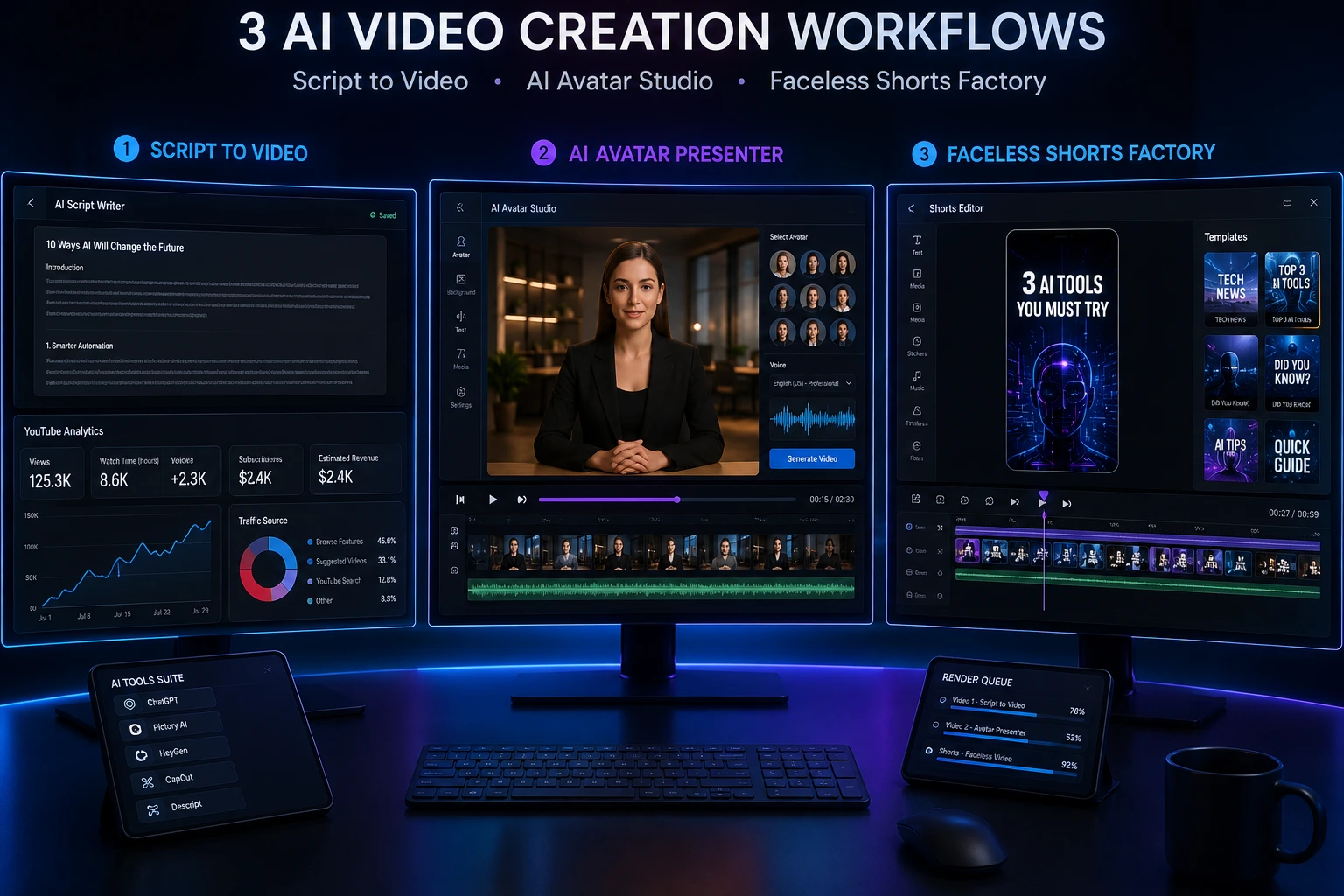
If you've spent any time searching for the best AI video tools 2026 has to offer, you've probably noticed the same three names keep coming up: Wuri AI, VideoIdeas.ai, and Synthesia. All three promise to shrink the gap between "I have an idea" and "I have a finished video," but they solve very different problems and are built for different kinds of creators.
Who This Is For and Why It's Confusing
The people searching for the best AI video tools 2026 offers usually fall into one of three buckets:
Faceless-content creators who want to turn a script or idea into a finished, avatar-narrated video without ever appearing on camera.
YouTube creators who are drowning in blank-page syndrome and need help with ideation and scripting specifically for YouTube's format and algorithm.
Businesses and L&D/marketing teams who need polished, professional presenter videos onboarding content, product explainers, training modules at scale, in multiple languages.
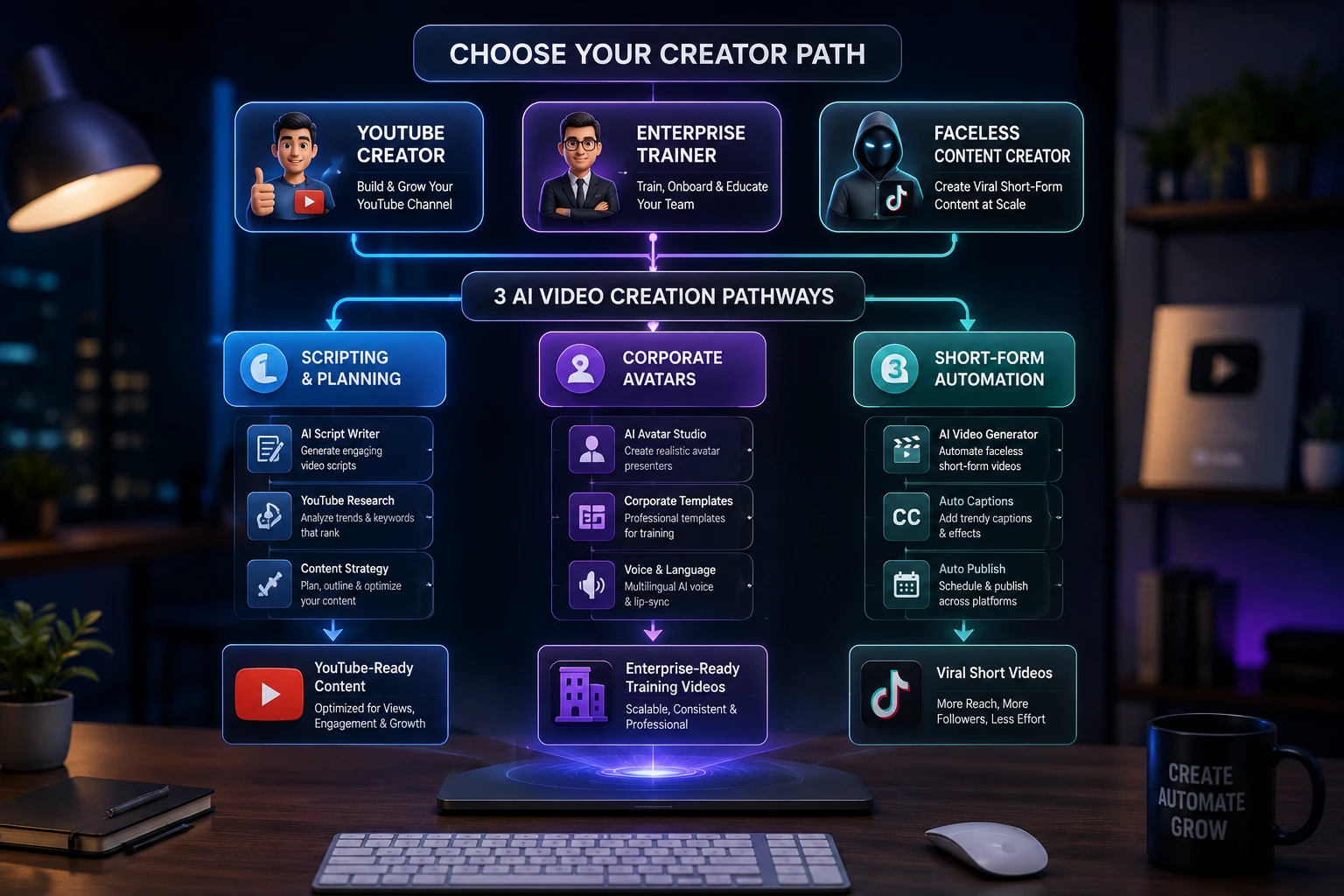
The confusion happens because all three tools use "AI video" in their marketing, but Wuri AI, VideoIdeas.ai, and Synthesia actually sit in three different lanes: full video production, script/idea generation, and enterprise-grade avatar presenters, respectively. Picking the wrong one for your use case is the single biggest reason people end up disappointed and churn after the free trial.
In this article, you'll learn exactly what each tool does well, where it falls short, how much it costs in 2026, and using a step-by-step framework on how to pick (and set up) the right one for your workflow. We'll also cover common setup mistakes, advanced configuration tips, and answer the questions people ask most before signing up.
What Determines Which Tool Is Right for You?
Before comparing features line by line, it helps to understand the factors that actually separate these three platforms. Choosing badly usually comes down to one of these:
Content format mismatch using a scripting tool when you need a finished video, or vice versa.
Platform focus VideoIdeas.ai is built specifically around YouTube's format; using it for TikTok or LinkedIn content produces awkward results.
Avatar realism requirements Synthesia's avatars are built for corporate/training contexts; they're polished but can look slightly stiff for emotionally persuasive sales content.
Budget and volume free tiers are capped in minutes or scripts per month, and costs scale quickly once you're producing consistently.
Team vs. solo workflows collaboration features, brand kits, and API access matter a lot more for agencies and teams than for individual creators.
Localization needs multi-language dubbing and translation are a strength for Synthesia and a non-feature for the other two.
Editing depth wanted some creators to want full creative control; others wanted to type a prompt and get a finished output with minimal tweaking.
Signs You're Using the Wrong Tool for Your Workflow
Before jumping into solutions, here's how to recognize a mismatch:
You're paying for Synthesia but only ever use it to brainstorm topics. A script/ideation tool would be cheaper.
You're using VideoIdeas.ai and trying to force it to output a finished video. It's a scripting and strategy tool, not a renderer.
You're on Wuri AI's free tier trying to produce long-form training content for a corporate audience; it's built more for faceless/social content.
Your avatar videos on any platform look "uncanny" , usually a sign you're using default settings instead of adjusting pacing, gestures, or voice model.
You're hitting monthly minute/script caps constantly, a sign your usage has outgrown the current plan tier.
Solution 1: Wuri AI Best for Faceless Video Creators on a Budget
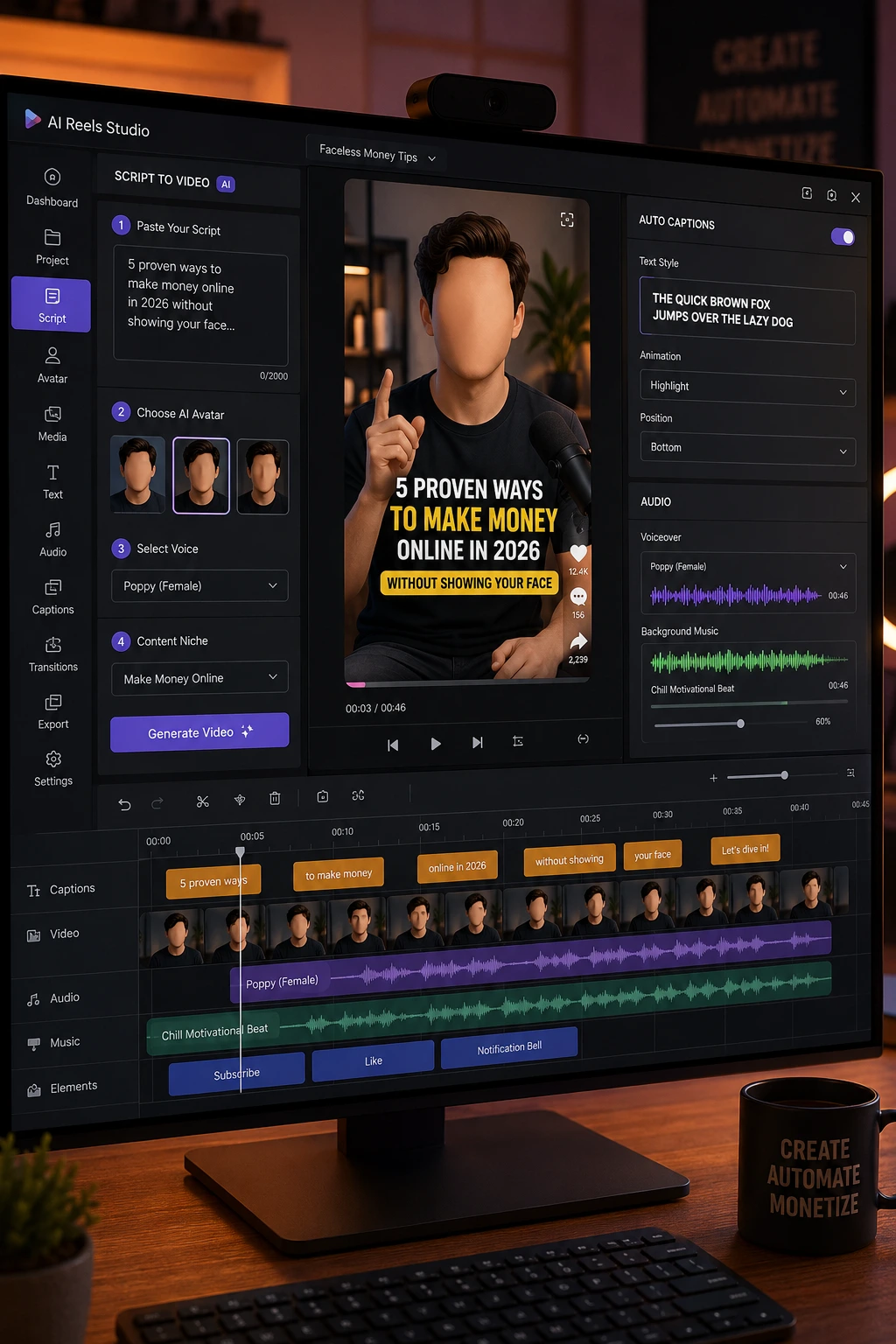
Why it works: Wuri AI is built around a script-to-video pipeline specifically for faceless content, the kind of niche/motivational/storytelling videos that dominate short-form platforms. It bundles ideation, scripting, and avatar-based video generation into one workflow, so you're not stitching together three separate tools.
Core features:
Feature | Details |
|---|---|
Faceless AI avatars | Realistic avatars for on-screen narration without appearing on camera |
Content tools | Niche Generator, Video Ideas Generator, Script Generator |
Video formats | Faceless videos, podcasts, long-form, "Brainrot"-style short content |
Free tier | Yes — usable for evaluation and small-scale projects |
Paid plans | Start around $10/month |
Step-by-step setup:
Sign up and select a content niche using the Niche Generator that shapes the tone of suggested ideas.
Use the Video Ideas Generator to pull a shortlist of topic ideas, or type in your own concept.
Run the Script Generator on your chosen idea; review and lightly edit the output for your voice.
Choose a faceless avatar and voice, then generate the video.
Download and review before publishing check subtitle sync and pacing at real speed, not the preview.
Expected result: A publish-ready short or long-form video within minutes, minimal editing required.
Where it falls short: Limited third-party integrations, and voice/visual output can feel slightly less natural on longer-form content compared to shorter clips. There's also a learning curve to get the most out of the customization tools.
Solution 2: VideoIdeas.ai Best for YouTube Scripting and Channel Strategy
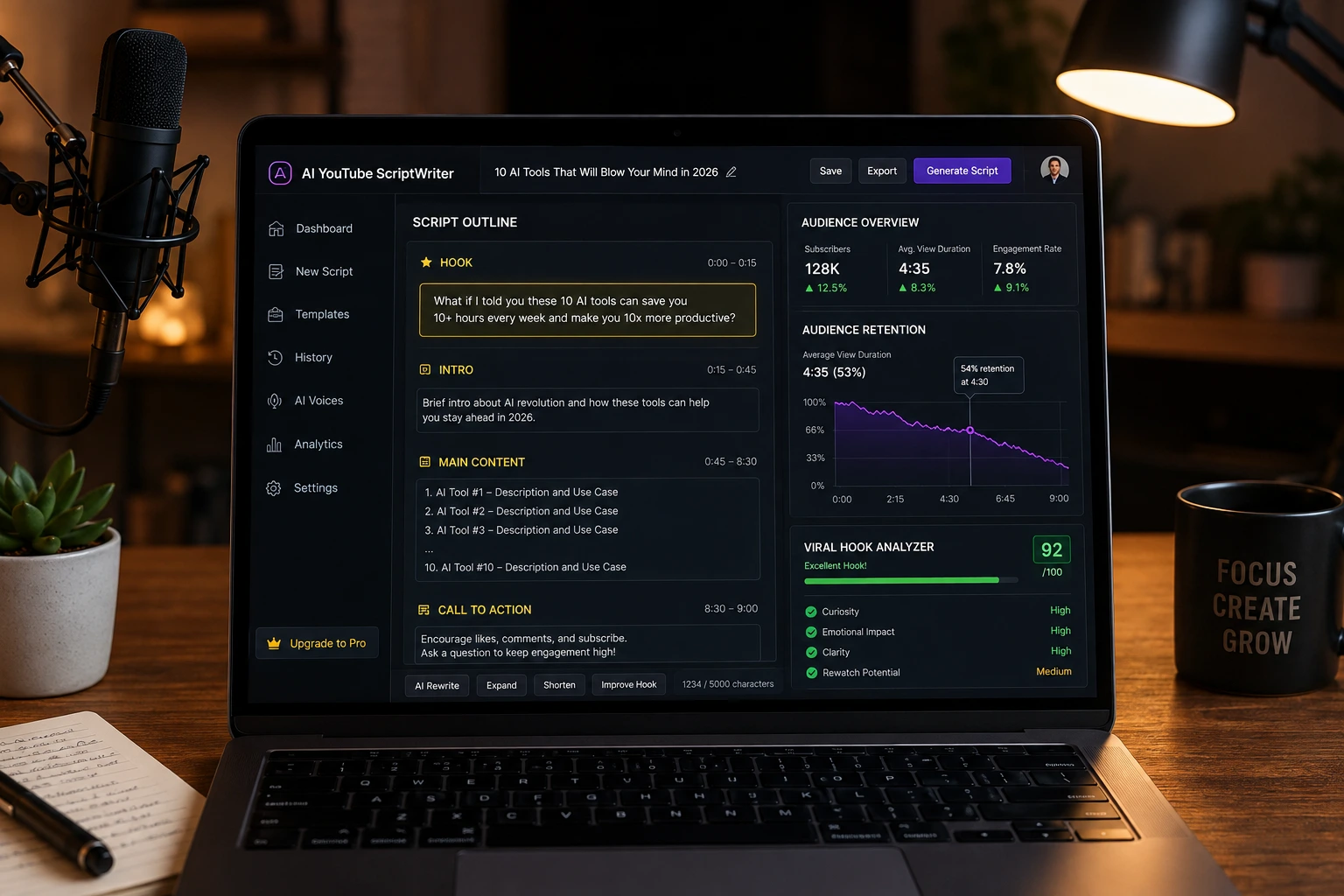
Why it works: VideoIdeas.ai doesn't try to render finished videos, it focuses entirely on the hardest part of YouTube content creation: coming up with ideas and writing scripts that fit the platform's pacing and retention patterns. If you already film your own content and just need help with how to generate viral YouTube scripts with AI, this is the more targeted tool.
Core features:
Feature | Details |
|---|---|
Script generation | Long-form, Shorts, and ad-style scripts |
Style cloning | Learns your channel's tone/voice over time |
Content strategy | AI-driven recommendations for what to publish next |
Basic plan | ~$9/month — up to 10 scripts/month |
Pro plan | ~$29/month — up to 30 scripts/month, speaker style customization |
Teams plan | ~$99/month — unlimited scripts, 5 team members |
(Pricing changes frequently always confirm current numbers on the official VideoIdeas.ai site before subscribing.)
Step-by-step setup:
Connect or describe your channel niche so the AI can tailor idea suggestions.
Generate a batch of video ideas and pick the one with the strongest hook potential.
Run the script generator on that idea, specifying format (long-form, Shorts, or ad).
Adjust tone/speaker style settings to match how you actually talk on camera.
Edit the script manually, add your own examples, tighten the opening hook, and fact-check any claims before filming.
Expected result: A structured script with a hook, body, and CTA, tailored to YouTube's pacing not a finished video.
Where it falls short: It's YouTube-specific, so scripts don't always translate cleanly to other platforms. Broad or vague topic prompts tend to produce broad, generic scripts; the more specific your input, the better the output.
Solution 3: Synthesia Best for Professional, Multilingual Avatar Videos
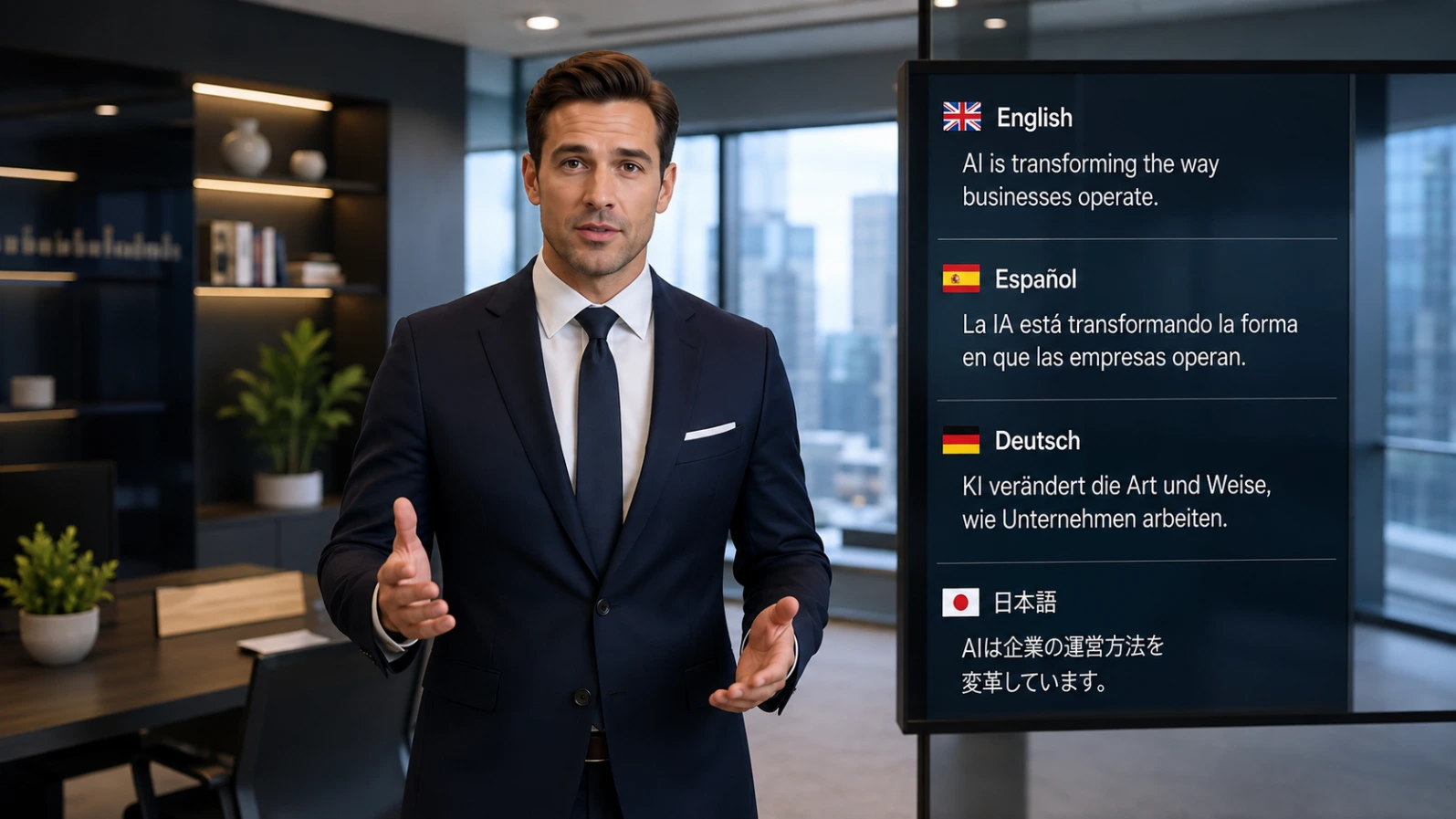
Why it works: Synthesia is the enterprise-grade option. It's built for teams that need consistent, professional-looking presenter videos onboarding, training, product explainers without hiring actors, renting studios, or managing translation vendors. Its avatar library and language support are the largest of the three tools compared here.
Core features:
Feature | Details |
|---|---|
Avatars | 140+ pre-built avatars; custom "digital twin" avatars from a short video clip |
Languages | Wide multilingual support with dubbing/translation |
Collaboration | Team workspaces, brand kits, API access on higher tiers |
Free plan | Yes — around 10 minutes/month, watermarked |
Starter plan | Roughly $18–29/month depending on billing cycle |
Creator plan | Roughly $64–89/month |
Enterprise | Custom pricing, typically four figures monthly |
Note: Synthesia's published pricing varies noticeably across third-party sources and changes throughout the year treat the numbers above as a general 2026 range and confirm exact current pricing directly on Synthesia's pricing page before budgeting.
Step-by-step setup:
Paste or write your script into the editor (or use the built-in teleprompter for live recording assistance).
Select an avatar and language for training/onboarding content, prioritize clarity over "flashy" avatars.
Choose a template or build your own layout with text, brand colors, and background.
Generate the video and review lip-sync accuracy and pacing, especially in non-English languages.
Use the API (Creator/Enterprise tiers) if you need to bulk-generate videos e.g., personalized onboarding videos per employee.
Expected result: A polished, presenter-style video suitable for corporate or training use, in the language(s) you need.
Where it falls short: Avatars, while highly realistic, can still look slightly stiff in motion, not ideal for emotionally persuasive sales content. It's also the most expensive option of the three once you move past the free tier, and there's no strong ideation/scripting layer you're expected to bring your own script.
Advanced Tips: Getting Better Results From Any of These Tools
Write for the ear, not the page. AI avatars read scripts more naturally when sentences are short and conversational to avoid long subordinate clauses.
Control pacing manually. All three platforms let you adjust pause length or speaking rate; default settings often read too fast for retention-heavy content.
Use brand kits and templates consistently. If you're producing regularly, set up a template once (fonts, colors, intro/outro) rather than rebuilding it every video.
Test one language/avatar combination before bulk generating. This avoids wasting minutes or credits on a bad lip-sync or mistranslation across dozens of videos.
Separate scripting from production. A hybrid workflow VideoIdeas.ai for scripting, then Wuri AI or Synthesia for production often beats trying to do everything in one tool.
Check export resolution before publishing. Free and entry-level tiers on all three tools often cap resolution or add watermarks; confirm settings before your final render.
Prevention Tips: Avoid Wasting Time and Credits
Match the tool to the format you actually need (script vs. finished video vs. multilingual presenter video) before signing up for a paid plan.
Start on the free tier of any tool and produce at least 2–3 real videos before upgrading this reveals limitations you won't see in marketing pages.
Track your monthly usage (minutes or scripts) against your plan's cap so you're not surprised by an upgrade prompt mid-project.
Keep a swipe file of scripts and hooks that perform well and feed these back into the AI as style references for future generations.
Revisit pricing pages quarterly all three tools have changed pricing and plan structure multiple times in 2026.
Where These Three Tools Sit in the Wider AI Video Landscape
It helps to zoom out for a second. Independent 2026 roundups from Synthesia, Zapier, and Pictory all group AI video tools into roughly the same four buckets, and knowing which bucket you actually need prevents most bad purchases:
Cinematic/generative models (Veo, Runway, Kling, Seedance) build brand-new footage from a text or image prompt. Best for filmmakers and ad creatives, overkill for a talking-head script.
Repurposing/editing tools (OpusClip, Descript, Pictory) take footage or written content you already have and turn it into finished, captioned clips.
Avatar/enterprise suites (Synthesia, HeyGen) turn a script into a presenter-led video with no camera required.
Ideation/scripting tools (VideoIdeas.ai) help you figure out what to say before you ever open a video tool.
Wuri AI actually straddles two of these buckets: it combines faceless avatar generation with built-in scripting and idea tools, which is exactly why it's easy to confuse with either category on its own.
A few additional data points worth knowing before you commit to Synthesia specifically, based on hands-on 2026 testing from Synthesia's own team and independent reviewers at Zapier:
Synthesia's free plan caps out around 10 minutes of video per month and is watermarked; independent testers put Starter-tier pricing anywhere from $14–29/month depending on billing cycle and when the review was published, so confirm the live number before budgeting.
The avatar library has grown to 140–240+ avatars with support for over 160 languages, and Synthesia is used by the large majority of Fortune 100 companies for training and internal comms.
Even reviewers who rate Synthesia highly note the avatars can still look slightly artificial on a large screen, though one Zapier tester admitted they didn't clock an avatar-led onboarding video as AI-generated until testing Synthesia separately realism has improved a lot year over year.
HeyGen is the closest head-to-head competitor to Synthesia, generally cited as having a larger avatar library and a lower entry price (~$19–29/month), so it's worth a look if Synthesia's enterprise pricing feels steep.
If your actual starting point is existing written content (blog posts, PDFs, old scripts) rather than a blank script, a repurposing tool like Pictory not any of the three tools in this comparison is the better technical fit, since it's built specifically to convert existing content into narrated video with captions.
Wuri AI vs VideoIdeas.ai vs Synthesia: Quick Comparison
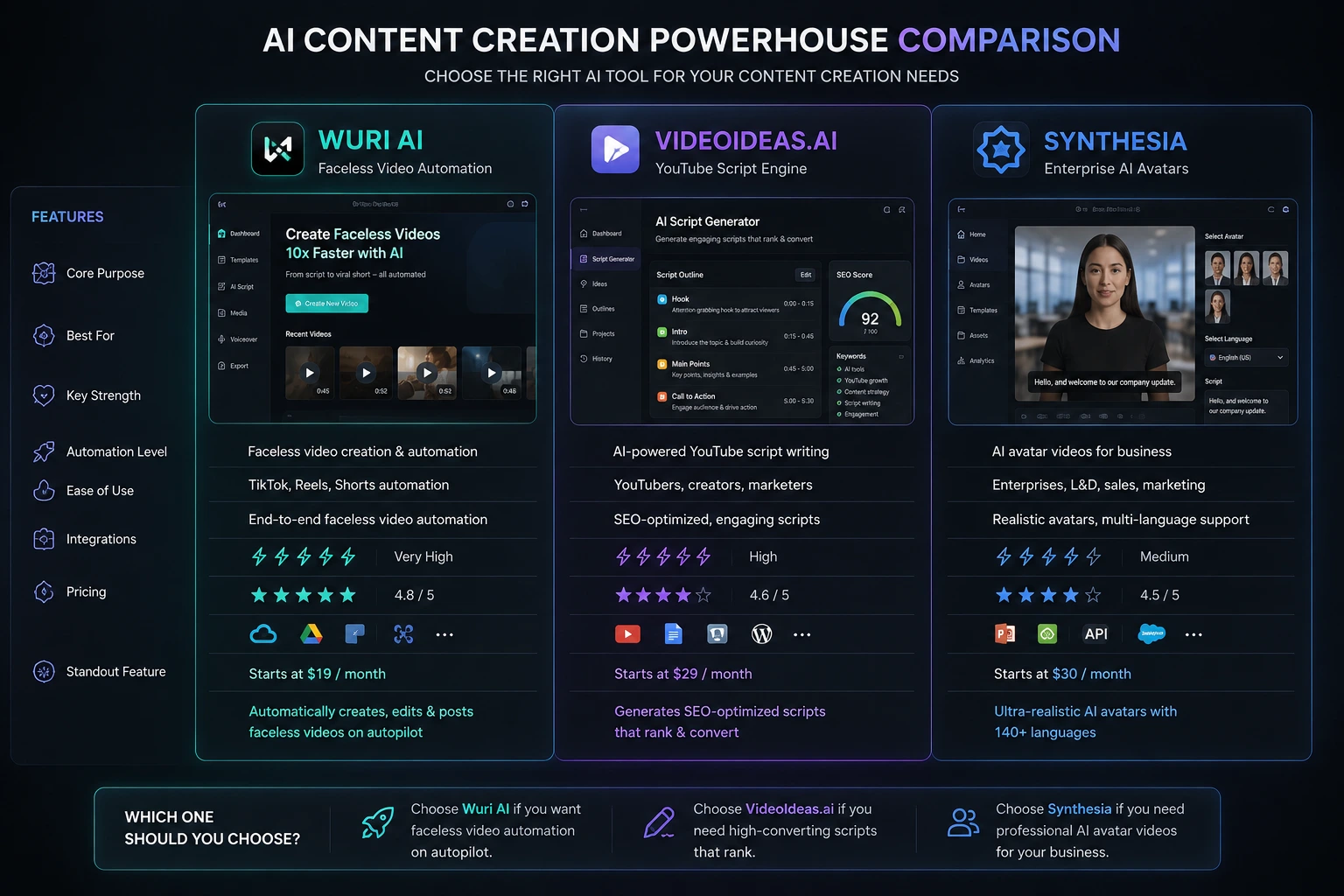
Best forFeature | Faceless social/short-form video | YouTube scripting & strategy | Professional/corporate avatar video |
Output | Finished video | Script only | Finished video |
Free tier | Yes | No (paid from ~$9/mo) | Yes |
Entry price | ~$10/month | ~$9/month | ~$18–29/month |
Multilingual support | Limited | Not applicable | Strong |
Best avatar realism | Good for social content | N/A | Best-in-class for business use |
Team/collaboration tools | Limited | Yes (Teams plan) | Yes (Creator/Enterprise) |
FAQ
Wuri AI is the easiest entry point if you want a finished video without editing skills — it has a free tier and handles ideation, scripting, and video generation in one place.
Both Wuri AI and Synthesia offer free tiers usable without immediate payment, though Synthesia's free plan is watermarked and capped at around 10 minutes per month.
VideoIdeas.ai focuses on ideation and scripting only. You'll need to pair it with a production tool (like Wuri AI, Synthesia, or your own filming setup) to get a finished video.
Use a YouTube-specific script generator like VideoIdeas.ai, be specific with your topic, audience, and desired angle, and always edit the AI output to add a strong hook in the first three seconds and your own real examples.
Synthesia is optimized for professional/corporate use — training, onboarding, multilingual explainers. Small creators making social content will usually get more value per dollar from Wuri AI.
Less than they used to. Synthesia's latest avatar models include gestures and micro-expressions, but reviewers still note they can look slightly stiff in emotionally charged content — fine for training videos, less ideal for sales pitches.
Yes — many creators use VideoIdeas.ai for scripting and strategy, then hand the finished script to Wuri AI or Synthesia for video production. This hybrid workflow often produces better results than relying on one all-in-one tool.
HeyGen is generally considered Synthesia's closest competitor, often with a larger avatar library and a lower starting price. Synthesia's edge is its enterprise features (SOC 2/ISO compliance, brand kits, API access) and its scale of language support — but if budget is the deciding factor, it's worth comparing both before committing to an annual plan.
Not necessarily. If you already have blog posts, transcripts, or old scripts sitting around, a repurposing-focused tool built to convert existing content into video is a more direct fit than starting from scratch with an ideation tool.
Conclusion
There isn't a single "best" answer among Wuri AI, VideoIdeas.ai, and Synthesia; the right pick depends entirely on what stage of video production you need help with. Wuri AI wins for creators who want a finished, faceless video fast and affordably. VideoIdeas.ai wins for YouTube creators who need better ideas and scripts, not a finished product. Synthesia wins for businesses and teams that need polished, multilingual presenter videos at scale, even at a higher price point.
The most common mistake is picking a tool based on hype rather than matching it to your actual workflow, a scripting tool won't render video, and a corporate avatar platform is overkill for a solo faceless-content creator. Start with the free tier of whichever tool matches your format, produce a few real videos, and only upgrade once you've hit its actual limits. That's the most reliable way to find the best AI video tools 2026 has to offer for your specific channel — not just the ones ranking highest in search results.