Introduction
You ask a simple question and get back four paragraphs. You wanted a quick answer, but instead you're scrolling through background context, caveats, and a summary of the summary. If this sounds familiar, you've run into one of the most common frustrations people have with AI chat assistants: unnecessary length.
"Why is Claude so verbose?" is a question a lot of users search for after a long day of copy-pasting AI answers into documents, only to spend more time trimming them down than it would have taken to write the answer themselves. AI verbosity simply means a response is longer than it needs to be to answer the question with extra context, repeated explanations, or padding that doesn't add real value.
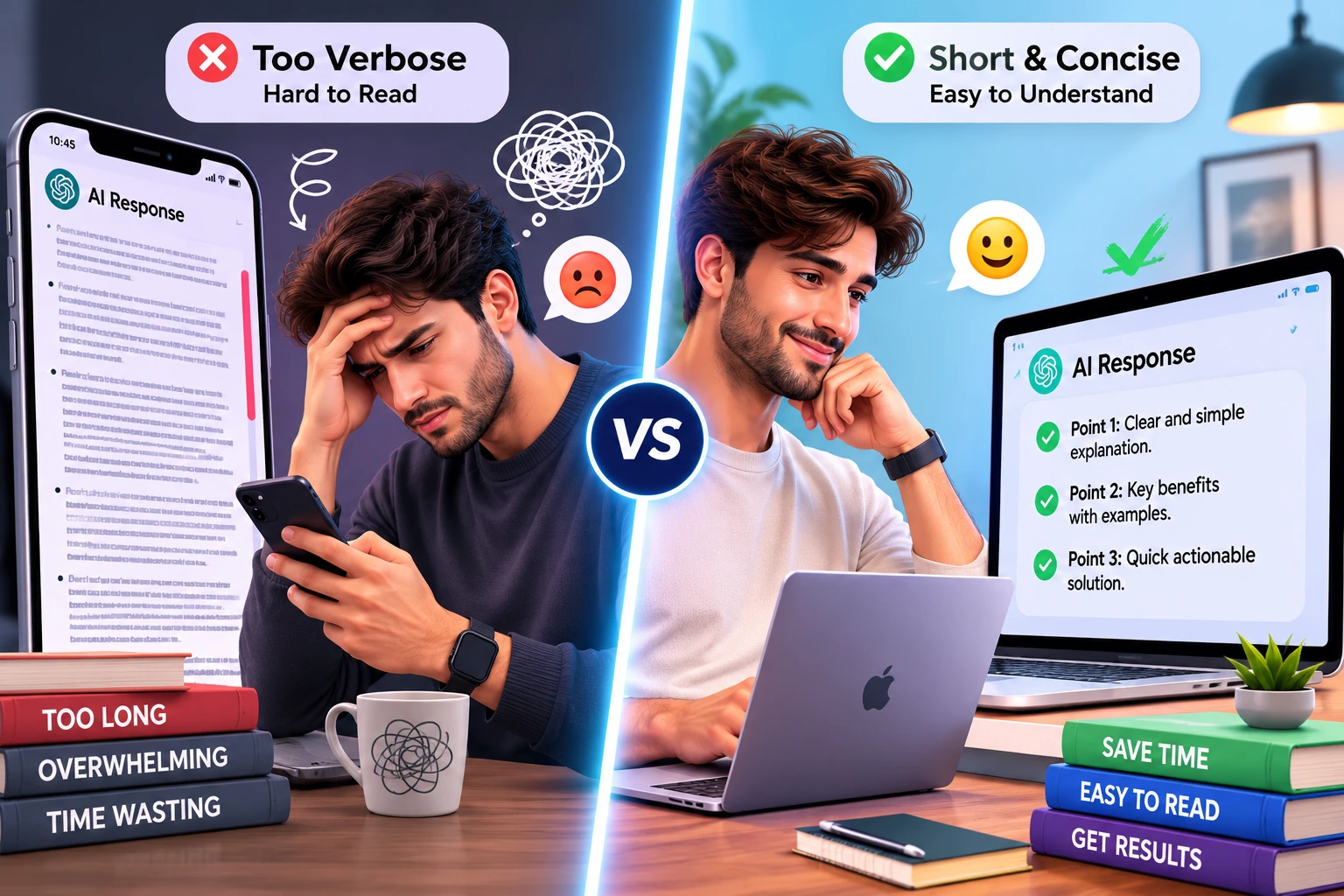
This affects a wide range of people: developers who want a code snippet without three paragraphs of explanation, professionals drafting quick emails, students who want a direct answer for study purposes, and anyone using AI on a phone screen where long responses mean endless scrolling. Verbose responses aren't just an annoyance; they slow down workflows, bury the actual answer, and make it harder to skim for what matters.
It's worth separating "helpful detail" from "unnecessary verbosity." Detail is helpful when the user genuinely needs a nuanced explanation, an important caveat, a step in a technical process. Verbosity is what's left over when a model adds explanation, repetition, or hedging that the user didn't ask for and doesn't need. The goal isn't to make every AI response one sentence long; it's to match response length to the actual request.
In this article, we'll break down why Claude (or any large language model) can produce long responses, what specifically causes it, how to recognize verbose output, and most importantly practical, tested prompting techniques to get shorter, more focused answers. We'll also cover system prompt strategies for developers, a comparison of verbosity across AI models, and a set of copy-and-paste prompts you can start using right away.
Why Is Claude So Verbose?
There's no single reason Claude or any AI assistant produces a long response. Response length is shaped by a combination of factors working together, and none of them are fixed. That's actually good news: if verbosity were hardcoded into the model, there would be little you could do about it. Since it isn't, you have real control over it.
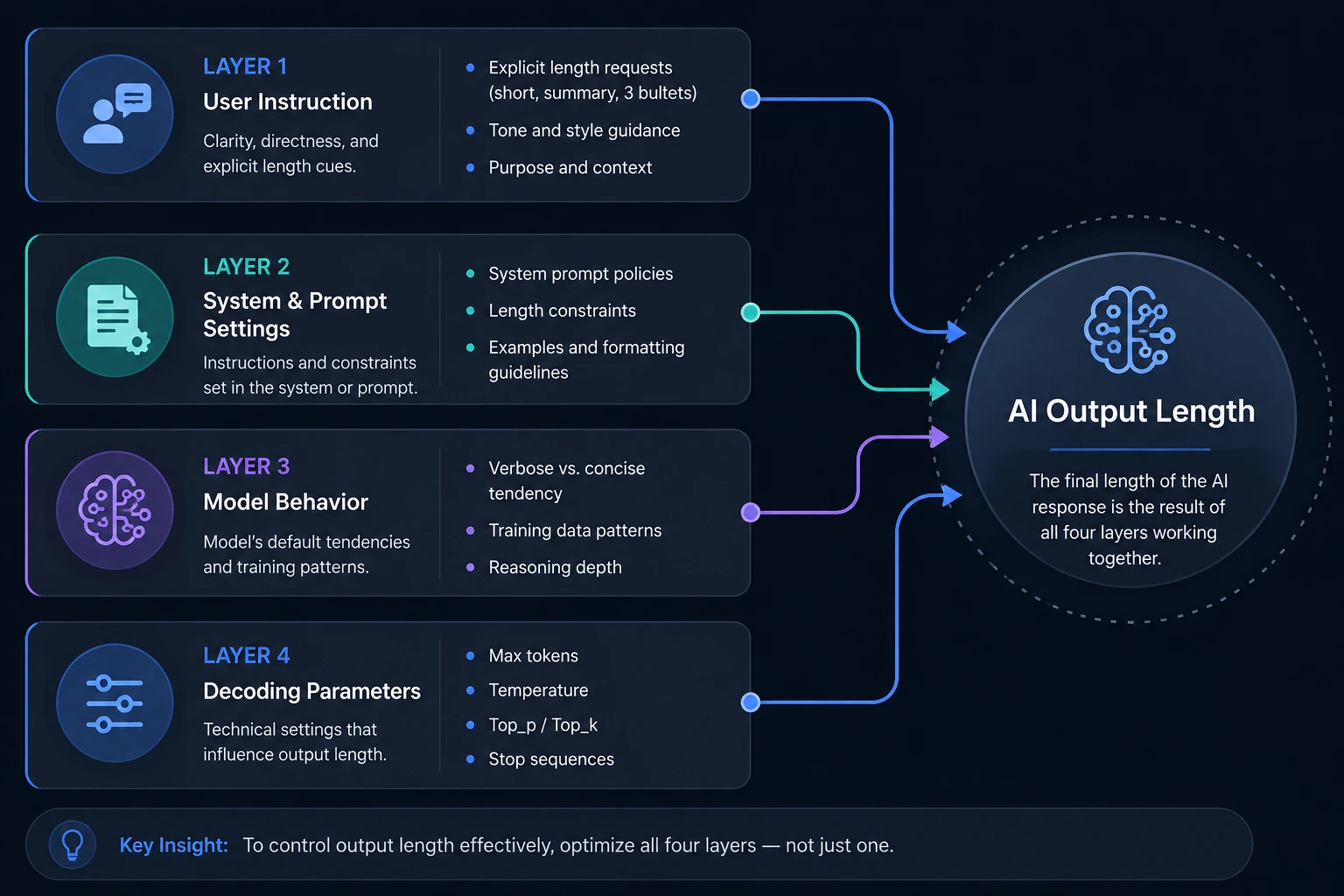
Broadly, Claude's response length can depend on:
The user's prompt how the question is phrased, how much context it includes, and whether it specifies a desired length or format
The requested task some tasks (like debugging code or writing a contract clause) genuinely need more explanation than others (like "what's the capital of Peru?")
System instructions the underlying instructions set by the application or platform Claude is running in
Custom instructions user-level preferences saved in settings, which can push responses to be longer or shorter
Conversation context earlier messages in the same conversation can set a tone or pattern that carries forward
Model behavior different Claude models and versions may have different default communication styles, since this is a design choice that can change between releases
Application settings the interface you're using (chat app, API integration, browser extension) may add its own formatting or instruction layer
API configuration for developers, parameters like system prompts and max token settings shape output differently than default chat settings
It's important not to overgeneralize here. Not all Claude models behave identically, and behavior can change across versions and product surfaces. A response style you see in one app built on Claude may differ from what you see in another, simply because of how each one is configured. The practical takeaway is this: verbosity is rarely about the model being incapable of brevity; it's usually about the prompt, context, or configuration not asking for it.
There's also a training-level reason worth understanding. Large language models are trained on huge volumes of text that includes academic papers, textbooks, and reference material sources where thorough, comprehensive explanations are the norm. This tendency can be reinforced further during human-feedback training, where evaluators sometimes rate longer, more thorough-sounding answers more favorably than shorter ones, even when the shorter answer would have served the user just as well. This doesn't mean every response defaults to being long, but it helps explain why "complete" can end up meaning "long" unless a prompt specifies otherwise.
It's also worth knowing that Anthropic publicly documents Claude's default system prompts, and those prompts already contain multiple instructions aimed at reducing unnecessary length for example, guidance for Claude to be decisive and offer one recommendation rather than a long list of options, and to give the shortest answer that still fully addresses the question. In other words, brevity is already a design goal, not something users are fighting against but those built-in instructions aren't always enough to override a vague or open-ended prompt, which is why the techniques in this article still matter.
What Causes Claude Verbose Responses?
Let's go through the specific mechanisms that tend to produce longer-than-necessary answers.
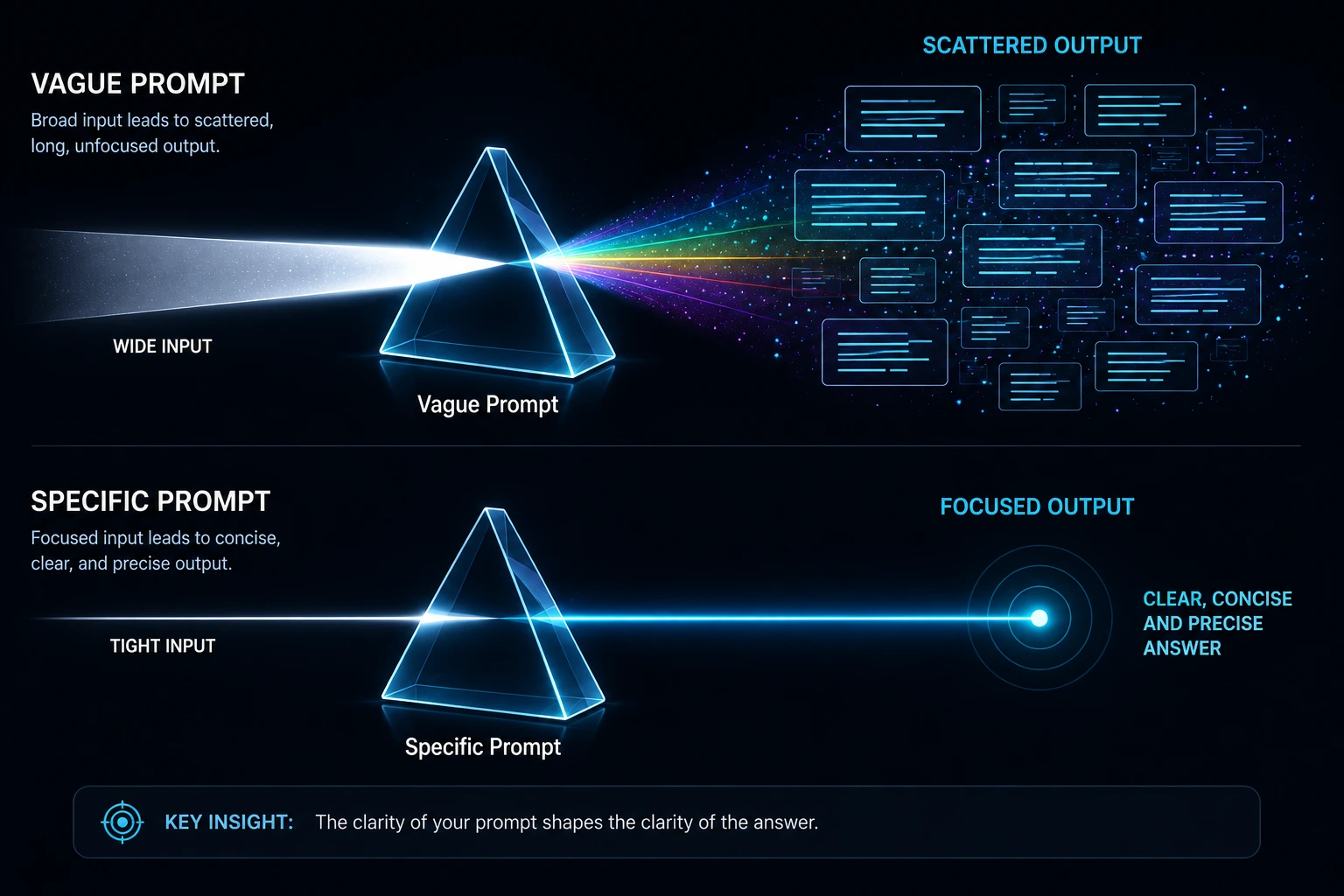
Broad or Ambiguous Prompts
When a prompt is vague "tell me about machine learning" instead of "give me a 3-sentence definition of machine learning" the model has to guess at what would be useful. A common way to guess safely is to be thorough, which often results in a longer, more complete answer than you actually needed.
Requests for Detailed Explanations
Certain phrases directly signal that you want depth, and the model responds accordingly:
"Explain in detail"
"Give me everything"
"Be comprehensive"
"Explain step by step"
These aren't bad phrases to use when you genuinely want depth but if you use them out of habit rather than need, you'll consistently get longer answers than necessary.
Missing Output-Length Instructions
If your prompt doesn't specify what you want, one sentence, a short summary, a few bullet points, or a full explanation the model doesn't know your preference, and it has to choose a default. Without a clear signal, models often default toward being more thorough rather than risk leaving something important out.
System Prompt Verbosity
Many AI applications run on top of a system prompt background instructions not visible to the end user. These often instruct the model to be helpful, provide context, explain its reasoning, or cover edge cases. All of these are reasonable goals, but stacked together they can nudge the model toward longer responses by default, even when the user's actual question was simple.
Custom Instructions
If you (or your organization) have saved custom instructions asking the AI to "always explain your reasoning" or "provide thorough answers," this preference will apply across all future responses including ones where you didn't want that level of detail for a specific question.
Conversation Context
AI models pick up on patterns within a conversation. If earlier exchanges included long, detailed answers, the model may continue in that style for follow-up questions, even simple ones, because it matches the established tone of the conversation.
Few-Shot Examples
If your prompt includes example answers (a technique called few-shot prompting) and those examples are long, the model will often learn from the example's length as much as its content and mirror that length in its own response.
Model Behavior and Communication Style
Different AI models, and different versions of the same model, can have different default communication styles. Some are naturally more direct; others lean toward being thorough by default. This is a genuine design variable, and it can shift between model updates so an approach that worked to shorten responses on one version may need adjusting on another.
API-Level Instructions
For developers building on top of Claude via an API, response style can be shaped by system prompts, message structure, output formatting instructions, and application-level instructions layered on top of the base model. One common point of confusion: maximum output tokens is not the same as desired response length. A max token limit is a hard ceiling that can cut a response off mid-thought it doesn't tell the model to aim for a shorter, well-formed answer. Getting genuinely concise output requires explicit instructions, not just a lower token ceiling.
Symptoms of Excessive AI Verbosity
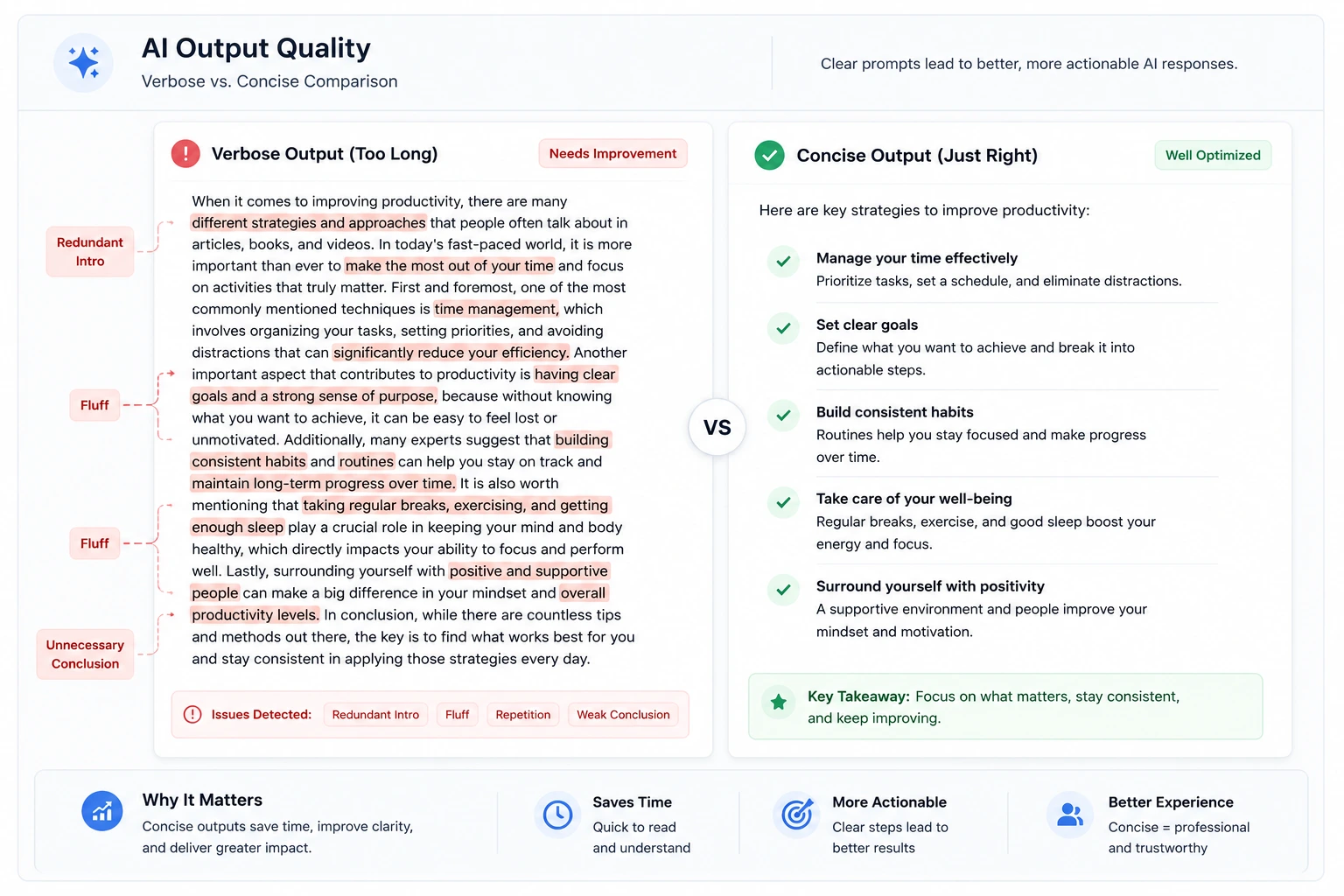
Before fixing verbosity, it helps to recognize what it actually looks like in practice:
Claude answers a simple question with several paragraphs
Too much background information before getting to the point
Repeated explanations of the same idea in different words
Excessive disclaimers or caveats that aren't relevant to the question
Unnecessary examples added when one would do
Repetition of the user's question back to them before answering
Long introductions before the direct answer appears
Too many bullet points, breaking simple information into an over-structured list
Symptom | Possible Cause | Best Solution |
|---|---|---|
Long intro before the answer | No instruction to lead with the answer | Ask for the direct answer first |
Repeated explanations | Ambiguous prompt, model "covering its bases" | Specify exact output format |
Excessive caveats | System prompt emphasizing thoroughness/safety | Ask for caveats only if relevant |
Too many bullet points | No length or format constraint given | Set a bullet count limit |
Unnecessary examples | Broad or open-ended prompt | Add a word or sentence limit |
Repeats your question back | Default conversational pattern | Ask for the answer only, no restatement |
Long conversation drift | Verbose context from earlier messages | Start a new conversation or reset context |
How to Make Claude More Concise
Here are practical, prompt-level solutions you can apply immediately.
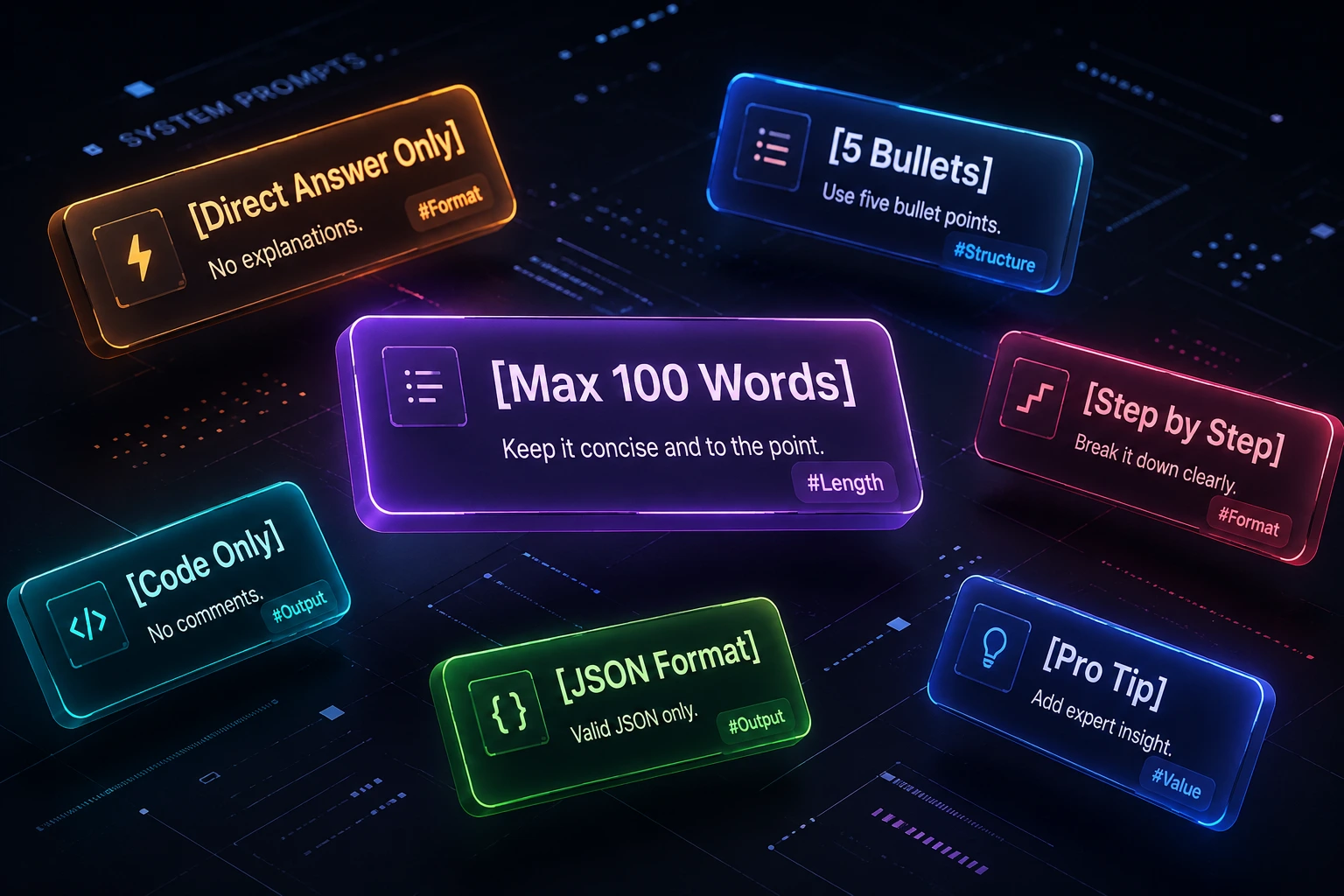
Solution 1: Explicitly Ask for a Short Answer
The most effective single change you can make is stating your desired length directly. Models generally respond well to explicit instructions.
Answer in 2–3 sentences.
Give me only the essential information.
Why it works: Without a length instruction, the model has to guess what "complete" means. Telling it directly removes the guesswork.
Expected result: A tighter, more focused answer that skips background context and gets straight to the point.
Solution 2: Set a Maximum Word Count
Answer in under 100 words.
Explain this in approximately 50 words.
Why it works: A numeric constraint gives the model a concrete target rather than a vague sense of "shorter."
Note: the model may not hit an exact word count every time, but a clear numeric limit meaningfully reduces excess length compared to no instruction at all.
Solution 3: Specify the Output Format
Answer using exactly 5 bullet points.
Give me:
1. The direct answer
2. Three key reasons
3. One recommendation
Why it works: Structured formats act as a container. The model fills in the structure you defined instead of deciding how much content "feels right."
Before:
"Can you tell me about the pros and cons of remote work?" (often produces several paragraphs)
After:
"List 3 pros and 3 cons of remote work in bullet points, one sentence each."
Expected result: A scannable, predictable-length answer.
Solution 4: Ask for the Answer First
Give the direct answer first. Do not add background information unless necessary.
Why it works: This directly prevents the common pattern of a long setup before the actual answer. It also makes any additional context optional rather than automatic.
Solution 5: Use Concise System Prompt Instructions
If you're using an app or interface that lets you set a system prompt or custom instructions, this is one of the most durable ways to control response style across an entire conversation.
Be concise. Prioritize direct answers. Avoid unnecessary explanations, repetition, and background information.
A stronger version for consistently brief output:
Keep responses brief by default. Answer directly first. Use bullets when appropriate. Do not repeat information or add extra context unless the user requests it.
When this is useful: System-level instructions are most effective when you want consistent brevity across many questions, rather than adjusting each individual prompt.
Solution 6: Avoid Prompts That Accidentally Encourage Long Answers
Some prompts unintentionally signal "give me everything."
Less concise prompt:
Explain everything about how AI models work and include all important details.
Better prompt:
Give me a concise explanation of how AI language models work in 5 bullet points.
Why the second works better: It replaces open-ended scope ("everything," "all important details") with a bounded, specific request.
Solution 7: Use Examples to Control Response Style
Few-shot prompting — showing the model an example of the style you want — can be very effective for steering conciseness.
User: What is machine learning?

Good response style:
Machine learning is a type of AI that learns patterns from data to make predictions or decisions.
Why it works: The example demonstrates both the content and the length you're aiming for, which the model can mirror in future answers.
Solution 8: Reduce Unnecessary Context
Long prompts and long conversation histories can subtly push responses to be longer, since the model may match the tone and depth already established.
Practical steps:
- Remove irrelevant background information from your prompt
- Start a new conversation when the existing one has accumulated a lot of unrelated context
- Keep prompts focused on one topic at a time
- Avoid combining multiple unrelated questions into a single message
Solution 9: Use Claude's Built-In Response Styles
If you're using Claude.ai directly, you don't need to retype "be concise" in every message. Claude has a built-in Styles feature with preset communication styles you can select from the "Search and tools" menu by choosing "Use style." The presets are:
- Normal — Claude's default response style
- Concise — shorter, more direct responses
- Formal — clear, polished responses
- Explanatory — more detailed, educational responses
You can switch styles at any point in a conversation, and you can also create a custom style with your own instructions (or based on writing samples you upload) if the presets don't match exactly what you want.
Why it works: Instead of repeating a length instruction in every message, the Concise style applies your preference automatically across the whole conversation.
Expected result: Consistently shorter responses without needing to re-instruct the model each time.
Solution 10: Use API-Level Controls
For developers integrating Claude via an API, several levers affect response style:
- System prompts — set persistent tone and length expectations
- Clear response instructions — specify format and length per request
- Structured output requirements — request JSON, bullet lists, or fixed fields
- Maximum output tokens — sets a hard limit, but is not a substitute for actual instructions
It's worth being precise here: maximum token limits, desired word count, and actual response length are three different things. A token limit caps how long a response can be; it doesn't tell the model how long it should be, and it can cause a response to cut off abruptly rather than end cleanly. Reducing token limits alone doesn't guarantee a well-formed, concise answer — pairing a reasonable limit with explicit length and format instructions produces more reliable results.
Best Prompt Examples for Shorter Claude Responses
Here are ready-to-use prompts organized by common use case.
General Questions
text
Give me a direct answer in 3 sentences or fewer.
Coding Questions
text
Provide only the code and a brief explanation.
Summaries
text
Summarize this in 5 bullet points. Include only the most important information.
Research
text
Give me a concise overview. Start with the conclusion, then list the 3 most important findings.
Professional Writing
text
Write a concise and professional response under 100 words.
Advanced Reusable System Prompt
text
You are a concise assistant. Default to short, direct responses. Lead with the answer before any explanation. Use bullet points for lists longer than three items. Avoid repeating the question, avoid unnecessary caveats, and avoid restating information already provided. Only add background context if the user explicitly asks for it or if omitting it would make the answer incorrect or unsafe.
Claude vs Other AI Models: Are All LLMs Verbose?
Verbosity isn't unique to any one AI assistant — it's a general characteristic of how large language models are trained and configured. Claude, ChatGPT, Gemini, and other LLMs can all produce longer-than-necessary responses depending on the same underlying variables: the specific model version, the system instructions in place, how the user's prompt is phrased, the settings of the application being used, and how much context has built up in the conversation.
It would be inaccurate to claim that one AI model is definitively "more verbose" than another in general, since this varies by version, use case, and how each platform configures its system prompts. What's more useful is understanding the shared factors that apply across models:
| Factor | Applies To |
|---|---|
| Model version/behavior | All LLMs |
| System prompt design | All LLMs (platform-dependent) |
| User prompt clarity | All LLMs |
| Conversation context length | All LLMs |
| Application-level formatting | All LLMs (platform-dependent) |
The prompting techniques in this article — explicit length limits, format instructions, "answer first" framing, and concise system prompts — are broadly applicable across AI assistants, not just Claude.
Advanced Techniques for Controlling AI Response Length
Once you're comfortable with basic length and format instructions, these advanced techniques offer finer control:
Prompt templates — Build a reusable template for recurring tasks, e.g., "Summarize [topic] in 3 bullet points, under 75 words, no introduction."
Structured output — Ask for JSON, tables, or fixed-field formats when you need predictable, parseable brevity, especially useful for developers piping responses into other systems.
Few-shot prompting — As covered above, showing a short example response trains the model on both tone and length.
System prompts — For persistent behavior across a whole session or application, a system-level concise-response instruction is more reliable than repeating it every message.
Response format constraints — Combine length and structure, e.g., "Answer in exactly 3 sentences, no bullet points."
Multi-step prompting — Ask for a longer answer first, then follow up with "Summarize that in 2 sentences." This can actually produce a more accurate concise summary than asking for brevity from the start, since the model has already worked through the full reasoning.
Asking the model to summarize its own previous answer — Useful when you got a verbose response and don't want to re-ask the original question: "Summarize your last response in 3 bullet points."
Separate concise and detailed response modes — In longer projects, it can help to explicitly toggle between modes: "From now on, give me concise answers unless I say 'go deep.'"
Verbosity in Claude Code: Extra Tips for Developers
Developers using Claude Code (Anthropic's command-line agentic coding tool) run into a specific flavor of verbosity: long explanations before and after code changes, narrated intermediate steps ("Let me check... Let me verify..."), and full tool-call output cluttering the terminal. A few Claude Code–specific techniques help:
Use a CLAUDE.md file. Claude Code automatically pulls this file into context for a project. Adding an instruction like "Be concise. Do not narrate intermediate steps. Report only what changed." sets a persistent default for that project instead of repeating it in every prompt.
Ask for code only, not commentary. Short, direct instructions such as "No explanations, just the code" or "Skip the preamble, output only the implementation" noticeably cut down on response length for routine coding tasks.
Lead with the task, not the backstory. Long preambles before the actual request ("I've been working on this for a while and...") get read in full and consume tokens without improving the output. State the task first, then add constraints.
Use /compact proactively. This command compresses conversation history into a shorter summary while preserving key context. Running it after finishing a sub-task (rather than waiting until the context window is nearly full) keeps sessions leaner and responses tighter.
Don't confuse "verbose output" with "extended thinking." In Claude Code, verbose output is a visibility setting that shows tool calls and internal planning steps; it's not the same as extended thinking, which is a separate reasoning feature with its own token budget. Turning off verbose output reduces what's displayed in the terminal but isn't the same lever as controlling response length itself.
Prevention Tips
To avoid running into verbose responses in the first place:
Always specify the desired response length up front
Define the output format (bullets, sentences, table) before asking the question
Ask for the direct answer first, with context only if needed
Avoid unnecessarily broad prompts like "tell me everything about X"
Use short examples to demonstrate your preferred style
Review any saved custom instructions that might be nudging responses to be longer
Keep system prompts clear and specific about desired length and tone
Start a new conversation when existing context has grown long or unfocused
Remember the "shrink vs. expand" rule of thumb: AI models are generally strong at condensing a large amount of text into a small amount (summarizing), reasonably good at producing a similar amount of text to what you gave them (rewriting), and weakest at reliably staying short when asked to expand a small prompt into a large amount of new content. If you're getting a sprawling answer from a short question, the task itself may be nudging the model toward generating more text adding an explicit length limit matters even more in these cases
Avoid stacking multiple redundant length instructions in one prompt (e.g., "be concise, don't be verbose, keep it short, make it snappy"). One clear instruction is enough repeating the same request in different words doesn't make the model more concise, it just adds noise to the prompt
FAQ
Response length depends on several factors working together with your prompt's phrasing, system instructions, conversation context, application settings, and model behavior. Vague prompts and missing length instructions are the most common causes of unnecessarily long answers.
Be explicit: state a word or sentence limit, specify a format like bullet points, and ask for the direct answer first. A concise system prompt also helps if you want consistently short responses across a conversation.
Yes. Through prompt wording, format instructions, system prompts (where available), and for developers API-level configuration like structured output requirements.
Yes, significantly. Phrases like "explain in detail" tend to produce longer responses, while explicit limits like "in 3 sentences" tend to produce shorter ones.
This often happens when a prompt is ambiguous or when the model is trying to be thorough by covering a point from multiple angles. Asking for a single direct answer, without restating the question, reduces this.
Yes, in applications that support system-level instructions, a concise-response system prompt is one of the most reliable ways to shape response length consistently across a session.
There's no reliable general answer to this verbosity depending on the specific model version, system configuration, and prompt used in each case, for both Claude and ChatGPT. The prompting strategies in this article apply to both.
Yes, in practice. Claude Code often narrates tool calls, planning steps, and explanations alongside code changes, which can feel more verbose than a typical Claude.ai chat response. Techniques like a CLAUDE.md instruction file, explicit "code only" prompts, and the /compact command are specific to managing this in a coding-agent context.
Conclusion
Claude can sometimes produce longer responses than users expect, but this isn't a fixed trait — it's the result of several factors working together: prompt phrasing, missing length instructions, system-level configuration, conversation context, and general model behavior. Understanding why Claude is so verbose in a given situation is really about identifying which of these factors is in play.
The most common causes are simple to fix: ambiguous prompts, no specified output length, and requests that implicitly ask for thoroughness ("explain everything," "in detail"). The best solutions are just as simple: state your desired length, specify a format, ask for the answer first, and use a concise system prompt when you want consistency across an entire conversation.
Clear prompts and explicit output instructions are the single most reliable way to get concise AI responses. The next time you find yourself scrolling through more text than you needed, try adding a length or format constraint to your prompt it's a small change that consistently makes a real difference.