Imagine this: You open Cursor Agent Mode or fire up Claude Code to implement a vital third-party API integration. You write a short, clear prompt. The AI spends 45 seconds scanning your repository, consumes 40,000 context window tokens, and confidently outputs 100 lines of beautiful, clean code.
You hit a run. Compilation failed: Endpoint not found.
As it turns out, the AI generated code using a deprecated version of the API from its static training data. When you tried to correct it, it scanned another 14 files, burned through $2 worth of API tokens, and hallucinated a separate, non-existent parameter.
If this sounds familiar, you are not alone. Community discussions across r/cursor reveal that developers are facing a new bottleneck: we are spending more time managing context and fighting outdated documentation than actually building software. Code generation is not the slow part anymore — it is the token-burning context chaos surrounding it.
In 2026, AI-native development demands a structural shift. We can no longer treat AI agents like human programmers who browse HTML documentation and manually index files. To build software efficiently without draining our wallets, we must learn to align our coding assistants with our local repositories and live APIs using modern standards like Model Context Protocol (MCP) and the llms.txt standard.

The Root of Context Chaos: Why AI Agents Fail in Production
Traditional documentation was designed for humans. It assumes a developer will open a web browser, look at a multi-column visual layout, read a guide, copy a code snippet, and paste it into an editor. When an autonomous AI agent encounters traditional developer resources, this workflow shatters due to four core structural problems.
1. The HTML Structural Tax
Websites are buried under layout tags, navigation links, CSS stylesheets, and tracking scripts. When an agent fetches a standard HTML documentation page, it often pulls 10,000 characters of markup just to read 1,500 characters of actual text. This structural noise eats up valuable space inside the language model's context window, increasing your token costs and leaving less room for your actual source code.
2. The Fallacy of Static Knowledge
Large Language Models are frozen in time based on their training cut-off dates. If a third-party platform changes its authentication schema, rolls out a new SDK, or updates a rate limit, your AI agent remains completely unaware. Without an explicit, live grounding mechanism, the agent will repeatedly generate outdated code patterns that fail execution.
3. Infinite Repository Re-Scanning
Without structural boundaries, a coding agent trying to modify a single function might scan dozens of unrelated files across your codebase. This uncontrolled file inclusion creates massive context optimization inefficiencies, slowing down generation speeds and inflating execution costs.
4. The Hidden Cost of Re-Reading
This is the fourth problem most developers miss entirely. Claude Code does not have persistent memory between turns — every single message you send causes the entire conversation to be re-processed from scratch: your prompts, Claude's responses, and every tool result. So when Claude reads main.rs, makes a change, then reads it again to verify, you are paying the full token cost of that file multiple times over. Research shows that redundant file re-reads account for 40 to 60 percent of all Read tool token usage in a typical session.
Key Insight: Long sessions don't just cost more — they make Claude worse. Quality degrades as older context loses weight and earlier instructions get deprioritized. This is called context rot. The fixes for cost and quality overlap completely. |
Part 1: Eliminating Repository Context Drift in Cursor and Claude Code
Maximizing .cursorrules and System Prompts
The single most effective way to prevent your agent from drifting across your repository is to deploy a root-level .cursorrules file. This configuration document dictates precisely how the model should interpret your local codebase architecture.
A modern, high-efficiency .cursorrules blueprint:
{ "project_context": { "architecture": "Next.js 16 App Router with Turborepo", "primary_languages": ["TypeScript", "Rust"], "state_management": "Zustand (Strictly decoupled from UI)" }, "agent_boundaries": { "never_scan": ["**/node_modules/**", "**/.next/**", "**/dist/**"], "allowed_read_depth_levels": 3, "require_explicit_permission_before_reading": ["**/*.secret.*"] }, "code_generation_rules": { "style": "Functional, explicit types, zero implicit any", "documentation_preference": "Prefer inline comments" }}
By explicitly declaring your architecture and blacklisting non-essential directories, you prevent the agent from performing wasteful file lookups, cutting token usage in half during long debugging sessions.
The .claudeignore File: Your Token Shield
For Claude Code specifically, a .claudeignore file works exactly like .gitignore and is one of the fastest wins you can implement today. Claude Code will read and index files you never want it to touch — build artifacts, lock files, generated code — unless you explicitly block them:
node_modules/dist/*.lock*.min.jstarget/__pycache__/
The savings compound over time. Every time Claude would have read a 5,000-line lock file, you save those tokens entirely. Pair this with explicit prompt scoping and the difference in token usage can be 10x or more.
The CLAUDE.md Foundation: Always Run /init First
The single highest-leverage action you can take before writing a single line of code with Claude Code is running /init to generate a CLAUDE.md file in your project root. Claude reads this file automatically at the start of every session — it is your standing instructions for things you would otherwise explain from scratch every time.
CLAUDE.md is loaded at three levels, checked in order:
~/.claude/CLAUDE.md — global, loaded for every project, every session
/your/project/CLAUDE.md — loaded when you start Claude Code in that directory
Subdirectory CLAUDE.md files — picked up as Claude navigates into those folders
Critical warning: a 5,000-token CLAUDE.md costs 5,000 tokens before you have typed a single word. Every turn. Every session. A constant baseline you carry at all times. A lean, well-structured CLAUDE.md targets 300 to 600 tokens:
# CLAUDE.md## Stack- Node 20, TypeScript strict, Prisma ORM- Tests: Vitest, no Jest## Constraints- Never use `any`. Use `unknown` + type guards.- Controllers call services. Services call DB. Never bypass.## Naming- Files: kebab-case. Classes: PascalCase. Hooks: use* prefix.
Tiered Context Architecture: Load Only What You Need
A three-tier documentation system can reduce startup token usage by 60 percent. Instead of front-loading everything into CLAUDE.md, organize your documentation by how frequently it is actually needed.
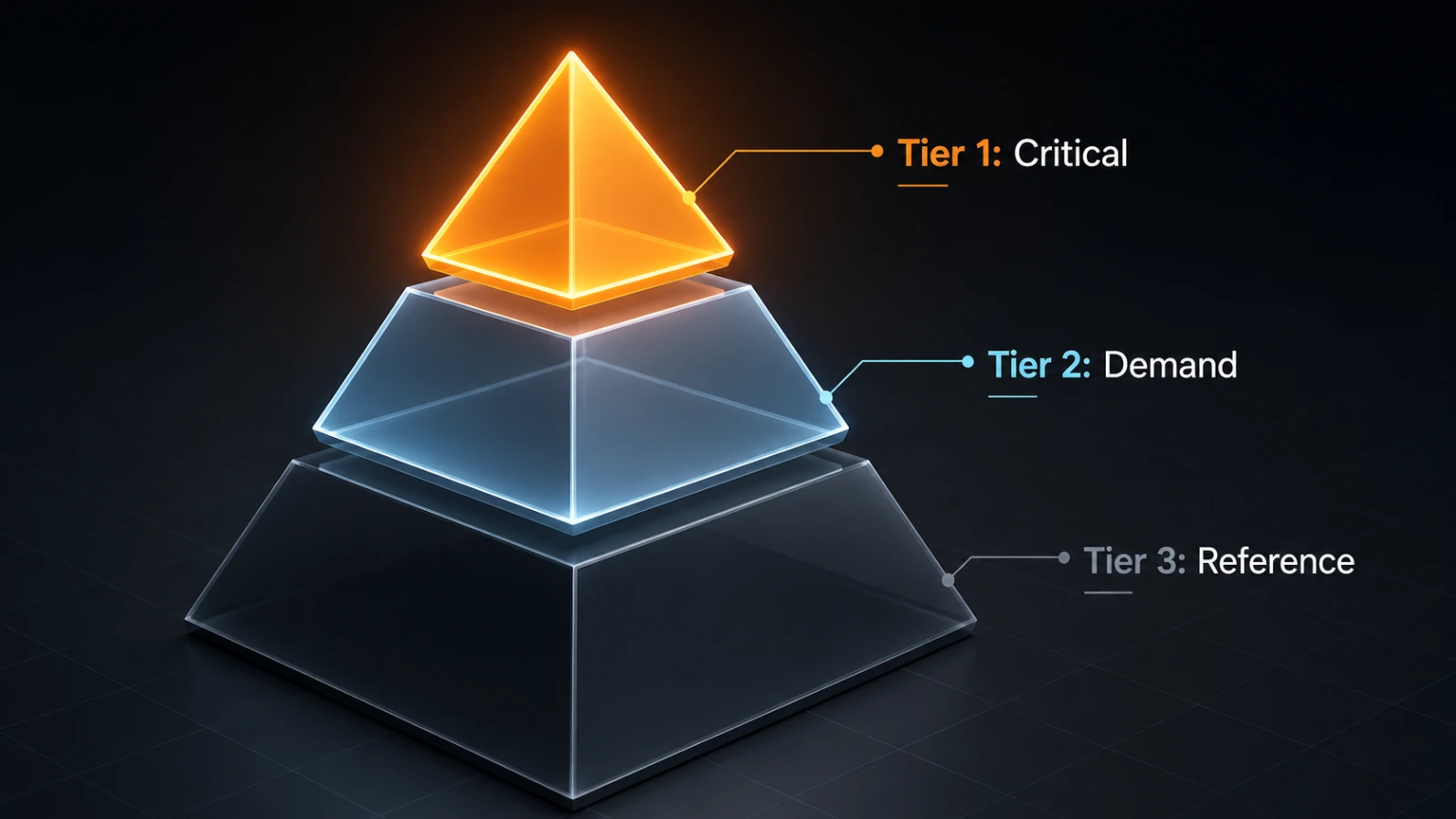
Tier 1 — Critical Context (Always Loaded): Project name, fatal never-do-this rules, and quick-start commands. Target under 800 tokens.
Tier 2 — Contextual (Loaded on Demand): Component-specific docs, API references, deployment guides. Linked from CLAUDE.md but not embedded. Claude requests them only when relevant.
Tier 3 — Reference (Never Auto-Loaded): Complete API specs, historical changelogs, detailed troubleshooting guides. Separate files, never automatically included.
Real Cost Numbers Teams implementing tiered context report bringing monthly costs from $189 down to $72 for a 5-developer team making 100 Claude Code requests per day — a $117/month saving with a 62% reduction in startup token consumption. |
Session Management: /context, /compact, and /clear
Three built-in commands give you direct control over your token budget during long sessions.
/context — Shows every item occupying Claude's current context window with token counts per element. Think of it as a memory profiler for your session. Use it to spot files that got pulled in but are no longer needed.
/compact — Summarizes the entire conversation into a structured representation capturing decisions made, code written, open questions, and current task state. What gets preserved: architectural decisions, files modified, errors resolved. What gets discarded: intermediate reasoning chains and raw tool outputs. Run /compact proactively when you finish a distinct phase — not reactively when Claude starts forgetting.
/clear — Wipes the context completely and resets the session. Use this when you finish a task entirely and move to something unrelated, rather than /compact.
You can also customize what /compact preserves directly in your CLAUDE.md:
# Compact instructionsWhen using compact, focus on test output and code changes.Discard intermediate reasoning and raw tool outputs.
Pro Tip: Commit After Every Task After completing a task, run git add + git commit. Claude Code continuously reads the diff to detect regressions. An empty git diff means less context consumed on every subsequent message. |
Subagents: Isolated Workers for Verbose Tasks
Subagents are isolated Claude instances that run in their own context window. When a subagent runs, all its verbose output — file searches, log dumps, multi-step reasoning — stays isolated. Only the summary returns to your main conversation. This keeps your main thread clean.
Create a permanent subagent by saving a markdown file at .claude/agents/investigator.md. Then trigger it with:
/investigator "auth tests are failing"
Important caveat: subagents are not automatically cheaper. For small tasks like simple shell actions or quick git operations, a subagent can be wasteful because the architecture itself adds overhead through prompts, tool definitions, and extra tool-call round trips. The rule is: use subagents when the saved main-context clutter is worth more than the startup overhead.
Model Selection: Right Tool for the Right Job
Not every task needs the most powerful model. Sonnet handles most coding tasks well and costs significantly less than Opus. Reserve Opus for complex architectural decisions or multi-step reasoning chains. Use /model to switch models mid-session, or set a default in /config. For simple subagent tasks, specify a cheaper model like Haiku in your subagent configuration.
You can also suppress background model calls that are not critical to your task:
export DISABLE_NON_ESSENTIAL_MODEL_CALLS=1
This disables model calls used for non-critical features like suggestions and tips. It will not affect your core workflow but reduces background token consumption.
Local Incremental Indexing
Instead of forcing your editor to parse your entire repository during every prompt, utilize local workspace indexing features. Keep your workspace clean by explicitly configuring your global ignore patterns. Ensuring that your build artifacts, large asset files, and dependency trees are completely invisible to the agent guarantees that every token spent goes directly toward processing logic, not index overhead.
Part 2: Taming Outdated APIs with the llms.txt Standard
What is llms.txt?
Proposed as an open standard, llms.txt is a lightweight, plain-text Markdown file hosted at the root directory of a domain. It serves as a programmatic sitemap specifically curated for LLMs and autonomous agents. While traditional sitemap.xml files help search engine bots find web pages, llms.txt provides AI models with a clean, low-noise directory of high-signal entry points.
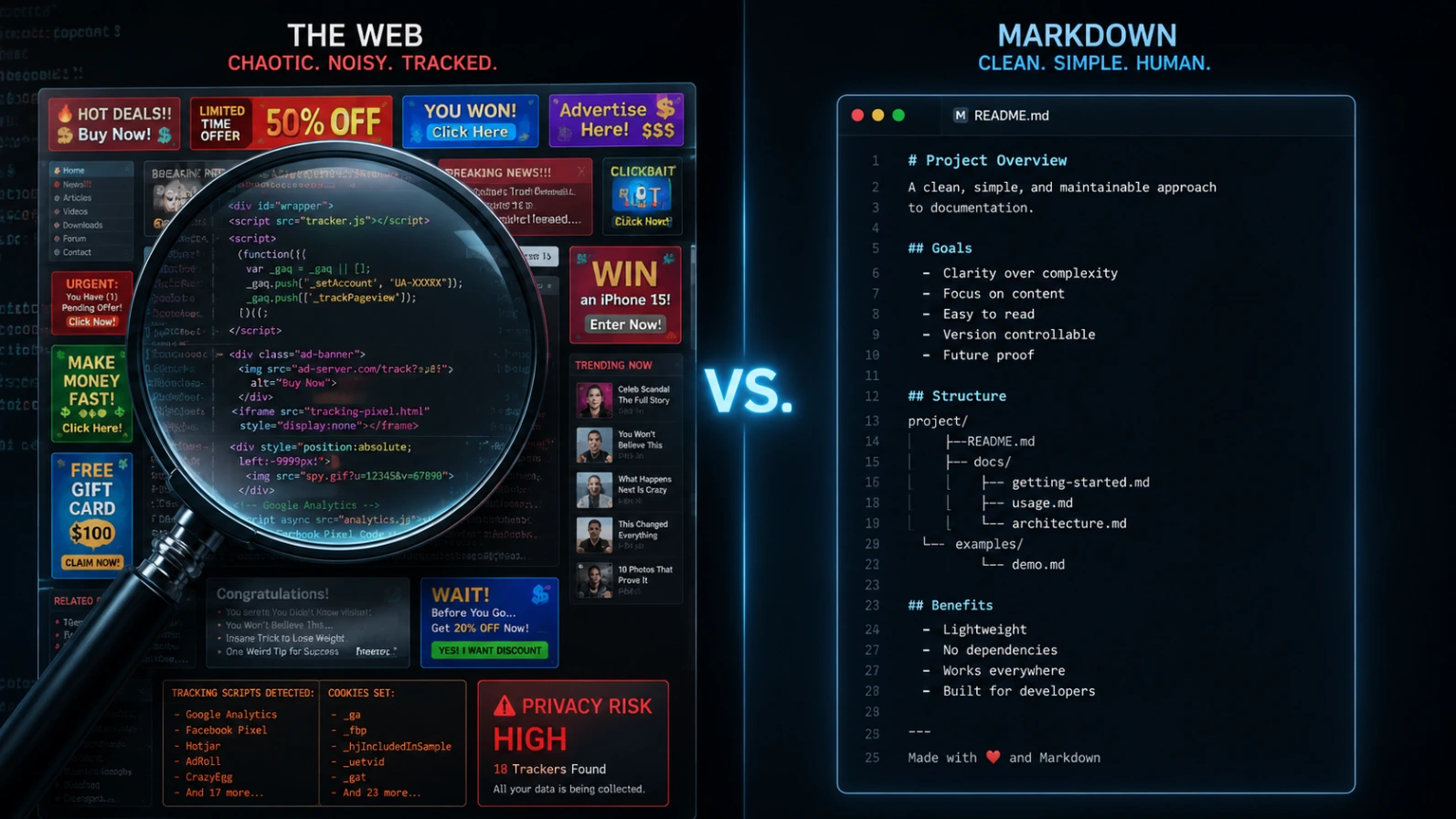
# Project Core Documentation Index> Canonical references for modern API integration endpoints.## Core REST Infrastructure- [Authentication Protocol](/docs/v2/auth.md): Secure JWT header configurations.- [Ingestion Endpoints](/docs/v2/ingest.md): High-throughput JSON payload streaming.- [Rate Limit Schema](/docs/v2/limits.md): Endpoint thresholds and retry dynamics.## Optional Reference Modules- [Deprecated v1 Legacy Traces](/docs/v1/legacy.md): Backwards compatibility only.
The Two-File Escalate Strategy
A mature implementation utilizes a dual-file hierarchy:
/llms.txt — A high-level, compact index of essential endpoints and structural paths. Designed to fit comfortably inside a single initial web fetch without cluttering the agent's memory.
/llms-full.txt — A comprehensive markdown aggregation file that bundles the actual textual content of all major reference pages into one continuous stream.
When an agent needs to perform an integration, it checks /llms.txt first to map out the API architecture. If it encounters a complex implementation pattern, it escalates to the full text in the companion file. Major developer platforms including Anthropic, Vercel, Cloudflare, and Stripe have widely adopted this structure.
Part 3: Live Grounding via Model Context Protocol (MCP)
Understanding the Architecture
While llms.txt creates an elegant map of your documentation, it remains a passive file structure. If you need your agent to interact dynamically with live services, query database schemas, or pull operational metadata directly inside your editor, you need an active integration layer. In 2026, that layer is governed universally by the Model Context Protocol.
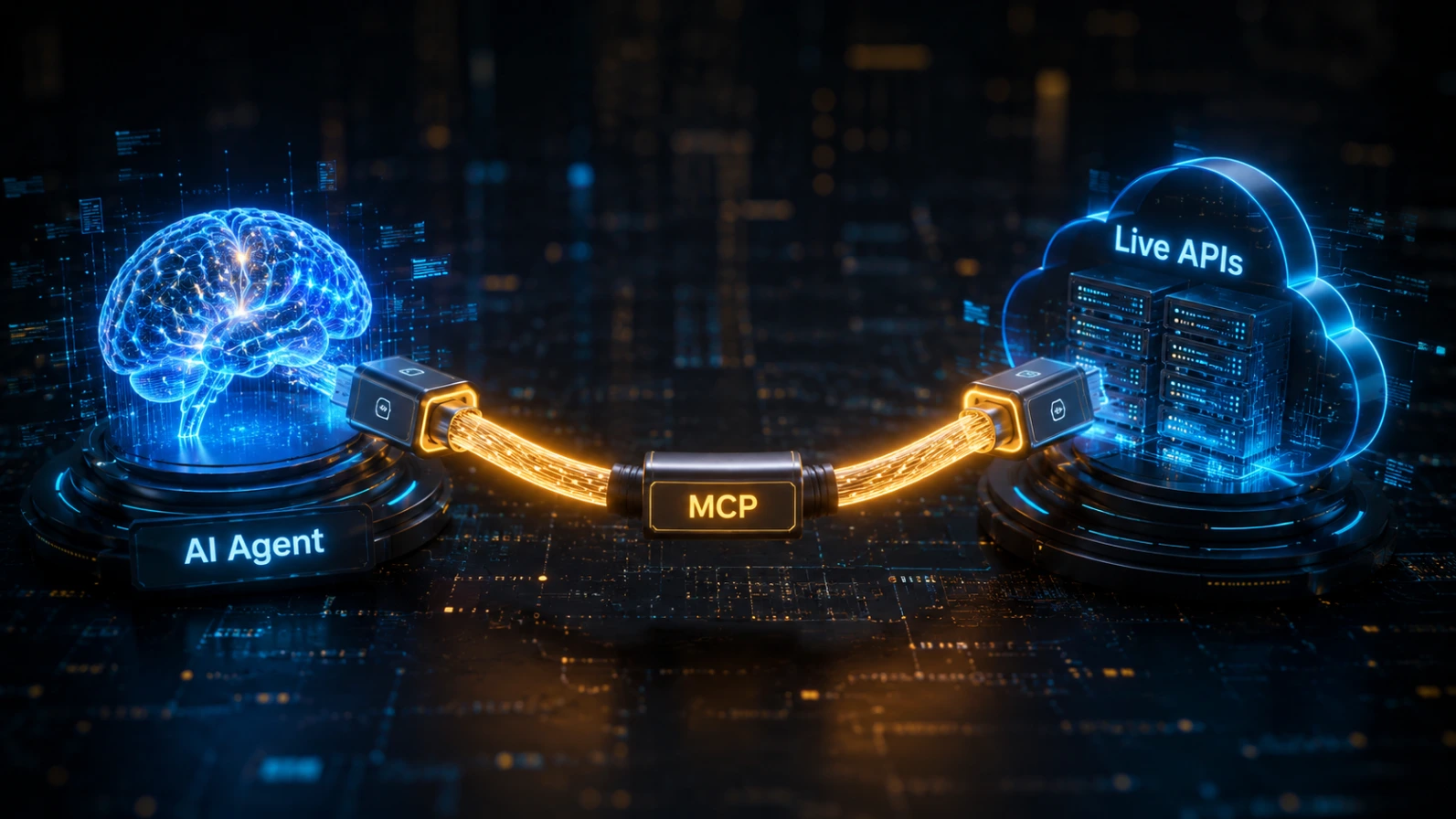
┌────────────────────────┐ Model Context Protocol ┌────────────────────────┐│ │ ─────────────────────────> │ ││ AI Coding Agent │ │ External Directory ││ (Cursor / Claude Code) │ <───────────────────────── │ (Live Docs, DB, APIs) ││ │ JSON-RPC │ │└────────────────────────┘ └────────────────────────┘
Co-founded by industry leaders and governed under the neutral umbrella of the Linux Foundation, MCP acts as a universal communication bridge for AI models — a USB-C port for artificial intelligence. Any AI model that speaks the protocol can connect natively to any MCP server, listing available tools, reading secure data primitives, and executing authorized functions via structured JSON-RPC methods.
The MCP Token Trap: Don't Connect Them All
Here is a critical warning most guides skip: every connected MCP server loads its full tool definitions and schema into your context window at the start of every single session, whether you use those tools or not. These definitions are not small — a single MCP server can consume thousands of tokens just sitting idle. Stack several together and the numbers become uncomfortable fast.
Discipline Rule Only connect the MCP servers you actively need for a given project. Remove servers you are not using. Treat MCP connections like production dependencies — not a collection of tools you might someday want. |
Connecting a Documentation MCP Server
When integrated with production tooling, a documentation MCP server allows your agent to execute real-time search queries across remote developer docs before generating code snippets. Setting up an external documentation server inside Claude Code takes a single command:
claude mcp add --transport http fish-audio-docs https://fish.audio --scope project
This updates your local .mcp.json file. The next time you ask your agent to write an integration block, it bypasses its static training weights, queries the live server, matches current payload parameters, and writes completely accurate code on the first try.
Architectural Breakdown: MCP vs. Agent Skills vs. llms.txt
When optimizing your workspace, deploy the right tool for the right scenario. Use this comparison table to guide your implementation strategy:
Metric / Feature | MCP Server | Agent Skills | llms.txt |
Freshness | Real-time Live | Fixed at Install | Cached on Fetch |
Network | Requires Connection | Fully Offline | Initial Fetch Only |
Primary Use | Live APIs, Rate Limits | Code Patterns, Linting | Doc Navigation |
Ecosystem | Cursor, Claude Code, OpenAI | 50+ Tools | Universal AI Agents |
Part 4: Step-by-Step Blueprint for a Perfect Agent Mode Workflow
Step 1: Initialize Your Isolation Environment
Never run your agent blindly on an active main production line. Create a clean feature branch and establish an isolated workspace file hierarchy. Verify:
.cursorrules is properly configured at the root to lock the agent's focus onto target directories
.claudeignore is set up to exclude build artifacts, lock files, and anything the agent has no business reading
Run /init if CLAUDE.md does not already exist in the project root
Step 2: Establish Your Live Documentation Constraints
Before typing your prompt, map out your required external dependencies. Run /context to understand your current token budget before the session begins. Verify active MCP connections:
claude mcp list
If a dedicated MCP server is not available, point your editor's built-in web-retrieval module directly at the provider's structured index URL (e.g., @https://example.com/llms.txt). This guarantees that your agent constructs its logic based on verified, up-to-date specifications instead of older snapshots baked into its training weights.
Step 3: Execute via Progressive Refinement
Token waste follows a power law — a small number of bad behaviors cause most of the damage. The single most expensive mistake is an open-ended prompt that sends the agent on a wide file exploration.

Avoid this:
"Build out my payment infrastructure."
Use this instead:
"Query the connected live API reference server via MCP to pull the exactpayload requirements for the /v2/charges endpoint. Using those definitions,modify the existing PaymentHandler class in src/services/payment.ts.Do not read any files outside the src/services/ scope."
Use one logical session per task. One bug fix, one feature, one refactor. Do not chain unrelated work inside a single long conversation — the compounding token cost of re-processing your entire session history on every turn will erase your budget faster than the actual code generation. Isolate your complex work to the first 80 percent of a session. Save the tail end for lightweight tasks that do not need Claude to hold your entire architecture in mind.
Step 4: Strict Human-in-the-Loop Review
Once the agent finishes editing your codebase, inspect the unified diff closely using your local version control engine. Reviewing explicit additions line-by-line ensures that no unexpected logical blocks sneak into your branch before final testing.
After each successful task, commit your changes immediately:
git add . && git commit -m 'feat: implement payment handler'# Empty diff = less context consumed on every subsequent message
Conclusion: The Era of AI-Ready Architecture
The secret to highly accurate AI code generation is no longer about writing better prompts — it is about architecting our systems to be natively legible to artificial intelligence.
By combining all the layers covered in this guide, you can completely eliminate context drift and stop wasting millions of tokens:
Prune repository context with precise .cursorrules and .claudeignore files
Run /init and keep your CLAUDE.md lean — under 600 tokens, using a tiered architecture for the rest
Manage session state proactively with /context, /compact, and /clear — and commit after every task
Use subagents for heavy, verbose research tasks — but not for simple shell operations
Select cheaper models (Sonnet, Haiku) for standard work; reserve Opus for complex architectural decisions
Connect only the MCP servers you actively need for the current project
Structure your public websites using the llms.txt standard for agent-ready documentation
Link your development environment to live data feeds using Model Context Protocol servers
Start Here Today 1. Run /init to generate a CLAUDE.md in your project root. 2. Create a .claudeignore to block build artifacts and lock files. 3. Add an llms.txt to your internal documentation repository. 4. Run /context before your next session to see what you are actually paying for. |