Quick Answer
A software design document explains what you're building, why you're building it that way, and what tradeoffs you considered before writing code. A good one covers the problem statement, goals/non-goals, proposed architecture, data flow, alternatives considered, and rollout plan — typically 2–6 pages, reviewed before implementation starts.
TL;DR
A software design document (SDD) is a pre-implementation artifact, not documentation written after the fact.
The best design docs are short enough to read in 15 minutes and detailed enough to prevent a costly rebuild.
"Goals and Non-Goals" is the single most skipped section — and the one that prevents the most arguments later.
Alternatives considered matters more than most engineers think; it shows your reviewers you didn't just pick the first idea.
Diagrams should show data flow and failure modes, not just boxes and arrows.
A design doc without a rollout/rollback plan is half a design doc.
Templates from Google, Amazon, and Stripe engineering all converge on the same five core sections — there's no need to reinvent this.
Most failed design docs fail because they're either too vague (no real decisions) or too long (nobody reads them).
Think of structure as three layers: the problem, the functional behavior, and the technical internals — each layer should justify the next one.
Aim for a "sufficient" design with explicit tradeoffs, not a mythical "optimal" one — real designs are compromises, and naming them is the whole point of the alternatives section.
AI tools can draft sections fast, but the thinking — tradeoffs, risk, scope — still has to come from you.
Introduction
A team at a mid-sized fintech company spent six weeks building a new payments retry system. Code reviews passed. Tests passed. It shipped. Three weeks later it caused a cascading outage because nobody had written down what happened if the downstream bank API returned a 200 with an error body buried in the payload, an edge case a fifteen-minute design review would have caught.
This is the actual cost of skipping a software design document. Not "bad practice" in the abstract real outages, real rewrites, real arguments in retros about who decided what.
A software design document isn't bureaucracy. It's the cheapest insurance you'll buy on a project, because catching a flawed approach on paper costs an afternoon. Catching it in production costs days, and sometimes trust.
This guide covers how to actually write one: what sections matter, what to skip, a template you can copy today, real examples from engineering teams who've open-sourced theirs, and the mistakes that make design docs get ignored instead of read.
What Is a Software Design Document?
A software design document (also called a technical design document, system design document, or software architecture document depending on the company) is a written proposal describing how a piece of software will be built — before it's built.
It sits between a product requirements document (PRD) and the actual code. The PRD answers "what should this product do for users." The design doc answers "how will we technically build that, and what are we trading off."
What it is not:
- It's not API documentation (that comes after, describing what exists).
- It's not a project plan or Gantt chart.
- It's not a comprehensive spec for every line of code — that level of detail kills design docs.
The core job of a design doc is to force decisions onto paper before they're encoded in thousands of lines of code, where changing your mind is expensive.
The "Three-Layer Onion" Way to Think About Structure
A framing that comes up a lot in engineering discussions describes a good technical design document as three layers, peeled in order:
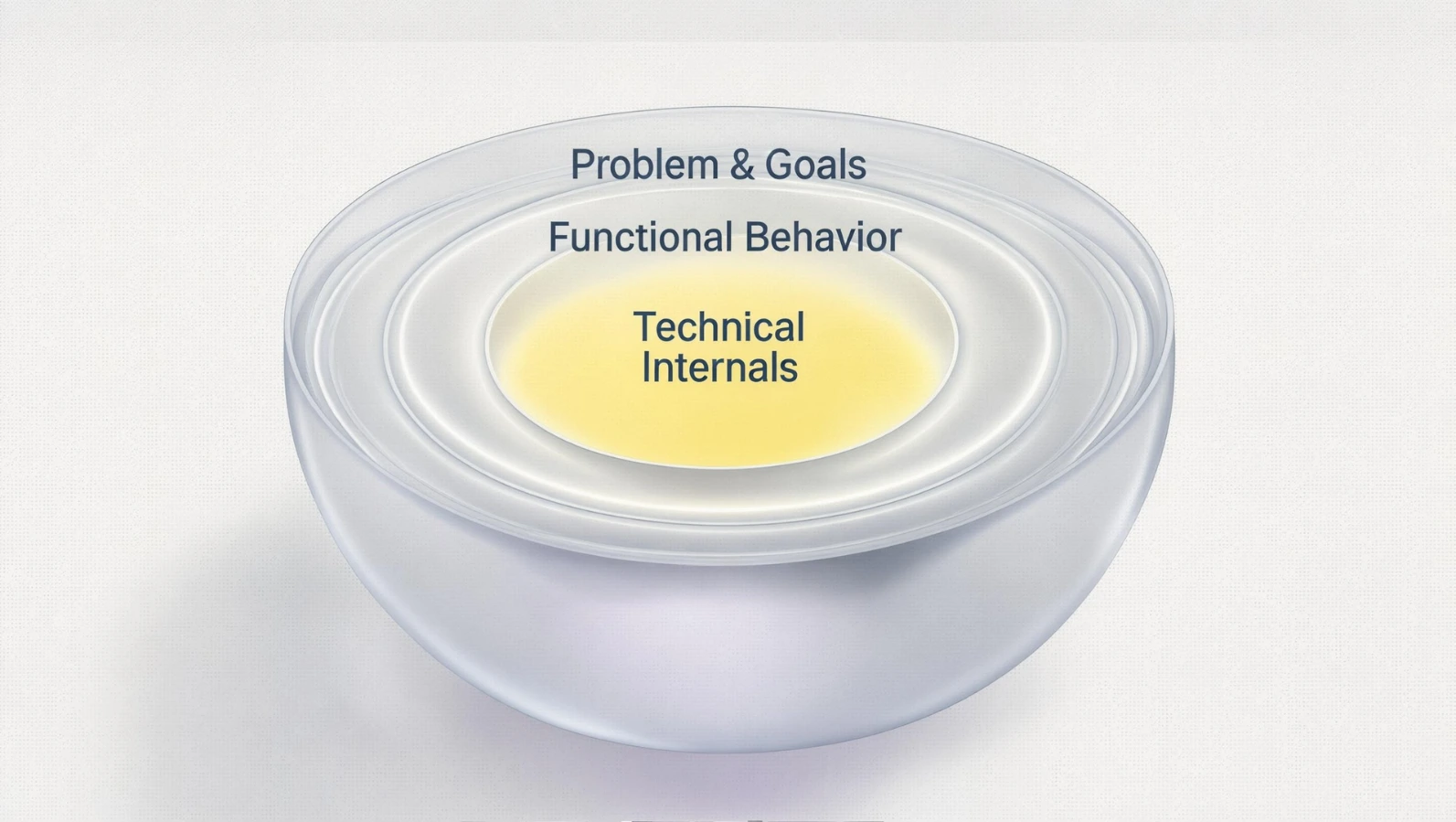
- Problem layer — the problem statement, goals, non-goals, and requirements (functional and non-functional).
- Functional layer — precisely how the system behaves from the outside, regardless of implementation.
- Technical layer — the internals: architecture, data flow, storage, interfaces.
Each layer should justify the next. If the problem is misunderstood, the functional spec built on top of it is probably wrong too — and if the functional spec doesn't actually meet the requirements, the technical implementation is moot, no matter how clever it is.
This also explains why so many "design docs" that are really just architecture diagrams with no problem statement get weak reviews: there's nothing for a reviewer to argue with except taste, because they have no way to judge whether the design solves the right problem in the first place.
A related discipline worth borrowing: before proposing your solution, spend five minutes sketching the simplest possible alternative, even a deliberately bad one you'd never ship. Comparing your real proposal against that baseline forces you to name exactly what the extra complexity is buying you, and whether it's worth it.
The Software Design Document Template (Core Structure)
Here's a structure that works across company sizes, drawn from patterns common to engineering orgs that have published or discussed their internal templates:
1. Title, Author, Status, Date
Simple metadata. Status matters: Draft, In Review, Approved, Implemented, Deprecated. This alone prevents people from implementing a stale draft.
2. Summary / TL;DR
Two to four sentences. If a reader stops here, they should still know what's being proposed.
3. Context and Problem Statement
What's broken, missing, or about to break? Include data if you have it — latency numbers, error rates, growth projections. Vague problem statements ("our system needs to scale better") produce vague designs.
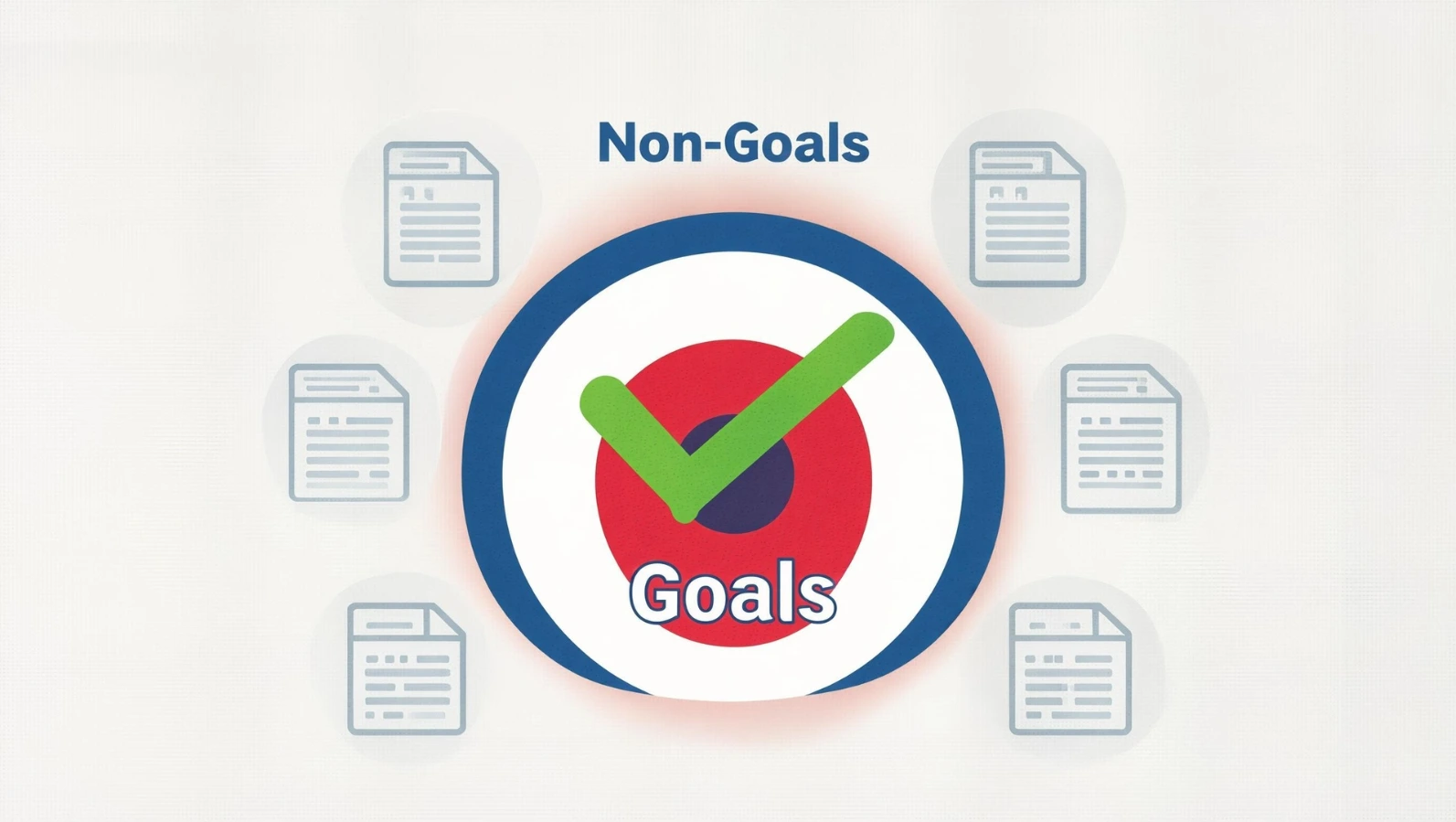
4. Goals and Non-Goals
This is the most underrated section in any design doc. Listing what you're explicitly not solving prevents scope creep and prevents reviewers from rejecting the doc for not solving problems it was never meant to solve.
Example:
Goal: Reduce p99 checkout latency from 1.2s to under 400ms.
Non-goal: Redesigning the checkout UI. Non-goal: Solving for Black Friday-scale traffic (handled in a separate doc).
5. Proposed Design / Architecture
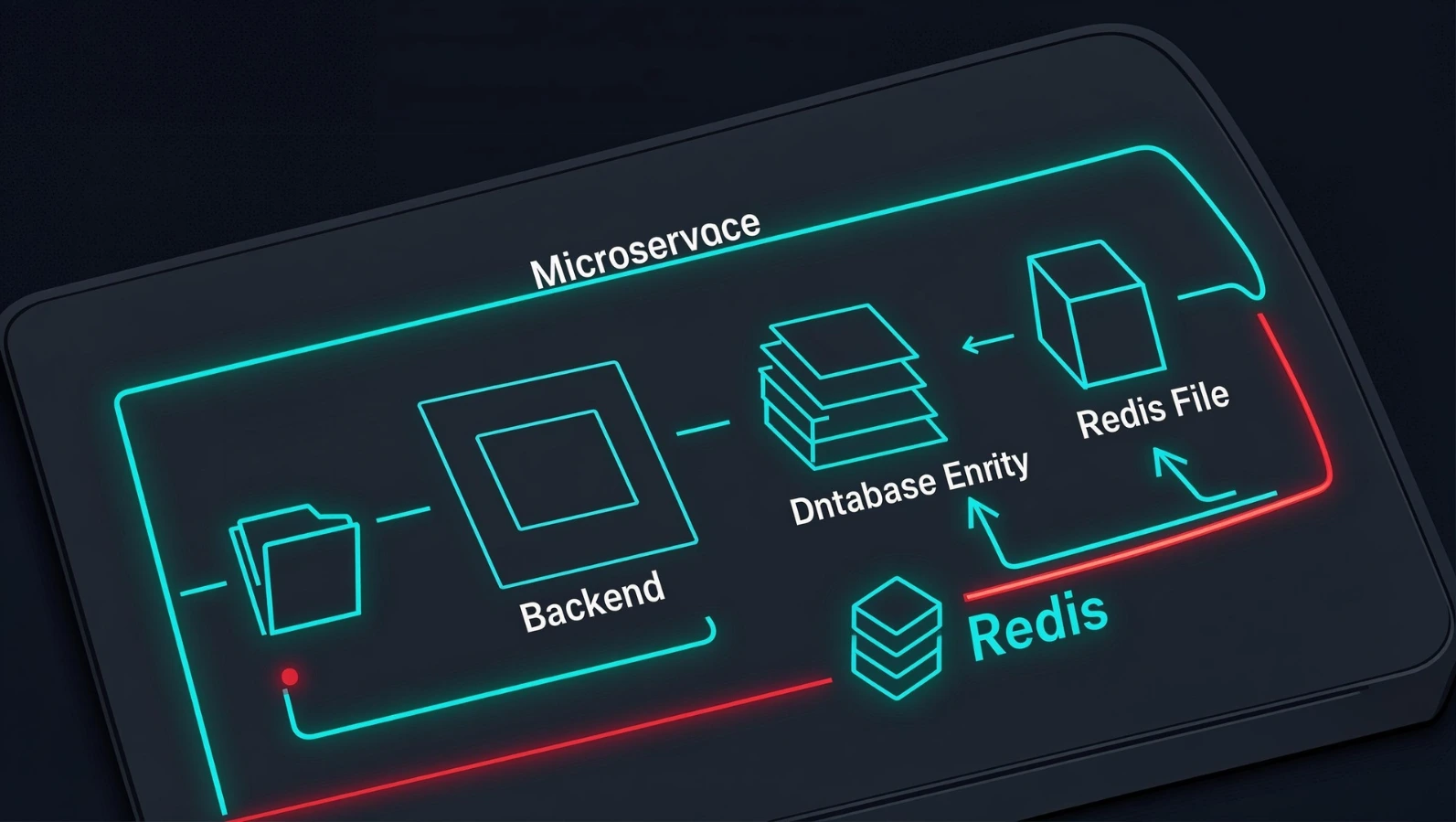
The meat of the document. Include:
A high-level architecture diagram
Data flow (what moves where, and when)
API contracts or interface changes
Storage and schema decisions
6. Alternatives Considered
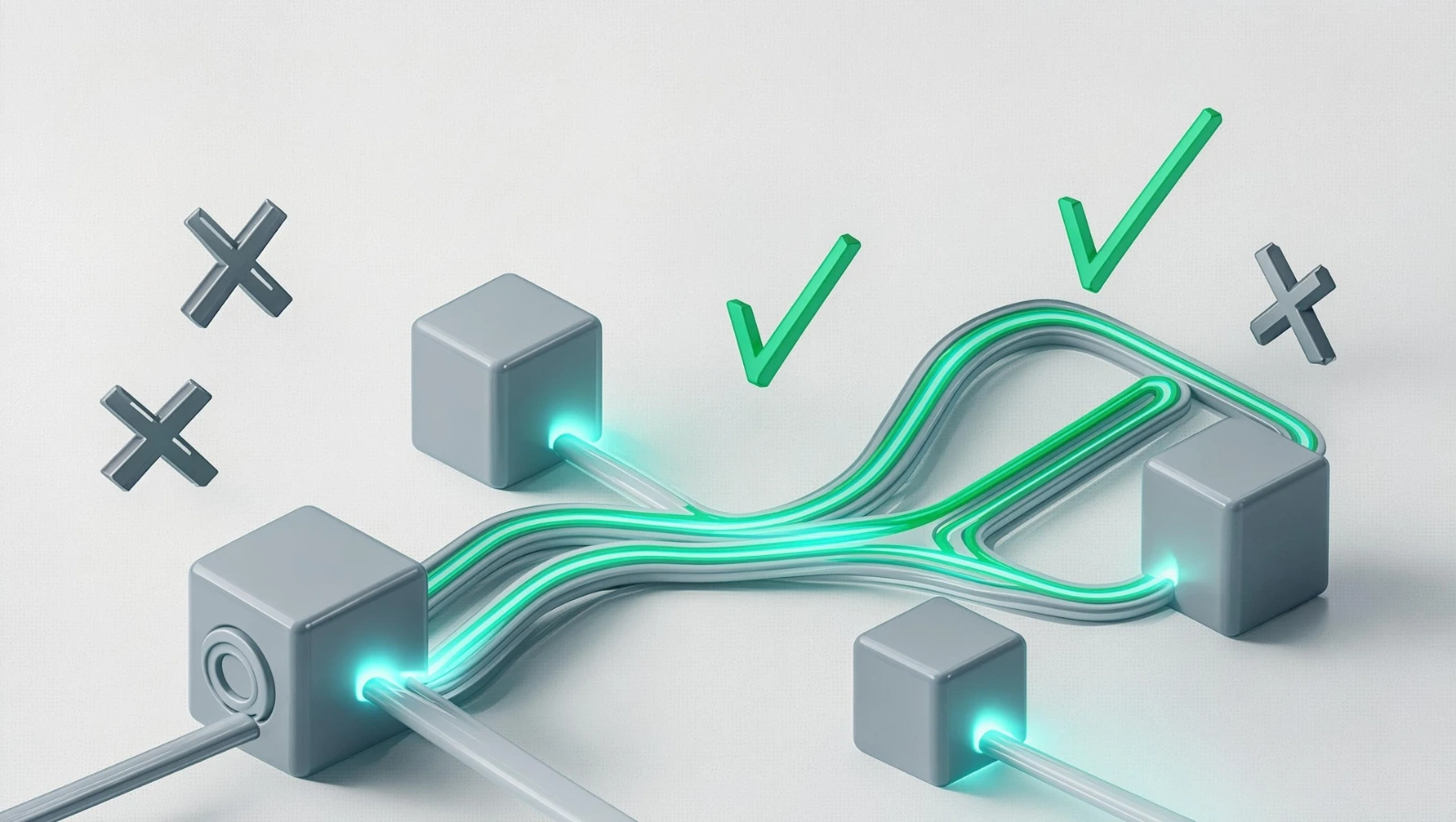
List at least two other approaches you evaluated, and why you didn't pick them. This is what separates a design doc from a pitch. Reviewers trust documents more when they can see the author actually weighed options.
7. Risks, Tradeoffs, and Open Questions
Be honest about what could go wrong. A design doc that claims zero risk reads as either naive or dishonest to an experienced reviewer.
8. Rollout Plan and Rollback Plan
How does this ship — feature flag, gradual rollout, dark launch? And critically: how do you undo it if it goes wrong in production?
9. Security, Privacy, and Compliance Considerations
Even a short paragraph here (does this touch PII, does this need a security review) saves a painful retroactive conversation later.
10. Appendix / References
Links to related docs, benchmarks, prior incidents, or related systems.
Sections to Add for Bigger or Riskier Projects
The ten sections above cover most design docs. For larger, cross-team, or production-critical projects, engineers who've written design docs for years at companies like Google and Microsoft also recommend adding:
Service Level Objectives (SLOs). Vague goals like "fast" or "reliable" don't survive review. Put a number on it: p50/p95 latency targets, uptime targets, throughput targets. An SLO turns a subjective debate ("is this fast enough?") into an objective one ("does it hit 200ms at p50?").
Monitoring and alerting. Decide before launch what will page someone if things go wrong — not after the first incident teaches you the hard way.
Security. What's the attack surface? Where does untrusted data cross into a more trusted system? Even a short paragraph stating "we considered X threat and mitigated it with Y" is enough for most features.
Privacy. What sensitive data does the system touch, how long is it retained, and who can access it?
Logging. What events get logged, at what severity, and for how long? This is boring until you're debugging a production incident at 2 a.m. and wish you'd thought about it earlier.
Open issues vs. resolved issues. Keep a running list of unresolved questions while you write the doc. When you resolve one, move it (with the reasoning) into a "resolved issues" section instead of deleting it — that history is often more valuable than the final decision itself.
Scenarios. A short numbered walkthrough of how a real user or system interacts with what you're building. Goals tell a reviewer the destination; a scenario shows them the actual path, which catches gaps that abstract goals don't.
A useful filter for deciding how much detail any of these sections need: ask what the cost of getting that particular decision wrong actually is. A decision that's cheap to reverse later (like whether a list paginates at 20 or 50 items) doesn't deserve design-doc space. A decision that's expensive to reverse — your database, your core data model, your primary programming language — deserves real scrutiny, because nobody is rewriting 200,000 lines of production code because the design doc glossed over it.
Two Self-Review Tests Before You Send It Out
Before sending a draft to reviewers, run it through two tests:
The Skeptic Test. Reread your own doc pretending to be the most skeptical reviewer on your team. What would they push back on? Address those objections in the doc itself instead of waiting to be asked.
The Vacation Test. If you disappeared on a no-internet vacation the day after finishing this doc, could a teammate implement it correctly without you? If the answer is no, the doc isn't done — it's a sketch that lives in your head, with a few notes attached.
A Real-World Example (Annotated)
Here's a shortened, realistic example for a hypothetical feature — a rate limiter for a public API:
Problem: Our public API has no per-customer rate limiting. One customer's misbehaving integration took down shared infrastructure for 40 minutes last month.
Goals: Enforce per-API-key rate limits with configurable thresholds. Return clear 429 responses with retry-after headers.
Non-goals: Building a billing-tier-based quota system (separate project). Rate limiting at the CDN layer (handled by infra team separately).
Proposed design: Token bucket algorithm implemented in Redis, checked at the API gateway layer before requests reach application servers. Each API key gets a bucket; refill rate configurable per customer tier.
Alternatives considered:
In-memory rate limiting per server instance — rejected because it doesn't work correctly behind a load balancer with multiple instances.
Database-backed counters — rejected due to latency overhead on every request; Redis is far faster for this access pattern.
Risks: Redis becomes a new single point of failure for all API traffic if not configured with proper failover. Mitigation: fail open (allow requests) if Redis is unreachable, rather than failing closed.
Notice what makes this work: it's specific, it shows real alternatives, and it admits the failure mode instead of hiding it.
Best Practices for Writing a Software Design Document
- Write it before you start coding, not after. A design doc written post-implementation is just documentation wearing a design doc's name. It can't change anything anymore.
- Keep it to 2–6 pages for most features. Length should scale with risk and complexity, not with how much you want to demonstrate effort. A one-page doc for a small feature is correct, not lazy.
- Lead with the problem, not the solution. Reviewers who don't understand the problem can't meaningfully evaluate the solution.
- Use diagrams that show flow and failure, not just structure. A box-and-arrow diagram of services tells reviewers less than a sequence diagram showing what happens when step 3 times out.
- Name the alternatives you rejected. This single section does more to build reviewer trust than any other part of the document.
- Get review from someone who will disagree with you. A design doc only reviewed by people who already agree with the approach isn't really reviewed.
- Set a status and revisit it. Mark stale docs as deprecated. An "approved" doc describing a system that no longer works that way actively misleads new engineers.
- Write for someone who joins the team in a year. They're your real audience more often than the people reviewing it today.
Common Mistakes (And Why They Happen)
| Mistake | Why It Happens | How to Avoid It |
|---|---|---|
| Writing the doc after the code is done | Pressure to ship fast, design doc treated as a checkbox | Block time for design review before sprint planning assigns the work |
| No goals/non-goals section | Authors assume scope is "obvious" | Explicitly write non-goals even when they feel redundant |
| No alternatives considered | Author is confident in their first idea | Force yourself to list two alternatives, even weak ones |
| Document is 20+ pages | Trying to cover every detail to avoid questions | Move implementation-level detail to code comments or a follow-up doc |
| No rollback plan | Optimism bias — assuming the rollout will go fine | Always answer "how do we undo this in production" before approval |
| Diagrams show structure but not failure modes | Diagramming tools default to static architecture views | Add a second diagram specifically for the failure/retry path |
Advanced Tips
- Time-box the review period. A design doc that sits in review for three weeks loses momentum and often gets implemented anyway out of frustration. Set an explicit review deadline.
- Separate "decided" from "open question" visually. Bold or flag open questions so reviewers know exactly where their input is still needed, instead of re-litigating settled decisions.
- Reuse a template religiously. Teams that use a consistent template review docs faster because reviewers know exactly where to find the risk section, the alternatives section, and so on.
- Pair the design doc with a short Loom or live walkthrough for complex systems. Some reviewers absorb architecture faster verbally; a 5-minute walkthrough can surface objections that a written doc alone wouldn't catch as quickly.
- Link design docs to the eventual PR. This creates a traceable record from decision to implementation, which is invaluable during incident postmortems.
Software Design Document vs. Other Documentation Types
| Document Type | When It's Written | Primary Audience | Main Question It Answers |
|---|---|---|---|
| Product Requirements Document (PRD) | Before design | Product, design, leadership | What should we build and why? |
| Software Design Document | Before implementation | Engineers, tech leads | How will we build it, and what are the tradeoffs? |
| API Documentation | After or during implementation | Other engineers, integrators | How do I use this system? |
| Architecture Decision Record (ADR) | At the moment of a specific decision | Engineering org | Why did we choose X over Y for this one decision? |
| Runbook | Before/during production operation | On-call engineers | What do I do when this breaks? |
A useful way to think about it: a PRD is the "what," a design doc is the "how and why," an ADR is a smaller decision-specific cousin of the design doc, and a runbook is what you need at 2 a.m. when the design doc's assumptions turn out to be wrong.
Community Insights
Discussions among engineers on forums like Hacker News and engineering subreddits tend to converge on a few recurring themes about design docs:
- The most common complaint is design docs that exist purely as a formality, written after code is merged, with no real influence on the outcome. Engineers consistently say this kills enthusiasm for the practice faster than anything else.
- The most common praise goes to short, focused docs — engineers frequently say a one-to-three-page doc that clearly states tradeoffs is far more valuable than an exhaustive document nobody finishes reading.
- A recurring tension exists between startups (where heavy documentation feels like overhead that slows shipping) and larger orgs (where the lack of a paper trail becomes a real liability once teams scale past a dozen engineers). Most experienced engineers suggest scaling the practice with team size rather than applying one standard everywhere.
- Several engineers note that the "alternatives considered" section is the part most often skipped under deadline pressure — and also the part most often missed when something goes wrong later, because reviewers can't reconstruct why a riskier option was avoided.
- A long-running debate exists over whether a design's goal is to be "optimal" or merely "sufficient." One side of a notable Hacker News discussion argued that calling a design "optimal" overstates what's realistic, since real designs are compromises between conflicting constraints like latency, cost, and simplicity — there's rarely a single best answer, only acceptable tradeoffs made explicit. The practical takeaway either way: name your tradeoffs instead of pretending your design has none.
- Amazon's well-known "silent reading" meeting practice also surfaces often in these discussions: meetings open with everyone reading the document together in silence before discussing it, rather than assuming people read it beforehand. Defenders say this works because, in practice, almost nobody actually does the pre-reading homework, so building the reading time directly into the meeting guarantees everyone is actually caught up before the discussion starts.
- Critics call it an inefficient use of synchronous time that a stronger pre-read culture would fix — but multiple engineers who've experienced both note the "ideal" pre-read culture rarely survives contact with a calendar full of back-to-back meetings.
- A recurring suggestion for keeping docs from going stale after approval is pairing them with lightweight Architecture Decision Records (ADRs) — short, dated records that live next to the code and capture one specific decision, its context, and its status. When the original design doc's assumptions change, the ADR gets superseded instead of leaving a stale, misleading document as the only record.
- Several commenters pointed out a structural failure mode: design docs that consist only of a description of the proposed system, with no problem statement or goals section. Reviewers say there's very little useful feedback to give on a doc like that — you can comment on the design, but not on whether it actually solves the right problem, because the doc never says what the problem is.
Using AI Tools to Help Write Design Docs
AI assistants can speed up the drafting process — generating a first-pass structure, suggesting diagram descriptions, or tightening prose. They're genuinely useful for:

- Turning rough bullet notes into a coherent first draft
- Drafting the "alternatives considered" section once you describe the options out loud
- Summarizing a long Slack thread of architecture debate into a clean problem statement
Where they fall short: the actual judgment behind tradeoffs, risk assessment, and scope decisions has to come from someone who understands the system and the team's constraints. An AI tool doesn't know that your Redis cluster has a history of failing during traffic spikes, or that your team already tried and abandoned a similar approach two years ago. Use AI to accelerate the writing, not to replace the thinking.
Future Outlook
As more engineering teams adopt async-first workflows and distributed/remote setups, written design docs are likely to become more important, not less — they're one of the few artifacts that let a geographically spread team reach consensus without needing everyone in the same meeting. A practical writing guide published in mid-2026 by an engineer with design-doc experience at both Google and Microsoft makes a related point worth highlighting: the right amount of investment in a design doc isn't fixed — it scales with how expensive a wrong decision would be to undo, and for some small projects, the right amount of design-doc effort is genuinely zero.
Expect continued convergence on lightweight templates (closer to a one-pager with strong defaults) rather than the heavier, multi-week design review processes some large companies used historically, as more teams optimize for speed without losing the core benefit: decisions made deliberately, on paper, before code.
FAQ
Most effective ones run 2–6 pages. Length should match the risk and complexity of what you're building, not an arbitrary page count.
At least one senior engineer unfamiliar with the implementation details, plus anyone who owns a system your design touches or depends on.
They're closely related and often used interchangeably. A design doc usually focuses more on decisions and tradeoffs; a technical spec can go deeper into exact implementation details.
Not always. A good rule of thumb: if the change touches multiple systems, involves a new data store, or could cause a production incident if wrong, write one. A small isolated bug fix usually doesn't need one.
An Architecture Decision Record usually documents one specific decision in isolation. A design doc is broader, covering the full proposed system or feature, often containing several decisions.
Pseudocode or short snippets illustrating a tricky algorithm or interface are fine. Full implementation code belongs in the codebase, not the doc.
That's normal and expected for non-trivial work. Update the doc's status or add an addendum noting what changed and why, so the document stays trustworthy as a historical record.
Keep them short, put the summary at the top, and make sure the doc genuinely influences the outcome — engineers stop reading documents they've learned don't matter.
A rough timeline can be useful context, but a detailed project plan belongs in your project management tool, not the design doc itself.
Most teams use whatever they already use for docs — Google Docs, Notion, Confluence, or Markdown files in a repo. The tool matters far less than having a consistent template and an actual review step.
Resolve it in writing within the doc itself when possible (state both options and the final decision with reasoning) so the resolution is preserved, not just remembered.
Yes — documenting an existing system's design retroactively is valuable, though it's technically closer to an architecture document than a pre-implementation design doc.
Reviewers raised real objections and the document changed in response. If every review results in zero changes, either the doc was too vague to critique or reviewers aren't actually engaging with it.
Product managers and designers often benefit from reading the summary and goals/non-goals sections, even if the architecture details aren't relevant to them.
Focus the "context" section on documenting current behavior and known pain points first, then propose changes — treat it as part design doc, part archaeology.
Treat it as aiming for "sufficient given the constraints," not theoretically optimal. Real designs trade off cost, latency, simplicity, and time — there's rarely one objectively best answer, so the more useful goal is making your tradeoffs explicit rather than claiming you found the perfect solution.
An SLO (service level objective) turns a vague adjective into a number — for example, "p95 latency under 300ms" instead of "fast." Numbers prevent disagreements from surfacing only after the system ships and someone's definition of "fast" turns out to be very different from yours.
Google Docs and Confluence remain common for inline-commenting workflows. Markdown-first teams increasingly use tools like Notion or HackMD that support comments and resolution threads while keeping content in plain text. The tool matters far less than having a consistent template and a habit of actually reading what's reviewed.
Conclusion
A software design document earns its place on a team the moment it prevents a costly mistake from reaching production — and a well-run engineering team accumulates that proof quickly. The format doesn't need to be elaborate: a clear problem statement, honest goals and non-goals, a proposed architecture with alternatives you actually considered, and a rollback plan will outperform a 30-page document nobody finishes reading.
If you're writing your first software design document, start small. Use the template above, keep it under six pages, and ask one person who'll disagree with you to review it before you write a single line of code. That habit, repeated across a team, is what separates engineering orgs that move fast safely from ones that keep relearning the same lessons in production.