Quick Answer: A Claude Code sync error occurs when the CLI fails to synchronize your account, settings, or session with Anthropic's servers. Run 'claude auth login', clear local config cache, check network connectivity, and verify your API key is valid.

1. What Is a Claude Code Sync Error?
Claude Code is Anthropic's official CLI and agentic coding tool. It maintains a local session that stays in sync with your Anthropic account, API credentials, and settings profile. A sync error means that the local state and the remote Anthropic backend have fallen out of agreement usually because of an expired token, a network interruption, a stale config file, or a version mismatch.
The fastest solution in most cases: run 'claude auth login' in your terminal, complete the OAuth flow, and try again.
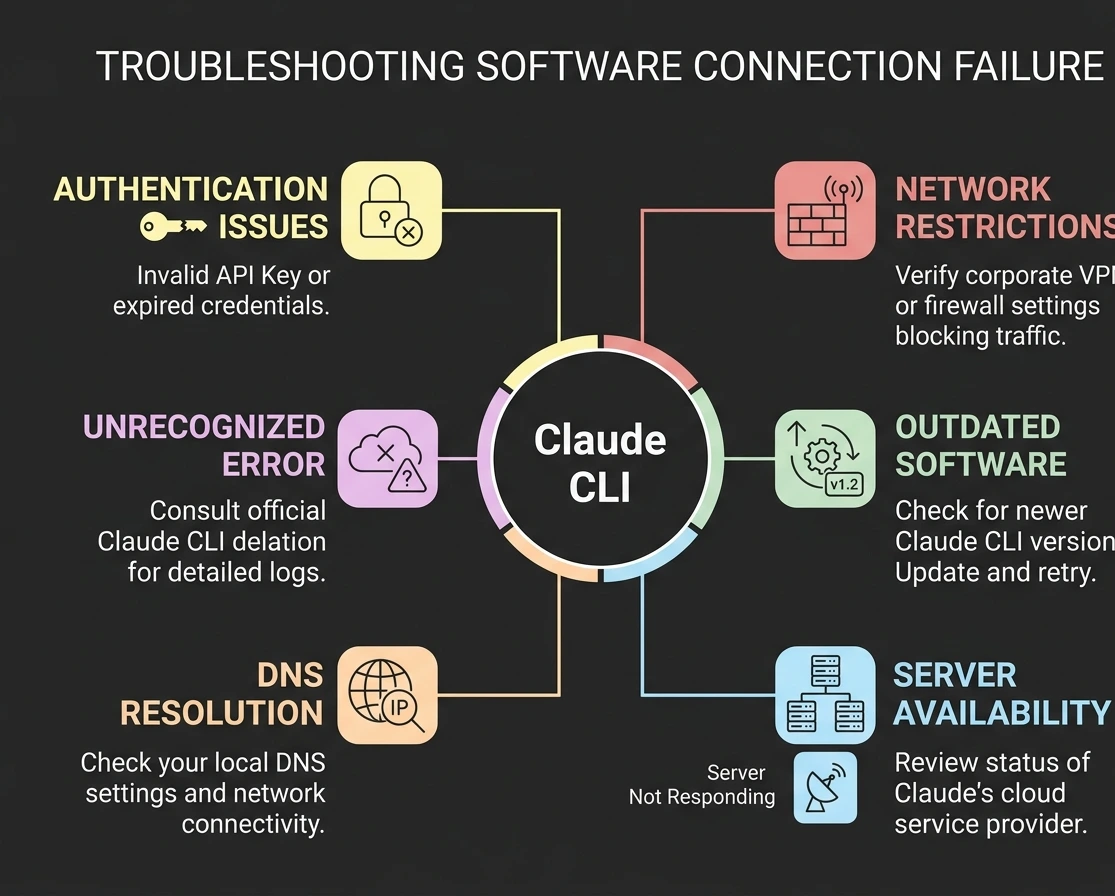
2. Why Does This Happen? All Known Causes
1. Expired or Invalid Authentication Token
Claude Code stores an OAuth token or API key locally. Tokens expire, get revoked, or become invalid after a password change or account permission update. This is the single most common cause.
2. Corrupted or Stale Config File
The local ~/.claude/ directory stores session state, preferences, and credentials. If this file becomes corrupted, sync will consistently fail.
3. Network Connectivity Problems
Claude Code communicates with api.anthropic.com. Corporate VPNs, firewalls, overly aggressive proxies, or internet outages all block this communication.
4. Outdated Claude Code Version
Older versions may use deprecated authentication endpoints or outdated sync protocols that the backend no longer supports.
5. Node.js Version Too Old (New — From Official Docs)
Claude Code requires Node 18 or later. If your system runs an older version, Claude Code will crash silently or refuse to sync. Check with 'node -v' and upgrade via 'nvm install --lts' if needed.
6. API Key Scope or Rate Limit Issues
If authenticating via API key, it may have insufficient permissions, hit usage limits, or belong to an organization you've been removed from.
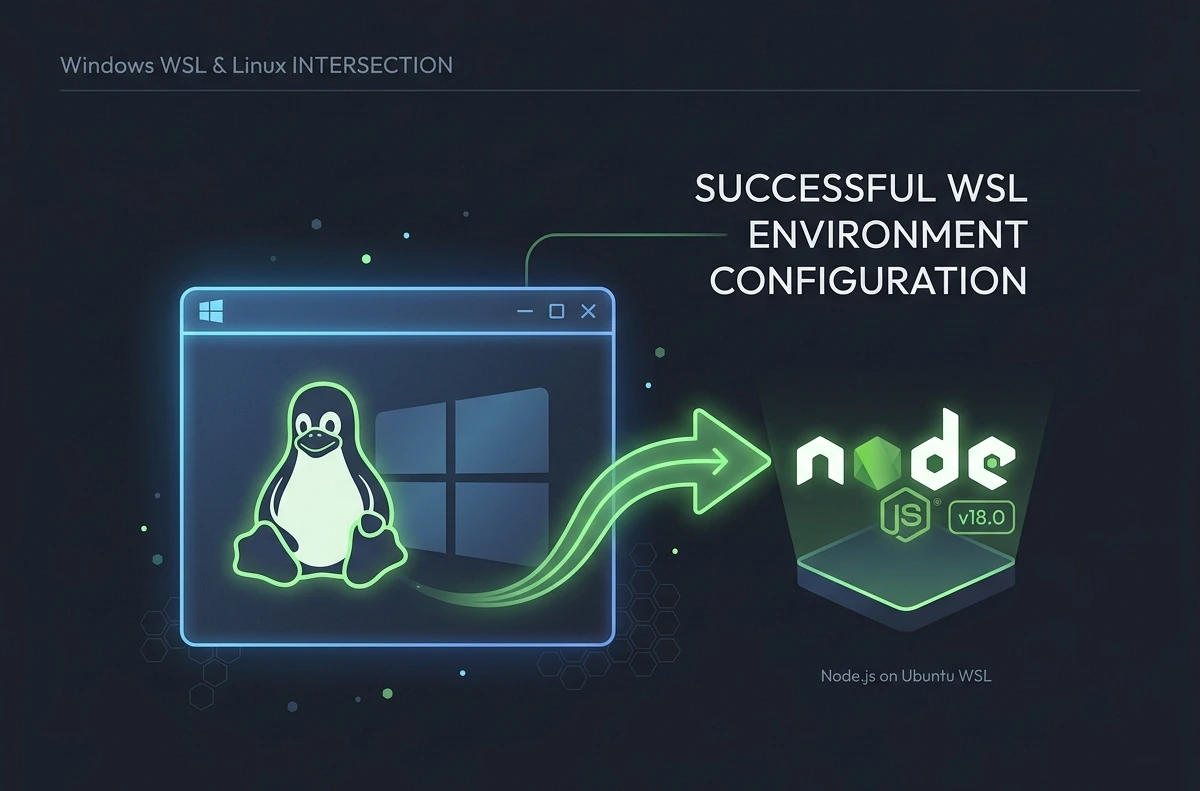
7. WSL PATH Conflict (Windows Users)
On Windows Subsystem for Linux (WSL), Windows PATH leaks into Linux and overrides nvm, causing Claude Code to use the wrong Node.js binary. Fix: add 'export PATH="$HOME/.nvm/versions/node/$(nvm current)/bin:$PATH"' to ~/.bashrc.
8. Browser Callback Blocked During /login
When running 'claude auth login' over SSH, in devcontainers, or behind strict firewalls, the localhost callback is blocked and authentication hangs at 'Waiting for authentication…'. Use the manual flow: copy the URL, complete login in any browser, then paste the returned code back into the terminal.
9. OAuth Session Takes Precedence Over API Key
If you set ANTHROPIC_API_KEY but previously ran /login, the OAuth session overrides the key. Run /logout first, then re-set your key.
10. Concurrent Session Conflicts
Running multiple Claude Code instances simultaneously can cause session token conflicts, especially when both attempt a settings sync at the same time.
11. Proxy or SSL Interception
Enterprise environments that perform SSL inspection break Claude Code's TLS certificate validation, causing sync to fail with SELF_SIGNED_CERT_IN_CHAIN or similar errors.
3. Common Error Messages Reference
Error Message | Meaning | Severity | Recommended Fix |
Synchronization failed | General sync failure | High | Re-authenticate; check network |
Account sync issue detected | Session token mismatch | High | Run claude auth login |
Authentication required | Token expired or missing | High | Run claude auth login |
Network request failed | Cannot reach Anthropic API | High | Check firewall, proxy, VPN |
API key invalid or expired | Key revoked or wrong scope | High | Generate new key in Console |
SELF_SIGNED_CERT_IN_CHAIN | Corporate SSL interception | Medium | Set NODE_EXTRA_CA_CERTS |
Not authenticated (with ANTHROPIC_API_KEY set) | OAuth session overriding key | High | Run /logout, then re-set key |
Waiting for authentication… | Localhost callback blocked | High | Use manual login flow |
Node version not supported | Node.js too old (<18) | High | nvm install --lts |
Rate limit exceeded | Too many sync requests | Low | Wait and retry; check limits |
Config file corrupted | Local config unreadable | Medium | Delete ~/.claude/config.json |
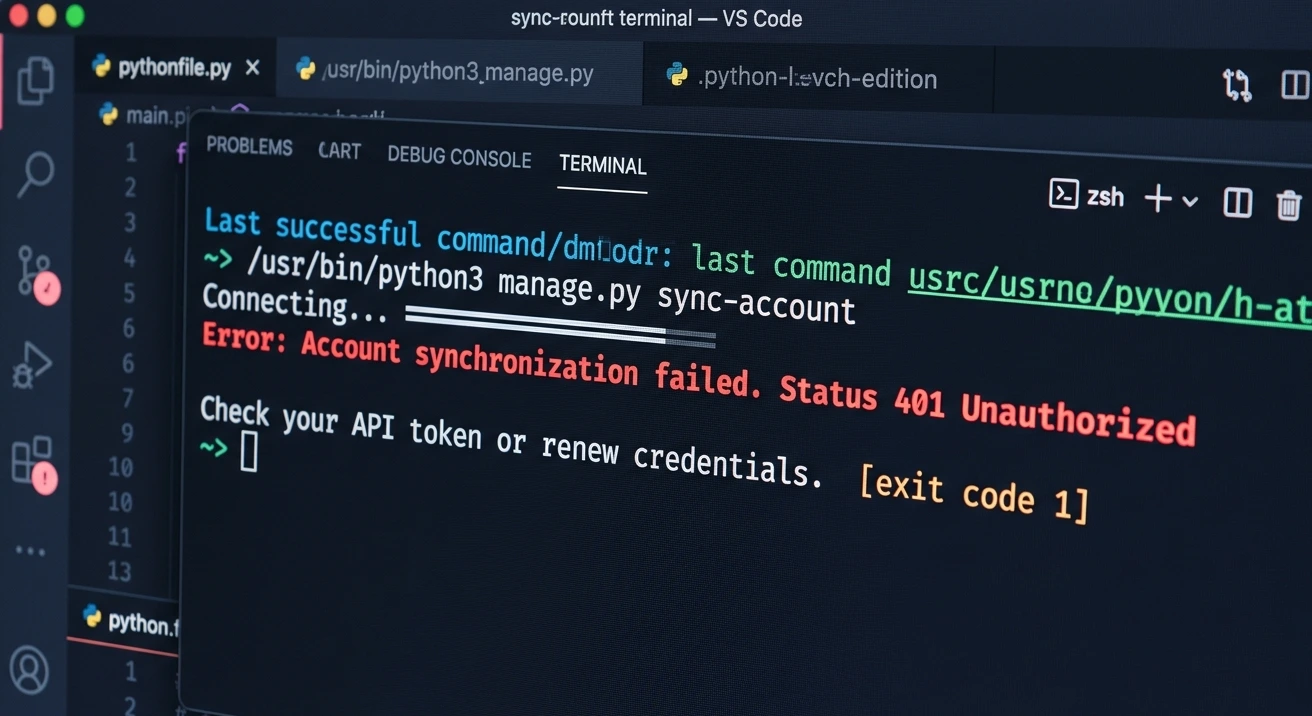
Unauthorized (401) | Key lacks permissions | High | Verify key scope in Console |
Model not available (403) | No access to model | Medium | Check seat/model activation |
Service unavailable (503) | Anthropic backend down | Low | Check status.anthropic.com |
4. Quick Fix Checklist
Run through this checklist first. Most sync errors resolve at step 1 or 2.
Re-authenticate: 'claude auth login' or 'claude auth set-key YOUR_KEY'
Check internet: 'curl -I https://api.anthropic.com' — expect 200 OK
Check Node.js version: 'node -v' — must be v18 or later
Update Claude Code: 'npm update -g @anthropic-ai/claude-code'
Verify API key in console.anthropic.com is active
Disable VPN temporarily and retry
Clear config cache: delete ~/.claude/ directory (back up first)
Run 'claude doctor' — prints a full diagnostic report
Check Anthropic status: status.anthropic.com
5. Step-by-Step Solutions
Fix 1: Re-authenticate Your Account
When to use: 'account sync issue', 'authentication required', or 'synchronization failed' after not using Claude Code for a while or after a password change.
claude auth login
claude auth set-key sk-ant-YOUR_KEY_HERE
claude auth status
Expected result: claude auth status returns your account email and active session.
Fix 2: Clear Local Config Cache
When to use: sync fails consistently despite valid credentials, or 'config file corrupted' errors.
cp -r ~/.claude ~/.claude_backup
rm -rf ~/.claude
claude auth login
Windows PowerShell:
Copy-Item -Recurse "$env:USERPROFILE\.claude" "$env:USERPROFILE\.claude_backup"
Remove-Item -Recurse -Force "$env:USERPROFILE\.claude"
Note: If settings sync is enabled, your settings are stored remotely and will re-sync after re-authentication.
Fix 3: Validate and Rotate Your API Key
When to use: '401 Unauthorized', 'API key invalid', or sync failed after recently rotating keys.
Go to console.anthropic.com → API Keys
Confirm key is Active (not revoked or expired)
Check the key's workspace — ensure it belongs to the correct organization
claude auth set-key sk-ant-YOUR_NEW_KEY_HERE
echo $ANTHROPIC_API_KEY # Check if old key overrides stored key
Important: If you previously ran /login, run '/logout' before setting a key — otherwise the OAuth session takes precedence.
Fix 4: Fix Node.js Version (New — From Official Docs)
Claude Code requires Node 18 or later. This is a frequently overlooked cause of silent crashes and sync failures.
node -v # Check current version
nvm install --lts # Install latest LTS via nvm
nvm use --lts
Alternative: Use the curl installer which bundles its own runtime and avoids Node version issues entirely.
Fix 5: Fix WSL PATH Conflict (Windows)
When to use: Claude Code uses Windows Node instead of Linux Node in WSL.
# Add to ~/.bashrc:
export PATH="$HOME/.nvm/versions/node/$(nvm current)/bin:$PATH"
source ~/.bashrc
Fix 6: Fix Browser Login Callback Blocked
When to use: 'Waiting for authentication…' hangs in SSH, devcontainers, or strict firewalls.
Copy the URL printed in the terminal
Complete login in any browser (including on another machine)
Paste the returned code back into the terminal
This manual flow bypasses the need for a localhost callback.
Fix 7: Check and Fix Network Issues
curl -I https://api.anthropic.com
curl -v https://api.anthropic.com 2>&1 | head -40
nslookup api.anthropic.com
Behind a corporate proxy:
export HTTPS_PROXY=http://your-proxy-server:port
export HTTP_PROXY=http://your-proxy-server:port
If VPN is active: try disabling temporarily. Ask IT to whitelist *.anthropic.com if needed.
Fix 8: Update Claude Code to Latest Version
claude --version
npm update -g @anthropic-ai/claude-code
npm uninstall -g @anthropic-ai/claude-code && npm install -g @anthropic-ai/claude-code
Fix 9: Fix npm EACCES Permission Error
When to use: npm install fails with 'EACCES' or 'permission denied'.
Do NOT use sudo. Instead:
npm config set prefix ~/.npm-global
echo 'export PATH=~/.npm-global/bin:$PATH' >> ~/.bashrc
source ~/.bashrc
npm install -g @anthropic-ai/claude-code
Fix 10: Fix Proxy and SSL Interception Issues
export NODE_EXTRA_CA_CERTS=/path/to/corporate-ca-bundle.crt
export HTTPS_PROXY=http://username:password@proxy-server:port
Add to ~/.bashrc or ~/.zshrc to persist. For VS Code's integrated terminal, also add to terminal.integrated.env settings.
Fix 11: Fix 403 'Model Not Available'
Your account exists but doesn't have access to the model Claude Code is requesting.
For Enterprise seats: confirm your seat is active in organization admin settings
On Bedrock or Vertex: confirm the specific Claude model is enabled in that region
Quick workaround: run '/model' and select a model you have access to
6. Advanced Troubleshooting
Run 'claude doctor'
This is the fastest built-in diagnostic tool. Run it from your normal shell (not inside a Claude session):
claude doctor
It prints a complete diagnostic report you can attach to a support ticket. Always try this before filing a bug report.
Enable Debug Logging
CLAUDE_LOG_LEVEL=debug claude auth login
DEBUG=* claude sync
Add CLAUDE_LOG_LEVEL=warn to your shell profile for persistent early-warning logging without verbose noise.
Inspect Raw Config Files
cat ~/.claude/config.json
python3 -m json.tool ~/.claude/config.json # Validate JSON
If python3 -m json.tool returns a parse error, your config is corrupted. Delete and reinitialize.
Isolate the Issue With a Minimal API Test
curl -H "x-api-key: $ANTHROPIC_API_KEY" \
-H "anthropic-version: 2023-06-01" \
-H "content-type: application/json" \
-d '{"model":"claude-haiku-4-5-20251001","max_tokens":10,"messages":[{"role":"user","content":"hi"}]}' \
https://api.anthropic.com/v1/messages
If this returns a valid response, your API key and network are fine — the issue is with Claude Code's local config.
Check Active Claude Code Processes
ps aux | grep claude
pkill -f claude-code
Windows: Get-Process | Where-Object {$_.Name -like "*claude*"} | Stop-Process
For Bedrock / Vertex Authentication
Claude Code uses standard AWS/GCP SDK provider chains.
Bedrock: run 'aws sts get-caller-identity' and ensure AWS_REGION is set to a region where your model is enabled
Vertex: run 'gcloud auth application-default login' and ensure GOOGLE_CLOUD_PROJECT is set
7. Is It Really Down? Outage vs. Local Problem
Before assuming a service outage, confirm by testing through multiple methods:
Try the web interface at claude.ai — if it works, the issue is local to your CLI/IDE
Try a direct API curl call (see isolate test above)
Test from a different network (e.g., mobile hotspot vs. corporate WiFi)
Check status.anthropic.com — look beyond simple green/red; click specific service components
Check Anthropic Discord or X/@AnthropicAI for user reports before the status page updates
Understanding Error Codes: Outage vs. Your Issue
HTTP Code | Meaning | Outage? | Action Required |
400 | Bad Request — malformed request from your code | No | Fix your request format |
401 | Unauthorized — key missing or revoked | No | Re-authenticate |
403 | Forbidden — no permission or wrong model | No | Check subscription/seat |
404 | Not Found — wrong or deprecated endpoint | Partial | Update to current API URL |
429 | Too Many Requests — rate limited | No | Back off; don't retry immediately |
500 | Internal Server Error — Anthropic server fault | Yes | Retry with exponential backoff |
502 | Bad Gateway — load balancer issue | Yes | Retry with exponential backoff |
503 | Service Unavailable — throttled/overloaded | Yes | Wait; check status page |
504 | Gateway Timeout — request too slow | Possible | Simplify request; retry |
8. IDE and VS Code Specific Fixes
VS Code Extension
Reload window: Ctrl+Shift+P → Developer: Reload Window
Sign out and sign back in from the extension's account panel
Clear extension cache: delete ~/.vscode/extensions/anthropic.claude-code-*/cache/
JetBrains
File → Invalidate Caches → Invalidate and Restart
VS Code Integrated Terminal — Environment Variables
VS Code's terminal may not inherit system proxy settings. Add directly to settings.json:
{ "terminal.integrated.env.linux": { "HTTPS_PROXY": "http://your-proxy:port", "NODE_EXTRA_CA_CERTS": "/path/to/ca.crt" } }
9. Common Mistakes to Avoid
Mistake | Consequence |
Using 'sudo npm install' for Claude Code | Creates EACCES errors; use npm config set prefix instead |
Ignoring Node.js version (running <18) | Silent crash or sync failure |
Running /login over SSH without using manual flow | Authentication hangs indefinitely |
Setting ANTHROPIC_API_KEY without running /logout first | OAuth session overrides your key |
Storing API key in plaintext .env committed to Git | Key gets exposed and revoked by Anthropic's secret scanning |
Running rm -rf ~/.claude without backing up | Loss of all custom settings and session data |
Setting NODE_TLS_REJECT_UNAUTHORIZED=0 globally | Security vulnerability; disables all TLS validation |
Using personal API key in team/enterprise workspace | Sync fails when key lacks org-level permissions |
Running multiple Claude Code sessions simultaneously | Token conflicts cause intermittent sync failures |
Misreading '429 rate limit' as a server outage | Wastes time; requires backing off, not waiting for Anthropic |
10. Best Practices to Prevent Sync Errors
Use a Dedicated API Key per Environment
Create separate API keys for development, staging, and CI/CD. If one gets compromised or rate-limited, the others remain functional.
Keep Claude Code Updated
# Weekly cron update (Sunday 9am):
0 9 * * 0 npm update -g @anthropic-ai/claude-code
For CI/CD — Skip Stored Config
In CI environments, set ANTHROPIC_API_KEY as a secret environment variable and authenticate non-interactively:
export ANTHROPIC_API_KEY=sk-ant-...
claude auth set-key $ANTHROPIC_API_KEY
Alias the Auth Check
alias cc-check="claude auth status && curl -s -o /dev/null -w 'API: %{http_code}' https://api.anthropic.com"
Rotate API Keys on a Schedule
Set a calendar reminder to rotate API keys every 90 days. Update ANTHROPIC_API_KEY in your shell profile and CI secrets immediately after rotation.
Build Retry Logic Into Integrations
Use exponential backoff for 500–599 errors: start at 1–2 seconds, double each retry, cap at 30–60 seconds, limit to 3–5 retries. Do NOT retry 400/401/403 — these require fixing, not retrying. Use circuit breakers to stop retrying during confirmed outages.
11. Troubleshooting Workflow
Follow this decision tree for fastest resolution:
Step 1: Is api.anthropic.com reachable? (curl -I https://api.anthropic.com) → NO: Fix network/proxy/VPN (Fix 7, Fix 10)
Step 2: Is Node.js v18+? (node -v) → NO: Upgrade via nvm install --lts (Fix 4)
Step 3: Is the API key valid? (curl raw API test) → NO: Rotate or re-enter key (Fix 3)
Step 4: Is Claude Code up to date? (claude --version) → NO: Update (Fix 8)
Step 5: Does re-authentication fix it? (claude auth login) → YES: Done
Step 6: Is config JSON valid? (python3 -m json.tool ~/.claude/config.json) → NO: Clear cache (Fix 2)
Step 7: Are multiple Claude Code instances running? → YES: Kill extras; retry
Step 8: Run 'claude doctor' and attach output to support ticket at support.anthropic.com
12. Frequently Asked Questions
It means the CLI failed to synchronize state with Anthropic's servers. It's almost always an authentication or network configuration issue that's fixable without data loss.
Common causes: an environment variable with an old API key overriding the stored one (check 'echo $ANTHROPIC_API_KEY'), a previous OAuth session overriding your key (run /logout), or system clock drift causing JWT validation to fail (run 'date' and sync with a time server).
Yes. An expired, revoked, or insufficient-scope key causes 401 responses, which Claude Code surfaces as a sync/authentication error. Always verify key status in the Anthropic Console first.
No — Claude Code requires an active connection to Anthropic's API. There is no fully offline mode.
Corporate networks route traffic through firewalls, proxies, or VPNs that block api.anthropic.com. Ask IT to whitelist *.anthropic.com. See Fix 7 and Fix 10.
Set ANTHROPIC_API_KEY as a secret environment variable and authenticate with 'claude auth set-key $ANTHROPIC_API_KEY'. Ensure the runner has outbound HTTPS access to api.anthropic.com.
Yes. JWT tokens are time-sensitive. If your system clock is off by more than a few minutes, token validation fails. Fix: 'sudo ntpdate -s time.nist.gov'.
'Sync failed' is a general failure with the Anthropic backend — usually network or auth. 'Settings sync error' means your local settings and remote profile have conflicting values that can't be automatically resolved.
Run 'claude doctor', capture the output, and file a support request at support.anthropic.com. Include your Claude Code version ('claude --version'), OS, error message verbatim, and the curl test result.
Most resolve within 15–30 minutes. Scheduled maintenance windows last 1–2 hours and are announced at least 48 hours in advance. Major incidents may last several hours.