Introduction
If you've been dropped mid-task with a wall of red text mentioning ETIMEDOUT, you're dealing with one of the most common and most misunderstood connectivity problems in Claude Code. The Claude Code ETIMEDOUT error means a network request from your machine to Anthropic's API never got a response before your connection gave up waiting.
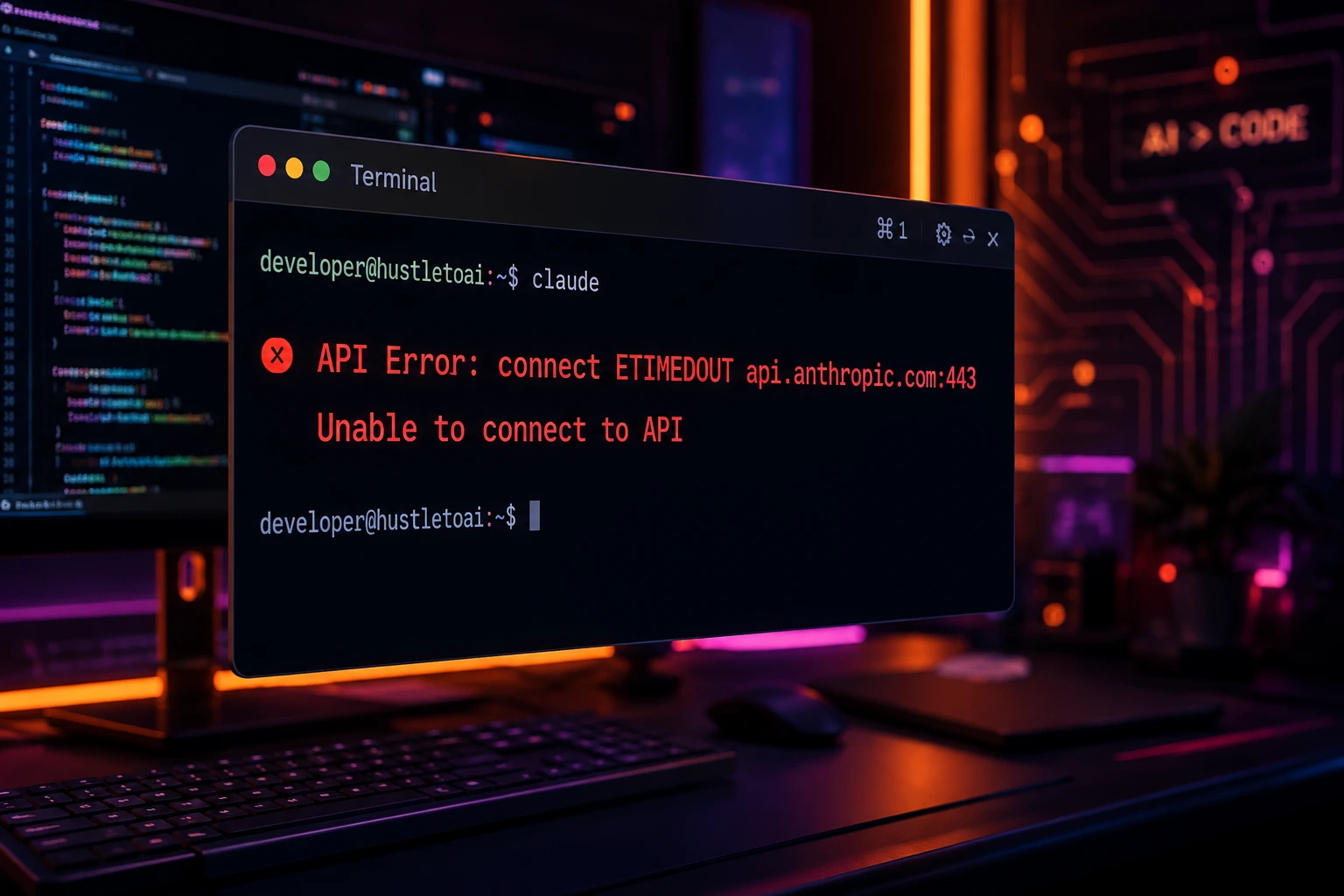
This isn't a bug in your prompt, your code, or your CLAUDE.md file. It's a low-level networking signal: the operating system's TCP stack tried to reach a server and timed out before completing the handshake or receiving data. In Node.js (which powers the Claude Code CLI), this shows up as the ETIMEDOUT error code.
Who runs into this? Developers on corporate networks with strict firewalls, anyone behind a proxy or VPN, remote/hybrid teams on unreliable Wi-Fi, CI/CD pipelines running in restrictive containers, and even home users with congested routers or DNS issues.
Why does it happen? Almost always because something between your machine and api.anthropic.com is blocking, dropping, or silently swallowing the connection a firewall rule, a misconfigured proxy, a broken DNS resolver, or basic network instability.
In this guide, you'll learn exactly what causes a claude code timeout error, how to recognize the symptoms, and a complete set of step-by-step fixes from the simple (restart, check your connection) to the advanced (environment variables, custom CA certificates, TLS diagnostics, and debug logging). By the end, you'll be able to diagnose and resolve cloude code connection timeout issues on your own, whether you're on a laptop at a coffee shop or running Claude Code inside a locked-down enterprise network.
What Causes This Problem?
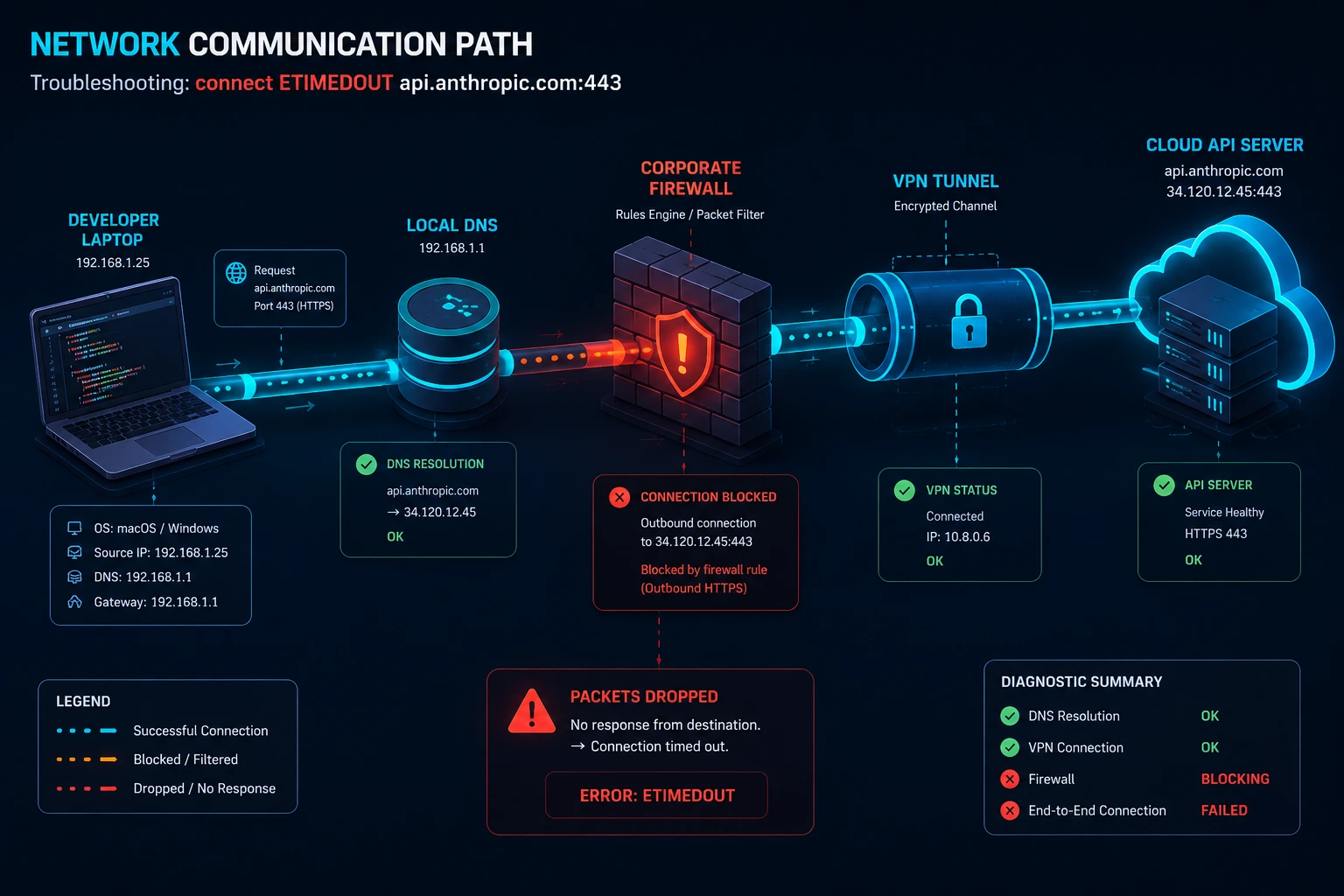
ETIMEDOUT is a generic TCP-level failure, which means it can come from several different layers of your networking stack. Here are the most common root causes behind claude code network timeout errors:
Cause | What's Happening |
General network instability | Packet loss, high latency, or an unstable Wi-Fi/mobile connection prevents the TCP handshake from completing in time. |
DNS resolution problems | Your system can't resolve api.anthropic.com to an IP address quickly enough, or resolves it to a stale/incorrect address. |
Firewall blocks | Corporate or OS-level firewalls silently drop outbound HTTPS traffic to Anthropic's servers instead of actively refusing it (a silent drop causes a timeout; an active block causes ECONNREFUSED). |
Proxy misconfiguration | HTTPS_PROXY/HTTP_PROXY variables point to the wrong host, a proxy that doesn't forward streaming connections properly, or a proxy that requires authentication Claude Code isn't sending. |
VPN interference | Full-tunnel VPNs add latency or route traffic through congested exit nodes, pushing requests past the timeout threshold. |
TLS-inspecting middleboxes | Corporate SSL inspection proxies intercept the handshake and stall it if the required CA certificate isn't trusted locally. Some older middleboxes also only negotiate TLS 1.2 while Claude Code's Node.js runtime tries TLS 1.3 first, which can surface as a handshake stall rather than a clean rejection. |
API/server-side slowness | During periods of high load, Anthropic's API can take longer to respond, though this typically produces a distinct "Request timed out" message rather than a raw connect-level ETIMEDOUT. |
Authentication delays | An apiKeyHelper script or SSO/MFA chain that hangs can indirectly stall the connection setup. |
Software bugs or outdated CLI versions | Older Claude Code builds have had known regressions around proxy handling (including NO_PROXY being ignored), which can cause requests to route incorrectly and time out. |
Restrictive container/CI network policies | Sandboxed environments (Docker, CI runners, cloud dev containers) often block outbound traffic by default, requiring explicit allowlisting of Anthropic's domains. |
Incorrect environment variable configuration | An overly short API_TIMEOUT_MS, a broken ANTHROPIC_BASE_URL, or conflicting proxy variables set in multiple places. |
Symptoms
Here's what a claude code timed-out failure typically looks like in the wild.
Terminal Output
API Error: connect ETIMEDOUT 160.79.104.10:443
or a wrapped, friendlier version:
Unable to connect to API.
Check your internet connection and proxy settings.
Retry Loop Behavior
Waiting for API response · will retry in 8s · check your network
Retrying in 16s · attempt 3/10
Command Failures
claude hangs indefinitely before producing any output.
claude -p "your prompt" in headless/CI mode exits non-zero with a connection error instead of a JSON result.
/status shows a valid, active credential, ruling out authentication as the cause.
Logs
Running with --debug often shows a raw Node.js-level socket error such as:
Error: connect ETIMEDOUT
    at TCPConnectWrap.afterConnect [as oncomplete]
If you see ECONNREFUSED instead of ETIMEDOUT, that's a different (and often easier) problem; it means something actively rejected the connection rather than silently dropping it. If you see a 401 or 403, that's authentication, not a network timeout at all.
What Claude Code's Own Error Messages Actually Mean
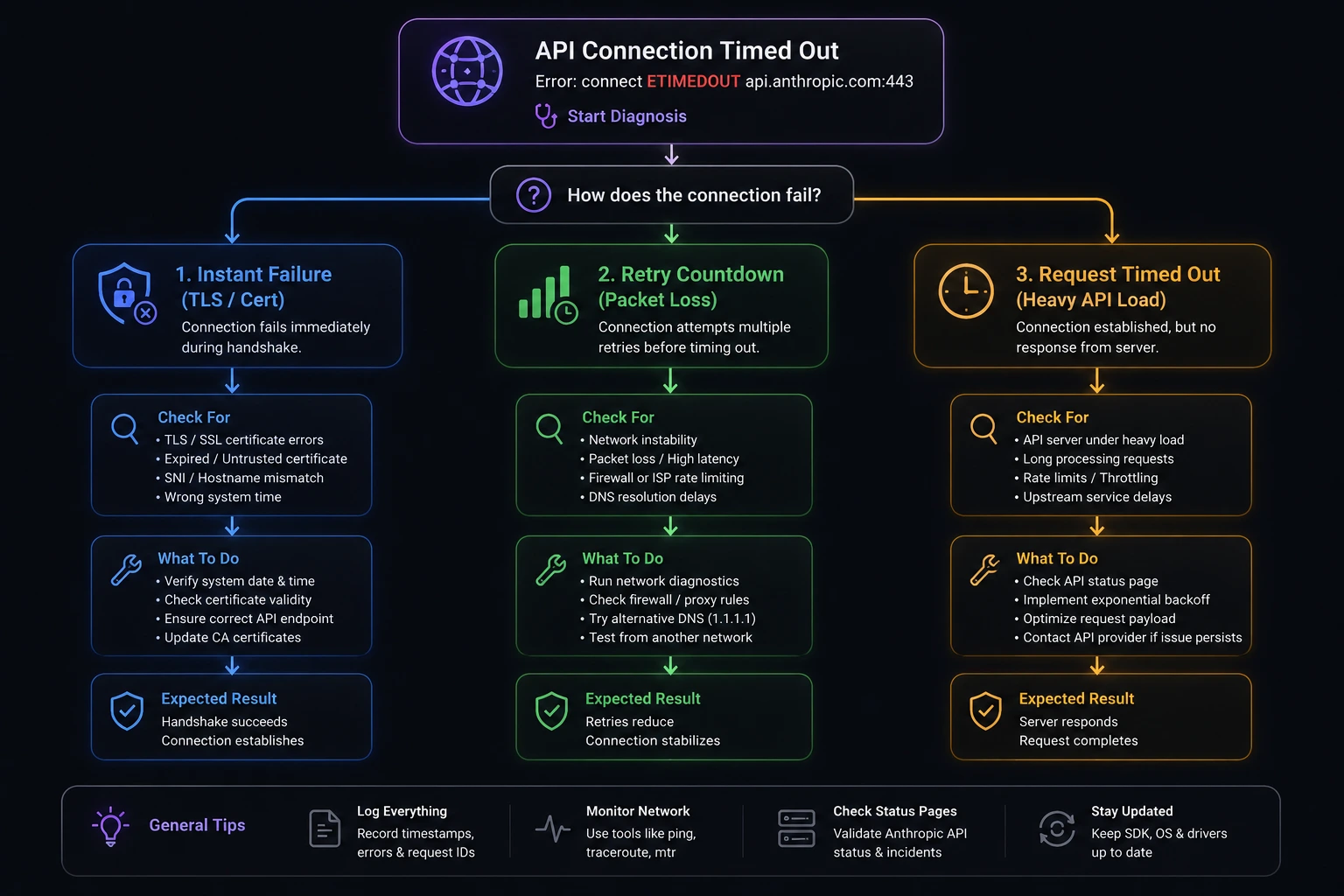
Anthropic's official error reference is worth knowing well, because Claude Code doesn't always print a raw ETIMEDOUT—it often wraps the failure in one of its own labeled messages. Matching the exact wording you see to the right category saves you from chasing the wrong fix.
The "Unable to connect to API" family
Claude Code groups several distinct network failures under friendlier labels, each ending with the underlying error code in parentheses so you can still identify the raw cause:
Unable to connect to API
Connection refused — (...)
Can't reach the API server — (...)
No internet route — (...)
Couldn't connect through your proxy — (...)
Connection dropped — (...)
These are all connection-layer failures the same family ETIMEDOUT belongs to—so the fixes in this guide (proxy, DNS, firewall, TLS) apply to any of them.
"Request timed out" vs. a raw ETIMEDOUT
These sound similar but mean different things. A raw connect ETIMEDOUT means your machine never completed the TCP/TLS handshake at all. Request timed out means the connection succeeded but the API didn't respond before the request deadline; the default per-request timeout is 10 minutes (600,000 ms). This can happen during high load or when a response is unusually large. If you're hitting this specific message rather than a connect-level timeout, raising API_TIMEOUT_MS is more likely to help than chasing firewall rules.
How Claude Code's automatic retries actually work
Claude Code doesn't fail on the first sign of trouble it already retries transient failures automatically before you ever see an error:
Default retry budget: up to 10 attempts with exponential backoff (capped at 15 if you raise CLAUDE_CODE_MAX_RETRIES manually).
Unattended sessions (CI, automation): setting CLAUDE_CODE_RETRY_WATCHDOG=1 raises the retry budget for transient errors—server errors, timeouts, dropped connections to roughly 300 attempts (about three hours of backoff) and removes the 15-attempt cap. It also retries 429/529 capacity errors indefinitely instead of giving up.
Stalled streams: if no data arrives for 20 seconds on a pending request, Claude Code shows Waiting for API response · will retry in … · check your network before it even counts as a failed attempt. If that banner keeps reappearing on every attempt, treat it as a genuine network issue rather than a fluke.
One important exception: TLS certificate validation failures (an untrusted corporate CA, an expired cert, a missing NODE_EXTRA_CA_CERTS bundle) are not retried—Claude Code reports them immediately on the first attempt so you can fix the certificate setup right away, rather than burning through the retry budget on a failure that won't self-resolve.
This matters practically: if you're seeing dozens of retries before failure, you're dealing with something transient (congestion, brief packet loss). If you're failing instantly with no retry countdown at all, it's very likely a TLS/certificate problem, not a raw timeout jump straight to Fix 7 below.
Built-in diagnostics worth running first
Before touching any configuration, two slash commands can shortcut a lot of guesswork:
/status    # shows the active credential AND the connection method Claude Code is using
/doctor    # flags local configuration problems automatically
/status in particular is useful here because it rules authentication in or out immediately—if it shows a valid, active credential, you can be confident the problem is purely network-layer, not a key or login issue.
Step-by-Step Solutions
Work through these roughly in order—most people resolve the issue in the first two or three fixes.
Fix 1: Confirm Basic Internet Connectivity
Why it works: Before touching Claude Code's configuration, rule out a simple local outage or Wi-Fi hiccup.
ping -c 4 8.8.8.8
curl -I https://www.google.com
Expected result: Both commands return quickly with no packet loss. If they fail, the problem is your network connection, not Claude Code.
Fix 2: Test Direct Reachability to the Anthropic API
Why it works: This isolates whether the timeout is specific to Anthropic's endpoint (suggesting a firewall/proxy/DNS block) or affects all HTTPS traffic (suggesting a broader network issue).
curl -v -I https://api.anthropic.com
Expected result: A fast TLS handshake and an HTTP response header (even a 4xx is fine—it proves the connection succeeded). If this command itself hangs and times out, you have confirmed a claude code connection timeout at the network layer, not inside Claude Code.
For a quicker, more precise read on where the delay lives, measure time-to-first-byte directly instead of just watching the terminal:
curl -o /dev/null -s -w 'DNS: %{time_namelookup}s | Connect: %{time_connect}s | TLS: %{time_appconnect}s | TTFB: %{time_starttransfer}s\n' https://api.anthropic.com
A time_starttransfer consistently above ~1 second (or a command that never returns) points squarely at the network layer rather than anything in Claude Code's configuration.
Fix 3: Restart Claude Code and Your Network Interface
Why it works: Stale sockets, a half-open TCP connection, or a cached bad DNS entry can all cause a single session to keep timing out even after the underlying issue clears.
# Exit Claude Code completely, then:
# macOS
sudo killall -HUP mDNSResponder

# Linux (systemd-resolved)
sudo systemctl restart systemd-resolved

# Windows (PowerShell, run as Administrator)
ipconfig /flushdns
Then relaunch:
claude
Expected result: A fresh session establishes a new connection without the stale-state issues that caused the earlier timeout.
Fix 4: Flush DNS and Test Alternate DNS Resolution
Why it works: A misbehaving or slow DNS resolver is one of the most common invisible causes of intermittent timeouts,
# Test resolution speed directly
dig api.anthropic.com +stats

# Or with nslookup
nslookup api.anthropic.com
If resolution is slow or fails, try a public DNS resolver like 1.1.1.1 or 8.8.8.8 in your network settings, then retest.
Expected result: DNS resolution completes in well under a second and returns a valid IP address.
Fix 5: Switch Networks to Isolate Firewall/Router Issues
Why it works: Corporate firewalls, some routers, and certain ISPs silently drop traffic to AI service endpoints. Switching networks quickly confirms or rules this out.
- Tether to a mobile hotspot, or switch from office Wi-Fi to a personal connection.
- Retry your Claude Code command immediately after switching.
Expected result: If Claude Code works fine on the alternate network, the original network's firewall or proxy is the root cause—move on to Fix 6 or Fix 7.
Fix 6: Configure Proxy Environment Variables Correctly
Why it works: If your organization requires a proxy, Claude Code needs HTTPS_PROXY (and optionally HTTP_PROXY) set correctly, or every outbound request will hang until it times out.
# Set for the current shell session
export HTTPS_PROXY=https://proxy.example.com:8080
export HTTP_PROXY=http://proxy.example.com:8080

# With basic authentication
export HTTPS_PROXY=http://username:password@proxy.example.com:8080

# Bypass the proxy for specific hosts
export NO_PROXY="localhost,127.0.0.1,.internal.example.com"
Verify the proxy itself works before blaming Claude Code:
curl -x $HTTPS_PROXY -I https://api.anthropic.com
Expected result: The curl request through the proxy succeeds, and claude connects normally. If curl works but Claude Code still fails, double-check that the variables are exported (not just set) and visible in the exact shell that launches claude—and be aware that some Claude Code versions have had bugs where NO_PROXY was ignored, so keep your CLI updated (see Fix 10). If you see the specific message Couldn't connect through your proxy, that confirms the proxy hop itself is the failure point, not Anthropic's servers.
Fix 7: Fix Corporate TLS Inspection / Certificate Errors
Why it works: If your network runs a TLS-inspecting proxy, Node.js won't trust its certificate authority by default, which can stall or fail the handshake in a way that looks like a timeout. Recall from the section above that Claude Code does not automatically retry certificate failures—if your very first attempt fails instantly with no retry countdown, this is almost always the cause.
export NODE_EXTRA_CA_CERTS=/path/to/corporate-ca-bundle.pem
For environments requiring mutual TLS:
export CLAUDE_CODE_CLIENT_CERT=/path/to/client-cert.pem
export CLAUDE_CODE_CLIENT_KEY=/path/to/client-key.pem
export CLAUDE_CODE_CLIENT_KEY_PASSPHRASE="your-passphrase"   # if encrypted
Diagnose before you fix: confirm it's actually a TLS problem (and not a plain timeout) with openssl:
openssl s_client -connect api.anthropic.com:443 -servername api.anthropic.com
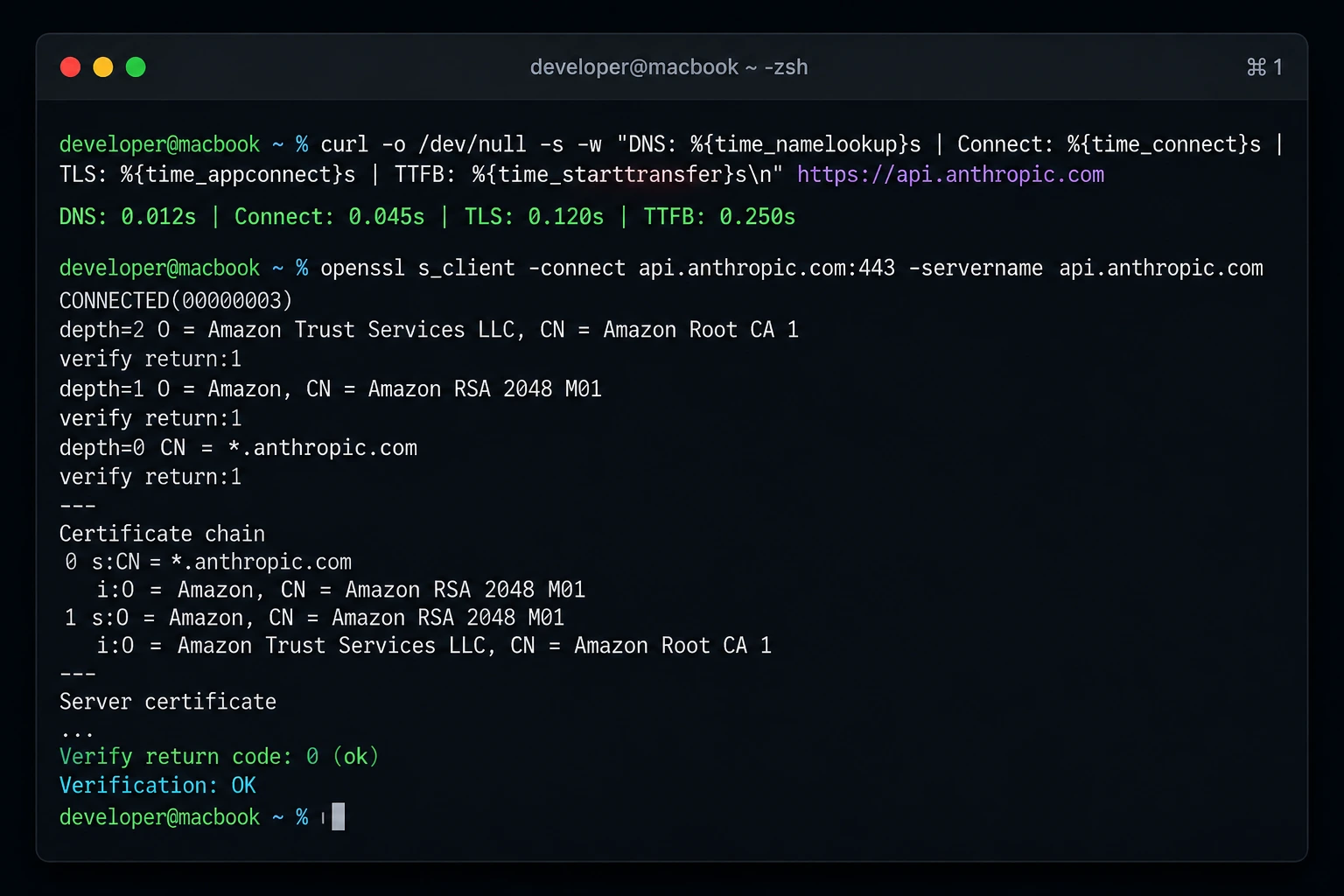
Look for Verify return code: 0 (ok) near the bottom of the output. Anything else—an unknown-issuer error, a version mismatch, or the command hanging—confirms the TLS layer, not raw packet loss, is your problem. A wrong version number style error usually means a middlebox is only willing to negotiate TLS 1.2 while the client is offering 1.3 first; getting the corporate CA bundle installed correctly (as above) is the standard fix, alongside asking your network team whether the inspection proxy can be updated to support modern TLS.
Expected result: The TLS handshake completes successfully, Verify return code: 0 (ok) appears, and requests no longer stall at the connection stage.
Fix 8: Increase the Request Timeout
Why it works: On slow networks or through a proxy adding real latency, the default timeout may simply not be long enough for a large response to complete. Anthropic's documentation confirms the built-in default is 600,000 ms (10 minutes)—so if you're regularly hitting Request timed out on long agentic tasks, raising this is a legitimate fix, not a workaround.
export API_TIMEOUT_MS=900000 # 15 minutes, in milliseconds
Expected result: Long-running requests that were previously cut off now have enough time to complete. Note this raises how long Claude Code waits—it doesn't fix an actively broken connection, so pair it with the network fixes above.
Fix 9: Tune Retry Behavior
Why it works: Claude Code already retries transient failures automatically with exponential backoff (10 attempts by default), but you can make retries more or less aggressive depending on your situation.
# Retry far more patiently in unattended CI/automation environments
# (raises the effective retry budget for transient errors to ~300 attempts / ~3 hours of backoff,
# and retries 429/529 capacity errors indefinitely)
export CLAUDE_CODE_RETRY_WATCHDOG=1

# Reduce retries to fail fast in scripts (default is 10, hard cap 15 unless the watchdog is set)
export CLAUDE_CODE_MAX_RETRIES=3
Expected result: In CI, CLAUDE_CODE_RETRY_WATCHDOG=1 keeps retrying capacity and transient errors for much longer instead of giving up quickly, which helps ride out brief network blips. Remember this only helps with genuinely transient failures—it won't retry a TLS certificate failure, since Claude Code deliberately reports those on the first attempt (see above).
Fix 10: Update Claude Code to the Latest Version
Why it works: Networking and proxy-handling bugs get fixed regularly. Running an outdated CLI version is a common, overlooked cause of persistent timeouts.
claude --version
npm install -g @anthropic-ai/claude-code@latest
Expected result: After updating, run /status inside Claude Code to confirm the version and active credential, then retry your original command.
Fix 11: Full Configuration Reset (Last Resort)
Why it works: If timeouts persist even on a network you've confirmed is healthy, a corrupted local config or stale cached credential/socket state can be the real culprit rather than anything external.
# Uninstall
npm uninstall -g @anthropic-ai/claude-code

# Remove local config and cache (back up first if you have custom settings.json values)
rm ~/.claude.json
rm -rf ~/.claude/

# Clear the npm cache
npm cache clean --force

# Reinstall fresh
npm install -g @anthropic-ai/claude-code@latest
Expected result: A clean install with no leftover state. Re-run /login and reconfigure any proxy/CA environment variables afterward, since this removes them along with everything else.
Advanced Fixes
Environment Variables Reference
| Variable | Purpose | Default |
|---|---|---|
| API_TIMEOUT_MS | Per-request timeout in milliseconds. Raise for slow networks or proxies. | 600000 (10 minutes) |
| HTTPS_PROXY / HTTP_PROXY | Route outbound traffic through a corporate or local proxy. | unset |
| NO_PROXY | Comma- or space-separated list of hosts that should bypass the proxy. | unset |
| NODE_EXTRA_CA_CERTS | Path to a custom CA bundle for TLS-inspecting proxies. | unset |
| CLAUDE_CODE_CLIENT_CERT / CLAUDE_CODE_CLIENT_KEY | Client certificate/key for mTLS-authenticated networks. | unset |
| ANTHROPIC_BASE_URL | Override the API endpoint, e.g. to route through an internal LLM gateway. | unset (api.anthropic.com) |
| CLAUDE_CODE_MAX_RETRIES | Number of automatic retry attempts. | 10 (capped at 15 unless the watchdog variable is set) |
| CLAUDE_CODE_RETRY_WATCHDOG | Set to 1 for long-running, more patient retries (~300 attempts for transient errors) in unattended sessions, and indefinite retries on 429/529 capacity errors. | unset |
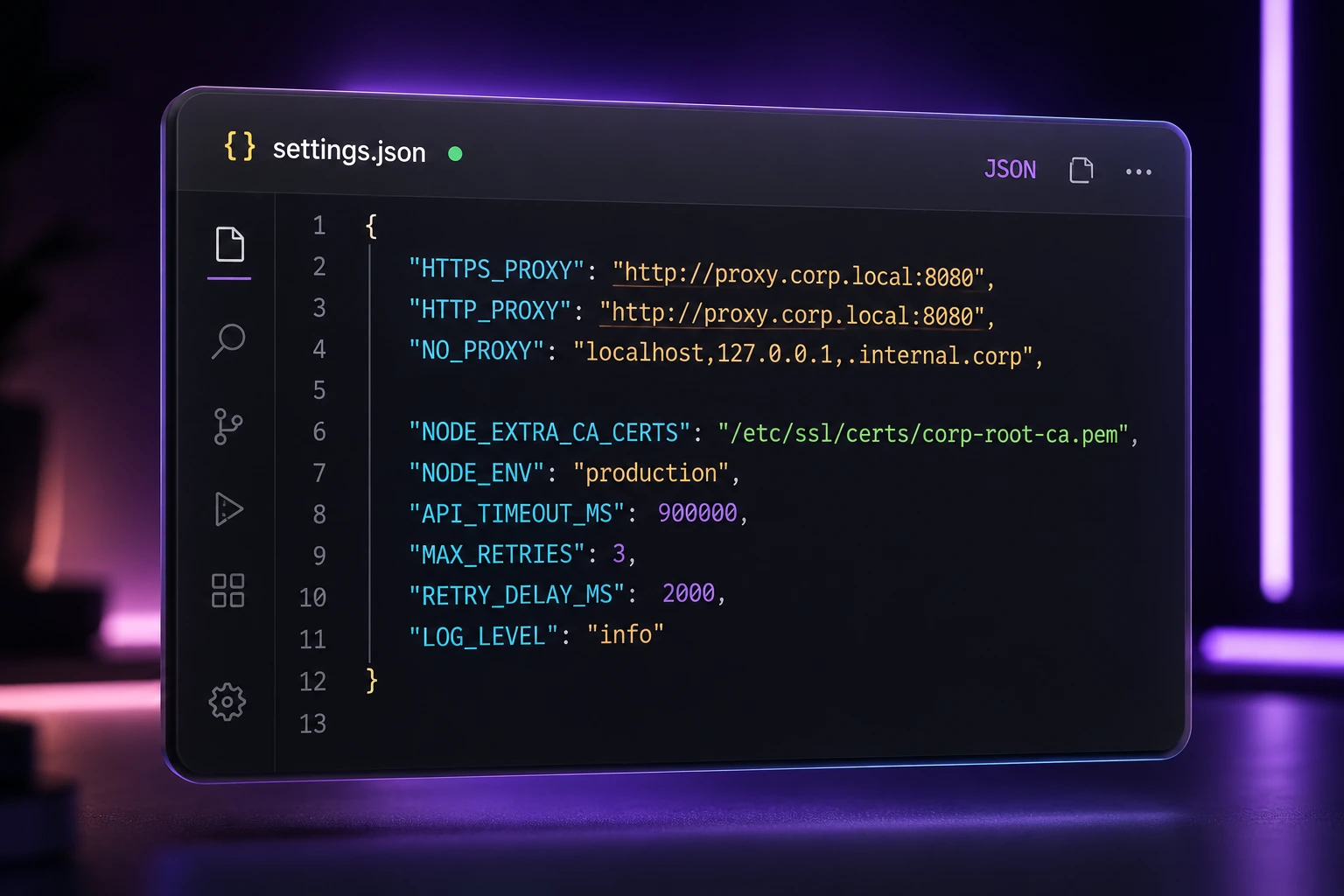
Set these persistently in the env block of ~/.claude/settings.json rather than only exporting them in your shell—this ensures background sessions and supervisor-hosted agents inherit the same configuration.
{
  "env": {
    "HTTPS_PROXY": "https://proxy.example.com:8080",
    "NODE_EXTRA_CA_CERTS": "/path/to/corporate-ca-bundle.pem",
    "API_TIMEOUT_MS": "900000"
  }
}
Debug Mode
Run Claude Code with verbose logging to capture the exact point of failure:
claude --debug
Look for the raw socket error (connect ETIMEDOUT, the target IP/port, and how many milliseconds elapsed) versus a higher-level API error—this tells you whether the failure is at the TCP layer (network/proxy/firewall) or the application layer (server-side).
Built-In Diagnostics
/status      # shows the active credential and connection method
/doctor      # flags local configuration problems
Network Testing Checklist
- ping api.anthropic.com – basic reachability (ICMP may be blocked even when HTTPS works, so don't rely on this alone).
- curl -v https://api.anthropic.com – confirms TCP + TLS handshake success.
- traceroute api.anthropic.com (or tracert on Windows) – identifies where in the network path the connection stalls.
- openssl s_client -connect api.anthropic.com:443 -servername api.anthropic.com – isolates TLS-specific handshake failures from raw TCP timeouts; look for Verify return code: 0 (ok).
- curl -o /dev/null -s -w '%{time_namelookup} %{time_connect} %{time_appconnect} %{time_starttransfer}\n' https://api.anthropic.com – breaks the delay down by DNS lookup, TCP connect, TLS handshake, and time-to-first-byte, so you know exactly which stage is slow instead of guessing.
Log Analysis Tips
- A timeout that happens on every request points to a persistent block (firewall, proxy, DNS).
- A timeout that happens intermittently points to instability (Wi-Fi, congested VPN, ISP routing issues).
- A timeout that happens only on large responses points to an idle/streaming timeout rather than a connection-level ETIMEDOUT—raise API_TIMEOUT_MS instead of chasing firewall rules.
- A failure with no retry countdown at all—it fails instantly on the very first attempt—usually means a TLS certificate problem, since Claude Code deliberately skips retrying those. A failure that visibly counts through several retries before giving up is more likely a transient network blip.
Prevention Tips
- Keep Claude Code updated. Run npm install -g @anthropic-ai/claude-code@latest periodically to pick up networking and proxy fixes.
- Centralize network config in settings.json. Don't rely on shell exports alone—background and supervisor-hosted sessions won't inherit them.
- Allowlist Anthropic's domains proactively in corporate firewalls and CI runner network policies before you hit a wall mid-project.
- Document your proxy and CA setup so new team members or fresh machines don't have to rediscover the same fix.
- Avoid full-tunnel VPNs for development work when a split-tunnel option is available, to reduce added latency.
- Monitor Anthropic's status page at status.claude.com before assuming the issue is local.
- Use wired or stable connections for long-running agentic tasks that stream large responses.
- Run /status and /doctor as a first move, not a last resort—both are built into Claude Code and can rule out authentication or local config problems in seconds, before you spend time on network-level debugging.
FAQ Section
It's a TCP-level error code meaning your machine attempted to open a connection to a server and got no response within the allowed time—distinct from ECONNREFUSED (actively rejected) or a 401/403 (reached the server but was denied).
Rarely. Because it's a connect-level failure, it almost always originates in your local network, proxy, firewall, or DNS resolver rather than Anthropic's infrastructure. Check status.claude.com to rule out a service-side incident.
Set HTTPS_PROXY to your organization's proxy, add NODE_EXTRA_CA_CERTS if your network does TLS inspection, and ask your network team to allowlist api.anthropic.com in the firewall. If the handshake itself is failing (not just stalling), confirm it with openssl s_client before assuming it's a plain timeout.
Browsers use the OS's proxy and certificate settings automatically. Claude Code, as a Node.js CLI, needs those same settings passed explicitly through environment variables.
Not always. If the connection is actively blocked, no amount of waiting helps—you'll need to fix the proxy, firewall, or DNS issue. API_TIMEOUT_MS mainly helps when the connection succeeds but a large response takes longer than the default 10-minute window.
Confirm the container has outbound internet access at all, then explicitly allowlist api.anthropic.com (and any proxy host) in the container's network policy or CI runner firewall rules. For unattended CI sessions specifically, setting CLAUDE_CODE_RETRY_WATCHDOG=1 helps ride out brief network blips without failing the whole job.
Run claude --debug to capture the exact failing IP/port and error, then test that same endpoint with curl and openssl s_client outside of Claude Code. If those also fail, the issue is confirmed to be network infrastructure, not the CLI itself. As a last resort, a full reset (rm -rf ~/.claude, clear npm cache, reinstall) rules out a corrupted local config.
Most transient failures, yes—up to 10 times by default with exponential backoff. The one notable exception is TLS certificate validation failures, which Claude Code reports immediately without retrying, since retrying wouldn't fix a certificate problem.
Conclusion
The claude code timedout error is, at its core, a signal that a network request never got a response in time—and in the vast majority of cases, the root cause sits in your local network, proxy configuration, DNS resolver, or firewall rather than in Claude Code itself or Anthropic's servers.
The fastest path to resolution: run /status and /doctor to rule out authentication and config issues in seconds, confirm basic connectivity, test direct reachability to api.anthropic.com (including a TLS-specific check with openssl s_client if the failure is instant with no retries), and then work through proxy, DNS, and certificate configuration systematically rather than guessing. For most people, correctly setting HTTPS_PROXY/NO_PROXY, trusting a corporate CA with NODE_EXTRA_CA_CERTS, and updating to the latest Claude Code version resolves the issue outright.
Going forward, centralize your network settings in ~/.claude/settings.json, keep Claude Code updated, and proactively allowlist Anthropic's endpoints in any restrictive network environment. That combination prevents most claude code request timeout issues before they ever interrupt your workflow again.