Table of Contents
What "Context Window Full" Actually Means
If you're seeing a context window full error in Claude Code, your session has accumulated more tokens than the model can hold in active memory. The fix is simple but understanding why it happens will stop it from repeatedly interrupting your workflow.
Claude Code runs on Claude Sonnet or Opus models with a context window of up to 200,000 tokens. That sounds enormous, but during an active coding session it fills faster than you'd expect: every message you send, every response Claude gives, every file Claude reads, and every tool call result all count toward that total. When the limit is hit, Claude cannot process new input until the context is reduced.
The good news: No files are modified. Nothing is deleted. The error is purely about in-memory conversation state, not your codebase.
The Hidden Token Overhead Nobody Talks About
This is the section most guides skip, and it's the reason many developers are confused that your context window didn't actually shrink. Your effective usable window is smaller than the raw 200K number because of system-level overhead you never see.
System Prompt Overhead
Claude Code injects a system prompt into every session automatically. This system prompt contains tool definitions, safety instructions, and context about the environment. Depending on your Claude Code version, this alone can consume 10,000–25,000 tokens before you type a single character.
A community investigation on Reddit (r/ClaudeAI) found that users experiencing "shrinking limits" weren't facing a policy change — they were running newer Claude Code versions with larger built-in system prompts. The model's raw limit stayed the same; the usable space got smaller.
Tool Call Overhead
Every tool Claude Code uses (read file, run bash, search codebase) appends its entire result to context. A tool call that returns a 500-line file reads costs ~5,000 tokens even if Claude only needed 10 lines. This is a major source of unexpected token drain.
Practical impact: In a typical debugging session where Claude reads 5–8 files, you can burn 30,000–50,000 tokens just in tool call results, before Claude even starts writing a fix.
Multi-Turn Accumulation
Each conversation turn re-sends the entire prior history. Turn 1 sends 500 tokens. Turn 2 sends 500 + 800 = 1,300. By turn 20, you're sending 30,000+ tokens just to maintain context. This compounds fast and is invisible unless you're watching API-level logs.
The Real Usable Window
Model | Raw Limit | System Prompt | Avg Session Overhead | Effective Usable |
|---|---|---|---|---|
Claude Sonnet (latest) | 200,000 | ~15,000–25,000 | ~10,000–30,000 | ~145,000–175,000 |
Claude Opus (latest) | 200,000 | ~15,000–25,000 | ~10,000–30,000 | ~145,000–175,000 |
These aren't official Anthropic numbers — they're community-observed estimates. Your actual usable window depends on your Claude Code version, which tools you use, and your CLAUDE.md size.
Error Messages You'll See
Error Message | Meaning | Severity | Recommended Fix |
|---|---|---|---|
Context window limit exceeded | Total tokens in session hit the model's max | High | /clear or /compact |
Token limit exceeded | Same as above, different phrasing | High | Start new session |
Conversation too long | Session history is too large to continue | High | /compact then continue |
Context too large | A single attached file or paste exceeds limits | Medium | Reduce file size or split input |
Input too long | A single message (not session) is too large | Medium | Shorten the message or split task |
Request exceeds context window | API-level message, often seen in logs | Medium | Clear session or reduce file scope |
Context overflow | Older Claude Code versions use this term | High | Update CLI, then /clear |
Unable to process: history truncated | Claude silently truncated past context | Low | Review conversation; start fresh if inconsistent |
rate_limit_error / 429 | Too many API requests (NOT a context issue) | High | Wait and retry; see Rate Limit section below |
Quick Fix Checklist {#quick-fix}
Use this when you need to get back to work immediately:
- Type /clear in the Claude Code terminal to reset conversation history
- Alternatively, type /compact to compress history and continue
- If in VS Code, close and reopen the Claude Code panel
- If repeating immediately, break your task into smaller steps
- Avoid pasting entire large files — reference filenames instead
- For large codebases, use CLAUDE.md to give context without pasting code
- Update Claude Code to the latest version: npm update -g @anthropic-ai/claude-code
- Check if this is actually a rate limit (429 error), not a context error — they look similar
Root Causes (Including Non-Obvious Ones)
1. Long Conversation History (Compounding Problem)
Every turn in a session is retained in context. A two-hour debugging session can easily accumulate 80,000–120,000 tokens before you've pasted a single file. The compounding nature means each new message is more expensive than the last.
2. Large File Pastes
Pasting a 1,000-line file directly into chat adds ~10,000 tokens instantly. Many developers do this repeatedly, stacking files in one session without realizing the cost.
3. Tool Call Result Bloat
This is the most underestimated cause. When Claude Code runs a bash command, reads a file, or does a codebase search, the entire result gets appended to context — not just what Claude needs. A find . -name "*.ts" on a large repo, or a cat on a 300-line config file, silently burns thousands of tokens.
4. Error Loops
If Claude repeatedly encounters an error and keeps trying to fix it with new approaches, each attempt adds to context. Unresolved loops can burn through the window in minutes. This is one of the most common patterns reported by developers in community discussions.
5. .cursorrules / System Config Files
In Cursor, large .cursorrules files are injected at the start of every session. A 500-line .cursorrules file can add 5,000–8,000 tokens to your base overhead. The same applies to Windsurf's config files.
6. Multiple Document Loads
Loading several READMEs, API docs, or config files at once multiplies consumption. Each document that gets read via tool-use is fully retained in context even after Claude has processed it.
7. Verbose Code Generation
Asking for boilerplate, full test suites, or complete file rewrites generates large outputs that fill context from Claude's side. Even if you don't paste anything, lengthy Claude responses consume tokens.
8. Outdated Claude Code Version
Older Claude Code versions had less efficient context handling. Running an outdated version can cause context overhead that newer versions handle better. Always keep Claude Code updated.
Step-by-Step Solutions
Fix 1: Clear the Context with /clear
What it fixes: Resets the entire conversation history, freeing up the full context window. When to use it: When you've completed a task phase and want a clean slate for the next one. Difficulty: Easy
In the Claude Code terminal prompt, type /clear and press Enter.
Claude will confirm the history has been cleared.
You can now start fresh with the same session.
Re-provide any essential context (the goal of the task, the file you're working on).
Why it works: /clear discards all prior messages from in-memory context. Project files are untouched.
Expected outcome: Immediate resolution. Context resets to system prompt overhead only (~15,000–25,000 tokens).
Fix 2: Compact the Conversation with /compact
What it fixes: Summarizes and compresses conversation history to free up tokens while preserving continuity. When to use it: When you're mid-task and don't want to lose progress or re-explain context. Difficulty: Easy
Type /compact at the Claude Code prompt.
Claude summarizes earlier turns into a condensed memory block.
The summary replaces the full history, reducing token count significantly.
Continue your session normally.
Pro tip: You can pass a custom instruction: /compact Focus on the authentication bug we were fixing and the decisions made about the token refresh logic. This gives you a targeted summary rather than a generic one.
Why it works: Rather than deleting history, /compact distills it. Claude retains key decisions, code changes, and goals without holding every word.
Expected outcome: Context freed by 50–80%, session continues uninterrupted.
Fix 3: Start a New Session
What it fixes: Completely resets all state and starts a fresh conversation. When to use it: When you've finished a major task block, or when the context is so full that even compacting leaves little room. Difficulty: Easy
Exit the current Claude Code session (Ctrl+C or close the terminal tab).
Navigate to your project directory.
Run claude to start a new session.
Provide a concise summary of where you left off (use a CLAUDE.md file for this).
Expected outcome: Full effective window available again.
Fix 4: Reduce File Size in Prompts
What it fixes: Prevents context overflow caused by pasting large files. When to use it: Before pasting any file larger than ~150 lines. Difficulty: Easy
Instead of pasting the full file, reference the filename: "Please read src/api/handler.ts and find the bug."
Claude Code can read files directly from your filesystem without you pasting them.
If you must paste, extract only the relevant section (the function or class in question).
Use line number ranges: "Focus on lines 45–90 of handler.ts."
Why it works: File-by-reference lets Claude's tool-use load only what's needed. Even then, be specific — "read the validateToken function in auth.service.ts" triggers a targeted read, not a full file read.
Fix 5: Split Large Tasks into Phases
What it fixes: Prevents context overflow from happening at all on complex, multi-hour tasks. When to use it: For any task that spans multiple files, components, or logical stages. Difficulty: Medium
Before starting, outline the task in phases (e.g., Phase 1: schema; Phase 2: API layer; Phase 3: tests).
Use one Claude Code session per phase.
At the end of each phase, write a brief summary to CLAUDE.md.
Begin the next phase with a new session, referencing the summary.
Expected outcome: No context overflow errors; cleaner, more focused Claude output per phase.
How to Cut Token Overhead by 40%+
Developers experimenting with Claude Code's token consumption have found practical techniques that meaningfully reduce overhead. Here are the most effective ones:
1. Write a Tight, Structured CLAUDE.md
The biggest single lever. A bloated CLAUDE.md (5,000+ characters) costs thousands of tokens on every session start. A tight one (under 2,000 characters) covering only critical conventions, tech stack, and must-know rules can cut base overhead by 20–30%.
Template structure that works:

# Project: [name]
## Stack: [language, framework, key deps]
## Conventions: [2-3 bullet points max]
## Avoid: [specific patterns Claude should not use]
## Key files: [list only what Claude will touch regularly]
2. Use --add-dir Instead of Pasting Context
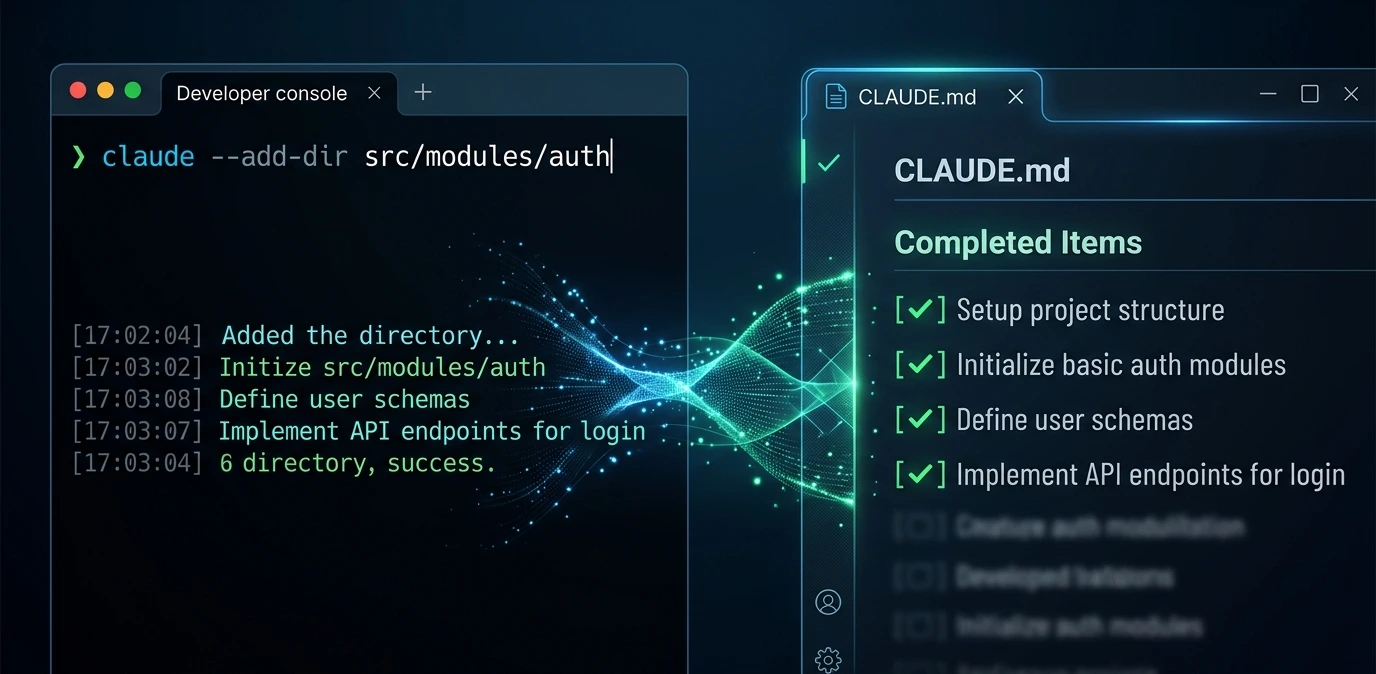
Claude Code's --add-dir flag lets you scope which directories Claude can access, preventing accidental full-codebase reads when Claude searches for something.
claude --add-dir src/auth
This restricts tool-use to src/auth only — preventing Claude from reading your entire repo when you only needed the auth module.
3. Disable Auto-Tools for Simple Tasks
When you're asking a question that doesn't require file access, tell Claude explicitly:
"Answer this without reading any files: what's the standard pattern for JWT refresh token rotation in Node.js?"
This prevents Claude from reflexively triggering tool calls that add thousands of tokens to context.
4. Pipe Output Through head in Bash Commands
When Claude runs bash commands that might return large output, you can instruct it to limit output:
"Run npm test but only show the first 50 lines of output."
Or in your own bash calls:
npm test 2>&1 | head -50
Large test suite output is one of the worst context killers — a full Jest run can return 10,000+ tokens of output.
5. Use git diff Instead of Full File Reads
When reviewing changes, asking Claude to git diff HEAD~1 instead of reading modified files gives Claude exactly the changes it needs without loading full file contents.
# In your Claude Code prompt:
"Review the changes from git diff HEAD~1 and check for bugs."
6. Break Requests into Atomic Tasks
Instead of: "Refactor the entire auth module, add tests, and update the README."
Use: "Refactor only the validateToken function in auth.service.ts."
Atomic tasks use less context, produce better results, and make it easier to /compact or /clear between steps.
7. Avoid "Explain Your Reasoning" on Routine Tasks
Asking Claude to explain every decision it makes (common in learning workflows) doubles or triples output token consumption. Reserve detailed explanations for genuinely unclear decisions; let Claude work quietly for routine tasks.
8. Keep Error Messages Short When Pasting
When sharing an error, paste only the relevant error lines — not the full stack trace with 200 lines of node_modules frames. A focused error paste:
TypeError: Cannot read properties of undefined (reading 'user')
  at validateRequest (auth/middleware.ts:47:23)
  at Layer.handle [as handle_request] (express/router/layer.js:95:5)
Is far more token-efficient than 80 lines of full stack trace.
9. Use Targeted grep Instead of Broad Searches
Instead of asking Claude to search the codebase for "anything related to authentication," give it a specific grep:
"Run grep -r 'refreshToken' src/ --include='*.ts' -l and list just the file names."
The -l flag returns only filenames, not file contents — a huge token saver.
10. Summarize at Natural Breakpoints
Don't wait for the context overflow error. After completing each logical chunk of work, run /compact proactively. Think of it as hitting Save — it's much less disruptive before you hit the limit than after.
IDE-Specific Fixes
VS Code
Open the Command Palette (Cmd/Ctrl+Shift+P) and search for Claude Code: New Session to restart without leaving the editor.
If the Claude Code sidebar panel freezes after an overflow error, close and reopen it via the sidebar icon.
Check the VS Code output panel (View > Output > Claude Code) for additional error details.
Update the Claude Code VS Code extension via the Extensions panel if you're on an older version.
Long open files in VS Code can be auto-included in context by some extensions checking which Claude Code features are active under extension settings.
Cursor
Cursor embeds Claude via its own context management layer. If you hit a context limit, use Cursor's New Chat button — not just a new message in the same chat.
Cursor's "Codebase Indexing" feature adds significant tokens. Toggle it off for focused, narrow tasks: Settings > Features > Codebase Indexing.
Audit your .cursorrules file. Anything over 200 lines is likely adding 3,000–5,000 tokens to every session. Trim aggressively.
Cursor sometimes re-sends file context silently. If context fills faster than expected, open Cursor's debug panel to check what's being injected.
Windsurf
Windsurf's Cascade panel has a visible context usage meter — watch it proactively and run Reset Conversation before hitting the limit.
Windsurf's "deep context" mode reads more files automatically. Disable it for simple edits: useful for exploration, expensive for targeted fixes.
Check Windsurf's workspace configuration for any auto-loaded files — these add to base overhead just like CLAUDE.md.
JetBrains IDEs (IntelliJ, PyCharm, WebStorm)
Use the Claude Code CLI in the embedded terminal rather than any plugin-based chat.
Run /compact or start a new CLI session from the terminal panel.
JetBrains plugin state does not auto-clear between sessions; restart the plugin if the UI becomes unresponsive after a context overflow.
LibreChat and Other Self-Hosted UIs
Self-hosted Claude frontends like LibreChat accumulate conversation history differently than Claude Code CLI. Multi-turn conversations in LibreChat send the full prior conversation on every request, which can cause context overflow even in short sessions if each turn produces large outputs.
Fix for LibreChat: Use conversation branching or start new threads for new topics. Check LibreChat's context window settings in the admin panel — you may be able to set a max history window to prevent accumulation.
Advanced Troubleshooting
Check Current Token Usage
Claude Code doesn't natively display a running token counter in all versions. To estimate:
# Rough estimate: count words in current session log
wc -w ~/.claude/sessions/current.log
# Multiply result by ~1.3 for approximate token count
For precise tracking, run in verbose mode:
claude --verbose
Look for x-anthropic-input-tokens and x-anthropic-output-tokens in debug output.
Review Session Logs
# List recent Claude Code session logs
ls -lt ~/.claude/sessions/

# View the most recent session
cat ~/.claude/sessions/$(ls -t ~/.claude/sessions/ | head -1)
Log analysis reveals which part of a session consumed the most tokens — usually large tool call results or file reads.
Validate CLAUDE.md Size
# Check CLAUDE.md size
wc -c CLAUDE.md

# Over 5,000 characters warrants trimming
# Over 10,000 characters is actively hurting your sessions
Environment Variable Checks
# Confirm API key is set correctly
echo $ANTHROPIC_API_KEY

# Check Claude Code version
claude --version

# Update to latest
npm update -g @anthropic-ai/claude-code
Authentication Issues That Mimic Context Errors
An expired or invalid API key sometimes produces error messages that look like context errors. Verify:
# Re-authenticate Claude Code
claude auth login

# Check current auth status
claude auth status
Network Diagnostics
# Test connectivity to Anthropic API
curl -I https://api.anthropic.com

# Check for proxy or firewall issues
curl -v https://api.anthropic.com/v1/messages --max-time 10
VPN and corporate proxies can interrupt long streaming responses, producing errors that look like context overflow but are actually network timeouts.
Permission Troubleshooting
If Claude Code's file-reading tools fail due to permissions, Claude may try to work around it by requesting you paste content — which consumes more context:
# Check read permissions on project directory
ls -la /your/project/directory

# Fix if needed
chmod -R u+r /your/project/directory
Real-World Scenarios
Scenario 1: Claude Code worked fine yesterday but context fills almost immediately today
Cause: A recent Claude Code update increased the system prompt size, or a large CLAUDE.md was added to the project. Investigation: Run claude --verbose and check x-anthropic-input-tokens on the first message. If it's already 20,000+ tokens before you say anything, the base overhead is the problem. Fix: Trim CLAUDE.md. Check the Claude Code changelog for recent updates. This is the same pattern community members flagged as "limits shrinking" — the limits didn't change, the overhead grew.
Scenario 2: Refactoring a large codebase causes overflow halfway through
Cause: Claude reads multiple files per step (tool call results accumulate), spanning dozens of files. Fix: Use /compact at natural breakpoints (after completing each module). Split refactoring into per-module sessions and track progress in CLAUDE.md. Use --add-dir to restrict Claude to the module being worked on.
Scenario 3: Context fills during a debugging session with error loops
Cause: Claude tries multiple approaches to fix a bug, each producing verbose output. 10 iterations × 2,000 tokens each = 20,000 tokens burned on failed attempts. Fix: When Claude hasn't resolved a problem in 3 attempts, intervene. Run /compact and restate the problem with explicit constraints: "The previous three approaches all failed because X. Focus only on Y."
Scenario 4: Pasting API documentation causes immediate overflow
Cause: A large OpenAPI spec, README, or documentation file was pasted directly into chat. Fix: Save it as a file in the project (docs/api.md) and ask Claude to read a specific section: "Read docs/api.md and find the endpoint for user authentication." File reading is far more token-efficient than pasting.
Scenario 5: Context overflow in a CI/CD pipeline using Claude Code
Cause: Automated scripts run long Claude Code sessions without clearing context between tasks. Fix: Add --no-history or session-clearing logic between pipeline steps. Use short, scoped prompts for each CI task.
Scenario 6: Rate limit error mistaken for context overflow
Cause: Sustained heavy Claude Code usage triggers API rate limiting (HTTP 429), which produces error output that can be confused with context overflow. Symptoms: Error happens consistently after a period of heavy use; subsequent requests also fail even after /clear; errors resolve after waiting 60+ seconds. Fix: See the Rate Limit vs Context Limit section below.
Rate Limit vs Context Limit — Know the Difference
These two errors are frequently confused. They have different causes and different fixes.
Comparison | Context Window Full | Rate Limit (429) |
|---|---|---|
Cause | Too many tokens in the conversation | Too many API requests in a time window |
Error text | "context window limit exceeded", "conversation too long" | "rate_limit_error", "429", "Too Many Requests" |
Fix | /clear, /compact, new session | Wait 60–120 seconds, then retry |
Persists after /clear? | No — cleared solves it | Yes — /clear doesn't help |
Affected by session length? | Yes — longer sessions hit it | Not directly — depends on request frequency |
Affected by file size? | Yes — large files accelerate it | No |
Resolves with time alone? | No | Yes — rate limits reset automatically |
If you run /clear and the error immediately returns on your first new message, you're hitting a rate limit, not a context limit.
Rate limits on Claude API vary by plan tier. Claude Pro and Max plans have higher rate limits, but even these can be hit during intensive coding sessions with rapid back-and-forth. The solution is to slow down request frequency or upgrade the API tier.
Common Mistakes
Mistake | Consequence | Better Approach |
|---|---|---|
Pasting entire files repeatedly | Context fills within minutes | Reference files by name; let Claude read them |
Ignoring /compact until hitting the limit | Disruptive restart mid-task | Run /compact proactively after each logical chunk |
Asking for exhaustive explanations on routine tasks | Claude's verbose responses burn tokens too | Use "briefly explain" or skip explanations on routine work |
Running all tasks in one session | Overflow mid-task, context coherence degrades | Phase your work; use separate sessions per module |
Bloated CLAUDE.md | Every session starts heavy; 10–20K tokens pre-burned | Keep CLAUDE.md under 2,000 characters |
Large .cursorrules or Windsurf config files | Same as above, IDE-side | Audit and trim config files regularly |
Working with minified or bundled files | Even worse token density than source | Always work with source files, never bundles |
Confusing rate limits with context errors | Wrong fix wastes time | Check if /clear resolves it; if not, it's rate limiting |
Not updating Claude Code CLI | Older versions have worse context handling | npm update -g @anthropic-ai/claude-code regularly |
Pasting full stack traces | 80-line stack traces = thousands of tokens for no gain | Paste only the relevant error line + immediate caller |
Prevention & Best Practices
Design Sessions for Token Efficiency
Treat each Claude Code session as a focused work block. Define a clear goal at the start, complete it, close the session. This keeps context usage predictable and prevents the gradual drift that causes unexpected overflow.
Use CLAUDE.md Strategically

CLAUDE.md is loaded at the start of every session. Use it for: project coding conventions, key architectural decisions, tech stack summary, and recurring task patterns.
Avoid using it for: full documentation, extensive code examples, anything that changes task to task, or long setup instructions that only apply occasionally.
Target size: Under 2,000 characters. Test the impact: run a session with your current CLAUDE.md in verbose mode and check the input token count on the very first turn.
Set a Compaction Habit
Run /compact after completing any significant task within a session — before starting the next one. This is equivalent to saving your work: it preserves continuity without letting history grow unbounded.
Scope File Access Deliberately
Be specific about what you ask Claude to read:
✅ "Read the validateToken function in auth.service.ts and identify the bug."
❌ "Read all my auth files and look for problems."
Specific reads return less data, trigger fewer tool calls, and produce more targeted responses.
Treat Bash Output as a Token Resource
Every command Claude runs has output. Before asking Claude to run broad commands (tests, linters, builds), consider whether you need all the output. Use head, tail, grep, or wc -l to constrain output length.
Monitor Session Duration
Long sessions (60+ minutes of active back-and-forth) almost always approach context limits. Start fresh sessions for new task phases regardless of whether you've hit the limit — don't wait for the error.
Comparison: Context Management Strategies
Strategy | Token Savings | Continuity Preserved | Difficulty | Best For |
|---|---|---|---|---|
/clear | Maximum (100%) | No | Easy | Starting a new task phase |
/compact | High (50–80%) | Yes (summary) | Easy | Mid-task recovery |
/compact with custom instruction | High (50–80%) | Yes (focused) | Easy | Mid-task with specific continuity needs |
New session | Maximum (100%) | Partial (via CLAUDE.md) | Easy | End of day / new feature |
Reduce file pastes | Preventive | Full | Easy | All sessions |
Phase-based sessions | Preventive | Partial (via notes) | Medium | Large projects |
--add-dir scoping | Preventive | Full | Easy | Large codebases |
Trim CLAUDE.md | Preventive (base overhead) | Full | Low | Initial setup |
--no-history flag | Maximum | No | Easy | CI/CD pipelines |
Troubleshooting Decision Tree

Seeing a context or token error?
│
├── Does the error say "rate_limit" or "429"?
│   └── YES → Wait 60–120 seconds → Retry (not a context issue)
│
├── Are you mid-task and need to continue?
│   └── YES → Run /compact → Continue session
│
├── Are you at a natural stopping point?
│   └── YES → Run /clear or start new session
│
├── Does it overflow immediately on a NEW session?
│   └── YES → Check CLAUDE.md size → Run in --verbose mode
│             → If base tokens > 20K, trim CLAUDE.md or update Claude Code
│
├── Are you pasting large files?
│   └── YES → Stop pasting → Reference files by name instead
│
├── Is it a CI/CD pipeline?
│   └── YES → Add session clearing between pipeline steps → Use --no-history
│
└── Did /clear not fix it?
    └── YES → Check auth (`claude auth status`) and network connectivity
              → Likely a rate limit or auth issue, not context
Expert Insights
The overhead nobody budgets for:
System prompts, tool definitions, and multi-turn accumulation can consume 30,000–50,000 tokens before you've pasted anything. The developers who manage context best budget for this overhead from the start — they mentally allocate 25% of the window to infrastructure and plan their actual work within the remaining 75%.
On CLAUDE.md: This file is the highest-leverage configuration in Claude Code. A well-designed one (under 2,000 characters, focused) eliminates 80% of re-explanation overhead across sessions. A bloated one (over 10,000 characters) can consume 15–20% of your context window before you type your first message.
On error loops: The most expensive pattern in real-world Claude Code use is the unmanaged error loop — Claude tries fix A, fails, fix B, fails, and so on for 10 iterations. Each attempt adds thousands of tokens. If Claude hasn't resolved a problem in 3 attempts, intervene. Use /compact and reframe the problem with explicit constraints rather than letting Claude keep trying variations.
On rate limits vs context limits: These are routinely confused, even by experienced developers. The key test: if /clear resolves the issue, it was context. If the error persists immediately after /clear, it's rate limiting. Treating a rate limit like a context error wastes time; treating a context error like a rate limit (just waiting) also wastes time.
FAQ
Claude Code uses Claude Sonnet and Opus models with a raw context window of up to 200,000 tokens. However, the effective usable window is smaller — system prompts, tool definitions, and multi-turn history overhead can consume 15,000–50,000 tokens before you paste anything. Practically, plan for roughly 150,000–170,000 tokens of usable space per session.
No. The context window is an in-memory conversation state only. Running /clear, /compact, or starting a new session has no effect on your project files, local filesystem, or code Claude has already written. Files modified by Claude during a session remain modified — only the conversation history is reset.
/clear deletes all conversation history entirely. /compact summarizes and compresses it, preserving a condensed record. Use /clear when starting a new task; use /compact when you need to continue the current task but are running low on context. You can pass a custom focus to /compact: /compact Summarize only the auth bug investigation and what we decided.
It almost certainly didn't shrink. What changed is likely the base overhead — newer Claude Code versions have larger system prompts, your CLAUDE.md may have grown, or your .cursorrules / IDE config added more tokens. Run claude --verbose and check input tokens on your very first message. If it's 20,000+ before you've said anything, overhead is the issue.
No. If a context overflow error occurs mid-generation, Claude stops generating but doesn't corrupt files already written. Any partial output should be reviewed, but underlying files are not damaged by the error.
Not via a visible meter in all Claude Code versions, but claude --verbose shows API-level token counts in debug output. Look for x-anthropic-input-tokens on each turn. You can also estimate from session log size: wc -w ~/.claude/sessions/current.log × 1.3 ≈ tokens.
Context limit: too many tokens in the conversation (fixed by /clear or /compact). Rate limit: too many API requests in a time window, indicated by a 429 HTTP status or rate_limit_error (fixed by waiting 60–120 seconds). If /clear doesn't solve your error, you're likely hitting a rate limit, not a context limit.
As context approaches the limit, the model silently truncates the oldest parts of the conversation to stay within the window. If Claude seems inconsistent or forgetful about decisions made early in a session, silent truncation is the likely cause. Run /compact to get an explicit summary rather than silent dropping of old context.
Yes, indirectly. Cursor's codebase indexing, Windsurf's deep context mode, and large IDE config files (.cursorrules) all add to base context overhead. Claude Code CLI alone has the lowest overhead. If you're hitting limits faster in an IDE than in the terminal, audit what the IDE is injecting automatically.
Not directly. A VPN doesn't cause context overflow. But it can cause network timeouts that interrupt long streaming responses, producing errors that superficially resemble context errors. If you're on a VPN and consistently seeing failures on longer responses (but not short ones), test with the VPN disabled.
Claude's response quality degrades significantly near the token limit. Responses become truncated, earlier context gets silently dropped, and Claude may start producing inconsistent output that contradicts decisions made earlier. It's strongly recommended to run /compact at first warning rather than at error.
Not via user configuration. The window size is a property of the deployed model. Claude Code automatically uses the highest-context model available. What you can control is how much of that window gets consumed by overhead — trimming CLAUDE.md, scoping file reads, and compacting regularly all maximize your effective usable space.
Yes. Starting Claude Code in a new project directory starts a new session with empty conversation history. However, both the global ~/.claude/CLAUDE.md and the project-level CLAUDE.md are loaded at session start, so global settings carry over. If your global CLAUDE.md is large, it affects all projects.
Not natively as a restore-and-continue feature. The most reliable approach is a well-maintained CLAUDE.md that captures persistent context, plus brief notes you add at session end. Some developers keep a notes/session-log.md in their project that they update manually at natural breakpoints.
Use phase-based sessions: one session per module or logical unit. After each session, update CLAUDE.md with what was completed and key decisions. Use scoped file access (--add-dir) per session. Run /compact at internal breakpoints. This workflow scales to codebases of any size — the technique is not about the project size, it's about how you scope each session's context requirements.