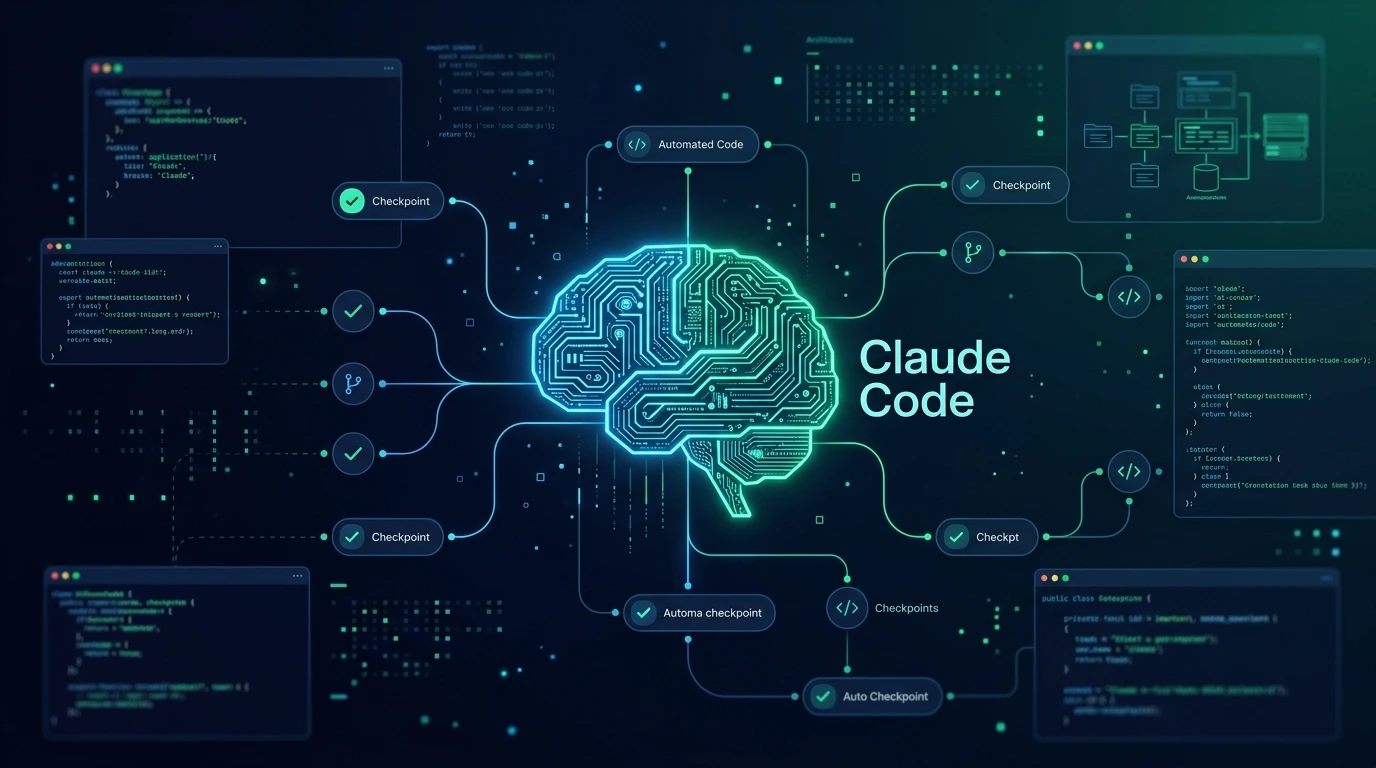
Claude Code can edit files, execute commands, run tests, work with repositories, and handle multi-step development tasks. But if you use it for serious development, there is a point where instructions alone are not enough.
You may want to automatically format every edited file, block dangerous commands, protect secrets, run tests after changes, load project context when a session starts, monitor context usage, log what Claude did, or prevent a task from being marked complete without verification.
That's where Claude Code Hooks become useful.
Claude Code Hooks let you attach automated actions to specific points in Claude Code's lifecycle. Current Claude Code documentation supports hook handlers including commands, HTTP endpoints, prompts, agents, and MCP tool calls, while events can cover everything from session startup and tool execution to notifications, compaction, and task completion.
The important idea is simple:
Use instructions to tell Claude what to do. Use hooks when something should happen automatically and predictably.
This guide focuses on the hooks and workflow patterns that are most useful for developers in 2026, including security, code quality, testing, context management, observability, cost control, and production workflows.
What Are Claude Code Hooks?
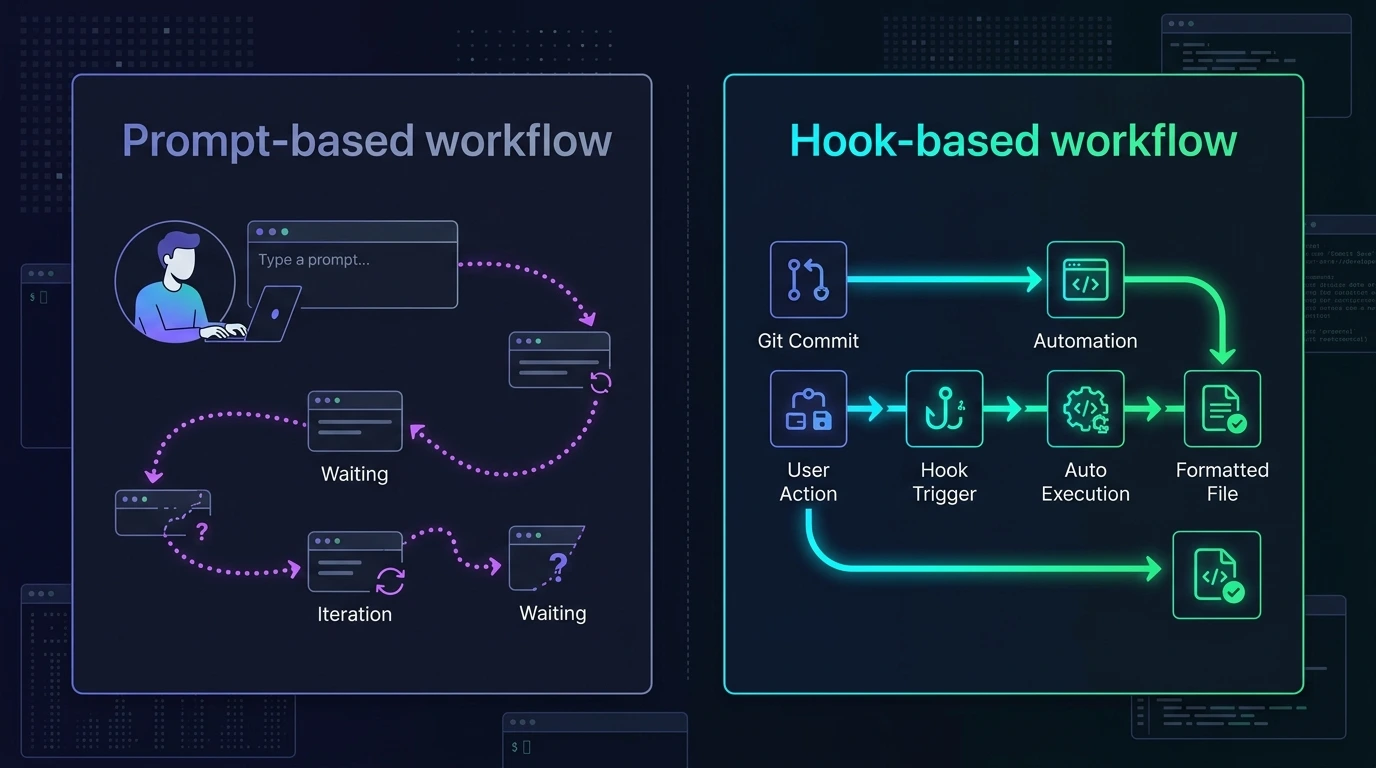
Claude Code Hooks are automated handlers that run when specific events occur during a Claude Code session.
For example:
- SessionStart runs when a session starts or resumes.
- UserPromptSubmit runs when you submit a prompt.
- PreToolUse runs before a tool executes.
- PostToolUse runs after a tool executes.
- Notification can react when Claude needs user input.
- Stop runs when Claude finishes responding.
- SubagentStop runs when a subagent finishes.
- PreCompact runs before context compaction.
- Other lifecycle events can handle setup, permission decisions, configuration changes, and related workflow stages.
A hook can be as simple as a shell command or, depending on the handler type, a prompt, agent, HTTP endpoint, or MCP tool call.
Why are hooks different from normal prompts?
Suppose you tell Claude:
"Always run Prettier after editing JavaScript files."
Claude may follow that instruction, but it is still an instruction inside an AI workflow.
A hook changes the architecture:
Claude edits file
       ↓
PostToolUse
       ↓
Prettier
       ↓
Formatted file
The formatting step is now part of the workflow rather than something Claude has to remember to request.
The official documentation describes hooks as a way to enforce project rules and automate repetitive actions deterministically. For situations that require judgment rather than deterministic rules, Claude Code also supports prompt- and agent-based hook handlers.
The Best Claude Code Hooks for Developers
There isn't one universal "best" hook.
The right hook depends on the problem you're trying to solve.
For most developers, these are the most useful areas to automate:
| Hook / Pattern | Best use |
|---|---|
| PreToolUse | Security and action control |
| PostToolUse | Formatting, linting and testing |
| SessionStart | Loading project context |
| UserPromptSubmit | Prompt/context processing |
| Notification | Human notifications |
| Stop | Completion checks and reporting |
| SubagentStop | Subagent validation |
| PreCompact | Context preservation |
| Hook pipelines | Combining safety + quality + observability |
But the event is only half of the story.
The more useful question is:
What should the hook actually accomplish?
That leads to several practical patterns.
1. PreToolUse — Best for Security and Guardrails
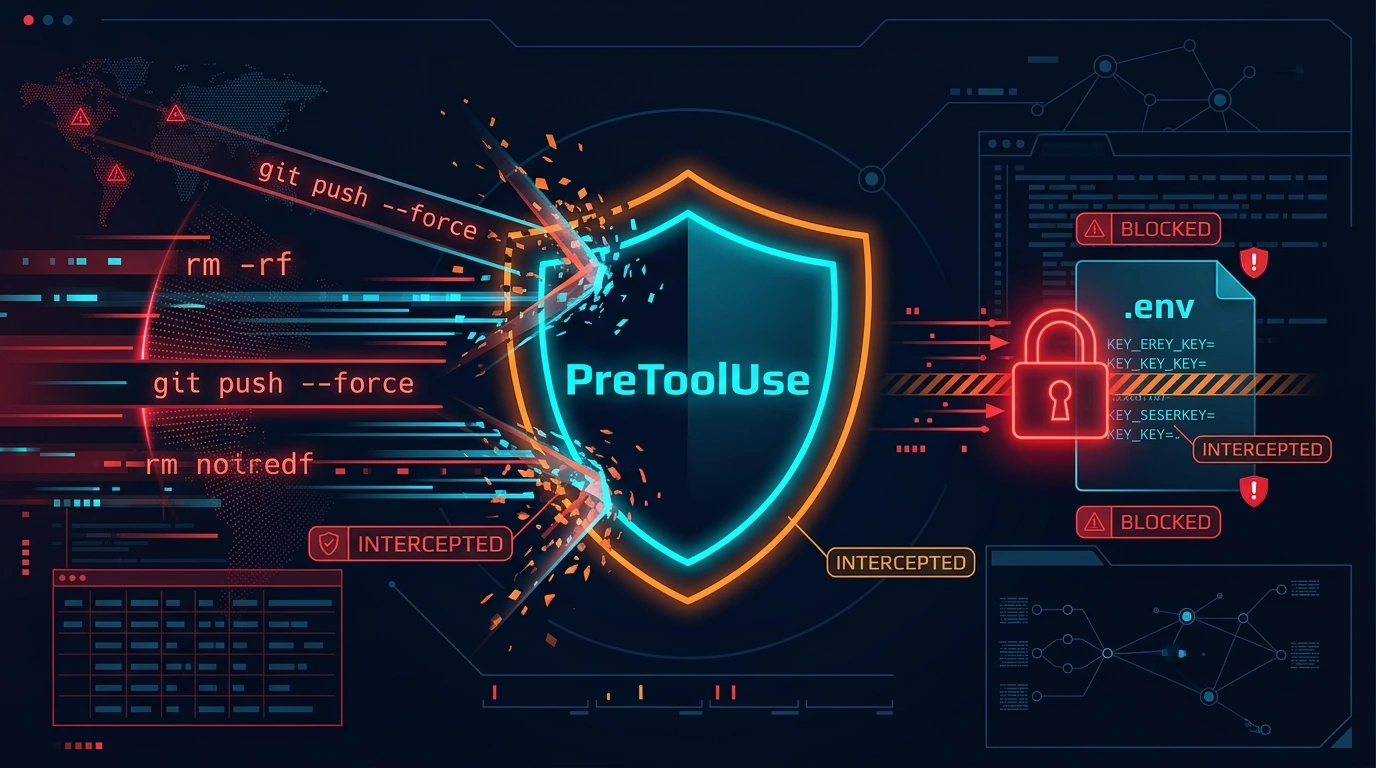
PreToolUse runs before a tool call executes and can be used to prevent an action.
That makes it one of the most important hooks for serious development environments.
You can use it to:
- block destructive shell commands
- protect production branches
- prevent edits to sensitive files
- stop secrets from being written
- enforce repository rules
- require approval for risky operations
- validate tool input
Community hook collections repeatedly use PreToolUse for destructive-command blocking, branch protection, secret protection, and other safety controls.
Example workflow
Claude wants to run a command
          ↓
PreToolUse
          ↓
Check command
          ↓
Safe? ─────── No → Block
  │
 Yes
  ↓
Execute
For example, a security policy could reject commands involving:
rm -rf
git push --force
git reset --hard
production deployment
secret files
private credentials
The exact rules should be adapted to your project rather than copied blindly from another repository.
Protect sensitive files
You can also use PreToolUse to guard files such as:
.env
.env.production
~/.ssh/
cloud credentials
private keys
production configuration
A community Reddit discussion described real-world hooks for blocking .env*, SSH keys, cloud credentials, and commands that expose environment secrets.
Human approval is another option
Not every dangerous operation needs to be permanently blocked.
For example:
Claude wants to deploy
       ↓
PreToolUse
       ↓
Risk check
       ↓
Ask developer
       ↓
Approve / reject
This creates a human-in-the-loop workflow instead of giving the agent unrestricted autonomy.
2. PostToolUse — Best for Formatting, Linting and Testing
PostToolUse runs after a tool call.
That makes it ideal for automated quality checks.
Common uses include:
- Prettier
- Black
- Ruff
- ESLint
- TypeScript checks
- unit tests
- syntax validation
- security scanning
- dependency checks
- activity logging
The official documentation specifically uses hooks for actions such as formatting files after edits.
Auto-formatting
A typical workflow is:
Claude edits file
       ↓
PostToolUse
       ↓
Prettier / Black / gofmt
       ↓
Continue
This removes formatting from the list of things Claude has to remember.
Auto-testing
A more advanced pattern is:
Source file changed
       ↓
PostToolUse
       ↓
Find related test
       ↓
Run test
       ↓
Pass → continue
Fail → return feedback
AY Automate's 2026 examples include auto-testing after edits, linting, secret scanning, cost tracking, and other workflow hooks.
Don't run the full test suite after every tiny edit
This is an important production consideration.
If every file change triggers a huge test suite, Claude Code can become slow.
A better design can be:
Small source change
       ↓
Run targeted test

Major change
       ↓
Run broader suite
3. SessionStart — Best for Project Context
SessionStart runs when a Claude Code session starts or resumes.
This is useful because developers often spend time repeatedly telling Claude:
- which branch they're using
- what they were working on
- what remains
- what tests failed
- what TODOs exist
- what the current Git status is
A startup hook can automate some of that.
For example:
SessionStart
    ↓
git branch
git status
TODO
recent commits
project state
    ↓
Claude starts
A community example uses session hooks to automatically load project context and active tasks.
4. UserPromptSubmit — Best for Dynamic Context
UserPromptSubmit runs when you submit a prompt, before Claude processes it.
This is useful when context needs to be refreshed for each request.
Possible uses include:
- injecting project state
- loading task metadata
- checking current branch
- adding relevant memory
- validating user input
- attaching dynamic development information
The distinction is useful:
SessionStart
Load information once when the session begins.
UserPromptSubmit
Process or add information whenever the developer submits a request.
For large repositories, this can be combined with context-management hooks so Claude doesn't repeatedly receive unnecessary information.
5. Notification — Best for Long-Running Tasks
One of the simplest but most useful hooks is Notification.
Instead of constantly watching the terminal, you can configure notifications when Claude needs your attention.
The official documentation includes a notification-hook example for desktop alerts.
For example:
Claude working
      ↓
Needs permission/input
      ↓
Notification
      ↓
Developer gets alert
Community collections also include desktop, Discord, Slack, sound, and other notification patterns.
This becomes particularly useful when Claude is running while you're:
- reading documentation
- working in another application
- waiting for tests
- handling another task
6. Stop — Best for Completion Checks
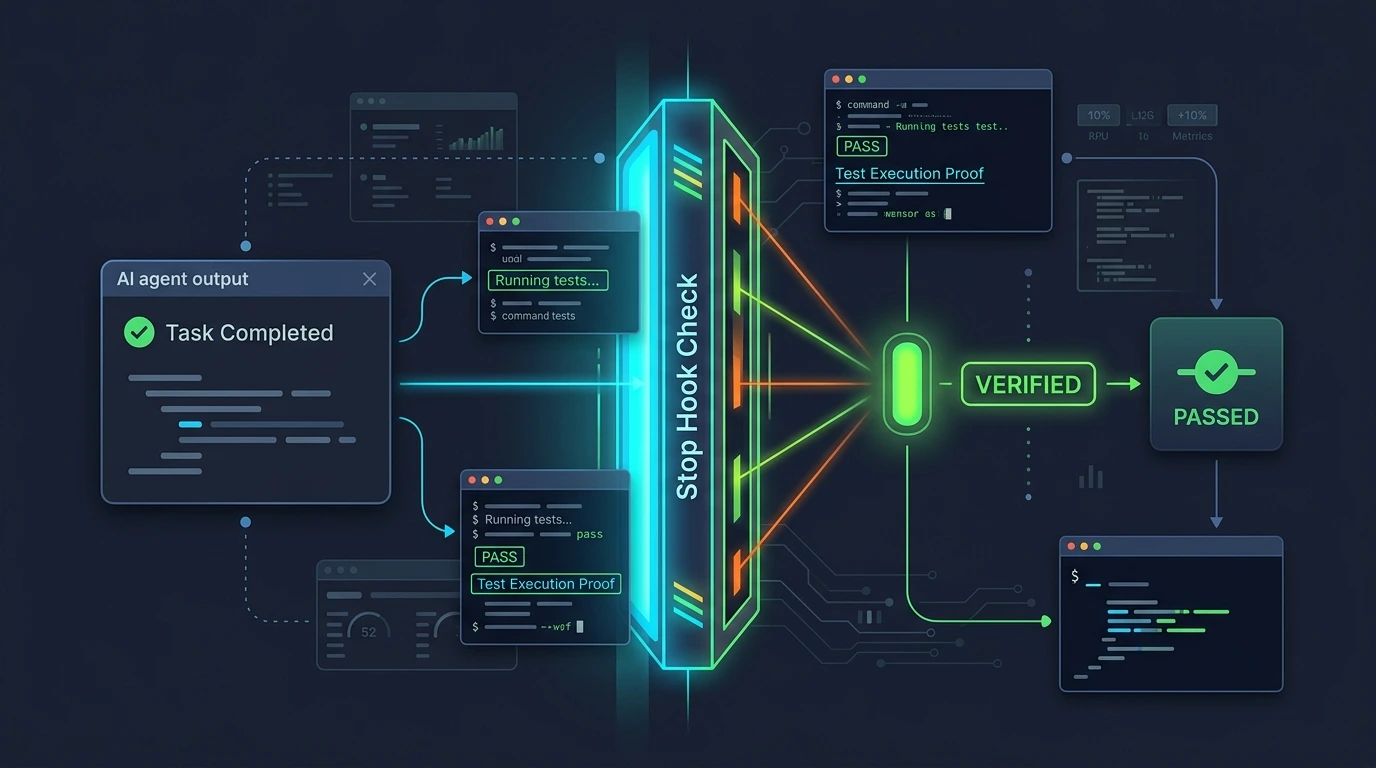
Stop runs when Claude reaches the point where it would normally stop.
That makes it useful for final checks.
You can use it for:
- task summaries
- notifications
- final validation
- cost tracking
- Git summaries
- completion gates
- reporting
For example:
Claude finishes
      ↓
Stop hook
      ↓
Run final checks
      ↓
Pass → finish
Fail → continue/fix
A production hook collection documented on GitHub uses Stop hooks for completion and operational checks.
A more advanced idea: evidence-based completion
One interesting community pattern goes beyond simple "run tests."
A PostToolUse tracker records what Claude actually did, and a Stop hook checks whether Claude's final claims are supported by that evidence.
For example:
Claude says:
"All tests pass."

        ↓

Stop hook checks:

Were tests actually executed?

        ↓

No → Flag the claim
This type of pattern is designed to reduce unsupported "done" or "fixed" claims.
That is a useful direction for autonomous coding workflows because it changes the goal from:
"Ask Claude to be honest."
to:
"Verify important claims against observable evidence."
7. SubagentStop — Best for Multi-Agent Workflows
If your Claude Code workflow uses subagents, SubagentStop can be used to react when a subagent finishes.
For example:
Main agent
   │
   ├── Research subagent
   │       ↓
   │   SubagentStop
   │
   ├── Testing subagent
   │       ↓
   │   SubagentStop
   │
   └── Main workflow
This can be useful for:
- validating subagent results
- recording completion
- collecting metrics
- triggering follow-up work
- notifying the main workflow
For advanced agent workflows, hooks are increasingly being combined with skills, agents, MCP servers, and CLAUDE.md rather than being used in isolation. A curated workflow repository describes these combinations as complete development recipes rather than individual tools.
8. PreCompact — Best for Context Recovery
Long-running Claude Code sessions can accumulate substantial context.
PreCompact provides a point before context compaction where you can preserve important information.
Potential uses:
- save session state
- preserve important decisions
- back up transcripts
- record current tasks
- prepare recovery information
A curated hook collection includes context-management patterns designed to preserve state across compaction and restore important information afterward.
One particularly practical pattern is:
Context getting large
       ↓
PreCompact
       ↓
Save important state
       ↓
Compaction
       ↓
Reload critical context
This is useful for long autonomous sessions.
9. Context Monitoring — An Underrated Hook
One of the more interesting findings from real-world autonomous Claude Code usage is that context loss can become a practical failure mode.
A developer who documented hundreds of hours of autonomous Claude Code usage described context monitoring as one of the hooks that emerged after real failures. Their system generated graduated warnings as context filled up, rather than waiting until the session was already struggling.
The pattern looked roughly like:
Context usage increases
        ↓
40% → caution
25% → warning
20% → compact recommended
15% → emergency warning
The exact thresholds are workflow-specific, but the principle is valuable:
Don't wait until context is nearly exhausted before reacting.
For long-running development sessions, context monitoring can be paired with PreCompact and session-state persistence.
10. Activity Logging and Observability
Another practical lesson from long-running Claude Code usage is that developers eventually want to answer:
"What did Claude actually do?"
A hook can create an audit trail.
For example:
Timestamp
Tool
File
Action
Result
Duration
A JSONL log could record events such as:
{
  "timestamp": "2026-09-24T10:30:00Z",
  "tool": "Edit",
  "file": "src/auth.ts"
}
A real-world open-source hook collection described activity logging after encountering the problem of having no easy audit trail for what Claude had done during long sessions.
This is particularly useful for:
- autonomous sessions
- debugging
- team environments
- compliance
- incident investigation
11. Secret Scanning
Secret scanning is another strong PreToolUse use case.
Instead of discovering a leaked API key after Claude writes a file, scan the proposed change first.
Conceptually:
Claude wants to write
       ↓
PreToolUse
       ↓
Secret scanner
       ↓
Secret found?
   ↓          ↓
 Yes          No
  ↓            ↓
Block        Write
Community hook collections include secret protection for .env files, API keys, cloud credentials, and private keys.
A broader hook directory also lists environment-variable leak detection and secret scanning as common hook patterns.
12. Prompt Injection Defense
This is one of the newer security use cases worth adding to a 2026 guide.
Claude Code may process content from:
- repositories
- documentation
- web pages
- tool outputs
- generated files
Some of that content can contain instructions intended to influence an AI agent.
A PostToolUse hook can inspect tool output for suspicious patterns before the information is used further.
Community hook collections now include prompt-injection scanners that look for patterns such as:
- instruction overrides
- role-playing jailbreaks
- encoded payloads
- suspicious data-exfiltration instructions
These are community implementations, not guarantees of complete protection, so they should be treated as an additional defense layer rather than a perfect security boundary.
13. Dependency Vulnerability Checks
Hooks don't have to be limited to formatting.
They can also connect Claude's development workflow to security tooling.
For example:
package.json changed
       ↓
PostToolUse
       ↓
npm audit / pip-audit / cargo audit
       ↓
Report findings
A Claude Code hooks directory currently lists dependency-vulnerability checks that trigger when dependency manifests change.
This is a good example of turning an existing engineering rule into an automated AI workflow.
14. TDD Enforcement
Hooks can also help enforce development methodology.
For example:
Claude modifies source
       ↓
Check for test
       ↓
No test?
       ↓
Block / warn
Community hook directories include TDD guards that monitor file operations and enforce test-related rules.
This does not mean hooks magically guarantee good TDD.
It simply gives your project a mechanism for enforcing a rule that would otherwise depend on the agent remembering it.
15. Git and Branch Protection
Git is another natural place for hooks.
A production-oriented setup might prevent Claude from:
push --force main
reset --hard
commit on protected branch
skip pre-commit verification
Community hook collections include branch protection and Git automation patterns, including hooks that isolate sessions or manage Git state.
For example:
Claude attempts push
       ↓
PreToolUse
       ↓
Check branch
       ↓
main?
 ↓
Block
This is especially useful if Claude is allowed to operate with fewer manual confirmations.
16. Cost and Token Tracking
Hooks can also provide visibility into how much an autonomous workflow is consuming.
A cost-tracking hook can record:
Session
Model
Tokens
Duration
Estimated cost
Community hook collections include model routing and cost-tracking patterns, including routing simpler tasks to less expensive models and tracking estimated usage.
This can be useful when:
- running Claude for long periods
- using subagents
- experimenting with autonomous loops
- operating multiple sessions
- trying to control AI development costs
17. Auto-Commit and Git Checkpoints
Another practical pattern is automatic checkpointing.
For example:
Claude completes meaningful task
       ↓
Stop hook
       ↓
Create checkpoint
       ↓
Continue / review
This can make rollback easier during experimental autonomous workflows.
However, automatic commits are not automatically a good idea for every project.
A checkpoint commit can be useful for recovery, but you should still have a clear distinction between:
- temporary checkpoints
- reviewed commits
- production-ready commits
Community hook collections include checkpointing and session-isolation patterns for this reason.
18. File Organization Hooks
Hooks can also keep repositories cleaner.
For example:
Claude creates temporary script
       ↓
PostToolUse
       ↓
Detect file type
       ↓
Move to scripts/
Community collections include hooks that organize generated files into folders such as scripts/, docs/, and testing directories.
This is useful for repositories where AI-generated temporary files can otherwise accumulate quickly.
19. Hooks Can Become a Pipeline
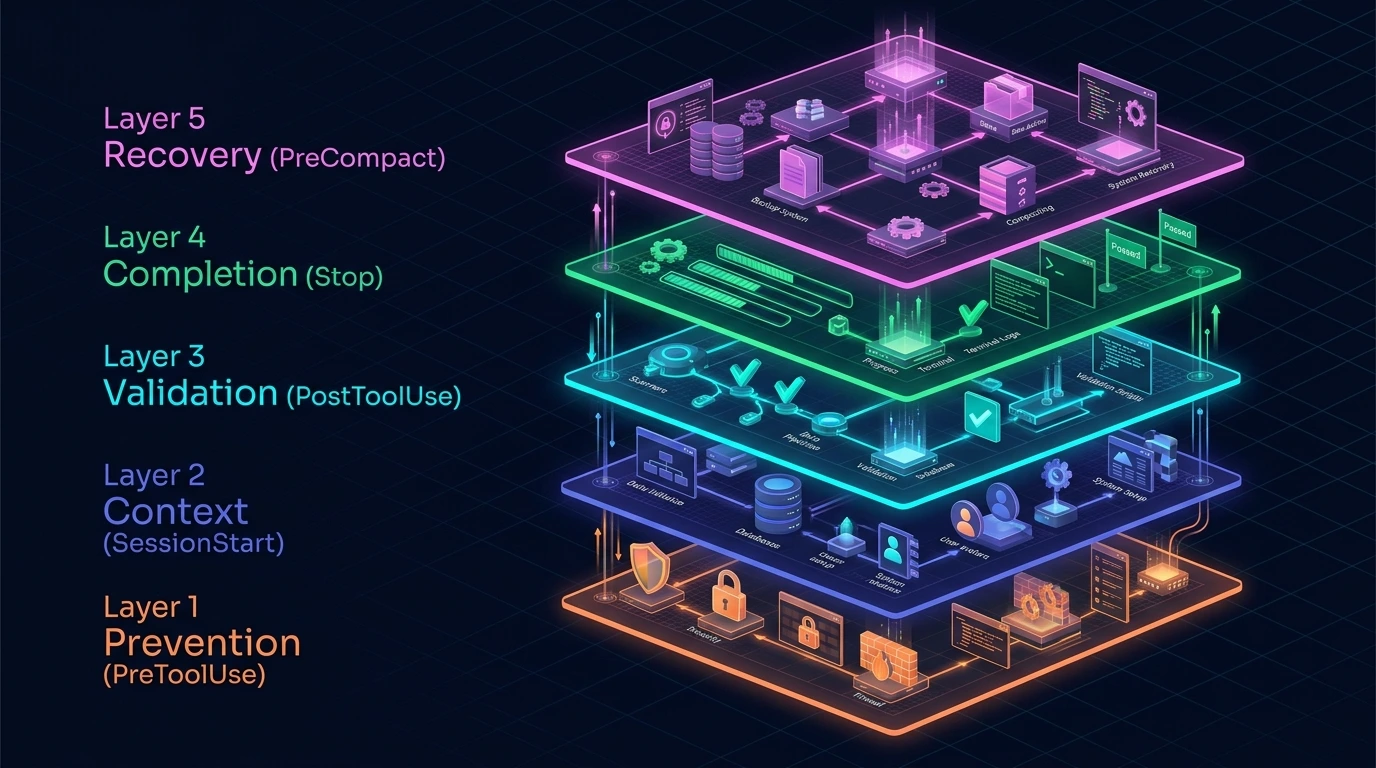
The biggest lesson from the research is that serious setups rarely depend on one hook.
Instead, developers can build a pipeline:
SessionStart
     ↓
Load project context
     ↓
UserPromptSubmit
     ↓
Add dynamic information
     ↓
PreToolUse
     ↓
Security / permission check
     ↓
Tool executes
     ↓
PostToolUse
     ↓
Format / lint / test / scan
     ↓
Stop
     ↓
Completion / reporting
This creates layers.
Layer 1 — Prevention
PreToolUse
Layer 2 — Context
SessionStart / UserPromptSubmit
Layer 3 — Validation
PostToolUse
Layer 4 — Completion
Stop
Layer 5 — Recovery
PreCompact + session persistence
A production-pattern article describes this broader idea as turning engineering quality gates into automated enforcement around the agent.
20. Hooks vs CLAUDE.md vs Skills
This distinction is extremely important.
| Feature | Main purpose |
|---|---|
| CLAUDE.md | Project instructions and knowledge |
| Skills | Reusable task-specific instructions/workflows |
| Hooks | Automated lifecycle actions |
| Subagents | Isolated delegated work |
| MCP | External tools/data |
| Plugins | Package multiple capabilities |
Claude Code's own documentation separates hooks from skills, subagents, and plugins because they solve different extension problems.
Think about it this way:
CLAUDE.md
"Follow these project rules."
Skill
"When doing this kind of task, follow this reusable workflow."
Hook
"Whenever this event happens, automatically perform this action."
Subagent
"Delegate this isolated task."
MCP
"Give Claude access to this external capability."
The strongest workflows can combine several of these.
21. Hook Types: Command, Prompt, Agent, HTTP and MCP
Current Claude Code is broader than the older tutorials that describe hooks as only shell scripts.
The official reference documents several handler types, including:
- command hooks
- prompt hooks
- agent hooks
- HTTP hooks
- MCP tool hooks
It also documents asynchronous hooks and advanced JSON input/output behavior.
Command hook
Use for deterministic tasks:
format
lint
scan
block
log
Prompt hook
Useful when a Claude model should evaluate a condition.
Agent hook
Useful when verification requires a more involved agent workflow.
HTTP hook
Useful when an event needs to be sent to an external service.
MCP tool hook
Useful when hook behavior needs to integrate with an MCP tool.
This means the hook system can connect Claude Code to more than local shell scripts.
22. When Should You Use a Command Hook vs Prompt Hook?
Use a command hook when the rule is deterministic.
Example:
"If the file contains a secret pattern, block it."
Use a prompt or agent hook when the question requires judgment.
Example:
"Does this change appear to introduce a security vulnerability?"
The distinction matters because using an AI model to perform a simple deterministic check can add unnecessary latency and complexity.
23. A Practical Hook Stack for Beginners
You don't need 20 hooks.
Start with three.
1. SessionStart
Load:
Git branch
Git status
TODO
project state
2. PostToolUse
Run:
formatter
lint
targeted tests
3. PreToolUse
Protect:
secrets
production files
protected branches
dangerous commands
This gives you:
Context
+
Safety
+
Quality
without creating a complicated system.
24. Intermediate Developer Setup
Once the basic system works, add:
SessionStart
UserPromptSubmit
PreToolUse
PostToolUse
Notification
Stop
For example:
SessionStart
→ Load context

UserPromptSubmit
→ Refresh dynamic context

PreToolUse
→ Security

PostToolUse
→ Formatting + testing

Notification
→ Tell developer when input is required

Stop
→ Final report
25. Advanced Autonomous Setup
For long-running or multi-agent workflows, you can add:
SessionStart
UserPromptSubmit
PreToolUse
PostToolUse
SubagentStop
PreCompact
Stop
Then layer in:
- context monitoring
- audit logging
- cost tracking
- session persistence
- secret scanning
- prompt-injection detection
- branch protection
- completion verification
Real-world autonomous Claude Code projects have evolved in this direction because failures such as context loss, silent errors, accidental production actions, and missing audit trails become more important as sessions run longer.
26. Production Hook Architecture
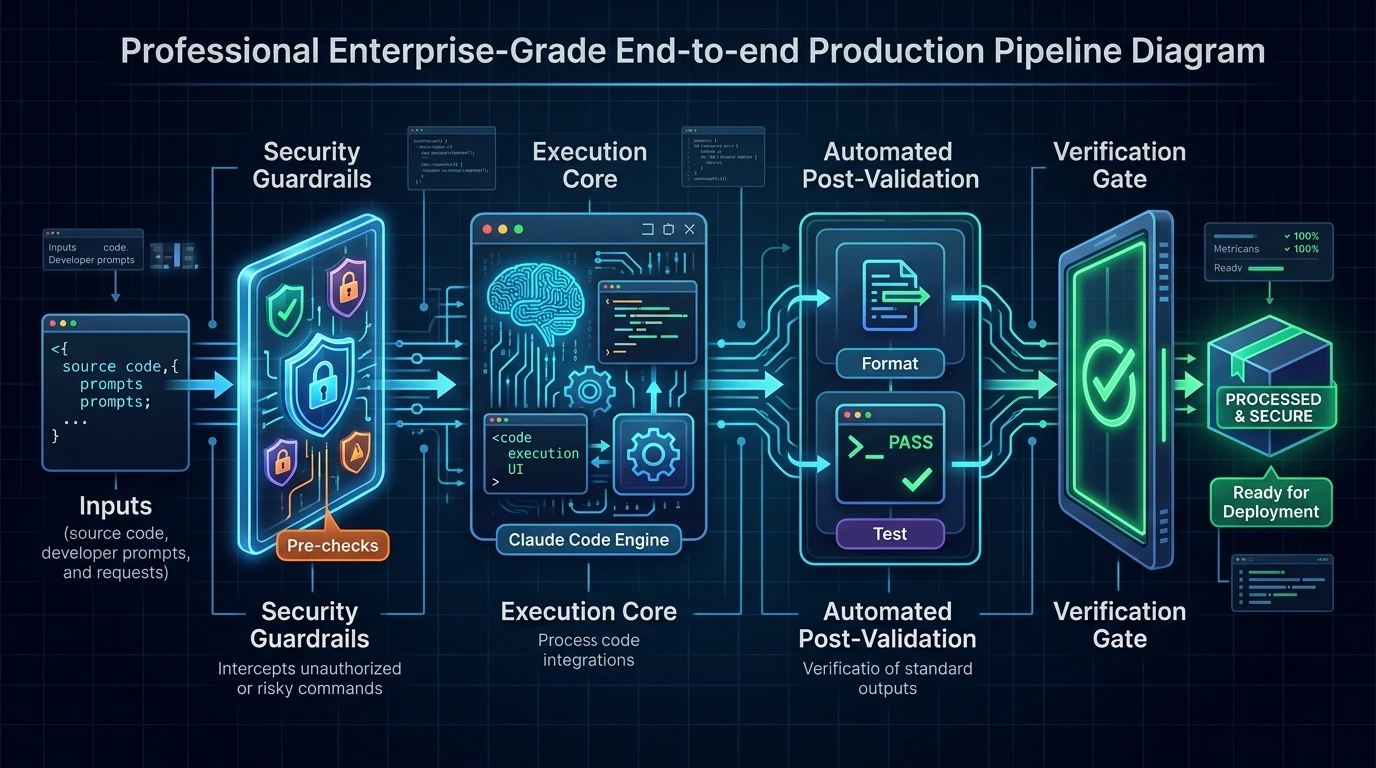
A useful production architecture looks like this:
                 Claude Code
                      │
             ┌────────┴────────┐
             │                 │
       Prevention           Context
       PreToolUse       SessionStart
             │                 │
             └────────┬────────┘
                      ↓
                 Tool execution
                      ↓
                 PostToolUse
                      ↓
          ┌───────────┼───────────┐
          ↓           ↓           ↓
       Format       Test       Security
          │           │           │
          └───────────┼───────────┘
                      ↓
                    Stop
                      ↓
             Final verification
The advantage is that different responsibilities remain separate.
Don't create one giant script that tries to do everything.
27. Common Claude Code Hook Mistakes
Mistake 1: Using hooks for everything
More automation is not automatically better.
Start with repetitive problems.
Mistake 2: Using PostToolUse for prevention
If you need to stop an action, use a pre-action event.
Don't wait until after the dangerous command has already run.
Mistake 3: Making every edit trigger expensive tests
Target the tests that matter.
Mistake 4: Ignoring hook security
Hooks can execute commands with your user's permissions.
Review scripts before installing them.
Mistake 5: Copying random GitHub hooks blindly
A hook is executable code.
Inspect:
- commands
- file paths
- environment variables
- network access
- permissions
- failure behavior
Mistake 6: Creating competing hooks
Claude Code can run matching hooks in parallel. If multiple hooks try to modify the same tool input, you can create unpredictable behavior.
Mistake 7: Making hooks too slow
A hook that runs after every edit should normally be lightweight.
Move expensive work to less frequent lifecycle events when appropriate.
Mistake 8: Assuming a hook is a complete security boundary
A hook is one layer of defense.
Combine it with:
- permissions
- sandboxing
- Git protection
- secret management
- CI
- code review
28. How to Choose the Right Hook
Ask one question:
At what moment must this rule happen?
Before Claude acts?
Use:
PreToolUse
After Claude changes something?
Use:
PostToolUse
When a session starts?
Use:
SessionStart
Every time the developer sends a prompt?
Use:
UserPromptSubmit
When Claude needs attention?
Use:
Notification
When Claude finishes?
Use:
Stop
When a subagent finishes?
Use:
SubagentStop
Before context compaction?
Use:
PreCompact
This simple mental model eliminates much of the confusion around hooks.
29. My Recommended Claude Code Hook Setup
Instead of calling one hook "the best," use a tiered setup.
Beginner
SessionStart
PostToolUse
Best for:
- context
- formatting
- linting
Intermediate
SessionStart
PreToolUse
PostToolUse
Notification
Stop
Best for:
- safety
- quality
- notifications
- completion checks
Advanced
SessionStart
UserPromptSubmit
PreToolUse
PostToolUse
SubagentStop
PreCompact
Stop
Add:
secret scanning
context monitoring
audit logging
cost tracking
branch protection
completion verification
This gives you a progression instead of forcing beginners to maintain an unnecessarily complicated hook system.
30. Are Claude Code Hooks Worth Using?
For developers who repeatedly encounter the same workflow problem, hooks can be extremely useful.
Good candidates include:
- formatting
- linting
- testing
- security
- secret protection
- branch protection
- notifications
- context management
- logging
- cost tracking
- completion verification
They become especially valuable when Claude operates for longer periods or with greater autonomy.
But the goal shouldn't be to install the largest hook collection you can find.
The goal is to automate the rules that actually matter to your workflow.
FAQ
What is the best Claude Code hook for developers?
There is no single best hook for every developer.
PreToolUse is useful for prevention and safety, PostToolUse for formatting and validation, SessionStart for context, and Stop for completion workflows.
What is the best hook for auto-formatting?
PostToolUse is a natural choice because it runs after a tool changes a file.
Which hook blocks dangerous commands?
PreToolUse can inspect a tool call before execution and can be used to prevent risky actions.
Can Claude Code hooks protect secrets?
Yes. Developers use pre-tool hooks to detect sensitive files and secret patterns before changes are made. Community examples include .env, API-key, cloud-credential, and private-key protection.
Can hooks run tests automatically?
Yes. PostToolUse can trigger targeted tests or other validation after changes. Community examples include automatic test runners and linting workflows.
Can hooks monitor context usage?
Yes. Community implementations use hooks to monitor context usage and provide graduated warnings before the session becomes critically constrained.
Can hooks send notifications?
Yes. The official documentation includes Notification hooks, and community projects extend this to desktop, Discord, Slack, and sound notifications.
Are Claude Code hooks better than CLAUDE.md?
They serve different purposes.
Use CLAUDE.md for project instructions and knowledge.
Use hooks for automated lifecycle actions.
In many projects, using both makes sense.
Can Claude Code hooks use AI?
Yes. Current Claude Code supports prompt- and agent-based hook handlers in addition to command hooks.
Can Claude Code hooks work with HTTP services?
Yes. The current hook reference documents HTTP hooks alongside command, prompt, agent, and MCP tool handlers.
Should I install a large hook collection?
Not necessarily.
Start with one or two problems you actually have. Test the hooks, understand their behavior, and expand gradually.
Final Takeaway
Claude Code Hooks have evolved beyond simple "run Prettier after editing a file" scripts.
In 2026, developers are using hook-based workflows for:
- security guardrails
- secret protection
- prompt-injection defense
- formatting
- linting
- automated testing
- context management
- audit logging
- cost tracking
- Git protection
- notifications
- completion verification
- autonomous workflow recovery
The most useful architecture is usually layered:
PreToolUse
   ↓
Prevent bad actions

SessionStart
   ↓
Load useful context

PostToolUse
   ↓
Format + test + validate

Stop
   ↓
Verify completion

PreCompact
   ↓
Preserve important state
And for advanced workflows:
Hooks
+
CLAUDE.md
+
Skills
+
Subagents
+
MCP
+
CI/CD
The key is not to create the most complicated hook configuration.
It's to turn important engineering rules into small, understandable, testable automation.
If a rule matters every time Claude performs an action, a hook may be a better place for that rule than a reminder inside a prompt.