
Quick Answer
Yes, but selectively. AI coding tools don't eliminate performance optimization — they shift it later and make it less visible. Studies in 2026 show AI-generated code is functionally correct but often algorithmically naive, leading to more bug-fix cycles and higher long-term maintenance costs. Developers who skip manual review of AI output are the ones actually losing performance discipline, not the tools themselves.
TL;DR
- AI coding tools generate code that passes tests but frequently uses inefficient algorithms, naive recursion, or unoptimized database queries.
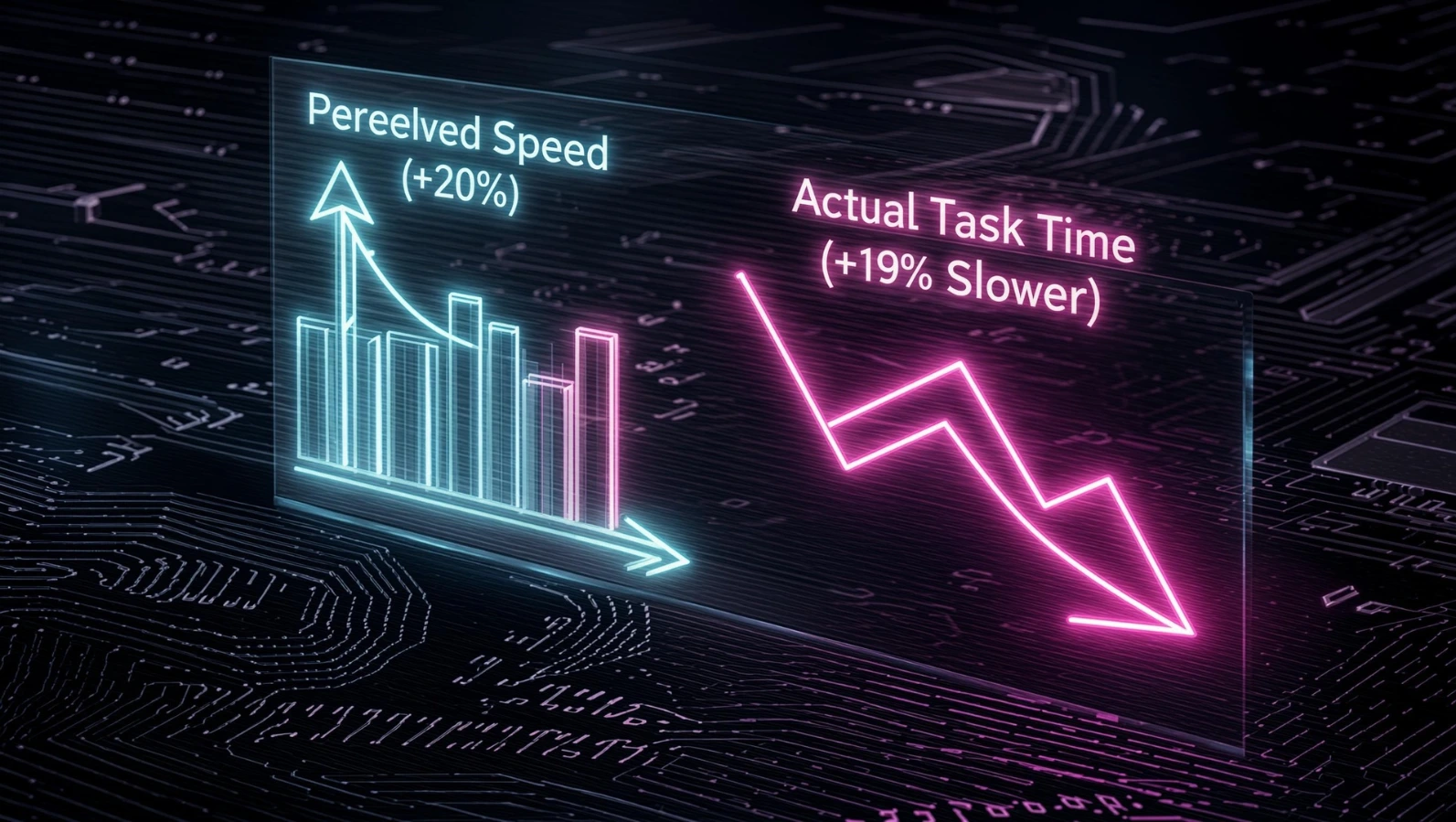
- A widely discussed METR study found experienced developers using AI tools were actually 19% slower on real tasks, despite believing they were 20% faster.
- Independent analysis from CodeRabbit found AI-generated pull requests introduced roughly 1.7x more problems than human-written code.
- Some teams report spending close to 44% of their AI token budget fixing bugs the AI itself created.
- Gartner has predicted a sharp rise in generative-AI-related software defects, with most technology leaders expecting moderate-to-severe technical debt problems tied to AI-accelerated development.
- Performance regressions concentrate in three areas: algorithmic complexity, database access patterns, and concurrency/race conditions.
- The fix isn't abandoning AI tools — it's adding explicit performance review gates, benchmarking, and profiling into the AI-assisted workflow.
- Senior engineers report the highest gains; junior engineers are most at risk of shipping AI code they can't evaluate.
- Language choice is shifting too — Python's growth has accelerated partly because AI models perform best in heavily-trained ecosystems, which has its own performance tradeoffs.
Why This Question Matters Right Now
Here's a scenario playing out in code reviews everywhere this year: a pull request lands, the AI assistant wrote 80% of it, all the tests pass, and it ships. Three weeks later, someone notices the new endpoint is doing an N+1 database query that wasn't there in the old code. Nobody caught it because the function "worked," and working code that passes CI doesn't automatically get a second look anymore.
This isn't a hypothetical. Gartner has predicted a 2,500% increase in generative AI software defects, and 75% of technology leaders are projected to face moderate or severe technical debt problems by 2026 because AI-accelerated coding practices skip long-term structural thinking. That's not an anti-AI talking point from a Luddite blog — it's a mainstream analyst firm describing a trend that's already underway.
At the same time, adoption isn't slowing down. By 2026, 84% of developers are either using or actively planning to use AI coding tools, up from 76% the year before, and 51% of professional developers now use AI tools every working day. So the question isn't whether AI coding tools are sticking around. They are. The real question is what happens to code quality and performance when speed becomes the default metric teams optimize for.
This article digs into what's actually happening to performance optimization specifically — not code quality in the abstract, but the concrete habit of thinking about algorithmic complexity, memory usage, query efficiency, and concurrency before code ships. We'll look at the benchmark data, the community discussion on Hacker News and Reddit, the specific failure patterns AI tools exhibit, and — most importantly — a practical workflow for keeping performance discipline alive while still getting the speed benefits AI tools genuinely offer.
By the end, you'll know exactly where AI coding tools tend to drop the ball on performance, how to catch it before it reaches production, and how to set up review habits that don't require you to give up the productivity gains.
What's Actually Happening: The Evidence
Developers Are Slower, Not Faster, on Real Tasks
The most cited and most uncomfortable data point in this conversation comes from METR, a nonprofit AI research group. METR recruited 16 experienced developers from large open-source repositories averaging over 22,000 stars and a million-plus lines of code, then randomly assigned 246 real issues to either allow or disallow AI assistance. The tools used were primarily Cursor Pro paired with frontier Claude models at the time.
The result surprised even the researchers. After the study, developers estimated they had been sped up by 20% on average when using AI — but they were mistaken about AI's actual impact on their productivity. In reality, developers using AI tools took longer on these tasks, not shorter. A follow-up wave of the same study in early 2026 reportedly confirmed the pattern, and it's been widely discussed under the framing that experienced developers using tools like Cursor took roughly 19% longer to complete tasks than developers working without AI assistance.
Why does this matter for performance optimization specifically? Because the time lost wasn't spent writing better code. It went into reviewing, correcting, and re-prompting. That's time that used to go toward thinking through edge cases, complexity, and tradeoffs — the exact mental work performance optimization requires.
The "Almost Right" Problem
Independent code-review analysis backs this up from a different angle. The most common frustration, cited by 66% of developers, is AI output that is "almost right, but not quite," which leads directly into the second most common complaint: debugging AI-generated code takes more time than it should.
Code-reviewing tool company CodeRabbit, after analyzing open-source pull requests, found that AI-written code introduced about 1.7 times more problems than equivalent human-written code. Yes, that statistic comes from a vendor with an interest in selling code review tooling — but it's not isolated. Researchers at Singapore Management University published an April 2026 report warning that AI-generated code can quietly introduce long-term maintenance costs into real software projects, a more academically cautious version of the same conclusion.
Tokenmaxxing and the Bug-Fix Loop
One of the more striking community data points making rounds in mid-2026 came from Aiswarya Sankar, founder of reliability-engineering startup Entelligence AI, who claimed companies are now spending roughly 44% of their AI token budget fixing bugs that the AI itself introduced. Whether or not that exact figure generalizes to every team, it captures something real: when AI tools write code fast, they often also create the next several rounds of debugging work, and teams pay for both the generation and the cleanup.
This pattern showed up at the corporate level too. Uber reportedly blew through its entire 2026 AI budget within the first four months of the year, and COO Andrew Macdonald said publicly that the spending hadn't produced a measurable increase in projects or productivity. Amazon went a different direction — it had to shut down an internal AI usage leaderboard after employees started gaming it by running agents excessively just to rack up activity metrics, driving costs up without a clear productivity payoff.
The Maintenance Tax Nobody Budgeted For
Programmer and author James Shore wrote a blog post that went viral on Hacker News making an argument that's become something of a rallying point in developer circles: if you write code twice as fast with AI but your maintenance burden doesn't drop correspondingly, you haven't gained anything — you've just moved the cost to later, with interest. That framing resonates with engineers because it matches what they're actually experiencing: fast initial delivery, followed by a slow grind of fixing things that were "fine" at merge time but degrade under real load.
This is the core mechanism behind why performance optimization specifically suffers. Optimization is, by nature, deferred-gratification work. It rarely shows up in a passing test suite. An AI model optimizing for "produce code that satisfies this prompt and passes these tests" has no built-in incentive to consider what happens when that function runs against ten million rows instead of ten.
Where AI Coding Tools Actually Fail at Performance
It helps to be specific instead of treating "AI writes bad code" as one big blob of a problem. In practice, the performance failures cluster into a small number of repeatable patterns.

1. Naive Algorithmic Complexity
This is the single most common failure mode. AI models are trained to produce code that looks correct and passes the test case in front of them, not code that scales. A frequently cited example: a developer working through an Advent of Code-style problem found that an AI assistant generated a recursive solution that worked instantly on the small sample input but caused a stack overflow and massive slowdown on the real dataset. The "fix" required switching to dynamic programming — something the AI never considered because nothing in the prompt or sample data hinted that scale mattered.
This is sometimes called the verification tax: the time spent proving the AI's solution wrong, understanding why, and rewriting it correctly often exceeds the time it would have taken to write the optimized version from scratch.
What to watch for:
- Recursive solutions without memoization on problems with overlapping subproblems
- O(n²) loops where a hash map or set would do O(n)
- Sorting where a single pass would suffice
- String concatenation in loops instead of using builders/joins
2. Database Query Inefficiency
AI assistants are notoriously bad at understanding the runtime shape of your data. They'll happily generate an ORM call inside a loop — a classic N+1 query pattern — because syntactically it's correct and it "did what you asked." What it doesn't know is that your users table has 40 million rows and that loop is about to issue 40 million queries.
Common patterns AI tools generate that hurt database performance:
- Fetching related objects inside a loop instead of using eager loading or joins
- Missing or unnecessary indexes suggested without context on actual query patterns
- SELECT * instead of selecting only needed columns
- Pagination logic that loads entire result sets into memory before slicing
3. Memory Management in Constrained Environments
In resource-constrained contexts — embedded systems, serverless functions with tight memory limits, mobile apps — AI-generated code regularly ignores allocation patterns that matter. It tends to favor the most "idiomatic" or commonly-seen pattern in its training data, which is often the memory-heaviest one (loading entire files into memory, building large intermediate data structures, avoiding streaming APIs in favor of simpler-looking batch operations).
4. Concurrency and Race Conditions
This is arguably the most dangerous category, and not just for performance — for correctness. Race conditions depend on the non-deterministic timing of events, which is exactly the kind of problem large language models struggle to reason about, because there's no single "correct" code shape that text patterns reveal as unsafe. AI tools will generate code that looks like proper locking or async handling but misses subtle ordering issues that only manifest under real concurrent load — the kind of bug that doesn't show up in a unit test and only appears in production traffic patterns.
5. Infrastructure-Level Performance Blind Spots
Beyond the code itself, there's a layer most discussions miss: the tools themselves introduce latency. Workflow friction — prompting, waiting on generation, reviewing output — adds up across hundreds of daily interactions. Some AI coding platforms have invested heavily in infrastructure to minimize this (sub-200ms response targets, custom indexing of large codebases), but plenty of setups still introduce multi-second delays per interaction that compound over a working day. This isn't "performance optimization" in the algorithmic sense, but it's a real productivity drag that gets conflated with the code-quality conversation.
The Counter-Argument: Where AI Genuinely Helps
It would be dishonest to present this as a one-sided disaster. The data is genuinely mixed, and ignoring the upside doesn't serve anyone.
Data from Jellyfish indicates organizations with high adoption rates of tools like GitHub Copilot and Cursor have seen median PR cycle times drop by as much as 24%. For boilerplate, syntax discovery, and the "blank page problem," AI tools eliminate genuinely wasted time. Companies that successfully moved from 0% to 100% adoption of coding assistants saw median cycle time drop by 24%, from 16.7 to 12.7 hours.
There's also a quality signal that cuts against the doom narrative. The Jellyfish data found that companies with higher AI usage merged more pull requests and pushed more bug fixes — and importantly, the proportion of PRs that were bug fixes was only modestly higher at high-adoption companies (9.5%) versus low-adoption companies (7.5%). That's not nothing, but it's not the catastrophic quality collapse some headlines imply either.
And capability is genuinely improving. Independent benchmark comparisons in 2026 show some newer agentic tools achieving win rates in the 60%+ range over earlier-generation tools like GitHub Copilot on industry benchmarks such as SWE-bench Verified — meaning fewer debugging cycles and less validation overhead for teams using the stronger tools.
The honest takeaway: AI coding tools are not uniformly good or bad for performance. They're a high-variance lever. In the hands of a senior engineer who knows what to check, they accelerate genuinely safe work. In the hands of someone who treats "tests pass" as "done," they quietly accumulate performance debt that surfaces weeks or months later.
Why This Is Happening: The Incentive Mismatch
It's worth understanding the mechanism, not just the symptom. AI coding tools — whether autocomplete-style assistants or fully agentic ones — are optimized during training and deployment around a few measurable signals: does the code compile, does it pass the given tests, does it match the style of the surrounding codebase, and does it satisfy the literal request. None of those signals reward thinking about scale.
A human engineer asked to "add a function that returns active users" will often pause and ask: how many users, how often is this called, is this going in a hot path? An AI assistant answering the same prompt has no equivalent instinct unless the constraint is spelled out explicitly. It will produce a correct answer, optimized for matching the request, not the efficient answer for your actual production conditions.
This is compounded by a structural shift in how code gets reviewed. When a human writes code, the act of writing forces them to reason through the logic step by step, which is itself a natural checkpoint for catching inefficiency. When an AI generates code in seconds, that forced reasoning step disappears for the person accepting the output — unless they deliberately rebuild it through review.
Practical Workflow: How to Use AI Coding Tools Without Losing Performance Discipline
This is the part most articles skip. Here's a workflow that keeps the speed benefits while putting performance optimization back into the loop.

1. Treat AI output as a draft, not a deliverable
Why it matters: the entire risk profile changes once you stop treating "AI wrote it and tests pass" as equivalent to "this is done." Read every AI-generated function the way you'd read a junior engineer's first draft — because behavioral data suggests that's roughly the skill ceiling for autonomous AI coding agents on complex tasks right now.
2. Always ask the AI for complexity, not just correctness
Instead of "write a function that deduplicates this list," prompt with the constraint baked in: "write a function that deduplicates this list in O(n) time, given the list may contain up to 10 million items." Models respond very differently when the scale constraint is explicit versus implied. This single habit eliminates a large share of naive-algorithm failures.
3. Run a profiler before merging anything AI-generated that touches a hot path
Why it matters: profiling catches what code review misses. A function can look clean and still allocate memory wastefully or trigger N+1 queries that are invisible in a code diff but obvious in a flame graph. Tools like py-spy, clinic.js, Go's built-in pprof, or your database's query analyzer (e.g., Postgres EXPLAIN ANALYZE) should be a standing step for any AI-touched code in performance-sensitive areas, not an afterthought.
4. Add explicit performance gates to CI, not just functional tests
Why it matters: tests check correctness, not speed. Add lightweight benchmark assertions for critical paths (e.g., "this endpoint must respond in under 200ms with 10k rows in the table") so a regression fails the build automatically instead of waiting for a human to notice in production.
5. Use AI to review AI
Why it matters: feeding the generated code back into a second pass — "review this function for algorithmic complexity, database access patterns, and concurrency issues" — catches a surprising number of self-inflicted problems, because the review prompt forces the model to apply a different evaluation lens than the original generation prompt did.
6. Keep senior engineers in the loop on architecture, not just code review
Why it matters: system design and architecture remain the place where AI tools consistently underperform. High-level tradeoff decisions — what to cache, what to denormalize, where to introduce a queue — need a human who understands the full system, not just the function in front of them.
7. Track token-to-bug-fix ratio, not just velocity
Why it matters: velocity metrics like "PRs merged" or "lines shipped" don't capture rework. If a meaningful share of your AI usage is going toward fixing bugs the AI introduced, that's the metric that tells you whether AI use is actually saving time or just moving the work around.
Common Mistakes Teams Make
- Measuring AI success by speed of first merge, not total time-to-stable. A PR that merges fast but triggers three follow-up bug-fix PRs isn't actually fast — it just looks fast at the first checkpoint.
- Letting AI choose the algorithm without specifying constraints. As covered above, models default to whatever pattern is most common in training data, which is rarely the most efficient one for your specific scale.
- Skipping profiling because "the AI usually gets it right." Confidence in AI output correlates with how recently something broke, not with actual reliability. Profiling is cheap insurance.
- Applying the same review depth to AI code as to a trusted teammate's code. AI-generated code statistically introduces more issues per pull request than human-written code, according to independent pull-request analysis — review depth should match that risk profile, not drop because the code "looks clean."
- Letting junior developers merge AI code unsupervised. Junior engineers are least equipped to spot the gap between "looks correct" and "is efficient," because spotting that gap requires the exact pattern-recognition experience they haven't built yet.
- Ignoring concurrency-heavy code as a special case. Race conditions are the category where AI tools are weakest and the cost of a missed bug is highest. This code deserves manual review regardless of how much AI assistance went into the rest of the codebase.
Benchmarks and Numbers Worth Remembering
Metric | Finding | Source |
|---|---|---|
Task completion time with AI vs. without | Experienced devs ~19% slower with AI on real tasks | METR study |
Developer self-perception of speedup | Believed +20% faster (mistaken) | METR study |
Problems introduced per AI-written PR vs. human PR | ~1.7x more issues | CodeRabbit analysis |
Share of tokens spent fixing AI-introduced bugs | ~44% (self-reported, one org) | Entelligence AI founder |
PR cycle time reduction at full AI adoption | 24% faster (16.7h → 12.7h) | Jellyfish data |
Developers using AI tools daily (2026) | 51% | Stack Overflow Developer Survey |
Predicted technology leaders facing technical debt issues by 2026 | 75% | Gartner |
Predicted rise in generative-AI software defects | 2,500% increase | Gartner |
Developers saying debugging AI code takes longer than expected | ~45% | Tabnine / developer survey data |
Developers who actively distrust AI output accuracy vs. trust it | 46% distrust vs. 33% trust | Tabnine / developer survey data |
What this means in practice: the speed gains are real but concentrated in routine, well-bounded tasks. The losses are real too, and they concentrate in exactly the areas performance optimization lives — algorithmic complexity, database access, and concurrency — because those require contextual judgment models that don't reliably have.
Community Insights: What Developers Are Actually Saying
Hacker News discussions around the "maintenance tax" argument (popularized by James Shore's viral post) consistently circle back to one theme: speed without a corresponding drop in maintenance burden is a trap, not a win. Commenters frequently note that the real cost of AI-generated code shows up months later, in the form of confusing logic nobody on the team actually wrote and therefore nobody fully understands.
Reddit threads in developer-focused communities echo the "almost right" frustration repeatedly — the recurring complaint isn't that AI code never works, it's that subtly wrong code is more dangerous than obviously wrong code, because it passes review more easily.
GitHub Discussions and developer forums around agentic tools (Claude Code, Cursor, Cline, Aider) show a recurring pattern: developers trust these tools most for debugging and architectural reasoning on existing code, and trust them least for unsupervised greenfield generation in performance-sensitive code. Several engineers describe using top-tier agentic tools as an "escalation path" for hard problems rather than a default for everyday coding — using simpler, cheaper tools for routine work and reserving the most capable (and expensive) models for the cases that actually need deep reasoning.
A recurring practical complaint across communities: cost. As tools shift toward usage-based billing, "which tool won't drain my budget" has become as common a discussion topic as "which tool is smartest" — directly tying back to the token maxxing and budget-overrun stories covered earlier.
Tabnine's own engineering blog made a related point in June 2026: large shares of developers report frustration with AI output that's almost right but not quite, roughly 45% say debugging AI-generated code actually takes more time than expected, and trust is split — about 46% of developers say they actively distrust AI output accuracy versus only 33% who trust it. Their argument is that most teams are still measuring AI coding tools by "feel" (does it look fast?) instead of tracking rework, review burden, and verification cost — which is exactly the blind spot that lets performance regressions slip through unnoticed.
A widely shared engineering write-up on Dev Community made a similar observation from personal experience: AI tools are excellent at tasks the developer already knows how to do — boilerplate, refactors, test generation — but become a liability on unfamiliar bugs or performance work, because the AI optimizes based on theoretical patterns rather than measured, system-specific reality. That same piece flagged performance optimization by name as one of the areas where AI-suggested fixes looked clever but missed the actual bottleneck.
A more skeptical, widely circulated Medium piece pushed this further, arguing that the productivity metrics most teams track — lines of code, commits per day, story points — go up under AI use while the metric that actually matters, time to a working, production-ready feature, goes the other direction. Its core argument: easy tasks get faster, hard tasks (including performance and architectural work) get slower, and the net effect nets out negatively for many teams, even though the visible dashboards look great.
A recent video discussion has picked up the same thread. One developer-reaction video questioned claims that "coding is solved" by current agentic tools, pushing back specifically on how well these systems handle real production complexity versus benchmark tasks. A separate industry talk on AI in the software development lifecycle made the case that AI promises speed, but the real productivity gains depend heavily on where in the lifecycle the tool is applied — generation versus review versus testing — echoing the broader point that speed at code-generation time doesn't automatically translate into speed at delivery time.
Latest Developments Worth Knowing About
METR's February 2026 update to its original 2025 study reinforced the slowdown finding with more recent tooling, and notably, researchers struggled to recruit developers willing to work without AI assistance even for a controlled study — a sign of how entrenched these tools have become regardless of the measured productivity numbers.
The EU AI Act, in full effect as of February 2026, now classifies AI coding tools used in safety-critical contexts (medical devices, autonomous vehicles, critical infrastructure) under stricter regulatory scrutiny — a development that will likely push more rigorous review processes into exactly the domains where performance and correctness failures are most costly.
Code review tooling is maturing in response. Products focused specifically on catching AI-introduced performance and security issues in pull requests have grown quickly, which itself is a signal that the market recognizes unsupervised AI output as a real risk category, not a theoretical one.
We don't have reliable data yet on whether 2026's newest model generations (the most current agentic coding tools) have meaningfully closed the algorithmic-complexity gap described in this article. Early benchmark wins are promising for some tools, but independent, large-scale replications of the METR-style real-task methodology haven't yet confirmed whether the underlying performance-blindness problem has actually improved versus just become less visible.
Future Outlook
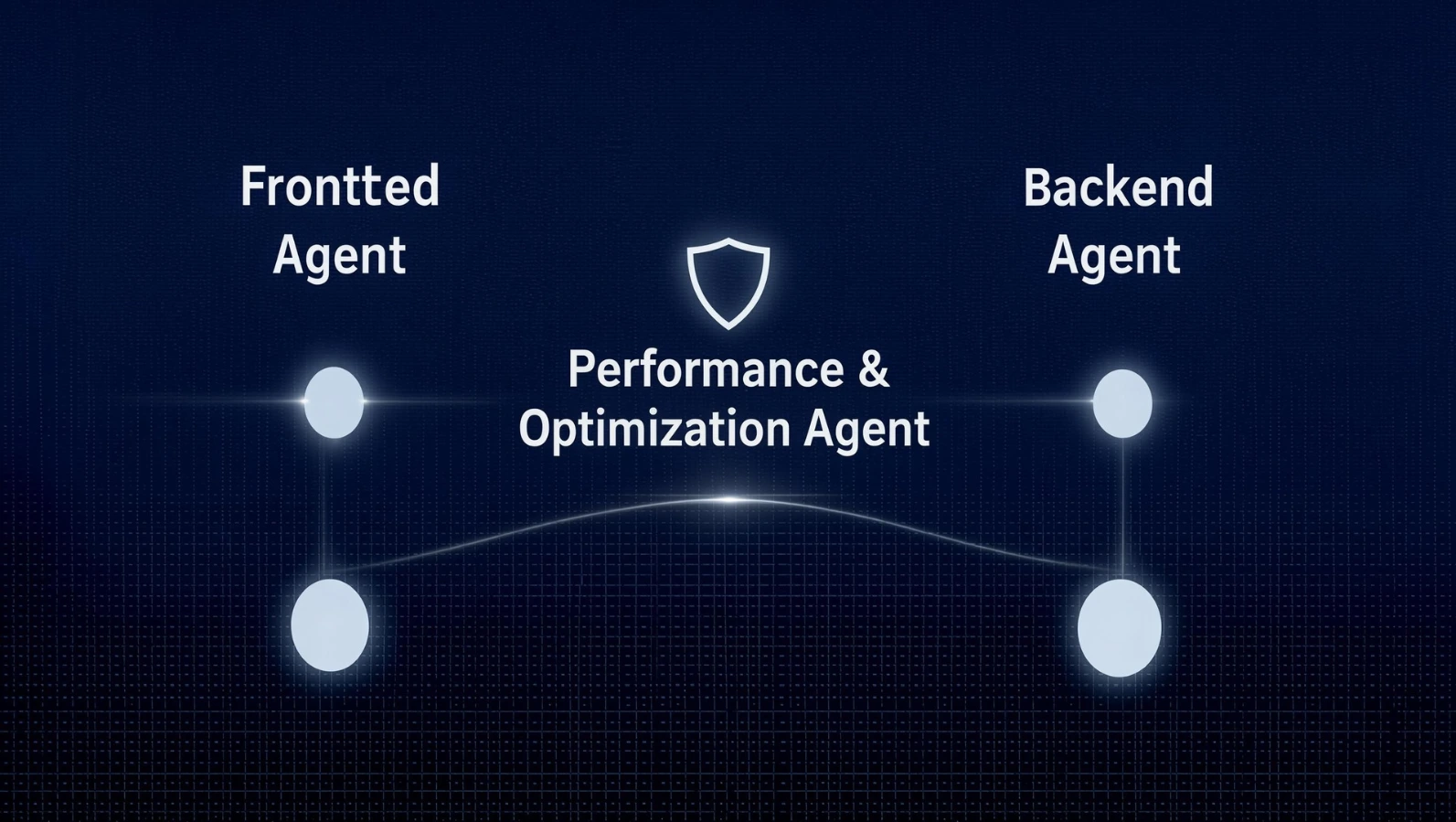
The trajectory points toward more specialization, not less human involvement. Multi-agent setups — separate agents for frontend, backend, database optimization, and security review — are already in early prototype form at major research labs, and the logic is straightforward: a dedicated "performance agent" reviewing every change for complexity and resource usage is a more tractable problem than expecting a single general-purpose coding agent to hold every concern in mind at once.
It's also likely that benchmark suites themselves will evolve. Today's most common coding benchmarks (HumanEval, SWE-bench) reward functional correctness, not efficiency. As awareness of the performance gap grows, expect more benchmarks that explicitly score solutions on time and space complexity, not just pass/fail — which would, in turn, push model training toward better performance instincts over time.
In the meantime, the deciding factor isn't the tool. It's organizational discipline: whether teams build profiling, complexity-aware prompting, and senior architectural review into their AI-assisted workflow, or whether they let velocity metrics quietly erase the habit of asking "but will this scale?"
FAQ
Not automatically — but AI-generated code frequently uses less efficient algorithms or database access patterns than a careful human would write, which can produce real runtime slowdowns if it ships without review.
In a controlled METR study of experienced open-source developers on real tasks, yes — participants were measurably slower with AI assistance despite believing they were faster.
Most models are optimized to produce code that satisfies the literal prompt and passes available tests, not code that performs well at scale. Without explicit constraints, they default to common patterns from training data, which aren't always the most efficient ones.
Yes. More capable agentic tools score higher on benchmarks like SWE-bench Verified, which correlates with fewer debugging cycles, but no current tool reliably handles concurrency or large-scale algorithmic tradeoffs without human oversight.
No, but they need more oversight when using them, since spotting the gap between code that "looks right" and code that's actually efficient requires experience junior engineers are still building.
Database query inefficiency, especially N+1 query patterns generated inside loops, followed closely by naive algorithmic complexity in functions that work fine on small inputs but fail to scale.
It helps, but it's not a substitute for review. Specifying actual constraints (data size, latency targets, memory limits) produces noticeably better results than a generic instruction to optimize.
Multiple analyst and research sources, including Gartner, project a significant rise in AI-related software defects and technical debt by 2026, tied to development practices that skip long-term structural thinking in favor of speed.
Figures vary by organization, but one widely shared estimate put it at roughly 44% of token spend going toward fixing AI-introduced bugs at a single company — a useful cautionary data point even if it doesn't generalize universally.
No. This remains one of the weakest areas for AI-generated code, because race conditions depend on non-deterministic timing that's difficult for pattern-matching models to reason about reliably.
Add profiling as a standing step for any AI-touched code in performance-sensitive paths, and add automated benchmark assertions to CI so regressions fail the build rather than surfacing after deployment.
Both, depending on the task. Routine, well-bounded work (boilerplate, syntax, simple CRUD) shows genuine cycle-time improvements. Complex, judgment-heavy work shows mixed-to-negative results in controlled studies.
Possibly, especially if coding benchmarks evolve to score efficiency alongside correctness. But there's no confirmed large-scale data yet showing the newest models have closed this gap; treat any vendor claim to the contrary with skepticism until independently verified.
A practical middle ground works best: allow AI broadly for routine code, but require mandatory human review and profiling for anything touching hot paths, databases, or concurrency — regardless of how confident the AI output looks.
No. The performance-blindness pattern shows up across tools and vendors because it stems from how these models are trained and evaluated, not from any single product's implementation choices.
Conclusion
AI coding tools aren't single-handedly destroying performance optimization as a discipline — but they are quietly removing the natural checkpoints that used to force developers to think about it. When code gets generated in seconds and passes the available tests, "good enough to ship" and "actually efficient" stop being the same question by default.
The data backs this up clearly: real productivity studies show developers slower on complex tasks despite feeling faster, independent code review found measurably more issues in AI-generated pull requests, and credible analyst firms expect a meaningful rise in AI-related technical debt over the next few years.
None of that means abandoning AI coding tools makes sense. The routine-task gains are real, and the tools keep improving. What it means is that performance optimization needs to become an explicit, designed-in part of the AI-assisted workflow rather than something that happens implicitly while a human types — because it no longer happens implicitly at all.
Specify constraints in prompts. Profile before merging anything performance-sensitive. Keep senior judgment in the loop for architecture and concurrency. Track the bug-fix-to-velocity ratio, not just raw output.
Used this way, AI coding tools become a genuine accelerant. Used without these guardrails, they become a fast way to accumulate performance debt you won't notice until it's expensive to fix.