What Is Devin AI?

If you've been following the AI industry recently, you've probably heard developers talking about Devin AI, the autonomous coding agent created by Cognition. Unlike traditional AI coding assistants that only suggest snippets of code, Devin AI can independently plan tasks, write code, debug software, run tests, and even deploy applications with minimal human involvement.
In simple terms, Devin AI acts more like a junior software engineer than a normal AI chatbot.
Instead of waiting for constant prompts, it takes an engineering task, breaks it into steps, works through problems, searches documentation, fixes bugs, and submits completed work through pull requests.
That shift from “AI assistant” to “AI agent” is why Devin AI generated so much attention after its release.
Who Created Devin AI?
Devin AI was developed by Cognition AI, an AI research company focused on building autonomous reasoning systems for software engineering.
The company was founded by competitive programmers and former engineers from major AI organizations including:
DeepMind
Scale AI
Cursor
Waymo
Cognition introduced Devin publicly in 2024, describing it as the world's first autonomous AI software engineer.
How Devin AI Works
Unlike tools that simply generate text responses, Devin operates inside a real development environment with access to:
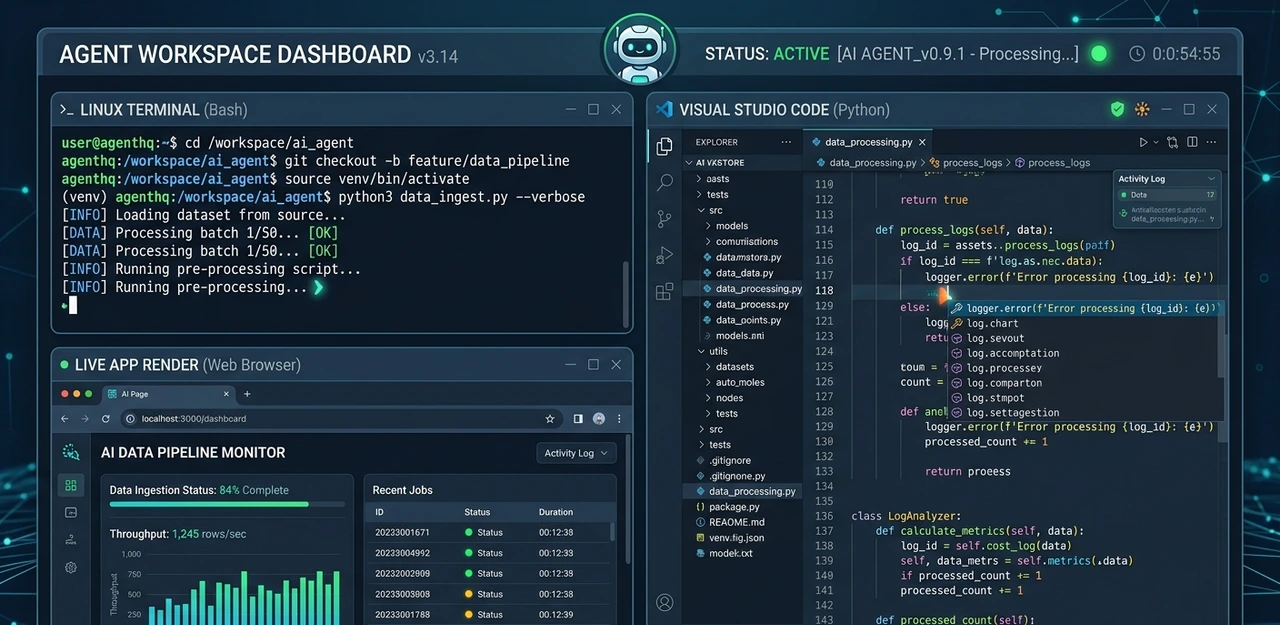
A terminal
A code editor
A browser
Testing environments
Deployment tools
This allows it to perform real engineering workflows from start to finish.
Core Capabilities of Devin AI
1. Autonomous Task Planning
Devin first analyzes the objective before touching the codebase.
For example:
“Fix the authentication issue in the dashboard and add unit tests.”
It creates a multi-step plan, identifies relevant files, and determines how to approach the task.
2. Writing and Editing Code
Devin can:
Create new files
Modify existing code
Refactor applications
Generate tests
Build APIs
Configure environments
Unlike autocomplete tools, it edits entire projects contextually.
3. Debugging Software
One of Devin’s most impressive abilities is autonomous debugging.
It can:
Read terminal errors
Search documentation
Investigate stack traces
Retry failed approaches
Fix dependency conflicts
This dramatically reduces repetitive debugging cycles for developers.
4. Running Tests and Validation
Devin automatically runs:
Unit tests
Build checks
Linters
Validation scripts
If something fails, it attempts to resolve the issue independently before reporting back.
5. Browser-Based Research
Devin can browse the web in real time to:
Read documentation
Check GitHub issues
Search Stack Overflow
Review framework updates
Understand APIs
This makes it significantly more adaptable than static coding assistants.
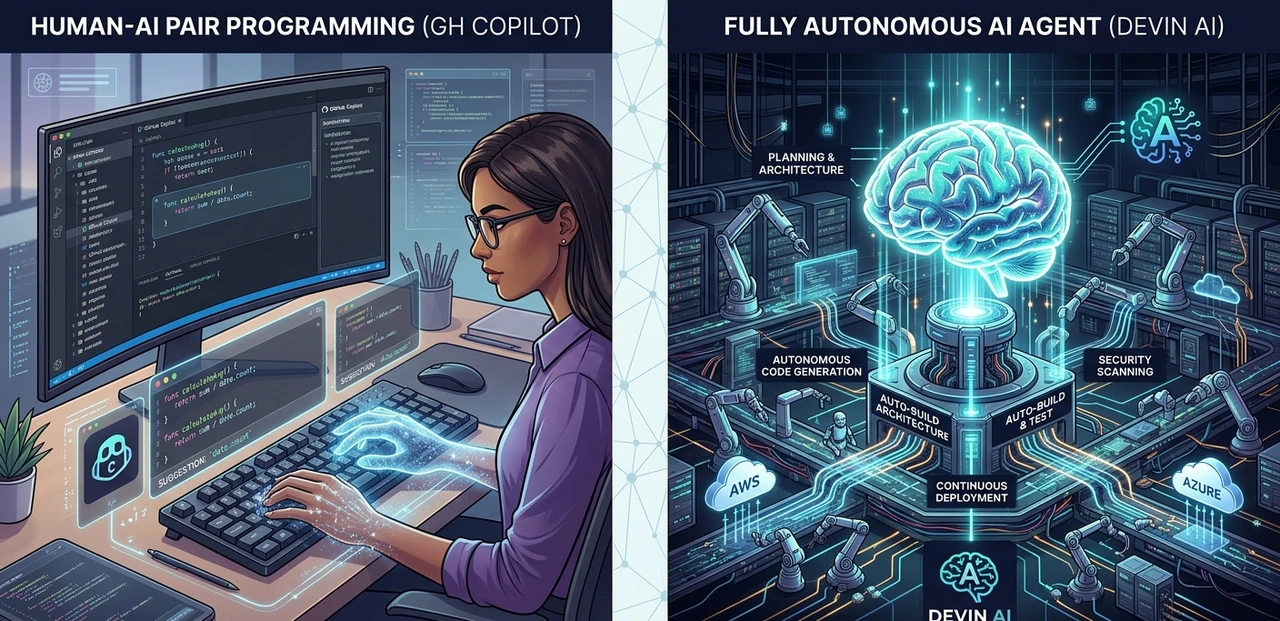
Devin AI vs GitHub Copilot
A lot of developers compare Devin AI with GitHub Copilot, but they actually solve different problems.
Feature | Devin AI | GitHub Copilot |
Autonomous workflows | Yes | No |
Executes terminal commands | Yes | No |
Debugging | Autonomous | Assisted |
Creates multi-step plans | Yes | Limited |
Runs tests | Yes | No |
Operates independently | Yes | No |
Inline autocomplete | Limited | Excellent |
GitHub Copilot helps developers code faster.
Devin AI attempts to complete engineering tasks independently.
That’s a massive difference.
Why Devin AI Matters
The software industry is moving from AI-powered assistance toward AI-powered execution.
Previous coding tools still required developers to:
Ask for code
Paste code
Test manually
Debug manually
Repeat the cycle
Devin compresses much of that workflow internally.
Instead of helping with isolated tasks, it attempts to own complete engineering tickets from start to finish.
For engineering teams, this could mean:
Faster development cycles
Reduced repetitive work
Higher productivity
Smaller bottlenecks
More focus on architecture and product decisions
What Devin AI Is Good At
Devin performs especially well on structured engineering tasks.
Areas Where Devin Excels
Writing boilerplate code
Fixing isolated bugs
Generating test coverage
Refactoring components
Migrating frameworks
Debugging environment issues
Creating small internal tools
Automating repetitive workflows
For repetitive engineering work, Devin can save teams significant time.
Limitations of Devin AI
Despite the hype, Devin is not perfect.

Where Devin Still Struggles
Complex Architecture Decisions
Devin can implement systems, but it should not design large-scale architecture independently.
Weak Product Understanding
It lacks deep business context and may misunderstand product requirements.
Large Legacy Codebases
Poor documentation and messy repositories slow Devin down considerably.
Hallucinated Logic
Like all AI systems, Devin can confidently generate incorrect solutions.
Human oversight is still essential.
Real-World Example of Devin AI
Imagine a company discovers a race condition bug inside a Node.js API.
Instead of assigning the issue entirely to a human developer, they give the task to Devin:
“Investigate the race condition in the caching layer and fix it.”
Devin then:
Explores the repository
Reads the affected modules
Reproduces the issue
Implements a fix
Writes tests
Runs validations
Opens a pull request
A developer reviews the PR and merges it.
Tasks that normally take several hours can sometimes be reduced to minutes of review time.
Pros and Cons of Devin AI
Pros
Truly autonomous workflows
Handles debugging independently
Can run terminal commands
Strong at repetitive engineering work
Saves developer time
Integrates with real repositories
Cons
Requires human supervision
Not ideal for architecture decisions
Can pursue incorrect solutions
Expensive for smaller teams
Less useful without good documentation
Is Devin AI Better Than Cursor or Copilot?
It depends on your workflow.
Use Devin AI if:
You want autonomous execution
You manage engineering teams
You handle repetitive tickets
You need AI task ownership
Use Copilot or Cursor if:
You prefer manual coding
You want inline suggestions
You need fast autocomplete
You work interactively inside the editor
Many teams may eventually use both together.
Is Devin AI Available Publicly?
Yes.
After an early waitlist phase, Devin became available commercially through Cognition AI’s official platform.
Pricing changes frequently, so users should check the official site for updated plans and enterprise availability.
Is Devin AI Safe for Production Code?
Devin operates inside sandboxed environments, which reduces risk.
However, best practices still include:
Reviewing every pull request
Testing changes in staging
Restricting credentials
Monitoring deployments carefully
Teams should treat Devin like a junior engineer:
helpful, productive, but still requiring oversight.
Will Devin AI Replace Software Engineers?
Not realistically in the near future.

Devin is powerful at execution, but software engineering involves far more than writing code.
Human developers still provide:
Product thinking
System architecture
Communication
UX judgment
Business understanding
Strategic decision-making
The more realistic future is:
developers managing AI agents instead of manually handling every repetitive task themselves.
Final Verdict: Is Devin AI Worth It?
Devin AI is one of the most important advancements in AI coding tools so far.
It moves beyond autocomplete and into autonomous software execution.
For teams handling repetitive engineering work, Devin can become a major productivity multiplier.
However, it is not magic.
It still needs:
Clear instructions
Human review
Proper testing
Strong engineering oversight
The companies that benefit most from Devin will likely be the ones that learn how to collaborate with AI agents effectively rather than expecting complete automation.
Frequently Asked Questions
Devin AI is an autonomous AI software engineer created by Cognition AI that can independently plan, write, debug, test, and deploy code.
You can reach our customer support team by emailing Devin AI was developed by Cognition, an AI startup focused on autonomous reasoning systems for software engineering.
Devin and Copilot serve different purposes. Copilot assists developers while coding, whereas Devin attempts to complete engineering tasks autonomously.
Yes. Devin can configure environments, run deployment workflows, and manage engineering tasks inside sandboxed environments.
No. Devin automates repetitive engineering work but still requires human oversight, architecture planning, and product-level decision making.
Featured Snippet Answer
What Is Devin AI?
Devin AI is an autonomous AI software engineer developed by Cognition AI. Unlike traditional coding assistants, Devin can independently plan tasks, write code, debug software, run tests, browse documentation, and deploy applications inside a real development environment with minimal human supervision.