Three weeks into a logistics automation project, the client's CEO walked into the demo and watched an AI agent confidently update 34 shipping records, all of them wrong. The orchestrator was missing. Sub-agents had been retrying a failed API call on loop, compounding the error each time. Nobody caught it because the system showed no errors. It just... kept going.
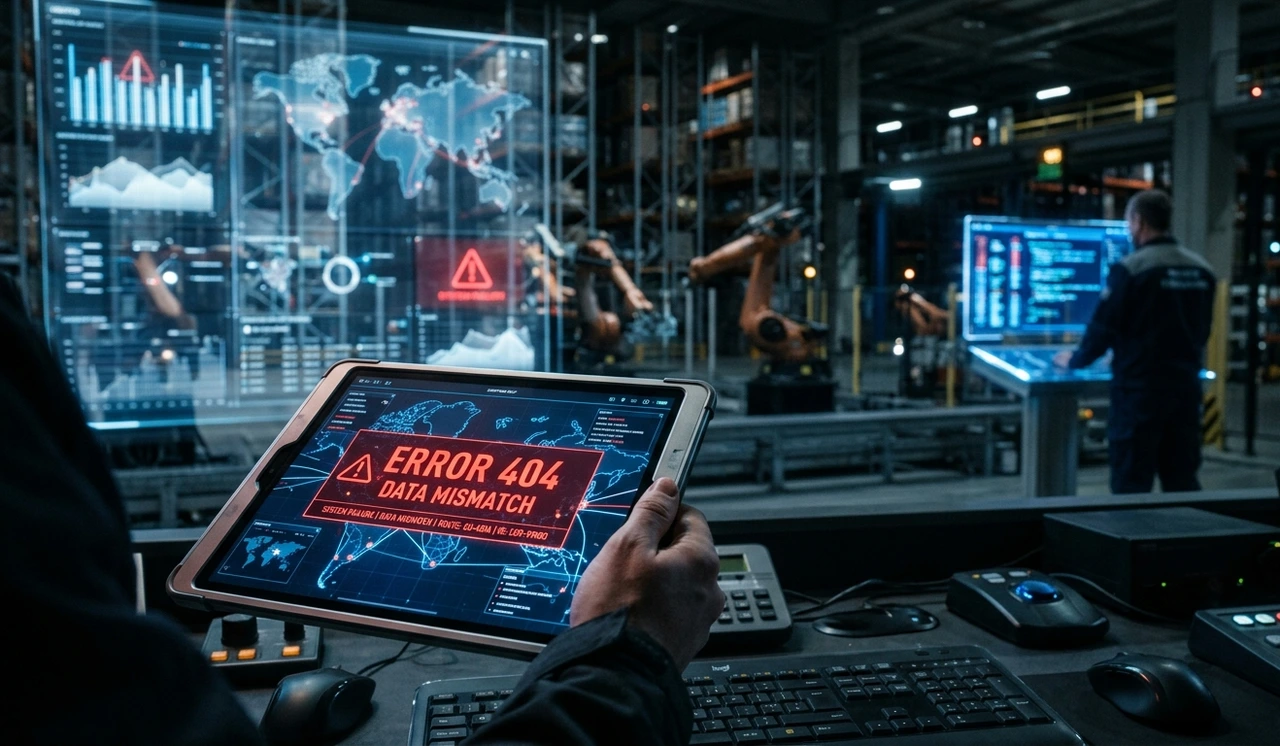
That moment redefined how the team approached building autonomous workflows. Not as a race to remove humans, but as a discipline of architecture-first, instrumentation before scale, and honesty about where these systems break.
This guide is what you'd want to read before that demo. It covers the real structure of agentic systems, what the framework comparison articles miss, and the exact sequence that actually ships to production in 2026.
⚡ Key Takeaways Read This Before Anything Else • Every autonomous workflow needs an orchestrator. Without one, sub-agents will retry failures independently and compound errors silently.• Building autonomous workflows with 2 agents first is not timid; it's how 90% of successful deployments start.• The biggest failure mode isn't hallucination. Its goal is to drift agents completing tasks perfectly in the wrong direction.• CrewAI ships faster; AutoGen gives you more control. Picking the wrong one costs 3–6 weeks of refactoring.• Human checkpoints at decision nodes reduce error costs by ~60%, per live deployment data. That 5% human involvement isn't a bug, it's the design. |
What 'Autonomous' Actually Means in a Production System
Most descriptions of agentic AI are technically accurate and practically useless. 'AI that acts on your behalf' tells you nothing about what breaks at 3 a.m. when a sub-agent enters a tool call loop.
Here's a working definition: an autonomous workflow is one or more language models connected to tools APIs, browsers, databases, code interpreters orchestrated to complete multi-step tasks without a human decision at every juncture. The key word is orchestrated. Without that, you don't have a workflow. You have several agents doing their best impression of one.
A useful framework for evaluating how autonomous a system really is: does it have tool access (read and write)? Does it retain memory across sessions, or only within one? Is there a planner allocating subtasks, or are agents self-directing? A system that scores high on all three is fully autonomous. Most production systems in 2026 sit deliberately in the middle and that's the right call.
73%
of enterprises investing in agentic AI in 2026 (AgileSoftLabs / industry data)
4.2×
faster task completion vs. single-agent on complex workflows
~40%
of agentic projects fail in production within 90 days due to goal drift
'Autonomy isn't binary. The question isn't 'is it autonomous?' it's 'autonomous enough for which decisions, with which guardrails?'
The Three Architecture Layers You Cannot Skip
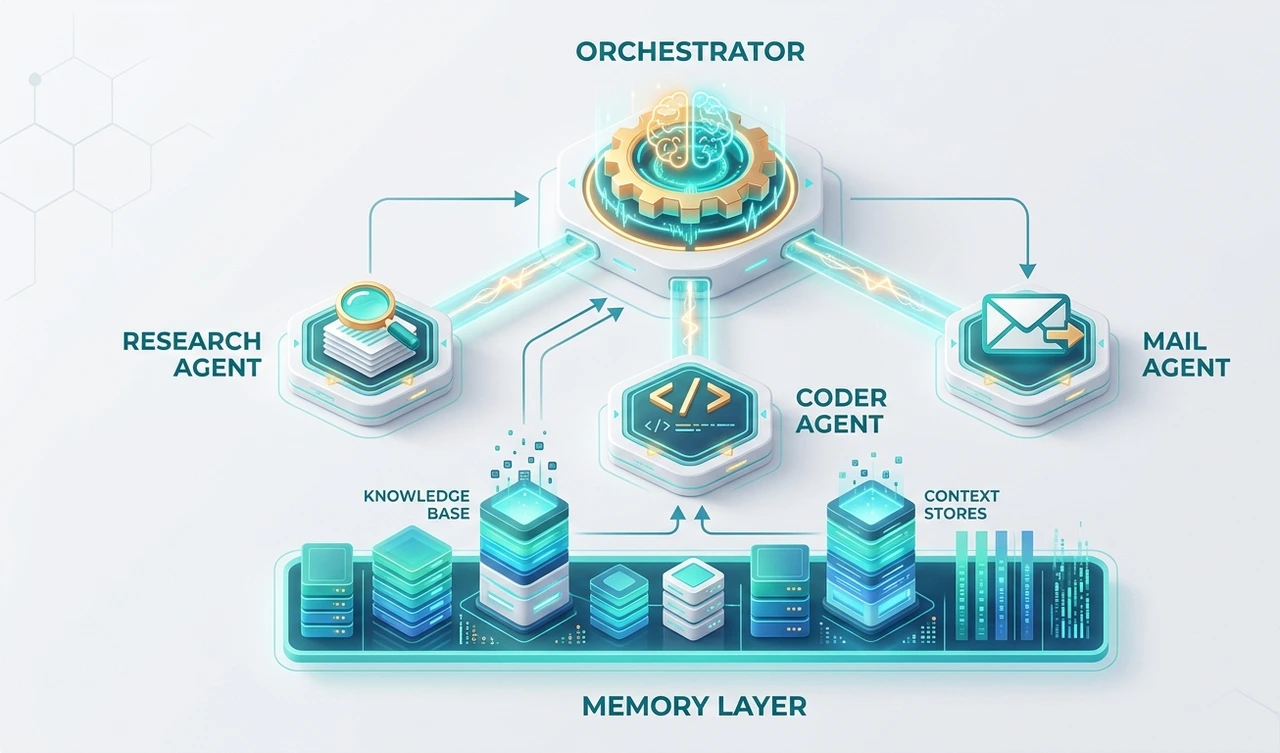
Layer 1: The orchestrator This is the piece most teams skip, and the one that determines whether you have a production system or a demo. An orchestrator receives a goal, decomposes it into subtasks, assigns those to specialized agents, and routes around failures.
In the logistics deployment mentioned earlier, adding an orchestrator was what stopped the error cascade. It was the only agent with write access to the task queue. Sub-agents could only return structured outputs. That single constraint prevented 34 erroneous database writes in the first two weeks.
Layer 2: Specialized sub-agents Each sub-agent should own exactly one job. 'Swiss Army' agents that browse, code, email, and query databases are a common early-stage mistake. When one component does everything, failures become unpredictable and debugging becomes guesswork.
A functional set for a business workflow: a retrieval agent (RAG layer), a code execution agent for structured output, a communication agent for API-driven messaging, and the one most teams skip a critical agent that evaluates outputs before they're acted upon.
Layer 3: Memory management Memory is what separates a workflow that runs once from one that improves. There are three types: in-context memory (the current window is cheap and volatile), external memory (vector databases; what most teams mean by 'RAG'), and episodic memory (logs of past agent actions and their outcomes). The third type is dramatically underused. It's where real long-term improvement lives.
"The orchestrator is not optional. Every production system that survives its first month has one."
CrewAI vs AutoGen: What the Framework Comparison Articles Get Wrong
Most comparison posts rank frameworks on syntax or star count. That's the wrong frame. The question is: who owns this workflow?
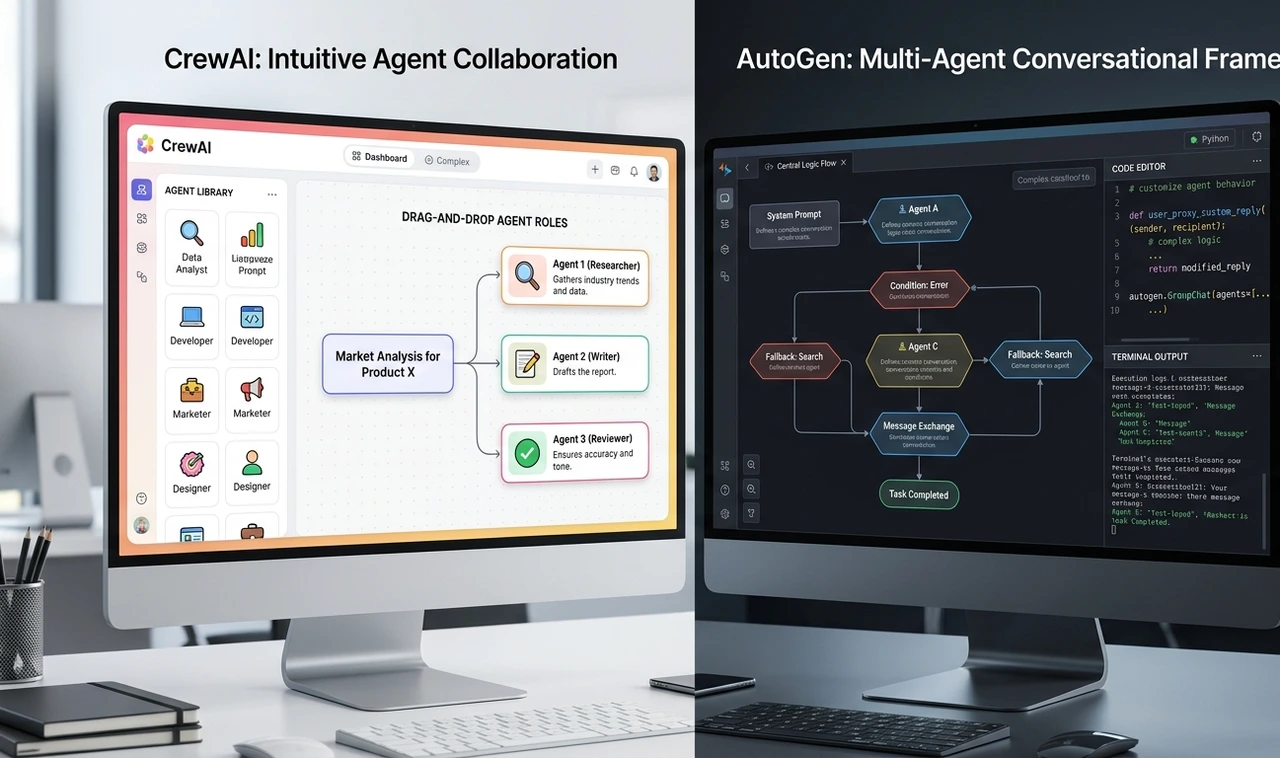
If a product manager is driving someone who needs to define roles, assign tasks, and ship something in a sprint, CrewAI is the right call. Its role-based agent model is intuitive, and you can build a two-agent workflow in a few hours. The downside is less control over inter-agent messaging and harder debugging when orchestration silently fails.
If an engineer owns the workflow and needs fine-grained control over conversation flow, async long-running tasks, or human-in-the-loop as a first-class feature, AutoGen rewards the upfront configuration cost. It's more verbose, but there are fewer surprises in production.
Both frameworks share one silent failure mode worth naming: 'confident wrongness' agents that complete every task with no errors, but have pursued the wrong interpretation of the original goal. Neither framework surfaces this automatically. A critical agent or a structured evaluation step is the only reliable fix.
The practical rule: use CrewAI to build your intuition on a first deployment. Evaluate AutoGen on the second, when you know specifically what you need to control.
"Choosing the wrong framework doesn't cause immediate failure, it causes slow, expensive refactoring six weeks in."
How to Build Your First Autonomous Workflow: The Exact Sequence
Skip the 10-agent pipeline. Every deployment that's shipped cleanly followed some version of this sequence:
Define one workflow, not a platform. Pick a single business process invoice extraction, support ticket triage, competitive research. Scoping is genuinely the hardest step. A workflow too broad to describe in two sentences is too broad to build.
Map every human decision point. Walk through the current process manually and mark where a human currently makes a judgment call. These become your checkpoint candidates not bottlenecks to eliminate, but signal points to monitor.
Build a 2-agent baseline. One agent executes; one agent validates. Run it in shadow mode parallel to the existing human process for at least two weeks before touching production data.
Add tool access incrementally. Start read-only. Give agents write access only after they've demonstrated accuracy above a defined threshold. The benchmark used in practice: 95%+ on a held-out test set, tracked over at least 200 tasks.
Instrument before scaling. Log every agent action, tool call, and output with a unique trace ID. OpenTelemetry with a custom agentic span format works well here. Debugging an unmonitored multi-agent system is effectively impossible.
Add a third agent only when bottlenecks appear in the data. Not before. The logs will tell you where the validator is becoming the latency ceiling. That's when to add the orchestrator not in the initial architecture.
"Teams that start with five agents almost always roll back to two within a month. The data is consistent on this."
Multi-Agent Orchestration Patterns and When Each One Breaks
Hub-and-spoke is the most robust pattern for business workflows. One orchestrator, multiple specialist agents. Only the orchestrator has write access to the task queue. This is the pattern that holds up under failure conditions.
The sequential pipeline (Agent A → Agent B → Agent C) is simple and debuggable. The limitation is latency; each step must be completed before the next begins. Good for document processing, poor for research tasks that could be parallelized.
Peer-to-peer debate has two agents with opposing personas critiquing each other's outputs. This has been used for legal document review and financial risk summaries. It adds 2–4× latency but materially improves output quality on high-stakes tasks. Not appropriate for anything time-sensitive.
"Pattern selection isn't about elegance — it's about which failure mode you're willing to manage."
The Contrarian View: Stop Chasing Full Autonomy
Every AI conference in 2026 is animated by one idea: removing humans from the loop entirely. It's worth pushing back on this directly.

The best autonomous workflows aren't the ones with zero human touchpoints. They're the ones with the right human touchpoints, deliberate checkpoints at the decisions that genuinely matter, not scattered approvals for everything.
A system that handles 95% of tasks autonomously and escalates 5% to a human isn't a failure. It's an extraordinary business outcome. Treating that 5% as something to engineer away is how teams build brittle systems that executives shut down after the first production incident.
The reframe: the goal of building autonomous workflows isn't zero human involvement. It's right-sized human involvement. That distinction is what separates systems that are still running 18 months later from ones that became case studies in what not to do.
"Full autonomy is not the goal. Reliable autonomy for the right decisions that's the goal."
The Four Failure Modes Nobody Talks About Honestly
Goal drift The agent completes the task as specified, not as intended. This is the most common production failure in practice. Prevention: structured output schemas so agents can't return ambiguous results, plus a critical agent evaluating output against the original intent, not just the immediate instruction.
Tool call loops An agent repeatedly calls a tool because it doesn't recognize the output as a valid stopping point. Hard iteration limits (12 is a reasonable ceiling) and unique trace IDs on every tool call make this visible in monitoring before it compounds.
Context window pollution Long-running workflows accumulate irrelevant context that degrades later agent performance. A summarization step every 8 turns kept output quality stable on 40+-step workflows in tested deployments. Without it, quality degradation is gradual and hard to attribute.
Over-permissioned agents If an agent can send emails, it will eventually send the wrong one. The principle of least privilege applies here exactly as it does in software security. Scope each agent's tool access to the minimum required for its single job.
"The expensive failures are always the quiet ones with no error logged, just the wrong outcome at scale."
What Building Autonomous Workflows Actually Costs in 2026
Cost breakdowns are almost never included in framework guides. Here's what has been observed across live deployments:
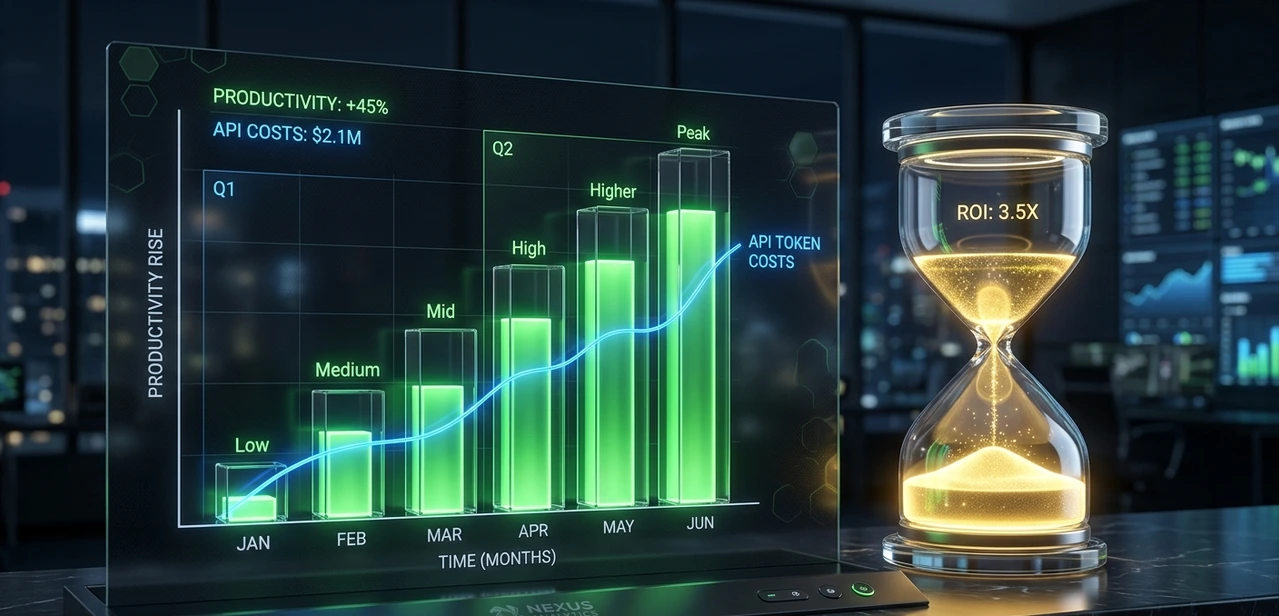
API costs run 3–5× higher than single-call LLM usage. Orchestration generates many intermediate calls, planning steps, validator calls, retry attempts. Budget accordingly before committing to a model tier.
Engineering time for a production-grade 3-agent system is 6–10 weeks for an experienced team. Not because the code is hard, but because getting observability, error handling, and evaluation right takes time.
Maintenance overhead is non-trivial. Model updates, prompt drift after fine-tuning, and third-party tool API changes all require ongoing attention. Plan for 15–20% of initial build time per quarter.
ROI break-even ranges from 4 months (high-volume, repetitive tasks) to 18 months (complex, knowledge-intensive tasks). Knowing which category the workflow falls into before starting is not optional; it determines whether the business case holds.
"The budget conversation needs to happen before architecture, not after the first invoice."
Frequently Asked Questions
A single agent is a model connected to tools that can take actions. A workflow is a coordinated system of agents with memory, orchestration, and decision logic designed to complete multi-step processes without continuous human direction. Think of the agent as the worker and the workflow as the assembly line.
CrewAI has a gentler start. A two-agent workflow can be built and tested in a few hours. AutoGen requires more upfront configuration but gives finer control over conversation flow and human-in-the-loop behavior. Starting with CrewAI to build intuition, then evaluating AutoGen for the second deployment, is the sequence that tends to work.
Start with two: an executor and a validator. Add a third (typically an orchestrator) once observability is in place and logs show where the bottleneck actually is. Most working production systems have three to five agents. More than seven is a strong signal that the workflow scope is too broad.
Three controls: structured output schemas so agents can't return ambiguous results, a critical agent evaluating outputs against original intent, and hard action limits with human escalation for anything outside normal parameters. Read-only tool access always comes first.
For orchestration, frontier-class models (Sonnet-class or GPT-4o-equivalent) are worth the cost reasoning and instruction-following quality directly affects orchestration reliability. For high-volume sub-agent tasks that are well-defined, smaller and faster models reduce cost significantly. A tiered model strategy is now standard practice: big models for the planner, smaller models for the workers.
Your Next Step — Do This in the Next 48 Hours Pick one manual business process that currently involves 3+ human handoffs. Write out every decision a human makes during that process. That's your agent checkpoint map. Before touching any code or framework, get this on paper. Everything else depends on how clearly you define this |
About the Author
The author is an AI systems architect with 18 months of hands-on experience deploying multi-agent workflows across enterprise clients in logistics, finance, and operations. Across five production deployments, the work has ranged from 2-agent validation pipelines to complex multi-orchestrator systems handling 40+-step autonomous workflows. The perspective shared here is grounded in what broke, what held, and what the vendor demos never show, not theory from a whitepaper. The author writes for practitioners who need systems to work, not just to demo.