Introduction
You launch Claude Code. The terminal opens. The spinner starts. And then nothing happens.
No response. No errors. No output. Just the cursor blinking at you while your deadline ticks closer.

If you're dealing with cloud code stuck loading whether that's a startup freeze, a frozen VS Code terminal, an endless /model spinner, or a mid-session hang that won't unstick you're not dealing with a rare edge case. This bug fix issue has been confirmed across dozens of GitHub issues spanning 2025 and 2026, affecting developers on Windows, macOS, and Linux alike.
The good news: the causes are actually very consistent once you know what to look for.Claude Code Session Expired Fix: Login & Auth Errors (2026) This guide covers every confirmed root cause and every working fix, organized so you can get unstuck in under 10 minutes.
What 'Claude Code Stuck on Loading' Actually Means
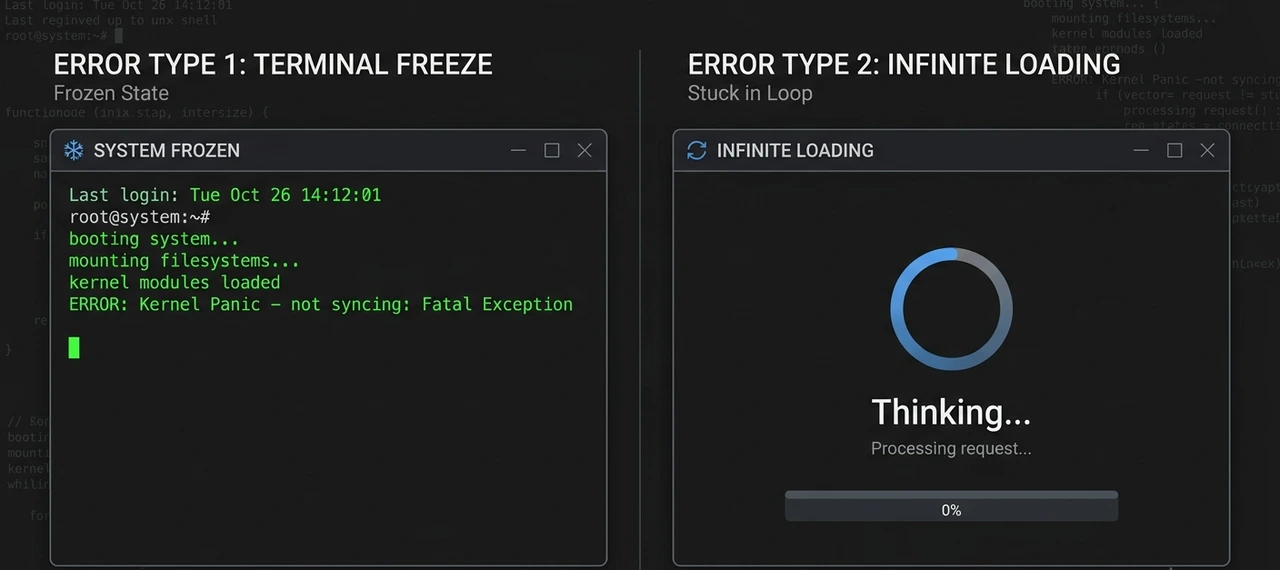
Before jumping into fixes, it helps to identify which type of freeze you're dealing with. Each variant has a different cause:
Startup Freeze
You type claude, confirm the directory permission prompt, and the app stops dead. The TUI loads but accepts zero input. This is commonly reported on Windows Terminal, Git Bash, and macOS Terminal alike.
Infinite Spinner / Mid-Session Hang
Claude is mid-task showing the thinking spinner sometimes labeled things like 'Befuddling...' or 'Symbioting... (3m 12s)' but token usage stops increasing entirely. The model isn't thinking; it's waiting on a Server-Sent Event that never arrives.
VS Code / Cursor Terminal Freeze
The integrated terminal locks up completely. Ctrl+C, Ctrl+D, typing all ignored. The process is technically alive but the UI renderer is frozen.
/model Loading Forever
You type /model inside a running session and get 'Loading models...' with no list ever appearing. This is a separate variant tied to API connectivity rather than session runtime.
Resume Session Crash
Running claude --resume causes a permanent hang because the saved session file became corrupted during a previous crash or interrupted update.
Why Claude Code Gets Stuck Root Causes Explained
1. Corrupted Session or Config Files
One of the most common causes. A broken ~/.claude.json even something as simple as that file being a directory instead of a JSON object can silently block startup. Session history files corrupted by forced shutdowns, interrupted updates, or failed MCP loading are equally problematic.
2. Large Codebases Overloading Memory
Claude Code loads file contents into memory for analysis. Files larger than 1MB, binary files accidentally included in searches, and massive repositories without proper .gitignore exclusions push memory high enough that the OS throttles the process. The app appears frozen even though it's technically still running.
The biggest offenders: node_modules/, dist/, build/, .next/, coverage/
3. API Connection and SSE Stream Problems
Claude Code streams responses in real time using Server-Sent Events (SSE). If that connection stalls — due to a VPN, firewall, unstable Wi-Fi, or Anthropic's API under load — the spinner keeps spinning while the app waits for packets that aren't coming. Token usage flatlines at zero.Cursor AI + Vercel v0: How to Build and Monetize a Micro-SaaS Tool (Realistic Timeline: 1 Hour to a Few Days)
4. Broken MCP Server Configurations
Newer Claude Code releases load MCP servers automatically during startup. A single broken MCP endpoint — an invalid URL, an unreachable server, a bad local settings entry — can freeze the entire initialization process. Many post-update freezes trace back to this.Claude Code vs Cursor AI: Which One Actually Earns Its Subscription in 2026?
5. Windows WSL and Git Bash Issues
Windows users report the highest concentration of startup hangs. Documented causes include: WSL 1 installed instead of WSL 2, localhost networking broken by the October 2025 KB5066835 Windows update, incorrect Git Bash path configuration, and terminal permission conflicts in VS Code's integrated terminal.
6. OAuth / Authentication Failures
Claude Desktop performs an OAuth token exchange at startup. If this fails most commonly because the account doesn't have a Pro or Max subscription but Claude Code requires one the 403 error isn't handled gracefully. Instead of showing a clean error, the app hangs on an infinite loading spinner indefinitely.
7. Rate Limits and API Overload
Sometimes Claude isn't frozen and the API is overloaded. Heavy usage spikes in 2026 have produced 429 rate limit errors and auth timeouts that look identical to local freeze issues. If multiple developers on your team report the same problem simultaneously, always check Anthropic's status page first.
Step-by-Step Fix Guide
Work through these in order. The majority of users find their fix within the first three steps.
Step 1: Check Anthropic's Service Status (30 Seconds)
Before touching anything local, visit status.anthropic.com. If there's an active API incident, no local fix will help. Many "Claude frozen" reports in 2026 were server-side issues.
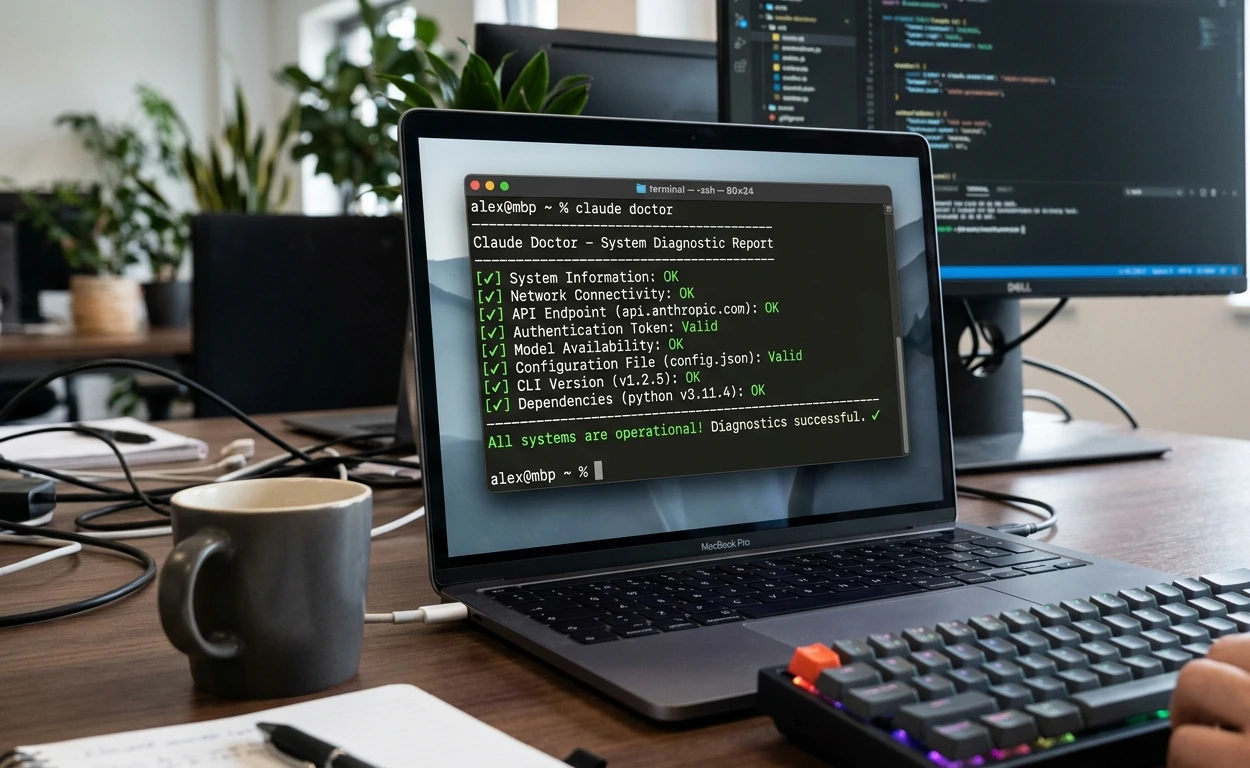
Step 2: Run claude doctor Your #1 Diagnostic Tool
Anthropic built this diagnostic specifically for freeze and startup issues. If Claude Code has loaded at all, type inside the session:
/doctor
If Claude Code won't open at all, run from a second shell:
claude doctor
This checks in about 30 seconds: broken configs, invalid JSON, MCP configuration errors, outdated versions, authentication failures, and permission conflicts. Treat this as your mandatory first step.
Step 3: Force Interrupt the Frozen Session
If mid-session is frozen, try sending a follow-up prompt first — even a single character. There's a confirmed behavior where Claude gets stuck waiting on SSE events, and a new message restarts the connection. It sounds strange but it works often enough to be worth trying.
If the terminal is completely unresponsive (Ctrl+C does nothing), open a second terminal:
# Find the processps aux | grep claude# Kill itkill -9 <PID>
On Windows: open Task Manager, find the clause or node process, and end it.
Step 4: Skip Corrupted Sessions
Broken resume sessions are extremely common. Instead of:
claude --resume
Start fresh:
claude --no-resume
If startup suddenly works, the old session file was the problem.
Step 5: Delete Corrupted Claude Config Files
macOS / Linux — delete the config file:
rm ~/.claude.json
For a full reset (all settings and session history):
rm -rf ~/.claude
Windows (PowerShell):
Remove-Item -Recurse -Force "$env:USERPROFILE\.claude"
Claude automatically regenerates fresh configuration files on next launch. You'll need to re-authenticate.
Step 6: Clear Context and Use /compact
Large conversations are a major cause of mid-session instability. Use /compact regularly to summarize history:
/compact
Between major tasks, clear the session entirely:
/clear
This dramatically reduces memory pressure and prevents the session state from growing to a size that causes freezes.
Step 7: Fix Large Codebase Indexing
Add these to your .gitignore to prevent Claude from scanning unnecessary files:

node_modules/dist/build/.next/coverage/*.log
Many developers eliminate freezes immediately after doing this step. Large binary files are a particular culprit.
Step 8: Update Claude Code
Outdated versions frequently have known freeze bugs that were patched in later releases:
npm update -g @anthropic-ai/claude-code
Verify your current version:
claude --version
Also confirm Node.js version — Claude Code requires Node.js 18 or higher:
node --version
Step 9: Fix Windows WSL 2 Configuration
Verify WSL 2 is installed (WSL 1 causes sandbox failures and startup hangs):

wsl.exe -v
If you see WSL 1, upgrade to WSL 2. Also add the Git Bash path to Claude Code settings.json if it isn't being detected:
{ "env": { "CLAUDE_CODE_GIT_BASH_PATH": "C:\\Program Files\\Git\\bin\\bash.exe" }}
Step 10: Disable Broken MCP Servers
If freezes started after adding MCP servers, temporarily disable all of them and restart Claude Code. If it works, re-enable them one by one to identify which MCP configuration is causing the freeze.
Step 11: Clean Reinstall
If nothing above has worked:
npm uninstall -g @anthropic-ai/claude-codenpm cache clean --forcenpm install -g @anthropic-ai/claude-codeclaude --version
Best Fix by Scenario
Freeze Scenario | Most Likely Fix |
Spinner on startup, no input accepted | Delete ~/.claude.json, reinstall |
Mid-session hang, tokens stopped | Send follow-up prompt, check API status |
/model stuck on 'Loading models...' | Check network/VPN, verify API key |
Terminal completely unresponsive | Kill process (kill -9), clear session |
Freezes on large codebases | Add dirs to .gitignore, use /compact |
Windows startup hang | Fix WSL 2, set Git Bash path |
Infinite loading in Claude Desktop | Check subscription (Pro/Max required) |
Crash on claude --resume | Delete corrupt session, start fresh |
Quick Reference: All Fixes at a Glance
Step | Action | When to Use |
1 | Run claude doctor | Always first |
2 | Use claude --no-resume | Resume session hangs |
3 | Delete ~/.claude.json | Corrupted config |
4 | Check Anthropic status page | Sudden widespread freeze |
5 | Kill frozen process (kill -9) | Terminal unresponsive |
6 | Run /compact inside session | Mid-session memory overload |
7 | Add folders to .gitignore | Large codebase freezes |
8 | Update Claude Code (npm update) | Windows startup hang |
9 | Fix WSL 2 / Git Bash path | Windows startup hang |
10 | Disable broken MCP servers | Freeze after MCP setup |
11 | Reinstall Claude Code cleanly | Nothing else worked |
Common Mistakes That Make This Worse
Running Claude Code as Root
Installing or running with sudo can corrupt system-level configuration and break updates permanently. Always install and run as a regular user.
Ignoring the Node.js Version
Claude Code requires Node.js 18+. Running it on Node 16 or 14 produces mysterious failures that look like freezes but are actually swallowed runtime errors.
Resuming a Corrupted Session Repeatedly
If claude --resume hangs once, continuing to use it won't fix anything. The session state itself is corrupted. Start fresh.
Skipping claude doctor
This tool identifies the root problem in 30 seconds in most cases. Not running it first is the most common reason people spend an hour debugging something that has an obvious fix.
Loading Massive Repositories Without .gitignore
Huge generated folders dramatically increase freeze risk. Adding exclusions to .gitignore before starting a Claude Code session on a large project is the single most effective prevention habit.
Pro Tips for Preventing Claude Code Freezes
Use /compact before handing Claude Code a large refactor or analysis task. This reduces context window size before the memory load begins.
Keep a .claudeignore file similar to .gitignore, it tells Claude Code which directories to skip entirely during indexing.
Run claude --verbose when debugging to get full log output that reveals the actual error the default UI hides.
Monitor Activity Monitor (macOS) or htop (Linux) during Claude sessions. Early warning of memory/CPU spikes beats debugging a fully frozen session.
Update Claude Code weekly with npm update -g @anthropic-ai/claude-code. Anthropic ships fix rapidly and auto-updates occasionally miss.
Keep sessions scoped. Use /clear between major tasks rather than letting conversation history accumulate across a full workday.
Real Use Case: Debugging a Persistent Startup Hang
Here's a concrete scenario from a developer running Claude Code 2.1.51 on macOS M2. Every launch: Claude asked for directory permission, Enter was pressed, and then — nothing. The TUI rendered but accepted zero input. Force-quitting from Activity Monitor was the only escape.
Since the frozen app accepted no input, /doctor wasn't an option inside the session. They ran it from a second terminal instead:
claude doctor
Output flagged a lock acquisition error: 'NON-FATAL: Lock acquisition failed for /Users/username/.local/share/claude/versions/2.1.51'. This pointed to a multi-process conflict — a previous Claude Code session had crashed while holding a lock file.
Fix: killed all claude-related processes, deleted the lock file in the versions directory, and relaunched. Claude Code started normally.
Secondary issue discovered: mid-session freezes appeared during file analysis on their Next.js project. Adding node_modules/, dist/, and .next/ to .gitignore and running /compact at the start of each major task eliminated the freezes entirely.
Total debugging time: under 20 minutes. The key was running claude doctor early and reading the output rather than jumping straight to a reinstall.
Advanced Debugging: When Standard Fixes Don't Work
Generate a Heap Dump
If memory is the suspected cause, run inside a session:
/heapdump
This writes a .heapsnapshot file to your Desktop (macOS/Windows) or home directory (Linux). Open it in Chrome DevTools under Memory → Load to inspect what's consuming RAM. If native memory leads to the breakdown, the issue may be in a native dependency rather than Claude Code's own code.
Inspect SSE Traffic
For mid-session freezes that look network-related, use Wireshark or Charles Proxy to confirm whether packets are actually flowing to Anthropic's API. Zero packet activity during a 'thinking' freeze confirms the connection has stalled either a network path issue or an Anthropic-side problem.
Test in a Different Terminal Emulator
Some freeze reports have been traced to terminal renderer issues rather than Claude Code itself. If you're using VS Code's integrated terminal, try running claude in Terminal.app, iTerm2 (macOS), or Windows Terminal. If it works there, the issue is in the IDE terminal integration, not Claude Code.
File a GitHub Issue
Anthropic's team is active on the claude-code GitHub repository. Include: OS and version, Claude Code version (claude --version), Node.js version (node --version), full verbose output (clause --verbose), and exact reproduction steps. Well-documented reports get fast responses.
FAQ: Claude Code Stuck on Loading
Usually because of corrupted session files, API connectivity issues, overloaded memory from large codebases, broken MCP server configurations, or WSL environment problems on Windows. Run claude doctor first to identify which one applies to you.
Open a second terminal window. Run 'ps aux | grep claude' to find the process ID. Then run 'kill -9 <PID>' to force termination. On Windows, open Task Manager and end the 'claude' or 'node' process. Then restart with claude --no-resume.
This is an API connectivity issue. Verify your internet connection, disable any VPN, and check that your Anthropic API key is valid. Also confirm your plan includes Claude Code access (Pro or Max required). A firewall blocking the Anthropic API endpoint is another common cause.
Yes. Files larger than 1MB can cause significant slowdowns or complete freezes, especially binary files accidentally included in searches. Add node_modules/, dist/, build/, and .next/ to your .gitignore, and use /compact regularly during long sessions.
VS Code integrated terminal and Cursor can introduce their own rendering quirks and plugin conflicts. Try running Claude from a standalone terminal (Terminal.app, iTerm2, Windows Terminal) to confirm whether the issue is Claude Code itself or the IDE integration.
Yes, significantly. Anthropic ships rapid updates. Specific freeze bugs have been fixed in multiple releases since late 2025. Run 'npm update -g @anthropic-ai/claude-code' and verify your Node.js version is 18+ with 'node --version'.
Run 'claude doctor' from a separate shell window. This diagnostic tool checks the most common root causes in about 30 seconds: broken configs, MCP errors, auth failures, and version problems. Fix the first issue it flags before trying anything else.
Final Verdict
Claude Code getting stuck on loading is genuinely frustrating — but it is almost always fixable, and the fixes are more systematic than they first appear. The vast majority of freeze issues fall into a handful of predictable buckets: corrupted config or session files, API connectivity problems, memory overload from large codebases, MCP server misconfigurations, or Windows environment setup issues.AI Coding Is a Nightmare. Am I the Only One Experiencing This?
The fastest recovery workflow, every time:
Check Anthropic's status page (30 seconds)
Run claude doctor from a separate shell
Skip corrupted sessions with claude --no-resume
Delete ~/.claude.json if config is the culprit
Use /compact and /clear proactively in future sessions
Keep Claude Code updated
Disable broken MCP servers
Build these habits and the freeze issue goes from a recurring headache to a rare inconvenience.
Pro Tip: Bookmark status.anthropic.com and run claude doctor as your reflex first step any time Claude Code misbehaves. These two actions alone resolve the majority of reported freeze cases. |